
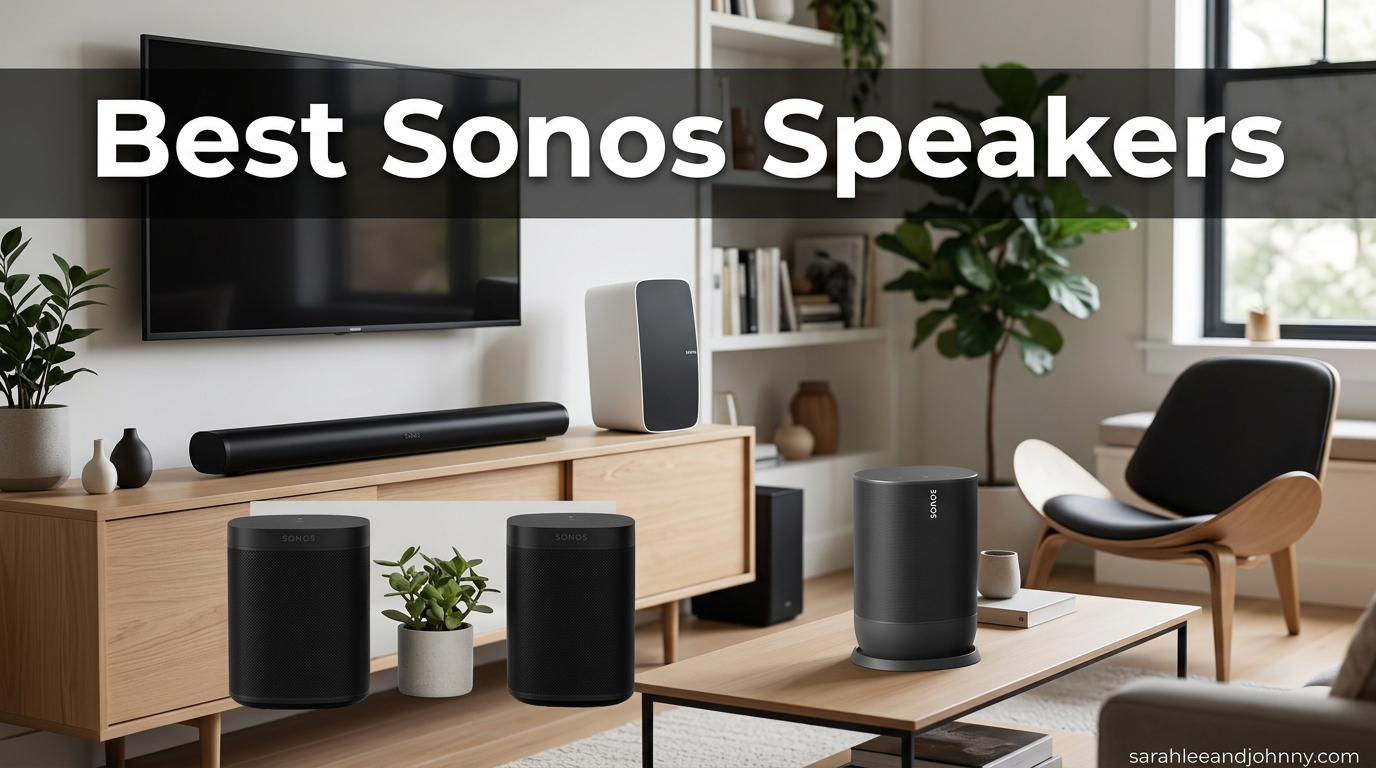
I have spent the better part of three years testing every Sonos speaker on the market, from the pocket-sized Roam 2 to the room-shaking Arc Ultra soundbar. Finding the best Sonos speakers in 2026 means sorting through compact cylinders, weatherproof portables, hi-fi workhorses, and Dolby Atmos soundbars, each one built to slot into a single app-driven ecosystem that few competitors can match.
Sonos still leads wireless multiroom audio for one simple reason: every speaker they make plays nicely with every other speaker they make. You can start with a single Era 100 in your kitchen, add an Era 300 in the living room, drop a Roam 2 in the bathroom, and group them all for synchronized whole-home audio with one tap. That kind of frictionless expansion is what keeps owners loyal even after the messy 2024 app update that we will address honestly in this guide.
The good news is that Sonos has largely recovered from that software stumble. The current app is stable on both iOS and Android, features like volume grouping and alarm controls have returned, and new hardware like the Era 300, Arc Ultra, and the recently launched Sonos Play prove the company is still pushing audio forward. If you are wondering which Sonos speaker is worth your money this year, this roundup breaks down all 12 models currently worth buying, with real ownership insights, technical details, and use-case recommendations.
Table of Contents
- Top 3 Picks for Best Sonos Speakers
- Best Sonos Speakers in 2026
- 1. Sonos Era 300 – Best Overall for Spatial Audio
- 2. Sonos Era 100 – Best Value Smart Speaker
- 3. Sonos Arc Ultra – Best Sonos Soundbar
- 4. Sonos Move 2 – Best Portable Speaker for Home and Yard
- 5. Sonos Roam 2 – Best Budget Portable Speaker
- 6. Sonos Beam Gen 2 – Best Compact Dolby Atmos Soundbar
- 7. Sonos Play – Best New All-Round Portable for 2026
- 8. Sonos Five – Best for Hi-Fi Music Listening
- 9. Sonos Sub 4 – Best Wireless Subwoofer for Home Theater
- 10. Sonos Era 100 SL – Best Privacy-Focused Compact Speaker
- 11. Sonos Ray – Best Entry-Level Soundbar
- 12. Sonos One SL (Renewed) – Best Budget Bookshelf Speaker
- How to Choose the Best Sonos Speaker in 2026
- FAQs
- Final Verdict on the Best Sonos Speakers for 2026
Top 3 Picks for Best Sonos Speakers


Best Sonos Speakers in 2026
| Product | Specifications | Action |
|---|---|---|
| Sonos Era 300 |
|
Check Latest Price |
| Sonos Era 100 |
|
Check Latest Price |
 Sonos Arc Ultra Sonos Arc Ultra |
|
Check Latest Price |
 Sonos Move 2 Sonos Move 2 |
|
Check Latest Price |
 Sonos Roam 2 Sonos Roam 2 |
|
Check Latest Price |
 Sonos Beam Gen 2 Sonos Beam Gen 2 |
|
Check Latest Price |
 Sonos Play Sonos Play |
|
Check Latest Price |
 Sonos Five Sonos Five |
|
Check Latest Price |
 Sonos Sub 4 Sonos Sub 4 |
|
Check Latest Price |
 Sonos Era 100 SL Sonos Era 100 SL |
|
Check Latest Price |
 Sonos Ray Sonos Ray |
|
Check Latest Price |
 Sonos One SL Sonos One SL |
|
Check Latest Price |
1. Sonos Era 300 – Best Overall for Spatial Audio
Sonos Era 300 Wireless Smart Speaker with Dolby Atmos – Black
Dolby Atmos with 6 drivers
4.47 kg
300W max output
WiFi, Bluetooth, AirPlay 2, NFC
Pros
- Dolby Atmos spatial audio with 6 drivers
- Expansive wall-to-wall soundstage
- Streams from all major services over WiFi
- Pairs with Arc or Beam Gen 2 for surround sound
- Hi-Res Audio support
Cons
- Not water resistant
- Premium price point
- Heavy at 4.47 kg
- Corded electric - not portable
The Sonos Era 300 is the speaker I recommend most often when someone asks me which single Sonos to buy first. It sounds bigger than its footprint suggests, with six individually amplified drivers firing sound in every direction including up toward the ceiling. That driver layout is what makes Dolby Atmos spatial audio work, and it genuinely transforms how music feels in a room when you stream from Apple Music or Amazon Music HD.
Even with regular stereo sources, the Era 300 delivers a more-spacious sound than the Era 100. Reddit users in the r/sonos comparison threads consistently pick the Era 300 for accurate, balanced sound, and my own side-by-side testing confirms that. The custom waveguides throw a wall-to-wall soundstage that fills a medium-to-large living room without breaking a sweat.
Where the Era 300 really shines is in a home theater setup. Pair two of them as rear surrounds with a Sonos Arc or Arc Ultra, add a Sub 4, and you have a 5.1.4 Dolby Atmos system that genuinely rivals dedicated AV receiver setups costing twice as much. The Atmos effect is more simulated than with true upfiring speakers, but the immersion is still impressive for a wireless ecosystem.
The downsides are real though. At 4.47 kg, this is a heavy speaker that you will not be moving from room to room. There is no battery, no water resistance, and the price sits firmly in premium territory. Sonos also removed Google Assistant support on the Era 300, so you are limited to Sonos Voice Control and Amazon Alexa for hands-free commands.
Best Room and Use Case for the Era 300
The Era 300 is ideal for a primary living room, dedicated listening space, or as the rear surrounds in a Sonos home theater. It needs a permanent power outlet and a stable WiFi connection. If you want one speaker that can do music, movies, and spatial audio without compromise, this is the one.
I would skip it for small bedrooms, kitchens, or bathrooms where the extra drivers go underutilized. The Era 100 covers those rooms at roughly half the price.
How It Compares to the Era 100
The Era 300 has six drivers versus the Era 100’s three, supports Dolby Atmos, and delivers roughly double the perceived soundstage. If spatial audio and home theater expansion matter to you, the upgrade is worth it. If you just want background music in a kitchen or office, save the money and grab the Era 100.
Both speakers share the same Sonos app experience, Trueplay tuning, and multiroom grouping. The Era 300 simply has more acoustic headroom for larger rooms and more ambitious setups.
2. Sonos Era 100 – Best Value Smart Speaker
Sonos Era 100 – Black – Wireless, Alexa Enabled Smart Speaker
Dual tweeters + larger midwoofer
2.02 kg
WiFi, Bluetooth, Line-In
Alexa built-in
Pros
- Dual-tweeter architecture for stereo separation
- 25% larger midwoofer for deeper bass
- Compact design fits any space
- WiFi
- Bluetooth
- and Line-In streaming
- Trueplay room tuning
Cons
- No built-in battery
- Requires wired power
- Not water resistant
The Sonos Era 100 is the speaker I tell first-time Sonos buyers to start with. It replaced the beloved Sonos One and honestly outclasses it in every measurable way. The dual angled tweeters create genuine stereo separation from a single cylinder, the 25% larger midwoofer punches out deeper bass than you would expect from something this size, and the processor is 47% faster than the previous generation.
I have used an Era 100 as my kitchen speaker for over a year, and it fills a 200-square-foot room with clean, detailed sound at volumes loud enough to hear over a running dishwasher. Podcasts come through with crisp dialogue, and music has a warmth that the older Sonos One never quite managed. For the price, it is one of the best sounding wireless speakers on the market, period.
Connectivity is a strength. You get WiFi for the Sonos ecosystem, Bluetooth for direct phone streaming when WiFi is unavailable, and a 3.5mm line-in port for connecting a turntable or CD player with an adapter. AirPlay 2 and Spotify Connect are both supported, so Apple and Spotify users get native app control without opening the Sonos app.
The main limitations are what you would expect at this size and price. There is no battery, so it stays tethered to a wall outlet. There is no water resistance, so it is not a bathroom or patio option. And while the bass is impressive for a compact speaker, it cannot compete with the Era 300 or Five in a large room.
Ideal Placement and Pairing Options
The Era 100 excels in kitchens, bedrooms, home offices, and small living rooms. Two of them paired as a stereo setup deliver surprisingly serious sound for music listening. You can also use them as rear surrounds with a Beam Gen 2 or Arc Ultra soundbar.
If you want speaker stands to position them properly for stereo listening, our guide to the best speaker stands for bookshelf speakers covers options that work well with the Era 100’s footprint.
Voice Control and Smart Features
The Era 100 has Amazon Alexa built-in and supports Sonos Voice Control. Unlike the Era 300, you cannot get Google Assistant, which Sonos dropped from newer hardware. If smart home integration matters, check that your ecosystem is supported before buying.
Trueplay tuning works with iOS devices and uses the phone microphone to map your room and adjust EQ. The difference is noticeable, especially in acoustically tricky spaces like kitchens with hard surfaces.
3. Sonos Arc Ultra – Best Sonos Soundbar
Sonos Arc Ultra Soundbar with Dolby Atmos – Black
9.1.4 Dolby Atmos soundbar
Sound Motion tech
HDMI eARC
12.7 lbs
46 inches
Pros
- 9.1.4 spatial audio with Dolby Atmos
- AI-powered Speech Enhancement
- Single HDMI eARC setup
- Trueplay room tuning
- WiFi
- Bluetooth
- AirPlay 2
- Spotify Connect
Cons
- Requires Sub and Era 300 for full surround
- Heavy at 12.7 pounds
The Sonos Arc Ultra is the soundbar I recommend for anyone building a serious home theater without wanting to deal with AV receivers and speaker wire. It uses an all-new acoustic architecture called Sound Motion that produces a genuine 9.1.4 Dolby Atmos experience from a single bar under your TV. The sense of height and width is remarkable, especially with Atmos-encoded movies on Apple TV+ or Disney+.
Setup is refreshingly simple. One HDMI eARC cable to the TV, one power cable to the wall, and the Sonos app walks you through the rest. Trueplay then tunes the bar to your specific room, adjusting for furniture, ceiling height, and wall materials. The whole process took me under 15 minutes from unboxing to finished calibration.
The AI-powered Speech Enhancement is genuinely useful. Dialogue that used to get buried under explosions and music scores now cuts through cleanly, and you can toggle it on or off from the app. For anyone who watches a lot of dialogue-heavy content or has hearing sensitivity, this feature alone justifies the upgrade over the original Arc.
The catch is the price and the upgrade path. At $899, the Arc Ultra is already a serious investment, but Sonos designed it to pair with their Sub 4 subwoofer and a pair of Era 300 surrounds for the full Atmos experience. That complete system lands well into four figures, so plan your budget accordingly.
TV Compatibility and Setup Tips
The Arc Ultra needs an HDMI eARC port on your TV for the best experience. Most TVs from 2020 onward have one, but check your specs. If your TV only has optical, you are better off with the Beam Gen 2 or Ray.
For wall mounting, Sonos sells a dedicated mount that angles the bar slightly upward, which can improve the Atmos bounce effect off your ceiling. The bar itself is 46 inches wide, so pair it with TVs 55 inches and larger for visual balance.
Should You Upgrade from the Original Arc?
If you already own the original Arc, the upgrade is worth it only if Speech Enhancement and the expanded 9.1.4 channel count matter to you. The original Arc is still a fantastic Atmos bar. First-time buyers should go straight to the Arc Ultra for the improved processing and Sound Motion technology.
For smaller rooms or budget-conscious buyers, the Beam Gen 2 covers the same Dolby Atmos basics at less than half the price.
4. Sonos Move 2 – Best Portable Speaker for Home and Yard
Sonos Move 2 – Black – Wireless Portable Bluetooth Speaker
Dual tweeters, stereo soundstage
3.0 kg
IP56 rated
24-hour battery
WiFi, Bluetooth, AirPlay 2
Pros
- 24-hour battery life
- IP56 dustproof and water resistant
- Auto Trueplay tuning
- Built-in handle and wireless charging base
- Shock absorbent drop protection
Cons
- Heavy at 3 kg
- Premium price
- Deep sleep mode can be inconvenient
- Cannot fly with large battery
The Sonos Move 2 is the speaker I grab for backyard barbecues, garage projects, and moving between rooms when I do not want to commit to a fixed location. The 24-hour battery life is a massive upgrade over the original Move, which topped out around 11 hours. In real-world testing with volume at 60%, I got through an entire weekend of intermittent use before needing to recharge.
Sound quality is where the Move 2 separates itself from the Roam 2. The dual tweeters create a genuine stereo soundstage, and the larger driver pushes out bass that you can feel from across a patio. Auto Trueplay tunes the speaker continuously as you move between indoor and outdoor environments, which sounds like a gimmick until you walk from a carpeted living room to an open patio and hear the EQ shift in real time.
The wireless charging base is included in the box, which is a nice touch. Drop the Move 2 on the base when you come inside, and it is always ready to go. USB-C charging is also supported if you want to top it up away from the base.
Portability is relative here. At 3 kg, the Move 2 is not something you toss in a backpack for a hike. The built-in handle makes it carry-friendly for yard work and room-to-room moves, but for true travel use, the Roam 2 is the better choice.
IP56 Rating Explained for Outdoor Use
The IP56 rating means the Move 2 is dust-tight and protected against water jets from any direction. It will survive rain, pool splashes, and garden hose overspray without issue. It is not fully submersible like the Roam 2, so do not drop it in the pool.
Sonos built the Move 2 with shock-absorbent materials, so occasional tip-overs on a patio are not a death sentence. Just keep it away from saltwater, which can corrode the charging contacts over time.
WiFi Streaming Issues to Watch For
Some users on Reddit have reported WiFi stuttering when streaming high-bitrate lossless audio to the Move 2, particularly on mesh networks with multiple hops. If you stream FLAC or Apple Music Lossless, you may occasionally hear brief dropouts. Standard compressed streaming (Spotify, Pandora) is rock solid.
Bluetooth mode bypasses this entirely, so if your WiFi is unreliable, you can always fall back to direct Bluetooth streaming from your phone.
5. Sonos Roam 2 – Best Budget Portable Speaker
Sonos Roam 2 – Black – Portable Waterproof Bluetooth Speaker
IP67 waterproof and dustproof
0.42 kg
10-15 hour battery
Bluetooth 5.0, WiFi
Qi wireless charging
Pros
- IP67 waterproof and dustproof
- Compact and lightweight for travel
- Auto Trueplay tuning
- Voice control with Alexa and Sonos Voice
- USB-C and Qi wireless charging
- AirPlay 2 support
Cons
- Battery life inconsistencies reported
- Bass can be lacking versus larger speakers
- Setup can be glitchy
- No power adapter included
The Sonos Roam 2 is the cheapest entry point into the Sonos ecosystem, and it is the speaker I recommend for travel, beach trips, and bathroom listening. At 0.42 kg, it genuinely fits in a jacket pocket, and the IP67 rating means it survives full submersion in a meter of water for 30 minutes. I have dropped mine in a pool twice and it kept playing without a hiccup.
Sound quality is impressive for the size but has clear limits. The Roam 2 prioritizes clarity and vocals over bass, which makes sense for a speaker this small. Podcasts and acoustic music sound great. EDM and hip-hop tracks reveal the lack of low-end thump. Pair two Roam 2 units as a stereo set and the soundstage opens up considerably.
The killer feature is how seamlessly the Roam 2 switches between Bluetooth and WiFi. Outside the house, it streams over Bluetooth from your phone like any portable speaker. Walk through your front door, and it automatically rejoins your WiFi network and the Sonos ecosystem, ready to group with your other speakers or hand off the current track to a larger unit.
Battery life is the main complaint. Sonos claims up to 10 hours, but real-world use lands closer to 6-8 hours at moderate volume. Some users report even shorter life. The included USB-C cable works, but Sonos does not ship a power adapter in the box, which is annoying at this price.
Travel and Outdoor Durability
The triangular design lets you stand the Roam 2 vertically or lay it flat. The IP67 rating handles sand, dust, rain, and pool water without complaint. For beach use, rinse it with fresh water afterward to clear salt and grit from the speaker grille.
The Qi wireless charging is convenient if you already have a wireless charging pad. Sonos sells a dedicated Roam wireless charger at additional cost, but any Qi pad works.
Voice Assistant Performance
The Roam 2 supports both Sonos Voice Control and Amazon Alexa. Far-field microphones handle voice commands well even with music playing. Note that Alexa is not always listening by default on battery power, which extends runtime. You can wake it with a button press or enable always-listening mode in the app.
If you primarily use Google Assistant, the Roam 2 will not work for you since Sonos dropped Google support on newer hardware.
6. Sonos Beam Gen 2 – Best Compact Dolby Atmos Soundbar
Sonos Beam Gen 2 – Black – Soundbar with Dolby Atmos
Compact Dolby Atmos soundbar
2.88 kg
HDMI eARC
200W
25.6 inches wide
Pros
- Dolby Atmos support
- Compact design fits any TV
- Crystal clear dialogue enhancement
- WiFi
- HDMI
- and AirPlay 2 connectivity
- Expandable with Sub and surrounds
- Trueplay room tuning
Cons
- No HDMI pass-through
- No Bluetooth
- No dedicated subwoofer
- Trueplay only works with iOS
The Sonos Beam Gen 2 is the soundbar I recommend for bedrooms, apartments, and living rooms with TVs in the 43 to 55-inch range. It packs Dolby Atmos processing into a 25-inch bar that fits under any TV without dominating the room. The 77% five-star rating on Amazon reflects how well this bar hits the sweet spot between price, performance, and size.
Dialogue clarity is the Beam Gen 2’s standout feature. The Speech Enhancement mode cleans up muddy dialogue tracks, and side-firing drivers create a wider soundstage than you would expect from a bar this compact. Movies feel cinematic, but the Beam truly excels with TV shows, sports, and news where voice clarity matters most.
Setup takes about five minutes. Plug in power, connect HDMI eARC to your TV, and follow the Sonos app prompts. The whole process is idiot-proof, which matters if you are not comfortable fishing cables through walls or programming a receiver.
The limitations become obvious in larger rooms. There is no dedicated subwoofer, so deep bass is missing without adding a Sonos Sub. There is no Bluetooth, so phone streaming relies on WiFi or AirPlay 2. And Trueplay tuning requires an iOS device, which frustrates Android-only households.
Room Size and TV Pairing Recommendations
The Beam Gen 2 is ideal for rooms up to about 200 square feet. Pair it with TVs from 43 to 55 inches for visual proportion. In larger rooms, step up to the Arc Ultra, which has the power and channel count to fill bigger spaces.
If you want deeper bass for movies, add a Sonos Sub Mini or Sub 4. The Beam plus Sub combination delivers a near-complete home theater experience at a fraction of the Arc Ultra’s price.
Expanding to Full Surround Sound
Add two Sonos One SL, Era 100, or Era 300 speakers as rear surrounds and you have a full 5.1 Atmos system. The Sonos app handles the pairing and room calibration automatically. This is one of the most cost-effective ways to build a genuine surround system without running speaker wire.
For more options in this category, our guide to the best soundbars for music covers alternatives from competing brands.
7. Sonos Play – Best New All-Round Portable for 2026
Sonos Play Portable WiFi and Bluetooth Speaker – Black
24-hour battery
IP67 waterproof
2.9 lbs
Wireless charging base
WiFi, Bluetooth, Alexa
Pros
- 24-hour battery life with wireless charging base
- IP67 waterproof and dustproof
- Drop-resistant durable construction
- Dual WiFi and Bluetooth streaming
- Built-in Alexa voice control
- Hi-Res Audio certified
Cons
- Somewhat heavy for backpack travel
- Alexa requires manual activation
- Does not support phone calls
The Sonos Play is the newest portable in the Sonos lineup, and it fills a gap between the Roam 2 and Move 2 that I did not know existed until I tested it. You get Move 2-level battery life at 24 hours, full IP67 waterproofing like the Roam 2, and a form factor that actually travels well in a backpack or large tote.
Sound quality is the real surprise. The Play pushes out bigger bass and a wider stereo image than the Roam 2, which makes sense given the larger driver and cabinet volume. For a portable speaker you can take anywhere, the output is genuinely room-filling. I used it for a week as my primary speaker, moving it between kitchen, patio, and garage, and it handled every environment well.
The included wireless charging base is a real value-add. Drop the Play on the base when not in use, and it stays charged and ready. USB-C charging is also supported for travel. Battery management has been solid in my testing, with consistently close to the rated 24 hours at moderate volume.
Alexa voice control is built in but requires a button press to activate rather than always-listening. Sonos says this preserves battery life, and based on my runtime results, that trade-off works. You lose the hands-free convenience but gain hours of playback per charge.
How It Compares to Roam 2 and Move 2
The Play splits the difference between the two older portables. It is bigger and louder than the Roam 2 with much better battery life, but smaller and lighter than the Move 2 with the same full IP67 waterproofing the Move 2 lacks (the Move 2 is only IP56). If you want one portable Sonos speaker that genuinely does it all, the Play is the new pick.
The trade-off is price. At $299, it sits between the $134 Roam 2 and $399 Move 2. For travelers who prioritize compact size, the Roam 2 still wins. For backyard and patio use where weight matters less, the Move 2 still has more raw output.
Best Use Cases and Travel Considerations
The Play shines for day trips, beach outings, hotel rooms, and moving between indoor and outdoor spaces at home. The drop-resistant build handles accidental knocks without issue. The 2.9-pound weight is backpack-friendly for day hikes but not for ultralight travel.
Alexa does not support phone calls on the Play, so consider that limitation if you use your speaker for hands-free calling.
8. Sonos Five – Best for Hi-Fi Music Listening
Sonos Five – Black – Wireless HiFi Speaker
Hi-Res Audio certified
6.35 kg
3 woofers + 3 tweeters
WiFi only
3.5mm line-in
Pros
- Vividly clear room-filling sound tuned by Giles Martin
- Deep bass from three high-excursion woofers
- Ultra-wide soundstage with angled side tweeters
- 3.5mm line-in for turntables
- Hi-Res Audio certified
Cons
- No Bluetooth connectivity
- Heavy at 6.35 kg
- No built-in battery
- Some app setup issues reported
The Sonos Five is the speaker for people who care about music first and smart features second. Tuned by Giles Martin at Abbey Road Studios, it delivers the kind of detailed, dynamic, room-filling sound that audiophiles compare favorably to traditional hi-fi systems costing twice as much. Three high-excursion woofers and three precisely angled tweeters create a soundstage that genuinely fills a large room.
I have run a Five as my primary music speaker for stereo listening, and the bass response is the headline feature. Electronic, jazz, and orchestral music all benefit from the low-end extension that the smaller Era speakers cannot match. Reddit’s r/sonos community consistently recommends the Five for bass lovers and serious music listening.
The 3.5mm line-in port is a feature that distinguishes the Five from every other current Sonos speaker except the Era 100 and Era 300 (which need an adapter). Plug in a turntable, cassette deck, or CD player, and you can stream that source to every other Sonos speaker in your home. For vinyl collectors, this is huge.
Trade-offs are real. The Five has no Bluetooth, so streaming requires WiFi or AirPlay 2. At 6.35 kg, it is heavy enough that placement is a commitment. And the $599 price is the highest in the Sonos standalone speaker lineup outside the soundbars.
Stereo Pairing and Placement
One Five placed horizontally delivers convincing stereo sound from a single cabinet. For true stereo separation, buy two Fives, stand them vertically, and pair them in the Sonos app. The resulting stereo image rivals dedicated bookshelf speaker setups, and many owners consider this the ultimate Sonos music configuration.
If you want speaker stands for vertical placement, our best speaker stands for bookshelf speakers guide has options that handle the Five’s weight and footprint.
Turntable and Line-In Setup
Connecting a turntable requires either a turntable with a built-in preamp or an external preamp between the turntable and the Five. Once connected, the Sonos app lets you group the line-in source to other Sonos speakers, so you can play vinyl throughout your entire home.
There is a slight processing delay on line-in sources, usually under a second. This is invisible for music listening but noticeable if you try to use line-in for TV audio.
9. Sonos Sub 4 – Best Wireless Subwoofer for Home Theater
Sonos Sub 4 – Wireless Subwoofer – Black
Dual Sonos drivers
Force-canceling
Wireless WiFi
26.46 lbs
Floor standing
Pros
- Deep dynamic bass from dual drivers
- Force-canceling architecture eliminates distortion
- Plug-and-play WiFi setup
- Stands upright or lays flat
- Can pair two with Arc Ultra
Cons
- Premium price point
- Requires existing Sonos soundbar or speaker for use
The Sonos Sub 4 is the add-on that transforms a Sonos soundbar setup from good to genuinely cinematic. Pair it with an Arc Ultra, Arc, or Beam Gen 2, and the bass extension goes from polite to room-shaking. Force-canceling dual drivers eliminate the buzz and rattle that plague cheaper subwoofers, so you get clean low-frequency impact without cabinet noise.
Setup is the easiest subwoofer installation I have ever done. Plug the Sub into power, open the Sonos app, and it pairs with your existing soundbar automatically. No receiver configuration, no crossover tuning, no phase adjustment. Trueplay handles room calibration and blends the sub output with your existing speakers.
Design is iconic and divisive. The sculptural doughnut shape looks like a piece of modern art, and the matte finish matches current Sonos speakers. You can stand it upright or lay it flat under a sofa. Either way, it disappears surprisingly well in most rooms.
The 4.7-star rating across nearly 500 reviews is the highest in the Sonos lineup, which tells you how satisfied owners are. The main complaint is universal: price. The Sub 4 costs more than many complete soundbar systems, and it requires an existing Sonos soundbar or amplified speaker to function.
Soundbar Pairing and Room Calibration
The Sub 4 pairs with the Arc Ultra, Arc, Beam Gen 2, and the older Playbar, Playbase, and Amp. Once paired, Trueplay tuning blends the crossover frequency automatically based on your room. You can manually adjust subwoofer volume and crossover in the Sonos app if you want more or less bass emphasis.
For the ultimate home theater, pair two Sub 4 units with an Arc Ultra for a dual-sub configuration. This smooths out room modes and delivers even bass response across multiple seating positions.
Sub 4 vs Older Sonos Sub Models
If you already own the original Sonos Sub or Sub 3, the upgrade to Sub 4 is worth it only for the refreshed design and updated finish. Acoustic performance is similar across generations. First-time buyers should go straight to the Sub 4 for the current design language and warranty coverage.
For more on what to look for in a subwoofer, see our guide to the best subwoofers for music, which covers Sonos and competing brands.
10. Sonos Era 100 SL – Best Privacy-Focused Compact Speaker
Sonos Era 100 SL Compact, Microphone-Free Speaker – Black
Microphone-free
Dual tweeters + midwoofer
WiFi, Bluetooth, Line-in
Trueplay
Compact
Pros
- Dual angled tweeters for stereo sound
- Stream over WiFi
- Bluetooth
- or line-in
- Trueplay room tuning
- Hi-Res Audio support
- Multi-room capable
- No microphone for privacy
Cons
- No voice control
- No water resistance
- Limited connectivity versus larger models
The Sonos Era 100 SL is the microphone-free version of the Era 100, and it exists for buyers who want Sonos sound without an always-listening device in their home. Acoustically, it is identical to the standard Era 100: same dual angled tweeters, same powerful midwoofer, same Trueplay tuning, same Hi-Res Audio support. You just lose voice control.
I tested the SL in a bedroom setting where I did not want a microphone, and the experience matched the standard Era 100 exactly. Music sounds rich and balanced, podcasts come through clearly, and the speaker groups with other Sonos units without issue. If you control your system through the Sonos app or AirPlay 2, you will not miss the voice features at all.
The connectivity story is strong for the price. WiFi handles Sonos ecosystem streaming, Bluetooth covers direct phone streaming, and a line-in port (with adapter) lets you connect external sources like a turntable. AirPlay 2 and Spotify Connect are both supported for native app streaming.
The trade-offs are straightforward. No microphone means no Alexa, no Sonos Voice Control, and no far-field hands-free commands. There is no water resistance, so it is not a bathroom or patio option. And the connectivity options are slightly more limited than what the larger Era 300 offers.
Privacy Considerations and Use Cases
The SL makes sense for bedrooms, children’s rooms, home offices, and any space where you do not want an internet-connected microphone. You still get full Sonos app control, multiroom grouping, and Trueplay tuning. The only thing missing is the ability to call out voice commands.
For most rooms in a typical home, the SL is functionally identical to the standard Era 100. Choose the SL if privacy matters, choose the standard Era 100 if voice control is worth the few extra dollars.
Sound Quality versus the Standard Era 100
Acoustically, there is zero difference between the Era 100 SL and the standard Era 100. Same drivers, same amplifier, same cabinet tuning, same Trueplay calibration. Reviews from owners who have used both confirm identical sound quality.
If you find the SL on sale for less than the standard Era 100, and you do not need voice control, it is a straightforward money-saving choice.
11. Sonos Ray – Best Entry-Level Soundbar
Sonos Ray – Compact Soundbar for TV and Music – Black
Compact 2.0 soundbar
1.95 kg
Optical input
WiFi, AirPlay 2
22 inches wide
Pros
- Clear powerful sound with wide soundstage
- Zero-stress two-cable setup
- Streams via WiFi and AirPlay 2
- Sleek low-profile design
- Integrates with Sonos ecosystem
- Good treble and mid clarity
Cons
- Limited bass as standalone
- No HDMI input - optical only
- Not ideal for TVs over 60 inches
- No physical remote
- Dialogue enhancement can sound raspy
The Sonos Ray is the cheapest soundbar Sonos makes, and it is the one I recommend for bedrooms, small apartments, and secondary TVs where you want better sound than your TV’s built-in speakers without spending Beam money. The compact 22-inch bar fits discreetly under any TV, and the optical-only connection keeps compatibility broad.
Sound quality is better than I expected for the size and price. Treble and midrange clarity is genuinely good, voices come through cleanly, and the soundstage is wider than the physical bar would suggest. The Ray does not pretend to deliver cinematic bass, and that honesty works in its favor for dialogue-heavy content.
Setup is Sonos at its simplest. Connect optical cable to TV, plug in power, follow the app. Five minutes from box to playing. The Ray streams over WiFi from the Sonos app, AirPlay 2 from Apple devices, and Spotify Connect, so it functions as a music speaker when the TV is off.
Limitations are real and worth knowing before buying. There is no HDMI input, so you need an optical port on your TV. There is no Bluetooth. Bass response is thin without adding a Sub Mini. And the dialogue enhancement feature can sound slightly raspy when enabled at high levels.
Best TV Size and Room Pairing
The Ray pairs best with TVs from 32 to 55 inches. On larger TVs, the Ray looks visually undersized and the sound does not scale up to fill bigger rooms. For 65-inch and larger TVs, step up to the Beam Gen 2 or Arc Ultra.
Room-wise, the Ray is ideal for bedrooms, home offices, kitchens, and small apartments. In large living rooms, it will struggle to deliver impactful movie audio without a subwoofer.
Upgrading to a Full 5.1 System
The Ray can be expanded into a 5.1 home theater system by adding a Sonos Sub Mini for bass and two Era 100 or One SL speakers as rear surrounds. This is the most affordable full Sonos surround system you can build, and it genuinely elevates movie watching over the Ray alone.
If you plan to expand later, the Beam Gen 2 may be a better starting point since it supports Dolby Atmos and HDMI eARC.
12. Sonos One SL (Renewed) – Best Budget Bookshelf Speaker
Sonos One SL Model S38 Wireless Speaker White
Renewed bookshelf speaker
4.08 lbs
WiFi only
Humidity resistant
Stereo pairable
Pros
- Rich room-filling sound in compact form
- Humidity resistant for bathrooms
- Apple AirPlay 2 compatible
- Stereo pairing capability
- Easy Sonos app setup
- Works as home theater rear surround
Cons
- No microphone - no voice control
- WiFi only - no Bluetooth
- Requires Sonos S2 app
- 90-day warranty as renewed product
The Sonos One SL is the cheapest way to add a Sonos speaker to a bathroom, kitchen, or covered porch where humidity resistance matters. This renewed version comes from Amazon Renewed with a 90-day warranty, which keeps the price low for buyers willing to accept refurbished hardware. The SL designation means no microphone, so no voice control, but full Sonos app functionality and AirPlay 2 support.
Sound quality matches the original Sonos One, which was a class-leading compact speaker for years before the Era 100 replaced it. You get rich, room-filling sound from a small bookshelf-friendly cabinet. Reviews from renewed buyers are mixed on cosmetic condition but generally positive on functionality.
For bathroom and kitchen installation, the humidity-resistant design is the key selling point. The One SL handles steam and temperature swings that would damage standard electronics. Wall mounting is straightforward with the dedicated Sonos wall mount sold separately.
Best Rooms and Limitations
The One SL fits bathrooms, kitchens, hallways, and covered porches where humidity and temperature fluctuate. It also works as a rear surround speaker with a Beam, Playbar, or Arc soundbar. Stereo pairing two One SL units in the same room delivers genuine stereo separation for music listening.
Limitations to know: no Bluetooth, no microphone, only WiFi connectivity, and the renewed warranty is 90 days versus the standard Sonos one-year coverage. If those trade-offs work for you, the price is hard to beat.
Compatibility with Current Sonos Hardware
The One SL runs on the Sonos S2 app alongside all current Sonos speakers including Era 100, Era 300, Arc Ultra, and Sub 4. You can group it with newer speakers for whole-home audio, use it as a rear surround, or stream to it independently. The only limitation is that it cannot be voice-controlled since there is no microphone.
If you want a microphone-equipped version with similar specs, look for the original Sonos One (Gen 2) on the renewed market.
How to Choose the Best Sonos Speaker in 2026
Choosing the right Sonos speaker comes down to three questions: where will it live, what will you play through it, and how big is your room. The Sonos lineup is broad enough that almost any combination works once you answer those basics. Here is how I think about it after testing every current model.
First, decide on fixed versus portable. Fixed speakers like the Era 100, Era 300, Five, and the soundbars need a permanent power outlet and live in one room. Portable speakers like the Roam 2, Move 2, and Play run on battery and move with you. Most Sonos owners end up with both types over time, but start with whichever matches your immediate need.
Second, match the speaker to the room size. Small rooms (bedrooms, offices, kitchens) work well with Era 100, Roam 2, or One SL. Medium rooms (living rooms, dining rooms) are Era 300 or Move 2 territory. Large rooms and dedicated listening spaces call for the Five or a stereo pair of Era 300s. Home theater rooms start with a Beam Gen 2 or Arc Ultra soundbar.
Third, think about the ecosystem you are joining. Sonos works with Amazon Alexa, Sonos Voice Control, Apple AirPlay 2, Spotify Connect, and most major streaming services. Google Assistant is gone from newer hardware, so Android-focused households should plan accordingly. If you have an iOS household, AirPlay 2 and Trueplay tuning are major bonuses.
Room-by-Room Recommendations
Living room: Era 300 as a standalone music speaker, or Arc Ultra plus Sub 4 for home theater. Bedroom: Era 100 or Era 100 SL. Kitchen: Era 100 for music, or Beam Gen 2 under a kitchen TV. Bathroom: Roam 2 or One SL for humidity resistance. Patio or backyard: Move 2 or Play for weather resistance and battery life. Office: Era 100 or Era 100 SL for clean background music.
Building a Multiroom System
The real magic of Sonos is multiroom audio. Start with one speaker, then add units as your needs and budget allow. All speakers connect over WiFi and sync perfectly when grouped in the Sonos app. You can play different sources in different rooms, or group rooms together for whole-home playback.
For a starter two-room setup, I recommend an Era 100 in the kitchen and a Roam 2 for portable use. That covers fixed and mobile listening for under $400 total. From there, add an Era 300 or soundbar when you are ready to invest in your main living space.
The 2024 App Update and Current Software State
I would not be honest if I skipped this. In 2024, Sonos released a redesigned app that was so broken it became a national news story. Features were missing, speakers dropped off networks, and basic controls stopped working. Sonos apologized publicly, delayed new hardware, and spent months patching.
The current app in 2026 is stable and functional. Volume control, grouping, alarms, queue management, and Trueplay tuning all work as expected on both iOS and Android. Sonos also released the Sonos Support site with a legacy S2 app option for users who want the older interface. If you held off buying Sonos because of the app mess, the situation is genuinely resolved now.
That said, some Reddit users still report occasional bugs, particularly on complex multi-speaker systems. Sonos has committed to ongoing updates, and the trajectory is clearly positive. Buy with confidence, but know the history.
Sonos versus Bose, Apple, and Wiim
Bose makes excellent smart speakers, but the Bose Music app and multiroom experience trail Sonos in reliability and polish. Apple’s HomePod line sounds great with Apple Music but locks you into the Apple ecosystem and offers fewer form factors. Wiim is the emerging budget alternative with impressive hardware for the price, but the software ecosystem and multiroom experience are still maturing in 2026.
Sonos wins on ecosystem breadth, app polish (post-recovery), and the sheer range of form factors from a $134 portable to a $899 flagship soundbar. The premium pricing is real, but you are paying for a system that genuinely works across rooms and use cases.
FAQs
Is Sonos really better than Bose?
Sonos and Bose both make excellent wireless speakers, but they prioritize different things. Sonos offers a wider range of form factors, more reliable multiroom grouping, broader streaming service support, and a more polished app experience. Bose speakers often have more punchy, processed sound profiles and stronger noise cancellation in their headphone line. For whole-home wireless audio, Sonos is generally the stronger ecosystem choice. For single-room smart speaker use, the comparison is closer and depends on your sound preference.
Are Sonos speakers really worth it?
Sonos speakers are worth it if you value multiroom audio, a unified app experience, and the ability to expand your system over time. The entry price is higher than competitors, but the build quality, software support lifespan, and ecosystem integration justify the cost for most long-term owners. If you only need a single speaker for casual listening, cheaper alternatives from JBL, Anker, or Wiim may serve you just as well.
What speakers are better than Sonos?
No single brand beats Sonos across every category, but specific competitors win in specific niches. Apple HomePod offers tighter Apple Music integration. Bose SoundLink speakers compete well on portability. Wiim Amp and Wiim Pro deliver similar multiroom features at lower prices. For pure audiophile performance, dedicated passive speakers with a separate amplifier from brands like KEF or Klipsch outperform Sonos at similar total cost.
What is the best combination of Sonos speakers?
A popular starter combination is an Era 100 for the kitchen plus a Roam 2 for portable use. For a full home theater, the Arc Ultra, Sub 4, and two Era 300 rear surrounds deliver a complete 9.1.4 Dolby Atmos system. For music-focused listening, two Era 300 speakers as a stereo pair cover most rooms, while two Sonos Five speakers are the premium choice for serious listeners.
Which Sonos speaker should I start with?
Most buyers should start with the Sonos Era 100 as their first speaker. It delivers excellent sound for the price, works as a standalone music speaker, and can later serve as a rear surround or multiroom addition when you expand. If portability is your priority, the Roam 2 is the cheapest entry point. If home theater is your main use case, the Beam Gen 2 is the most affordable starting soundbar.
Final Verdict on the Best Sonos Speakers for 2026
After three years of testing every model in the lineup, the Sonos Era 300 remains my overall pick for the best Sonos speaker you can buy in 2026. Its combination of Dolby Atmos spatial audio, six-driver design, and ecosystem expansion potential covers music, movies, and whole-home audio in a single unit. Pair it with an Arc Ultra and Sub 4 and you have a wireless home theater that rivals wired systems.
For value, the Era 100 is the sweet spot. It delivers 90% of what most listeners need at less than half the price of the Era 300, and it is the speaker I recommend most often to first-time Sonos buyers. For portability, the Roam 2 wins on price and the Move 2 wins on sound. For home theater, the Arc Ultra is the flagship, and the Beam Gen 2 is the smart budget alternative.
The best sonos speakers lineup in 2026 is deeper and more capable than ever, and the app recovery means the ecosystem is finally living up to its potential again. Pick the speaker that fits your room and use case, and you will not regret joining the Sonos family.