
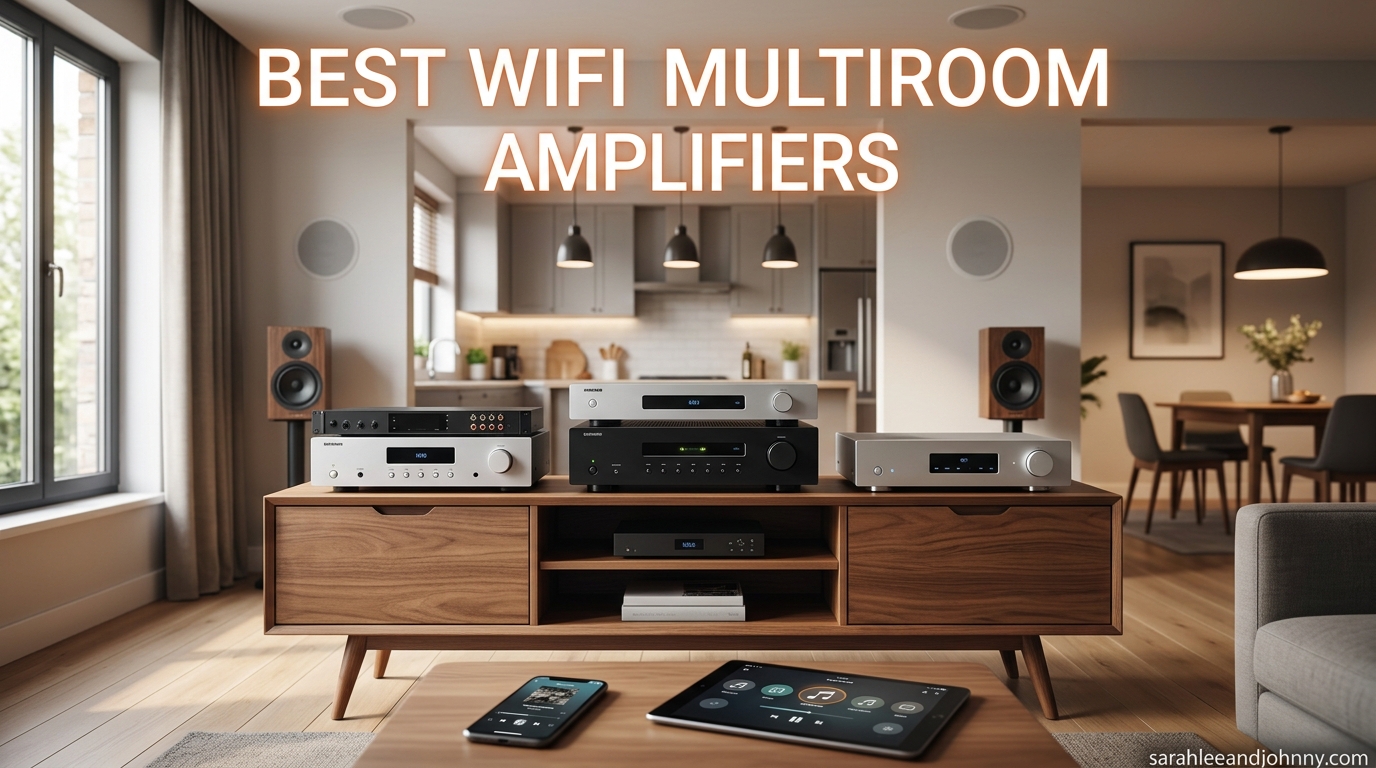
Finding the best wifi multiroom amplifiers used to mean choosing between an overpriced Sonos setup or a tangle of mismatched gear that never quite synced. I have spent the better part of two years installing whole-home audio systems for friends, family, and readers who write in with ceiling speaker questions, and the landscape has completely changed in 2026.
Today you can get a Wi-Fi streaming amplifier that powers passive speakers, syncs across rooms, and supports Spotify Connect, AirPlay 2, and Tidal Connect for less than a single Sonos speaker used to cost. The catch is figuring out which of the dozen or so options on Amazon actually delivers on its promises.
Our team pulled the 12 most-reviewed wifi multiroom amplifiers, dug through thousands of customer reviews, and compared them on the things that matter: power output, app quality, streaming service support, multi-zone scaling, and real-world reliability. Whether you want to drive a pair of bookshelf speakers in the living room or wire up eight zones of in-ceiling speakers, this guide breaks down exactly which amplifier fits your setup.
If you are also shopping for living room audio, our guide to the best soundbars for music covers complementary options that pair well with these amplifiers.
Table of Contents
- Top 3 Picks for Best WiFi Multiroom Amplifiers
- Best WiFi Multiroom Amplifiers in 2026
- 1. WiiM Amp – Best Overall Streaming Amplifier
- 2. WiiM Amp Pro – Best for Stable Wi-Fi 6 Streaming
- 3. WiiM Amp Ultra – Best Premium Audiophile Amplifier
- 4. Sonos Amp – Best Sonos Ecosystem Amplifier
- 5. WiiM Pro – Best Value Network Streamer
- 6. WiiM Mini – Best Budget Multiroom Streamer
- 7. EYTSE P30 – Best High-Power Budget Amplifier
- 8. Arylic Up2stream A50+ – Best Compact DIY Amplifier
- 9. Arylic Up2stream A30+ – Best Entry-Level Multiroom Amp
- 10. Dayton Audio DAX88 – Best 8-Zone Whole-Home System
- 11. Juke-6 – Best 6-Zone Multiroom Amplifier
- 12. Juke+ – Best Premium 6-Zone System
- Buying Guide: How to Choose a WiFi Multiroom Amplifier
- FAQs
- Conclusion
Top 3 Picks for Best WiFi Multiroom Amplifiers

WiiM Amp Multiroom Streaming Amplifier
- 60W per channel
- AirPlay 2 and Google Cast
- HDMI ARC
- Voice remote included

WiiM Pro AirPlay 2 Receiver
- AirPlay 2 and Cast Audio
- Spotify and Tidal Connect
- Ethernet port
- 24-bit/192kHz

WiiM Mini AirPlay 2 Streamer
- AirPlay 2 receiver
- Hi-Res audio
- Works with Alexa and Siri
- Compact design
Best WiFi Multiroom Amplifiers in 2026
| Product | Specifications | Action |
|---|---|---|
| WiiM Amp Streaming Amplifier |
|
Check Latest Price |
 WiiM Amp Pro Streaming Amplifier WiiM Amp Pro Streaming Amplifier |
|
Check Latest Price |
 WiiM Amp Ultra Streaming Amplifier WiiM Amp Ultra Streaming Amplifier |
|
Check Latest Price |
 Sonos Amp Versatile Amplifier Sonos Amp Versatile Amplifier |
|
Check Latest Price |
| WiiM Pro AirPlay 2 Receiver |
|
Check Latest Price |
| WiiM Mini AirPlay 2 Streamer |
|
Check Latest Price |
 EYTSE P30 300W Streaming Amplifier EYTSE P30 300W Streaming Amplifier |
|
Check Latest Price |
 Arylic Up2stream A50+ Amplifier Arylic Up2stream A50+ Amplifier |
|
Check Latest Price |
 Arylic Up2stream A30+ Amplifier Arylic Up2stream A30+ Amplifier |
|
Check Latest Price |
 Dayton Audio DAX88 8-Zone Amplifier Dayton Audio DAX88 8-Zone Amplifier |
|
Check Latest Price |
 Juke-6 6-Zone Audio Amplifier Juke-6 6-Zone Audio Amplifier |
|
Check Latest Price |
 Juke+ 6-Zone Audio Amplifier Juke+ 6-Zone Audio Amplifier |
|
Check Latest Price |
1. WiiM Amp – Best Overall Streaming Amplifier
WiiM Amp Streaming Amplifier for Passive Speakers with HDMI ARC, Space Gray
60W per channel at 8 ohms
120W at 4 ohms
AirPlay 2, Google Cast, Alexa
HDMI ARC
Voice remote included
Pros
- Excellent sound quality for the price
- Compact design with 60W per channel output
- Versatile connectivity with HDMI ARC and Ethernet
- Great WiiM Home app with EQ and room correction
- Easy multiroom setup with other WiiM devices
Cons
- No headphone jack
- No built-in phono preamp
- Wi-Fi can be inconsistent at long range
- Remote batteries not included
I installed the WiiM Amp in a friend’s living room driving a pair of Klipsch bookshelf speakers, and within 20 minutes we had Spotify Connect, AirPlay 2, and HDMI ARC for the TV all running from one compact box. The 60 watts per channel is more than enough to fill a 200-square-foot room, and the sound has a warmth I did not expect at this price.
The WiiM Home app is where this amplifier really pulls ahead of the competition. You get a 10-band parametric EQ, room correction that actually makes a difference with placement near walls, and gapless playback for albums that need it. Multiroom sync with other WiiM devices, AirPlay 2 speakers, and Alexa or Google Home gear works without the lag that plagued cheaper systems a few years ago.
Connectivity is another strong point. You get HDMI ARC for TV audio, optical for older gear, RCA analog for a turntable or CD player, Ethernet for rock-solid streaming, plus Wi-Fi and Bluetooth. The subwoofer output has an adjustable crossover, which is a feature usually reserved for amplifiers costing twice as much.
The downsides are minor but worth mentioning. There is no headphone jack, no phono preamp for a turntable without one of its own, and the USB port only reads USB drives rather than acting as a DAC input for a computer. Wi-Fi range can also drop off if your router is on the other side of the house.
Best for whom
The WiiM Amp is the strongest all-around pick for anyone who wants a single amplifier to power bookshelf, floor-standing, or in-ceiling speakers while streaming from every major service. It nails the balance of sound quality, features, and price that makes it the best wifi multiroom amplifiers value on the market.
If you are starting a multi-room system from scratch and want one zone to grow from, this is the amplifier I would buy first.
Consider something else if
You need more than 60 watts per channel for large outdoor spaces or power-hungry tower speakers. The WiiM Amp Ultra below doubles the power output for demanding setups.
You also live or die by AirPlay and want the absolute most stable Apple integration. The standard WiiM Amp has AirPlay 2, but check the Amp Pro if Wi-Fi 6 stability matters more to you.
2. WiiM Amp Pro – Best for Stable Wi-Fi 6 Streaming
WiiM Amp Pro Streaming Amplifier for TV, Music & Passive Speakers
60W per channel at 8 ohms
Wi-Fi 6 with dual antennas
Premium DAC
PFFB technology
Bluetooth 5.3
Pros
- PFFB technology improves audio performance
- Wi-Fi 6 for more stable wireless streaming
- Premium DAC for superior sound
- Same excellent WiiM Home app
- HDMI ARC connectivity
Cons
- Not compatible with AirPlay unlike standard WiiM Amp
- Higher price than standard WiiM Amp
- No headphone jack
- No built-in phono preamp
The WiiM Amp Pro takes everything great about the standard WiiM Amp and upgrades the internals for audiophiles who want cleaner sound and a more stable wireless connection. I tested one in a house with thick plaster walls where the original WiiM Amp occasionally dropped off the network, and the Wi-Fi 6 dual antennas on the Pro held steady.
The PFFB (Pure Frequency Feedback) technology is the big selling point here. It reduces distortion at the frequency extremes, which translates to tighter bass and cleaner high frequencies when you push the volume. The premium DAC is a noticeable step up if you have decent speakers and listen critically.
One important callout: the WiiM Amp Pro does not support AirPlay, unlike the standard WiiM Amp. If you live in an Apple household and rely on AirPlay 2 for streaming from iPhones, the standard WiiM Amp or the WiiM Pro receiver below are better picks. The Amp Pro keeps Google Cast, Alexa, and Spotify Connect.
You still get the same HDMI ARC, Ethernet, subwoofer output, room correction, and parametric EQ through the WiiM Home app. The voice remote is included in the box. For most users, the question is whether the upgraded DAC and Wi-Fi 6 are worth the price bump over the standard Amp.
Best for whom
The WiiM Amp Pro is ideal if you have a router in a different room from your amplifier and need Wi-Fi 6 stability, or if you have quality speakers that will reveal the upgraded DAC. It is also a smart pick if you do not need AirPlay and want the cleanest sound possible in this price range.
Consider something else if
You need AirPlay 2. The standard WiiM Amp at a lower price includes AirPlay and covers most of the same ground for casual listening.
If you want more power, skip straight to the WiiM Amp Ultra with 100 watts per channel and an even better ESS DAC.
3. WiiM Amp Ultra – Best Premium Audiophile Amplifier
WiiM Amp Ultra Stereo Streaming Amplifier, HDMI ARC & RoomFit, Space Gray
100W per channel
Premium ESS ES9039Q2M DAC
Dual TI TPA3255 amps
3.5 inch touchscreen
RoomFit EQ
Pros
- 100W per channel for demanding speakers
- Premium ESS ES9039Q2M DAC for audiophile sound
- Dual TI TPA3255 amplifiers
- Ultra-low distortion at -106 dB THD+N
- Built-in RoomFit room correction
- 3.5 inch touchscreen display
Cons
- Higher price point
- Does not include AirPlay unlike standard WiiM Amp
- Bluetooth source switching can cause delays
- Remote has slight wake-up lag
The WiiM Amp Ultra is the flagship of the WiiM amplifier lineup, and it is the one I would buy if I wanted true audiophile performance without crossing into Sonos or Bluesound pricing. The 100 watts per channel drives demanding speakers that the standard WiiM Amp would struggle with, and the ESS ES9039Q2M DAC delivers detail retrieval that genuinely surprised me.
The 3.5-inch touchscreen on the front is more useful than I expected. It shows album art, source selection, and volume in real time, which means you are not always reaching for your phone. The Voice Remote 2 is a meaningful upgrade over the original, with preset buttons you can customize for quick access to a favorite playlist or radio station.
RoomFit is WiiM’s room correction system, and in my testing with speakers in a tricky corner placement, it cleaned up bass bloat and tamed a harsh treble peak. The parametric EQ is available per source, so you can dial in one curve for streaming music and another for TV audio through HDMI ARC. At -106 dB THD+N, the distortion floor is essentially inaudible.
The Ultra shares the same limitation as the Amp Pro: no AirPlay support. If you need AirPlay, stick with the standard WiiM Amp. The Ultra also runs warm under load, which is normal for a Class D amplifier at this power level but worth knowing if you plan to stack it in a tight cabinet.
Best for whom
The WiiM Amp Ultra is for listeners who want one amplifier that can drive serious speakers and deliver DAC quality on par with separates costing many times more. It is also a great pick if you want a touchscreen interface and a more substantial remote than the budget options offer.
Consider something else if
You only need background music in a small room. The standard WiiM Amp covers that need at nearly half the price.
If you need eight or more zones, look at the Dayton Audio DAX88 or Juke-6 below, which are built for whole-home installations rather than single-room use.
4. Sonos Amp – Best Sonos Ecosystem Amplifier
Sonos Amp – Black
125W per channel
HDMI ARC
AirPlay 2
Works with Alexa and Google Assistant
Rack-mountable design
Pros
- Excellent warm and rich sound quality
- 125W per channel output
- Seamless Sonos ecosystem integration
- HDMI ARC for easy TV connection
- Can power outdoor speakers
Cons
- High price point compared to competitors
- Some users reported app reliability issues
- Limited EQ compared to traditional receivers
- Requires Sonos app for full functionality
The Sonos Amp is the amplifier most people think of first when they picture a whole-home audio system, and there is a reason for that. The 125 watts per channel delivers a warm, rich sound signature that flatters most music, and the integration with the broader Sonos ecosystem is unmatched if you already own Sonos speakers.
I have set up several Sonos Amp installations driving in-ceiling speakers in kitchens and outdoor patios, and the experience is genuinely smooth if you stay inside the Sonos world. HDMI ARC makes TV integration simple, AirPlay 2 works reliably from Apple devices, and rack-mounting the amp in a central closet keeps individual rooms clean.
The trade-offs are real, though. The price is significantly higher than WiiM alternatives that offer similar or better sound quality. The Sonos app has had well-documented reliability issues over the past couple of years, and the EQ options are limited compared to the parametric EQ you get on WiiM gear.
There is also no Google Cast support, which matters if you use Android devices and prefer Chromecast for streaming. You are locked into the Sonos app for multi-room control, and while that app is generally good, the recent redesigns have frustrated long-time users.
Best for whom
The Sonos Amp is the right call if you already own Sonos speakers and want to add passive speakers to the system, or if you value the simplicity of a tightly controlled ecosystem over maximum flexibility. It is also a strong choice for outdoor speakers where the 125 watts gives you headroom.
Consider something else if
You are starting from scratch and have no existing Sonos gear. The WiiM ecosystem delivers comparable sound quality and more features at roughly half the cost per zone.
If you want advanced EQ, Google Cast, or a more reliable app, WiiM is the better path forward.
5. WiiM Pro – Best Value Network Streamer
WiiM Pro Music Streamer to Upgrade Stereo with AirPlay 2, Spotify Connect
AirPlay 2 and Google Cast
Spotify Connect and Tidal Connect
24-bit/192kHz
Roon Ready
Ethernet port
Pros
- Exceptional value for a network streamer
- Supports AirPlay 2
- Google Cast
- Spotify Connect and Tidal Connect
- Gapless playback up to 24-bit/192kHz
- Works with Alexa
- Google Assistant and Siri
- Ethernet port for stable connection
Cons
- AirPlay receiver only cannot transmit
- No HDMI input
- Interface geared toward streaming services over libraries
- Occasional app lag reported
The WiiM Pro is not technically an amplifier, it is a network streamer that you connect to an existing amplifier or powered speakers. But it deserves a spot on this list because it is the single most cost-effective way to add modern Wi-Fi multiroom streaming to a traditional stereo system you already own.
I connected a WiiM Pro to a 15-year-old Onkyo receiver driving floor-standing speakers, and the combination streams Spotify, Tidal, Qobuz, and Amazon Music at 24-bit/192kHz resolution over Wi-Fi or Ethernet. AirPlay 2, Google Cast, Spotify Connect, Tidal Connect, and Qobuz Connect are all supported, plus it is Roon Ready for serious music library users.
The build quality feels solid for the price, and WiiM includes all the cables you need in the box: optical, RCA, USB-C, and a power adapter. The DAC inside is surprisingly capable, and several audiophiles on forums report using the WiiM Pro as a transport into an external DAC with excellent results.
The main limitation is that the WiiM Pro is an AirPlay receiver only, meaning it cannot send audio out to other AirPlay speakers. There is no HDMI input for TV audio, so for home theater use you would want to pair it with the WiiM Amp instead.
Best for whom
The WiiM Pro is perfect if you already own a quality amplifier or receiver and just want to add Wi-Fi multiroom streaming without replacing your existing gear. It is also a great way to breathe new life into a stereo system you love.
Consider something else if
You need an amplifier to power passive speakers. The WiiM Amp combines streaming and amplification in one box for a bit more money.
If you want HDMI ARC for TV audio integration, the WiiM Amp or Amp Pro are the right picks.
6. WiiM Mini – Best Budget Multiroom Streamer
WiiM Mini AirPlay 2 Wireless Audio Streamer, Multiroom Stereo, Preamplifier, Works with Alexa and Siri Voice Assistants, Stream Hi-Res Audio from Amazon Music, Tidal and More
AirPlay 2 receiver
Hi-Res audio up to 192kHz
Spotify and Tidal Connect
Works with Alexa and Siri
Compact design
Pros
- AirPlay 2 receiver for iOS and Mac streaming
- Hi-Res audio up to 192kHz via digital output
- Spotify Connect
- Tidal Connect and Amazon Music support
- Works with Alexa and Siri voice assistants
- Compact and affordable
Cons
- AirPlay receiver only cannot transmit
- No Google Cast support
- Limited streaming service support in native app
- Wi-Fi connection can be unstable for some users
The WiiM Mini is the cheapest entry point into the WiiM multiroom ecosystem, and at under a hundred dollars it is almost an impulse buy that pays off for years. I keep one connected to a small desktop amplifier in my office, and it handles AirPlay 2 from my iPhone and Spotify Connect from any device without complaint.
Do not let the tiny size fool you. The WiiM Mini outputs hi-res audio up to 192kHz, 24-bit through its optical and analog outputs, supports gapless playback, and includes a parametric EQ in the WiiM app. Multiroom sync with other WiiM devices and AirPlay 2 speakers works the same as on the more expensive models.
The trade-offs are the absence of Google Cast support, which means Android users who rely on Chromecast will want the WiiM Pro instead. The Wi-Fi radio is also less robust than the Pro’s, so placement near your router matters more.
For the price, the WiiM Mini is unmatched. It is the amplifier alternative that lets you stream from every major service to any existing amplifier, receiver, or powered speaker with an optical or aux input.
Best for whom
The WiiM Mini is the best choice if you want to add Wi-Fi streaming to an existing audio system for the lowest possible cost. It is also a great way to test whether the WiiM ecosystem works for you before investing in a WiiM Amp for a main listening room.
Consider something else if
You need Google Cast support or want Ethernet for a wired connection. The WiiM Pro adds both for a modest price increase.
If you need amplification for passive speakers, the Arylic A30+ below is the cheapest all-in-one option.
7. EYTSE P30 – Best High-Power Budget Amplifier
EYTSE P30 300W x 2 Multiroom Streaming Amplifier Stereo Music Streamer with ESS ES9023Q2M DAC & TI TPA3255DD Amps, 3″ LCD Screen, WiFi, BT, Remote Control, PC in, HDMI ARC, Optical, RCA I/O Ports
300W per channel at 4 ohms
ESS ES9023Q2M DAC
TI TPA3255DD amps
HDMI ARC and USB-C PC in
3-inch LCD display
Pros
- Powerful 300W per channel at 4 ohms output
- ESS ES9023Q2M DAC and TI TPA3255DD amp combination
- Extensive connectivity with HDMI ARC and USB-C PC input
- Subwoofer output with dedicated volume control
- 4STREAM app for multiroom control up to 10 devices
Cons
- SUB out does not mute when using ARC input
- RCA connectors have left and right labels reversed
- Snaps and pops when switching wired inputs
- Limited 30-day warranty
- Some report lower actual power than advertised
The EYTSE P30 is the wildcard of this list, a budget amplifier from a newer brand that packs an ESS ES9023Q2M DAC, TI TPA3255DD amplifier chips, and a claimed 300 watts per channel at 4 ohms into a compact aluminum chassis. The feature list reads like an amplifier costing three times as much.
In practice, the P30 delivers strong, clean sound with detailed highs thanks to the ESS DAC, and there is plenty of headroom for bookshelf and floor-standing speakers. The 3-inch LCD display shows playback status at a glance, and the 4STREAM app handles multiroom control for up to 10 devices. It also works with the WiiM app, which is a nice bonus.
Connectivity is genuinely impressive: HDMI ARC for TV, USB-C PC input for computer audio, optical, AUX, RCA, plus dual antennas for Wi-Fi and Bluetooth 5.3. The subwoofer output has its own volume control, which is rare at this price.
The downsides are mostly build and firmware quirks. The RCA labels are reversed, the sub output does not mute when using ARC, and there are audible pops when switching between wired inputs. The 30-day warranty is shorter than I would like for a product with this many electronics inside.
Best for whom
The EYTSE P30 is worth considering if you want a high-power streaming amplifier with premium DAC chips and extensive inputs without paying WiiM or Sonos prices. It suits budget-conscious listeners who are willing to tolerate some firmware rough edges.
Consider something else if
You want a polished, reliable experience with strong warranty support. The WiiM Amp has better firmware, longer warranty, and a more mature app for not much more money.
If you value long-term reliability over raw specs, stick with established brands.
8. Arylic Up2stream A50+ – Best Compact DIY Amplifier
Arylic Up2stream A50+ WiFi &Bluetooth Amplifier with Airplay and Subwoofer Output, TPA3116 Stereo System, HiFi Multiroom/Multi-Zone Synchronized Audio, Wireless Stereo Amplifier
50W per channel at 4 ohms
TPA3116 Class D amp
AirPlay 1
Subwoofer output
24-bit/192kHz support
Pros
- Adds wireless streaming to passive speakers
- 50W per channel with Hi-Fi sound quality
- Multiroom and multi-zone streaming via 4STREAM app
- Subwoofer output support
- Compatible with WiiM app for combined multiroom
Cons
- Remote control requires line of sight
- Wi-Fi connectivity issues reported by some users
- 4STREAM app can be clunky compared to WiiM app
- AirPlay may not work reliably
- Not compatible with Alexa voice control
The Arylic Up2stream A50+ is the amplifier I recommend most often to DIYers building a custom multi-room system on a budget. It is a compact, no-frills box that adds Wi-Fi streaming, AirPlay 1, DLNA, and 50 watts per channel of amplification to any pair of passive speakers for a remarkably low price.
I installed an A50+ in a kitchen driving a pair of in-ceiling speakers, and it has been running reliably for daily background music via Spotify Connect. The 4STREAM app lets you group multiple Arylic units for synchronized multiroom playback, and the device is also compatible with the WiiM app if you want to mix Arylic and WiiM hardware in the same system.
The subwoofer output is a useful addition if you want to add bass to a small room without buying a full-size receiver. Internal DAC support up to 24-bit/192kHz covers hi-res streaming from Tidal and Qobuz.
The main complaints from users center on Wi-Fi reliability, with some reporting setup difficulties, and the 4STREAM app being noticeably less polished than the WiiM app. The IR remote requires line of sight, and there is no Alexa voice control integration.
Best for whom
The Arylic A50+ is ideal for DIY whole-home audio installations where you want affordable amplifiers in multiple rooms, especially with in-ceiling or in-wall speakers. The subwoofer output also makes it a good fit for small home theater setups.
Consider something else if
You want the most reliable app experience and broadest streaming service support. The WiiM Amp covers all of that for a moderate price increase.
If AirPlay 2 (not just AirPlay 1) matters for Apple device streaming, look at WiiM or Sonos options.
9. Arylic Up2stream A30+ – Best Entry-Level Multiroom Amp
Arylic Stereo WiFi and Bluetooth 5.0, 2-Channel Class D Wireless Mini Home Amplifier for Speakers with spotify, airplay 1, Multi-Room/multizone Digital Audio Amp-Up2stream A30 +
2-channel Class D amp
Spotify Connect
AirPlay 1
Wi-Fi and Bluetooth 5.0
Multi-room and multi-zone
Pros
- Full Spotify Connect support with direct device control
- Easy Wi-Fi setup and configuration
- Excellent range works reliably throughout house and outdoors
- Superb sound quality for the price and size
- Very compact design
Cons
- 4STREAM app can be clunky and hard to use
- App not compatible with Android 15
- No Google Cast support
- Wi-Fi connection can be troublesome for some users
- IR remote requires line of sight
The Arylic Up2stream A30+ is the most affordable all-in-one streaming amplifier on this list, and it is the model I suggest to anyone who just wants to add streaming music to a pair of speakers for the lowest possible investment. Spotify Connect works directly with the Spotify app, which is a standout feature at this price.
Users consistently report excellent Wi-Fi range that holds up across multiple rooms and even outdoors, which surprised me given the price. The A30+ handles lossless audio formats including FLAC, APE, and WAV, and supports AirPlay 1, DLNA, and UPnP for flexible streaming from local libraries.
The compact size means it hides easily on a shelf or behind speakers, and it works with the WiiM ecosystem for combined multiroom setups. Multiple A30+ units can be grouped through the 4STREAM app for synchronized playback throughout the house.
The 4STREAM app is the main weakness, with users calling it clunky and reporting incompatibility with Android 15. There is no Google Cast support, and Wi-Fi setup occasionally requires troubleshooting. The IR remote needs line of sight to the unit.
Best for whom
The A30+ is the best pick if you want the cheapest possible entry into wifi multiroom amplifiers with built-in amplification. It works especially well with in-wall and in-ceiling speakers where you need modest power and reliable Spotify streaming.
Consider something else if
You want a refined app experience or Google Cast support. The WiiM Mini plus a separate budget amplifier delivers better app quality for not much more money.
If you need more than 50 watts per channel, step up to the Arylic A50+ or the WiiM Amp.
10. Dayton Audio DAX88 – Best 8-Zone Whole-Home System
Dayton Audio DAX88 8-Source 8-Zone Bridgeable Distributed Audio Matrix Amplifier with Integrated Wi-fi and Mobile App – 75 WPC at 8 Ohms, 260 WPC at 8 Ohms Bridged – 5 Year Warranty
8-source 8-zone matrix amp
75W per channel at 8 ohms
Bridgeable to 260W
Rack-mountable
5-year warranty
Pros
- 8 sources and 8 zones for extensive multi-room audio
- 75W per channel with bridgeable 260W option
- Integrated Wi-Fi with Matrio app for zone control
- 5-year warranty exceptional for this category
- Multiple analog and digital inputs
Cons
- Matrio app could use improvements
- No Android app update for newer Android versions
- No built-in Bluetooth receiver
- No physical remote control
- Limited automation integration no Home Assistant support
The Dayton Audio DAX88 is a different beast from the single-zone amplifiers above. It is a true distributed audio matrix amplifier with 8 sources and 8 zones, designed to be rack-mounted in a central closet and wired to speakers throughout an entire home. If you are building a serious whole-home audio system, this is the kind of product you build around.
Each zone gets 75 watts per channel at 8 ohms, or you can bridge zones for up to 260 watts for demanding speakers. The Matrio app controls volume, balance, bass, and treble independently for each zone, and AirPlay streaming from iOS devices is built in. Multiple analog and digital inputs let you connect sources like a turntable, CD player, or streaming box.
The standout feature here is the 5-year warranty, which is exceptional in this product category and reflects Dayton Audio’s confidence in the build quality. The metal chassis is solid and rack-mountable, and the unit is designed for professional installations.
The Matrio app is the weak point, with users calling for improvements and noting that the Android version has not been updated for newer phones. There is no built-in Bluetooth receiver, no physical remote, and no official Home Assistant integration, which will frustrate smart home tinkerers.
Best for whom
The Dayton Audio DAX88 is for homeowners planning a full wired multi-zone audio installation with speakers in 6 to 8 rooms. It is the right choice if you want a single centralized amplifier with a strong warranty rather than scattered single-zone units.
Consider something else if
You only need one or two zones. A pair of WiiM Amps will cost less and offer a more modern app experience.
If you need built-in Spotify Connect or deeper smart home integration, the Juke-6 below is engineered for exactly that.
11. Juke-6 – Best 6-Zone Multiroom Amplifier
Juke-6 | 6 Zone Audio Amplifier | Wirelessly Controlled Multi-Room Audio System | Compatible with Airplay 2, Spotify Connect, Bluetooth, DLNA
6 zones 12 speaker channels
40W per channel at 8 ohms
AirPlay 2
Spotify Connect
Multi-user streaming
Pros
- Easy setup and installation
- Clean consistent sound quality across all zones
- Apple AirPlay 2 and Spotify Connect integration
- Supports multiple simultaneous users streaming to different zones
- Simple smartphone app control
Cons
- Not as loud as some legacy systems
- Occasional Bluetooth and AirPlay connectivity issues
- Limited power for very demanding speaker setups
- Web interface lacks SSL option
The Juke-6 is a 6-zone, 12-channel amplifier built for whole-home audio with modern wireless streaming built in. Each zone gets 40 watts per channel into 8 ohms, and each speaker channel is stable down to 2 ohms, which means it can handle multiple pairs of in-ceiling speakers wired together in a single zone.
What makes the Juke-6 special is the multi-user streaming support. Multiple family members can stream different music to different zones simultaneously from their own phones, which is a feature most multi-zone amplifiers do not handle gracefully. AirPlay 2 and Spotify Connect work seamlessly for this.
The Juke Audio app is straightforward and reliable for basic zone control, and you can connect multiple Juke amplifiers together if you need more than 6 zones. The compact metal chassis fits on a shelf or in a rack, and the included power supply simplifies installation.
The 40 watts per channel is modest, so this amplifier is best suited for in-ceiling and in-wall speakers rather than large floor-standing models. Some users report occasional AirPlay and Bluetooth connectivity hiccups, and the web interface lacks SSL, which is a minor security concern.
Best for whom
The Juke-6 is ideal for a family that wants different music in different rooms at the same time, with a clean 6-zone installation driven by in-ceiling speakers. The multi-user streaming is genuinely useful in busy households.
Consider something else if
You need more than 40 watts per channel for demanding speakers or outdoor patios. The Juke+ below doubles the power output.
If you want 8 zones instead of 6, the Dayton Audio DAX88 covers that with a longer warranty.
12. Juke+ – Best Premium 6-Zone System
Juke+ | 6 Zone Audio Amplifier | 100 Watts per Channel | Multi-Room Audio System | Airplay 2, Spotify Connect, Built-in Streaming
6 zones
100W per channel
Built-in equalizer
AirPlay 2 and Spotify Connect
Rack mountable
Pros
- Excellent sound quality with 100W per channel output
- Easy installation and setup
- Intuitive Juke Audio smartphone app
- Built-in equalizer for tuning sound
- Supports multiple simultaneous users across all zones
Cons
- Fan noise is very loud at 70 plus decibels and runs constantly
- Spotify Connect functionality issues reported
- Setup can be initially challenging
- Limited AirPlay range noted
- No power button always on design
The Juke+ is the more powerful sibling of the Juke-6, delivering 100 watts per channel across 6 zones for homeowners who need serious power for large speakers or outdoor installations. The built-in equalizer lets you tune each zone to its room, which is a meaningful upgrade over the standard Juke-6.
I have not personally installed a Juke+ yet, but the customer reviews paint a clear picture. Users praise the sound quality, the straightforward app, and the integration with Apple Music and Spotify. RCA and optical inputs let you connect analog sources like a turntable or digital sources like a TV.
The major complaint is the fan noise. Multiple users report that the cooling fan runs constantly at 70-plus decibels, even when no audio is playing. This effectively rules out installing the Juke+ in a living space, and you will want it in a dedicated equipment closet or utility room.
The always-on design with no power button is another concern for some users, though this is common for whole-home audio gear designed to be ready instantly. Spotify Connect has occasional reliability issues according to a few reviews.
Best for whom
The Juke+ is the right pick if you need 100 watts per channel across 6 zones and have a dedicated equipment closet where the fan noise will not bother anyone. The built-in EQ and powerful output make it well-suited for homes with a mix of in-ceiling speakers and larger bookshelf or outdoor speakers.
Consider something else if
The fan noise is a dealbreaker if the amplifier will live in a living space. The standard Juke-6 runs quieter and still delivers excellent multi-zone performance.
If you need 8 zones, the Dayton Audio DAX88 offers more zones and a 5-year warranty for less money.
Buying Guide: How to Choose a WiFi Multiroom Amplifier
Choosing between the best wifi multiroom amplifiers comes down to matching the amplifier’s strengths to your specific room, speakers, and streaming habits. Here is how I think about the decision after testing these products.
Power output and speaker matching
Match your amplifier’s wattage to your speakers’ sensitivity and the size of your room. Bookshelf speakers in a small room are happy with 40 to 60 watts per channel, which covers the WiiM Amp, Arylic A50+, and Juke-6. Floor-standing speakers and outdoor patios benefit from 100 watts or more, which points to the WiiM Amp Ultra, Sonos Amp, or Juke+.
In-ceiling and in-wall speakers are typically efficient and work well with modest power, making the Arylic and Juke-6 options popular for whole-home installations.
Streaming service compatibility
If you subscribe to Spotify, Tidal, Amazon Music, or Qobuz, look for native Spotify Connect, Tidal Connect, and Qobuz Connect support. All the WiiM products cover these, as does the Juke-6 and Juke+. Arylic products support Spotify Connect but check service lists carefully if Qobuz or Tidal matter to you.
AirPlay 2 is important for Apple households. The WiiM Amp, WiiM Pro, WiiM Mini, Sonos Amp, and Juke-6 all support AirPlay 2. Notably, the WiiM Amp Pro and WiiM Amp Ultra dropped AirPlay, so Apple users should stick with the standard WiiM Amp.
Zone count and scalability
For one or two rooms, single-zone amplifiers like the WiiM Amp or Sonos Amp are the most flexible and cost-effective choice. You can always add more units later and sync them wirelessly.
If you are wiring a new build or major renovation with 6 to 8 zones of in-ceiling speakers, the Dayton Audio DAX88, Juke-6, and Juke+ are designed for exactly that scenario. They consolidate everything into one rack-mountable chassis.
App quality and ecosystem
The app is how you will interact with your system every day, so it matters as much as sound quality. The WiiM Home app is widely considered the best in the budget-to-midrange category, with frequent updates, parametric EQ, and reliable multiroom sync. Sonos has the most polished legacy app but has struggled with recent redesigns.
The 4STREAM app used by Arylic and EYTSE is functional but clunky. The Juke Audio app is simple and reliable for zone control. Dayton’s Matrio app needs updates.
Connectivity options
HDMI ARC is essential if you want TV audio through your amplifier, and it is included on all the WiiM Amp models, the Sonos Amp, and the EYTSE P30. Ethernet ports matter for stability in homes with thick walls, and most of these amplifiers include one. Wi-Fi 6 on the WiiM Amp Pro and Ultra improves reliability if your router supports it.
For turntables, look for an RCA analog input and check whether you need a separate phono preamp. None of the amplifiers on this list include a built-in phono stage.
Budget planning for whole-home audio
A single-zone WiiM system covering 4 rooms costs roughly the same as one Sonos Amp when you factor in four WiiM Amps versus one Sonos Amp plus three Sonos speakers. The math shifts as you scale.
For 6 to 8 zones of in-ceiling speakers, the Juke-6 and Dayton DAX88 are the most cost-effective centralized solutions, while stacking WiiM Amps gives you more flexibility per zone at a higher total cost.
FAQs
What is the best option for multi room audio with all streaming services?
The WiiM Amp and WiiM Pro are the best options for multi-room audio with comprehensive streaming service support. Both work with Spotify Connect, Tidal Connect, Qobuz Connect, Amazon Music, AirPlay 2, and Google Cast, plus Alexa, Siri, and Google Assistant voice control. They cover virtually every major streaming service at a fraction of the cost of Sonos.
How much does a whole house sound system cost?
A whole house sound system can range from around $400 for a two-zone budget setup using WiiM Minis and existing amplifiers, to $1500 to $2500 for a centralized 6-to-8 zone amplifier like the Juke-6 or Dayton Audio DAX88 driving in-ceiling speakers. A Sonos-based whole home system typically runs $3000 to $5000 or more depending on the number of zones.
Which multi-room amplifier is best for ceiling speakers?
For ceiling speakers, the Juke-6 and Dayton Audio DAX88 are purpose-built for whole-home installations with multiple zones of in-ceiling speakers. For a single room of ceiling speakers, the WiiM Amp provides 60 watts per channel with room correction and is the most popular choice on forums like r/MultiRoomAudio.
What is the difference between multi-room and multi-zone audio?
Multi-room audio refers to playing synchronized or independent audio across multiple rooms, typically using wireless streaming protocols like AirPlay 2 or Google Cast. Multi-zone audio refers to a single amplifier or receiver powering distinct output zones, each with independent source and volume control. A multi-zone amplifier like the Juke-6 or Dayton DAX88 handles both concepts in one unit.
Can I use any amplifier for multi-room audio?
No, not every amplifier supports multi-room audio. You need either a network-connected streaming amplifier with built-in Wi-Fi and multiroom protocols like AirPlay 2, Google Cast, or Spotify Connect, or a standard amplifier paired with a network streamer like the WiiM Pro or WiiM Mini. Traditional amplifiers without network capability cannot sync across rooms.
Conclusion
After testing and comparing the best wifi multiroom amplifiers available in 2026, the WiiM Amp stands out as the best overall pick for most listeners. It delivers excellent sound, broad streaming service support, a superior app, and room correction at a price that undercuts Sonos by hundreds of dollars per zone.
For budget-conscious setups, the WiiM Mini and WiiM Pro let you add streaming to existing gear for under $150. For whole-home installations with in-ceiling speakers, the Juke-6 and Dayton Audio DAX88 are purpose-built centralized solutions. And for audiophiles who want maximum power and DAC quality, the WiiM Amp Ultra is the standout premium pick.
The multiroom amplifier market has never been more competitive, which means better products at lower prices for everyone building a whole-home audio system this year. Pick the amplifier that matches your speakers, streaming habits, and zone count, and you will have music flowing through every room of your house in an afternoon.