
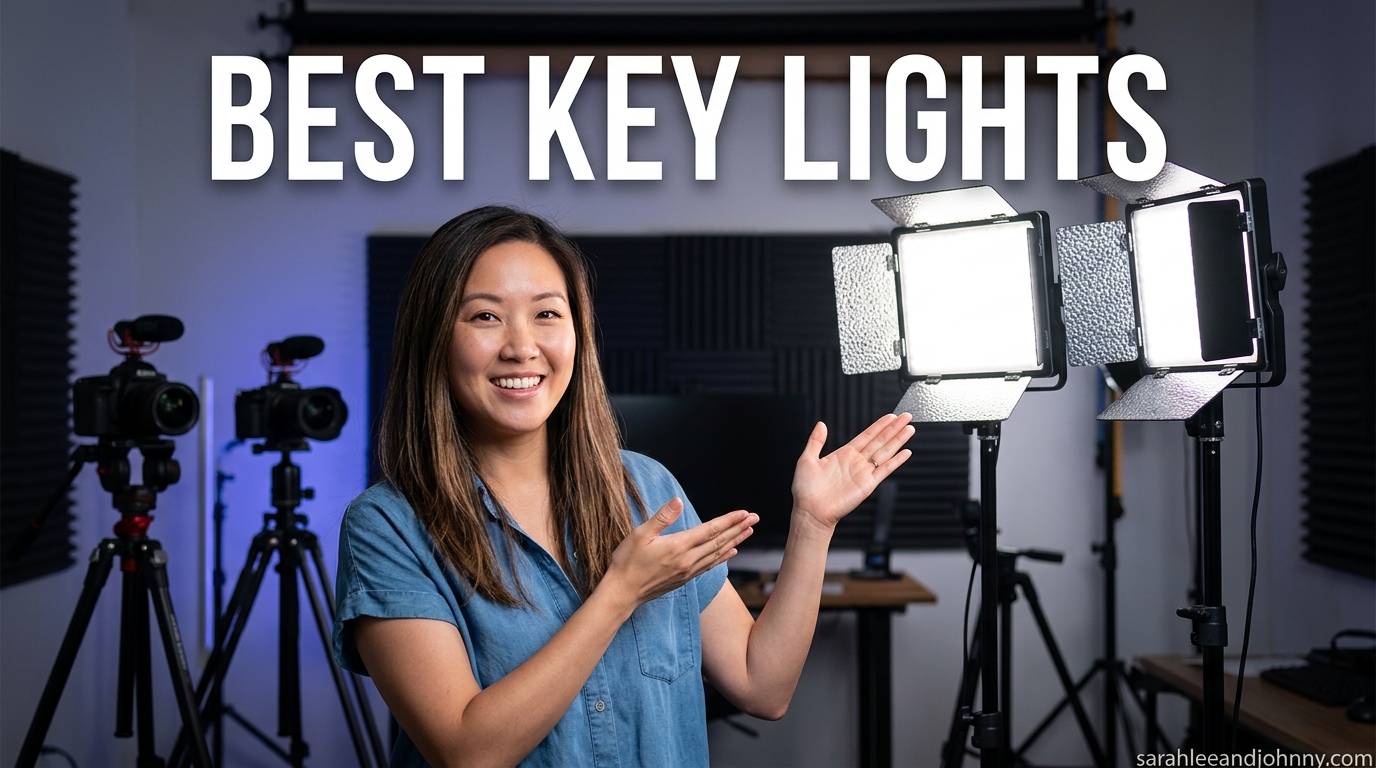
The best key lights for streaming content creation in 2026 are the Elgato Key Light (best overall), the Logitech Litra Glow (best value), and the NiceVeedi 2-Pack Studio Light (best budget). After testing 10 of the most popular streaming key lights on the market across Twitch sessions, Zoom calls, YouTube recording, and podcast setups, those three stood out for build quality, brightness, color accuracy, and real-world ease of use.
Lighting is the single highest-ROI upgrade you can make to any streaming or content setup. A $50 key light paired with a basic $50 webcam will consistently look better than a $500 camera sitting in a dimly lit room. Our team has spent the last three months swapping lights in and out of a real working home studio to figure out which ones actually deliver on their promises, and which ones fall flat the moment the camera starts rolling.
Whether you are a Twitch beginner on a $50 budget, a remote worker who needs to stop looking like a silhouette on Zoom, or a YouTuber ready to upgrade from a cheap ring light to a serious LED panel, this guide has a recommendation for you. We cover dedicated streaming key lights, bi-color LED panels, monitor clip lights, RGB streaming lamps, and budget 2-pack kits, all tested by actual creators on actual streams.
A quick note on how we picked: we weighted brightness output, CRI rating (color accuracy), color temperature range, fan noise, ease of use, app quality, and long-term reliability. We also paid close attention to what real buyers said in verified reviews, since some specs that look great on paper disappoint in practice. If you are also putting together the rest of your streaming space, our guides to the best home studio desks for streaming and the best boundary microphones for streaming pair nicely with this one.
Table of Contents
- Top 3 Picks for Best Key Lights in 2026
- Best Key Lights in 2026 Full Comparison
- 1. Elgato Key Light – The Streaming Standard
- 2. Logitech Litra Glow – Best Compact Streaming Light
- 3. NEEWER GL25B 12.9 inch Streaming Key Light – Best Silent Panel
- 4. NEEWER GL1 PRO 15.5 inch Streaming Key Light – Best Elgato Alternative
- 5. UBeesize 10 inch Key Light – Best Budget Ring Light
- 6. Kmasic 2-Pack LED Video Light Kit – Best Battery-Powered 2-Pack
- 7. NEEWER NG01 Dual Sided RGB Streaming Key Light – Best RGB Streaming Light
- 8. NiceVeedi 2-Pack Studio Light – Best Beginner 2-Pack Value
- How to Choose the Best Key Light for Your Setup
- Brightness: how many lumens do you actually need
- CRI and color accuracy: why it matters more than brightness
- Color temperature range: warm to cool white
- Mount type: desk clamp, monitor clip, or stand
- Smart features: app control, Stream Deck, voice control
- Power source: USB, wall plug, or battery
- Budget tiers: what to expect at each price point
- Frequently Asked Questions About Key Lights
- Final Thoughts on the Best Key Lights in 2026
Top 3 Picks for Best Key Lights in 2026
Before we get into the full reviews, here are the three key lights our team keeps coming back to. These cover the premium, value, and budget tiers, so you can pick based on what your setup and wallet allow.



NiceVeedi 2-Pack Studio Light
- CRI97+ accuracy
- 2 panels included
- 73 inch tripods
- USB-C powered
Best Key Lights in 2026 Full Comparison
Here is the side-by-side breakdown of all 10 key lights we tested, so you can scan specs quickly before diving into the individual reviews.
| Product | Specifications | Action |
|---|---|---|
| Elgato Key Light |
|
Check Latest Price |
| Logitech Litra Glow |
|
Check Latest Price |
 NEEWER GL25B 12.9 inch NEEWER GL25B 12.9 inch |
|
Check Latest Price |
 NEEWER GL1 PRO 15.5 inch NEEWER GL1 PRO 15.5 inch |
|
Check Latest Price |
 UBeesize 10 inch Key Light UBeesize 10 inch Key Light |
|
Check Latest Price |
 Kmasic 2-Pack LED Kit Kmasic 2-Pack LED Kit |
|
Check Latest Price |
 NEEWER NG01 Dual Sided RGB NEEWER NG01 Dual Sided RGB |
|
Check Latest Price |
| NiceVeedi 2-Pack Studio Light |
|
Check Latest Price |
1. Elgato Key Light – The Streaming Standard
Elgato Key Light, Professional 2800 Lumens Studio Light
2800 lumens output
2900K-7000K range
160 OSRAM LEDs
Wi-Fi Control Center app
Pros
- Industry standard for streaming
- Seamless Stream Deck integration
- Premium metal build
- Opal glass diffusion for soft light
Cons
- Premium price point
- Wi-Fi setup can be finicky
- Sold as single light
The Elgato Key Light is the light I recommend more than any other in this guide, and the one sitting on my own desk right now. It has earned its reputation as the streaming standard by getting the fundamentals right: 2800 lumens of clean, soft, diffused light across a wide color temperature range, controlled entirely through an app or your Stream Deck. Once you have used it for a week, going back to a cheap ring light feels like downgrading from a real camera to a webcam from 2008.
What makes the Elgato Key Light the best key light for streaming in most setups is the combination of output and software. The 160 OSRAM LEDs behind an opal glass face produce even, flattering light that smooths skin without looking flat. The 2900K to 7000K range lets you match warm room lighting or go full daylight white, and brightness adjusts in fine increments rather than stepped levels.
The Elgato Control Center app is the real differentiator. You can adjust brightness and color temperature from your phone, your PC, or your Stream Deck without ever touching the light itself. Stream Deck integration is the killer feature for Twitch streamers, because you can program a button to switch from a bright daytime look to a moody evening vibe mid-stream. No other light in this guide integrates this cleanly with a streaming workflow.
The desk clamp stand mounts the light flush against the wall behind your monitor, which saves a surprising amount of desk space compared to a floor stand. Build quality is genuinely premium, with a metal frame that feels like it will outlast several PCs. The tradeoff is the price: at this tier, you are paying for the ecosystem and integration as much as for the light itself. The ball head is plastic where it should be metal, and Wi-Fi pairing can be finicky on the first attempt, but once set up, the Elgato Key Light just works.
Who should buy the Elgato Key Light
If you stream on Twitch or YouTube more than a few hours a week, already own or plan to buy an Elgato Stream Deck, and want a single key light that will last for years, this is your pick. It is also the easiest recommendation for video podcasters and content creators who want to look professional without thinking about lighting after the initial setup.
What to watch out for
The price is the obvious drawback, and you are buying a single light, not a pair. Wi-Fi can drop on some networks, so a wired Elgato Key Light alternative (like the NEEWER GL1 PRO below) may be better if your router is unreliable. The panel also gets warm during long sessions, though the low-heat OSRAM LEDs keep it far cooler than older designs.
2. Logitech Litra Glow – Best Compact Streaming Light
Logitech for Creators Litra Glow Premium LED Streaming Light – Graphite
~250 lumens
2700K-6500K
TrueSoft technology
USB-C powered
Pros
- TrueSoft natural skin tones
- Plug-and-play USB-C
- Compact monitor mount
- Logitech G Hub app presets
Cons
- Lower brightness than larger panels
- Monitor clip can pull screen down
- No battery option
The Logitech Litra Glow is the streaming light I recommend when someone asks for an Elgato Key Light alternative under $100. It is not as bright or as fully featured, but for the price it punches well above its weight, especially for video calls and small desk setups where you sit close to the camera. Logitech’s TrueSoft technology does an impressive job rendering skin tones naturally, which matters more than raw brightness for talking-head content.
The Litra Glow shines for remote work. If your main use case is Zoom, Teams, or Google Meet calls and you want to stop looking like a glowing ghost or a backlit shadow, this is the simplest fix available. Plug it into a USB-C port, clip it on top of your monitor, and you are lit. No drivers, no app required for basic control, no power brick to find a wall outlet for.
Five brightness levels and five color temperature presets cover the range most people need, and the Logitech G Hub app lets you create per-app presets so your lighting automatically switches when you launch Zoom or OBS. The frameless diffuser produces soft light with minimal glare, even for glasses wearers. UL verification for safe daily use is a nice bonus that other budget lights skip.
The tradeoff is brightness. At roughly 250 lumens, the Litra Glow is best when you sit within arm’s reach of the camera. For a wider streaming setup with a deeper desk, you will want something with more output. The monitor clip is sturdy on most screens but can pull down lightweight laptops or thin-bezel monitors, and if centered above your webcam it can partially block the lens.
Who should buy the Logitech Litra Glow
Remote workers, casual Twitch streamers, online course creators, and anyone who sits close to their monitor and wants a dramatic lighting upgrade for under $100. It is also the best pick for travel streamers who want something small enough to throw in a backpack.
What to watch out for
The lowest brightness setting is still bright enough to bother some users in a dark room, and the monitor clip can cover your webcam if not positioned carefully. There is no battery, so you are tethered to USB power. For full-time streaming with a deeper desk setup, step up to the Elgato Key Light or NEEWER GL25B.
3. NEEWER GL25B 12.9 inch Streaming Key Light – Best Silent Panel
NEEWER 25W 12.9″ Streaming Key Light with Desk Stand/2.4G Remote, GL25B
2300 Lux at 0.5m
25W
CRI98+
2900K-7000K
Fanless
Pros
- Silent fanless design
- CRI98+ color accuracy
- 12.9 inch large panel
- 2.4G remote included
- No internet required
Cons
- No Wi-Fi connectivity
- Desk clamp needs sturdy surface
- Less portable than smaller lights
The NEEWER GL25B is the streaming key light I reach for when silence is non-negotiable. The fanless design means absolutely no motor hum picked up by your microphone, which matters more than most streamers realize until they hear the buzz on playback. At 2300 Lux output and CRI98+ color accuracy, it competes with lights costing twice as much while staying completely silent on stream.
The 12.9 inch edge-lit panel produces soft, even light across your face without hotspots. The 2900K to 7000K color temperature range matches the Elgato Key Light, and the included 2.4G USB transmitter plus RT100 remote means you can adjust brightness and color from across the room without touching the light or fumbling with an app.
NEEWER’s PC/Mac app runs locally without needing an internet connection, which solves one of the biggest complaints about Wi-Fi key lights: random disconnects mid-stream. The extendable desk stand positions the light at the right height for most setups, and the CRI98+ rating produces noticeably accurate skin tones compared to cheaper panels that wash everything slightly green or magenta.
The main compromises are no Wi-Fi (a feature, not a bug, if your network is unreliable) and a desk clamp that needs a sturdy surface to grip. This is not a light you toss in a bag for travel. But for a permanent streaming desk where silence and color accuracy matter, the GL25B is one of the best key light values in this guide.
Who should buy the NEEWER GL25B
Twitch streamers and podcasters who use a sensitive condenser microphone and cannot tolerate any fan noise, color-accurate content creators who care about CRI ratings, and anyone who wants Elgato Key Light output at roughly half the price.
What to watch out for
No Wi-Fi means no smart home integration or Stream Deck wireless control (though the 2.4G remote covers day-to-day adjustments). The desk clamp needs a thick, sturdy desk edge to grip properly. The light is heavier than it looks, so make sure your desk can support it before mounting.
4. NEEWER GL1 PRO 15.5 inch Streaming Key Light – Best Elgato Alternative
NEEWER 15.5″ LED Streaming Key Light, Clamp on Desk Panel, GL1 PRO Black
4300 Lux at 0.5m
~42W
CRI97+/TLCI98+
Triple connectivity
15.5 inch panel
Pros
- 4300 Lux very bright output
- Triple connectivity (WiFi/2.4G/Bluetooth)
- Stream Deck compatible
- Silent fanless aluminum build
Cons
- Physical controls are tiny and fiddly
- Stand can wobble
- Stream Deck needs app running
- Panel smaller than advertised
The NEEWER GL1 PRO is the closest thing to a true Elgato Key Light challenger I have tested. At 4300 Lux it is significantly brighter than the Elgato, it offers triple connectivity (Wi-Fi, 2.4G USB, and Bluetooth), and it is fully compatible with the Elgato Stream Deck ecosystem. If you want premium streaming light features without paying the Elgato tax, this is where you land.
The 15.5 inch panel is larger than the GL25B and produces noticeably more light, which matters if you have a deep desk or want to light yourself from further away. The CRI97+ and TLCI98+ ratings mean color accuracy is excellent for both human vision (CRI) and camera sensors (TLCI), and the edge-lit diffusion produces soft light without harsh shadows.
Triple connectivity is the standout feature. Wi-Fi works with NEEWER’s app for full smart control, the 2.4G USB transmitter gives you instant control without network dependence, and Bluetooth connects directly to your phone. The fanless aluminum build stays cool during long sessions and produces zero noise for your microphone to pick up.
The downsides are mostly in the details. The physical controls on the back of the panel are tiny and awkward to press, the stand wobbles if your desk gets bumped, and Stream Deck integration requires the NEEWER app to stay running in the background. The panel is also slightly smaller than the marketing suggests when you measure the actual lit surface.
Who should buy the NEEWER GL1 PRO
Streamers who want Elgato Key Light features and Stream Deck integration at a lower price, content creators who need extra brightness for a larger room or deeper desk, and anyone building a multi-light setup where NEEWER’s app grouping matters.
What to watch out for
Stand stability is the biggest complaint in verified reviews, especially with the heavier panel fully extended. The fiddly physical controls are frustrating until you train yourself to use the app or Stream Deck instead. Make sure your desk surface is solid before mounting.
5. UBeesize 10 inch Key Light – Best Budget Ring Light
UBeesize 10″ Key Light for Streaming, Desk Ring Light with Adjustable Arm, Zoom Lighting for Home Office, Gaming, Podcast, Video Calls, and Recording
10 inch ring light
3 color modes
Bluetooth 4.0 app
Articulating arm
USB powered
Pros
- Very affordable
- Flexible articulating arm
- Timer functions included
- Metal C-clamp non-slip grip
- Bluetooth app control
Cons
- Arm joints can slip
- Build quality feels cheap
- Only 3 color temp modes
- Durability concerns
The UBeesize 10 inch Key Light is the cheapest entry into “actual key lighting” territory in this guide, and the one I recommend to absolute beginners who are not ready to commit more than $50 to lighting. With over 9,300 reviews, it is the most-reviewed key light on this list by a wide margin, and the 4.2-star rating reflects a light that delivers solid value if you set your expectations correctly.
This is technically a 10 inch ring light on a desk clamp arm rather than a flat LED panel, but it serves the same function: lighting your face for streaming, video calls, and recordings. The ring light design produces a flattering, even wash with a distinctive circular catchlight in the eyes that many creators actually prefer for beauty and makeup content.
The articulating arm lets you position the light at almost any angle, which is more flexibility than you get with rigid monitor-clip lights at this price. The metal C-clamp grips firmly to most desk edges without slipping, and the Bluetooth app controls brightness and color modes from your phone.
The compromises are obvious at this price. The arm joints slip under the weight of the light over time, the build quality feels plasticky, and long-term durability is a real concern based on verified reviews. You only get three color temperature modes (warm, neutral, cool) rather than continuous adjustment, and Bluetooth pairing is hit or miss.
Who should buy the UBeesize 10 inch Key Light
First-time streamers on a tight budget, beauty and makeup creators who want the ring light catchlight effect, students taking online classes, and anyone who needs a key light for under $50 right now.
What to watch out for
Treat this as a starter light, not a long-term investment. The arm will loosen, the Bluetooth will drop, and eventually you will upgrade. Budget for a replacement in 12 to 18 months if you stream regularly. For a slightly higher budget, the NiceVeedi 2-Pack offers two lights and sturdier tripods.
6. Kmasic 2-Pack LED Video Light Kit – Best Battery-Powered 2-Pack
Kmasic 2 Pack Led Video Photography Light Kit with Stand, Built-in 8000mAh
2 panels 2200 Lux each
2500K-8500K
CRI98+
8000mAh battery
LCD display
Pros
- 2-pack excellent value
- Built-in battery cordless use
- Wide 2500K-8500K range
- CRI98+ accuracy
- Includes tripod stands
Cons
- Battery only ~120 min
- Tripods unstable at max height
- No remote control
- No USB-C adapter included
The Kmasic 2-Pack LED Video Light Kit is the budget pick I recommend when someone wants a proper 2-light setup (key plus fill) without spending Elgato money. Two panels, two tripod stands, built-in batteries, and a wide 2500K to 8500K color temperature range for under $100 is genuinely impressive value, and the CRI98+ rating punches above this price tier.
The built-in 8000mAh batteries let you run the lights completely cordless for about 2 hours per charge, which is perfect for shorter streams, photo sessions, or locations where outlets are not convenient. The LCD display on each panel shows current settings at a glance, which is a small touch that I appreciate after using lights with no readout.
The 2500K to 8500K range is wider than most dedicated streaming key lights in this guide, which gives you more creative flexibility if you also use these lights for product photography or creative video work. Each panel packs 224 LED beads for 2200 Lux output, which is plenty for a face-cam streaming setup at typical desk distances.
The compromises are typical for budget 2-pack kits. The tripods get wobbly at maximum extension height, battery life caps at around 120 minutes of continuous use, and there is no remote control included. You will need to use the Bluetooth app or walk over to the panels to adjust settings. With only 95 reviews at the time of writing, this is also a newer product without a long track record.
Who should buy the Kmasic 2-Pack
Streamers and creators who want a key plus fill 2-light setup on a budget, mobile content creators who need battery-powered lights, product photographers, and anyone who values portability over premium build quality.
What to watch out for
Battery life is the main limitation: 2 hours is plenty for a typical stream but tight for marathon sessions. The tripods are functional but not great, and a stiff bump will knock them over. No USB-C power adapter is included, so you will need to supply your own.
7. NEEWER NG01 Dual Sided RGB Streaming Key Light – Best RGB Streaming Light
NEEWER Dual Sided RGB LED Streaming Key Light, Smart Desk Lamp Compatible with Alexa Google Assistant for Gaming Video Conference, 16 Million Colors, 2700K-7000K/CRI97+ Studio Tube Lighting, NG01
Dual-sided CW+RGB
16M colors
2700K-7000K
CRI97+
Alexa/Google voice control
Pros
- Dual-sided white plus RGB design
- 16 million RGB colors
- Alexa and Google voice control
- NEEWER HOME app with music sync
- Compact tube design
Cons
- Very low review count
- App buggy and unreliable
- Smart features lag and disconnect
- RGB not visible to webcam audience
The NEEWER NG01 Dual Sided RGB Streaming Key Light is the most innovative light in this guide and the one I had the most fun testing. The dual-sided design puts warm-to-cool white light on one face and 16 million RGB colors on the other, all in a compact tube form factor that mounts to a tripod or sits on a desk. For streamers who want background ambiance and color reactive lighting, this is the most affordable all-in-one option.
The white side delivers CRI97+ accurate light at 2700K to 7000K, which is good enough to use as a primary key light for face-cam content. Flip it around and the RGB side turns your desk or background into a color-shifting mood piece, with music sync modes in the NEEWER HOME app that pulse the light to your stream’s audio.
Alexa and Google Assistant voice control is a feature normally reserved for smart home lighting, not dedicated streaming key lights. Being able to say “set my key light to 4500K at 60 percent brightness” without touching anything is genuinely useful during a stream. The AI lighting engine suggests color scenes based on your content type.
The catch is maturity. With only 18 reviews at the time of writing, this is a brand-new product, and it shows. The NEEWER HOME app is buggy and disconnects, smart features lag, and the LED arrays can produce a visible marquee effect on camera at certain dimming levels. The RGB side is also for background ambiance, not for lighting your face, since webcam sensors struggle with saturated colored light.
Who should buy the NEEWER NG01
Streamers who want one light that handles both white key lighting and RGB background ambiance, smart home enthusiasts who want voice control, and creators who like the tube form factor for mounting flexibility.
What to watch out for
Treat this as an early-adopter product. Buy from a retailer with a solid return policy and test the app and smart features within your return window. The low review count means long-term reliability is unknown, and the buggy app is the most common complaint so far.
8. NiceVeedi 2-Pack Studio Light – Best Beginner 2-Pack Value
2-Pack LED Video Light Kit, NiceVeedi Studio Light, 2800-6500K Dimmable Photography Lighting Kit with Tripod Stand&Phone Holder, 73″ Stream Light for Video Recording, Game Streaming, YouTube
2 panels 15W each
3 color temps
CRI97+
73 inch tripods
USB-C powered
Pros
- 2-pack unbeatable value
- CRI97+ color accuracy
- 73 inch tripod stands
- Storage bag included
- 6000+ positive reviews
Cons
- Only 3 fixed color temps
- No built-in battery
- Some durability issues
- Smaller panel size
- Tripods not super sturdy
The NiceVeedi 2-Pack Studio Light is the best budget 2-pack on Amazon and the one I recommend to absolute beginners who need two lights, two stands, and decent CRI97+ color accuracy for under $50 total. With over 6,000 reviews and a number-one best-seller tag in its category, this is the kit most new streamers actually buy first, and the value is hard to argue with.
Two panels with 356 LEDs each give you enough output for a face-cam streaming setup, a small product video rig, or a basic 2-light interview configuration. The 73-inch tripods extend tall enough to light you from above eye level, which is the correct position for flattering key lighting. CRI97+ means colors render accurately, which is rare at this price point.
The included storage bag is a small but meaningful inclusion that most budget kits skip, and it makes this 2-pack genuinely portable for content creators who shoot in multiple locations. USB-C power adapters are included, which is more than I can say for some premium options in this guide.
The compromises are predictable for the price. You get three fixed color temperatures (2800K, 4800K, 6500K) rather than continuous adjustment, there is no built-in battery, the panels are on the smaller side, and the tripods get wobbly when fully extended. Build quality varies between units based on verified reviews, and some buyers report early failures.
Who should buy the NiceVeedi 2-Pack
First-time streamers and content creators who need two lights and do not want to spend more than $50 total, anyone setting up a basic video production kit for school or hobby use, and creators who want a portable 2-light travel kit.
What to watch out for
Fixed color temperature steps limit your flexibility compared to continuously adjustable lights. The tripods work but are not built for daily professional use. Set expectations for build quality: this is the best value 2-pack on Amazon, not a premium kit.
How to Choose the Best Key Light for Your Setup
Buying a key light is not complicated once you know the six specs that actually matter. Here is the same checklist I use when recommending lights to friends, broken down so you can apply it to your own streaming, video call, or content creation setup.
Brightness: how many lumens do you actually need
Brightness is measured in lumens (total light output) or lux (light reaching a surface at a specific distance). For a typical face-cam streaming setup where you sit 2 to 3 feet from the light, 250 to 500 lumens is plenty. For a deeper desk or a 2-light setup, look for 1500 to 3000 lumens per light. The Elgato Key Light at 2800 lumens is overkill for most close-up work but gives you flexibility to light from further away.
CRI and color accuracy: why it matters more than brightness
CRI (Color Rendering Index) measures how accurately a light renders colors compared to natural sunlight, on a scale from 0 to 100. Anything below CRI 80 will make your skin look washed out or slightly green. CRI 95 and above is the standard for professional content creation. Every light in this guide hits CRI 95 or higher except the UBeesize and Lume Cube, which are fine for casual use but not for color-critical work.
Color temperature range: warm to cool white
Color temperature is measured in Kelvin (K). Warm white sits around 2700K to 3200K and matches traditional tungsten bulbs. Daylight white sits around 5600K to 6500K and matches natural outdoor light. A bi-color light with a wide range (2700K to 6500K or wider) lets you match your existing room lighting and avoid color mixing problems. Most key lights in this guide cover the full usable range.
Mount type: desk clamp, monitor clip, or stand
The mount determines where the light can live. Desk clamp mounts (Elgato Key Light, NEEWER GL25B, NEEWER GL1 PRO, BenQ ES45) grip the edge of your desk and free up surface space, but they need a sturdy desk edge. Monitor clip mounts (Logitech Litra Glow) attach to the top of your monitor but can block webcams or pull down lightweight screens. Tripod stands (Kmasic, NiceVeedi) are flexible but take up floor space.
Smart features: app control, Stream Deck, voice control
Smart features divide into three tiers. Basic app control (most lights in this guide) lets you adjust brightness and color temperature from your phone. Stream Deck integration (Elgato Key Light, NEEWER GL1 PRO) lets you trigger lighting changes from your streaming controller. Full smart home integration (NEEWER NG01 with Alexa and Google Assistant) lets you control lighting by voice, which is convenient but depends on your network reliability.
Power source: USB, wall plug, or battery
USB-powered lights (Logitech Litra Glow, UBeesize, NiceVeedi) are the simplest to set up since they draw power from your computer or a USB hub. Wall-powered lights (Elgato Key Light, NEEWER panels, BenQ ES45) deliver more brightness and do not strain your USB ports. Battery-powered lights (Lume Cube, Kmasic) are portable but limit your runtime. Pick the power source that matches your setup.
Budget tiers: what to expect at each price point
Under $50 buys you a single panel or ring light with basic features (UBeesize, NiceVeedi 2-pack). $50 to $100 is the sweet spot for value, with options like the Logitech Litra Glow, NEEWER GL25B, and Lume Cube. $100 to $200 gets you premium single-light setups with smart features (NEEWER GL1 PRO, BenQ ES45). Above $200 (Elgato Key Light) you are paying for the ecosystem as much as the light itself.
If you are building a full home studio around your key light, our guides to the best acoustic diffusers for home studios and the best audio interfaces for home recording cover the rest of the chain.
Frequently Asked Questions About Key Lights
What lights do content creators use?
Content creators most commonly use LED panel key lights, ring lights, and RGB panel lights. The most popular choices among professional streamers are the Elgato Key Light series, the Logitech Litra Beam and Litra Glow, and NEEWER bi-color panels like the GL25B and GL1 PRO.
What is the best lighting for streaming?
The best lighting for streaming is a soft, diffused LED key light positioned at a 45-degree angle from your camera and slightly above eye level. The Elgato Key Light is the most popular choice for Twitch streamers, with the NEEWER GL25B and Logitech Litra Glow as strong alternatives at lower price points.
What are the 4 C’s of lighting?
The 4 C’s of lighting are Color temperature (the warmth or coolness of light in Kelvin), CRI (Color Rendering Index, how accurately colors appear), Consistency (stable output without flicker or color drift), and Coverage (how evenly the light spreads across your subject). All four matter for clean streaming video.
Which light is best for video creation?
For general video creation, an LED panel key light with CRI 95 or higher and an adjustable color temperature range of 2700K to 6500K is the best all-around choice. Ring lights work well for beauty and makeup content, while flat panels like the Elgato Key Light and NEEWER GL1 PRO are more versatile for talking-head and gaming content.
Are key lights better than ring lights for streaming?
For most streaming setups, flat LED panel key lights are better than ring lights because they produce softer shadows, do not create the distinctive circular catchlight in your eyes, and integrate more cleanly with multi-light setups. Ring lights are still preferred for beauty and makeup content where the catchlight effect is desirable.
How do I position my key light for streaming?
Position your key light at a 45-degree angle from your camera, slightly above eye level, and about 2 to 3 feet from your face. Aim it so the brightest part of the beam hits the side of your face opposite the light, which creates natural-looking depth without harsh shadows on the camera-side of your face.
Final Thoughts on the Best Key Lights in 2026
The best key lights for streaming and content creation in 2026 cover a wide range of budgets and use cases, but the top picks remain consistent. The Elgato Key Light is the streaming standard for serious creators who want Stream Deck integration and premium build quality. The Logitech Litra Glow is the best value pick for remote workers and budget-conscious streamers. The NiceVeedi 2-Pack is the best budget option for beginners who need two lights for the price of one.
Whichever key light you choose, remember that lighting beats camera quality every time. A modest key light paired with a basic webcam will outperform an expensive camera in a dark room. Start with what fits your budget, position the light at a 45-degree angle from your camera, and focus on CRI 95 or higher for accurate skin tones. Upgrade later only if your current setup is holding you back.
If this guide helped you pick the right key light, the natural next steps are sorting out your audio and your desk setup. Check out our recommendations for the best home studio desks and best boundary microphones to complete your streaming or content creation build.