

If you film alone, a gimbal solves a problem no tripod can: it keeps the shot smooth while you walk, talk, and carry everything yourself. A gimbal is a motorized three-axis mount whose brushless motors read sensors in real time and cancel out your hand and wrist movement, so walking-and-talking footage comes out level instead of jittery. For a solo vlogger that matters more than any other spec, because you are the camera operator, the subject, and the grip all at once.
We’ve spent weeks putting phone gimbals and mirrorless gimbals through real one-person shooting days: walking tours, desk tutorials, kitchen product shots, and a lot of vertical content for Reels and TikTok. The winners share three traits: subject tracking that works without a second person, a battery that survives a full shoot, and a body you can hold one-handed without your wrist filing a complaint by hour four.
That last point matters more than payload capacity, which is what most spec-heavy lists lead with. Before the picks, we have covered phone gimbal basics in more detail in our phone gimbal roundup, and our guide to camera stabilizers for real camera bodies covers the mirrorless side in depth.
The honest framing first: a gimbal helps most when you move, and helps least when you don’t. If your channel is entirely tripod-based talking head, read the section on who should skip one before spending anything. If you walk, follow yourself around, or film from a distance, keep reading.
Table of Contents
- Top 3 Picks for Best Gimbals for Solo Vloggers (October 2026)
- Quick Overview All 10 Gimbals Side by Side in 2026
- 1. DJI Osmo Mobile 7P: Best Overall Gimbal for a Solo Shooter
- 2. DJI Osmo Mobile 8: Best Value With the Smoothest Pan Behaviour
- 3. AOCHUAN Smart XE: Best First Gimbal for New Solo Creators
- 4. hohem iSteady X3 SE: Best Budget Gimbal With a Detachable Remote
- 5. Insta360 Flow: Best for Long Travel Days
- 6. Insta360 Flow 2 Pro: Best Tracking Gimbal for App-Based Editing
- 7. DJI RS 3 Mini: Best Gimbal for Mirrorless Solo Creators
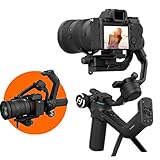
- 8. FeiyuTech SCORP-C: Best for Heavy Camera and Lens Setups
- 9. hohem iSteady M7: Best for Hands-Free Solo Filming
- 10. ZHIYUN Smooth Q5 Ultra: Best Budget Pick With a Built-In Fill Light
- What to Look for When You Are the Only Crew
- Gimbal or Built-In Gimbal Camera?
- How to Balance and Operate a Gimbal Solo
- Who Should Skip a Gimbal Altogether
- Frequently Asked Questions
- The Best Gimbals for Solo Vloggers in 2026
Top 3 Picks for Best Gimbals for Solo Vloggers (October 2026)
Our best overall is the DJI Osmo Mobile 7P, the best value is the DJI Osmo Mobile 8, and the best pick for creators who already own a mirrorless camera is the DJI RS 3 Mini. All three hit the solo-creator criteria that actually decide this purchase: autonomous tracking, real battery headroom, and a body light enough for a full day.

DJI Osmo Mobile 7P
- Native tracking
- 3-axis stabilization
- built-in rod and tripod
- 10-hour battery

Quick Overview All 10 Gimbals Side by Side in 2026
Every pick below appears here with its weight, payload, battery rating and the solo use case it suits best. Weight is the single most useful number to scan as a solo shooter, because you carry the gimbal all day next to the phone or camera it holds.
| Product | Specifications | Action |
|---|---|---|
| DJI Osmo Mobile 7P |
|
Check Latest Price |
| DJI Osmo Mobile 8 |
|
Check Latest Price |
 AOCHUAN Smart XE AOCHUAN Smart XE |
|
Check Latest Price |
 hohem iSteady X3 SE hohem iSteady X3 SE |
|
Check Latest Price |
 Insta360 Flow Insta360 Flow |
|
Check Latest Price |
 Insta360 Flow 2 Pro Insta360 Flow 2 Pro |
|
Check Latest Price |
 DJI RS 3 Mini DJI RS 3 Mini |
|
Check Latest Price |
 FeiyuTech SCORP-C FeiyuTech SCORP-C |
|
Check Latest Price |
 hohem iSteady M7 hohem iSteady M7 |
|
Check Latest Price |
 ZHIYUN Smooth Q5 Ultra ZHIYUN Smooth Q5 Ultra |
|
Check Latest Price |
1. DJI Osmo Mobile 7P: Best Overall Gimbal for a Solo Shooter
DJI Osmo Mobile 7P Gimbal Stabilizer for iPhone & Android, Native Tracking
3-axis phone stabilization
Native tracking outside the app
Built-in 193 mm rod and tripod
10 hours, 368 g
Pros
- Native tracking works with your phone's own camera
- Very smooth walking footage
- Magnetic mount is fast to deploy
- Built-in rod and tripod remove extra gear
- Charges your phone while it films
Cons
- Bulkier than pocket gimbals
- Tracking can lose the subject in low light
- Integrated fill light is weak
- Needs recalibrating more often than ideal
The Osmo Mobile 7P is the one we hand to a solo creator with mixed phone brands and no patience for app setup. The Multifunctional Module that ships in the box handles tracking through your phone’s native camera app, which means you keep your full resolution and frame-rate options instead of being locked into a manufacturer’s editing tool. That single decision removes the most common complaint we hear from people filming alone.
In practice, we clip it on, unfold the rod, and start walking within about fifteen seconds. The magnetic phone clamp is the reason setup feels frictionless, and the built-in tripod means low-angle and static shots don’t require a separate support. Dual-lens tracking uses both phone cameras together, so face tracking holds up when you move past bright backgrounds.
Owners consistently rate the three-axis stabilization as noticeably smooth while walking, and the module doubles as a receiver for DJI wireless mics, so audio and stabilization come from one unit. Battery life is listed at up to ten hours, and it will top up your phone while filming, which removed the mid-shoot panic from our own test days.
The tradeoffs are real. At 368 g it is bulkier than the folding pocket options on this list, the built-in tripod legs feel flimsy for anything heavier than a phone, and the included cable is short once your phone is mounted. Owners also report needing to recalibrate more often than they would like, and the integrated fill light is more useful as a marker than a light.
Is the Osmo Mobile 7P right for one-person filming?
Yes, if you shoot handheld video on your phone and you want the tracking to keep working regardless of which camera app you open. The module-based tracking is the reason it sits at number one for solo work, because there is no app to launch, no pairing prompt to fail, and no resolution downgrade when tracking kicks in.
It is also the best choice if you already own DJI wireless microphones and want one device handling both. For creators who only need a cheap stick for static vertical clips, it is more machine than required.
Where the 7P falls short for a solo creator
Low light is the honest weak point. Tracking confidence drops in dim interiors and evening streets, which is exactly when many solo vloggers shoot. If your content is mostly evening walk-and-talk pieces, test it in your actual darkest location before committing.
Gesture-triggered tracking can also fire when you did not mean it to, and the short bundled cable is an annoyance if you use an external microphone. Budget a longer USB-C cable in the same order.
2. DJI Osmo Mobile 8: Best Value With the Smoothest Pan Behaviour
DJI Osmo Mobile 8 Gimbal Stabilizer for Phone, 3-Axis Stabilization
3-axis phone stabilization
360-degree horizontal pan
Native tracking with audio and lighting
Rod, tripod, 370 g
Pros
- Ranks first in its Amazon category
- Smooth stabilization for daily vlogging
- 360-degree pan keeps you framed
- Built-in rod and tripod cut accessory clutter
- 10-hour battery with phone charging
Cons
- Same bulk class as the 7P
- Relies on the multifunctional module for tracking
- Heaviest of the folding phone gimbals here
The Osmo Mobile 8 is the pick for a solo creator who wants true follow-me behaviour rather than a fixed pan range. The 360-degree horizontal rotation means it can keep you framed through a full walking loop without cutting, and that matters enormously when there is nobody else to physically follow you.
The direct phone connection makes setup fast: power on, unfold, magnetise, record. Owners praise the comfortable grip and the fact that the extension rod and tripod are built in, so the accessories you would normally buy separately are simply not on your packing list. If you are upgrading from a first phone gimbal, the jump in stability and control layout is obvious.
Battery life is listed at ten hours and it charges your phone while filming, which for one-person production is arguably the most important spec on the card. The tracking module also handles audio reception and lighting, matching the feature set of the 7P at a lower tier.
Owners rank it first in the handheld phone gimbal category, which is a meaningful signal given how much competing product shares the shelf. The negatives are mostly about size and dependence on the module for tracking rather than anything fundamental.
Is the Osmo Mobile 8 the right pick for you?
Choose it when your walking shots include loops, staircases, or any movement where a limited pan arc would lose you. It is also a strong second option for anyone who wants the native-tracking workflow but does not need the dual-lens tracking behaviour of the 7P.
For desk and tabletop filming, the extra pan range does nothing for you, and a lighter budget gimbal makes more sense. We covered the trade-offs in our smartphone gimbal ranking.
What we would watch out for
It sits at 370 g, at the heavy end of the phone gimbal category, so long handheld sessions are harder than with a folding stick. Owners also report needing to recalibrate occasionally, and the tracking features depend on the multifunctional module being properly seated.
There is nothing structurally wrong with it. Just know that you are choosing a full-size gimbal, not a pocket one.
3. AOCHUAN Smart XE: Best First Gimbal for New Solo Creators
AOCHUAN Smart XE 3-Axis Gimbal Stabilizer for iPhone&Android,Foldable
Foldable 3-axis design
345 g, 280 g payload
10 hours from 2600mAh
One-click vertical switch
Pros
- Lowest barrier to entry
- Palmsize foldable body with textured grip
- Claw-style clamp avoids pressing buttons
- Magnetic fill lights included
- Good build quality for the tier
Cons
- Tracking and recording locked to the AOCHUAN app
- Weaker when both camera and subject move
- Large phones can block full rotation
- Third axis rotates rather than stabilizes
The Smart XE is the honest first gimbal: it folds small, it costs little, and it will teach you the balance-and-walk feel of a three-axis mount without a big commitment. For a creator who has never used a gimbal, that learning value matters as much as the spec sheet.
The claw-style clamp is a genuinely smart detail. It grips the phone around its edges instead of clamping across the screen, which means no side buttons get pressed mid-take. One-click switching between landscape and vertical makes it fast for Reels, TikTok and YouTube Shorts, and the included magnetic fill lights add a bit of front-facing light at no extra cost.
Owners like the textured grip and the foldable palm-size body, and AI Face Track 4.0 handles faces, bodies and objects once you are inside the app. Battery life is listed at ten hours from a 2600mAh cell, and the mini tripod is included in the box.
The trade-offs come fast. Tracking and recording are locked to the AOCHUAN app with limited resolution options, which is exactly the app-dependency problem that flares up mid-shoot. Stabilization is noticeably weaker when both the camera and the subject are moving, and only two of the three axes are motorized.
Who should buy the Smart XE?
It suits someone whose content is mostly static or seated, whose phone is mid-sized, and who wants to learn gimbal handling without research. Owners report fast, accurate tracking once the app is running, which makes it a solid tool for talking-head and product-table content.
It is less suited to someone shooting long walking sequences in a straight line, which is where weaker motors show.
Where it disappoints
The app lock-in is the main limitation. You shoot inside the AOCHUAN app, so your native camera options and maximum settings may not be available, and some Samsung phones cannot use tracking at 4K or 60 fps.
Large phones can jam the clamp and block full rotation, and the third axis simply rotates rather than stabilizes. Buy it knowing it is a learning tool with a tracking ceiling, not a long-term rig.
4. hohem iSteady X3 SE: Best Budget Gimbal With a Detachable Remote
hohem iSteady X3 SE 3-Axis Gimbal Stabilizer for iPhone & Android, Black
12.64 oz foldable body
Detachable magnetic remote
11-hour battery
300 g payload
Pros
- Pocket-sized folding design
- Detachable remote is genuinely useful solo
- 11-hour battery covers a full shoot
- Upgraded 3-axis holds up while jogging
- Quick landscape to portrait switching
Cons
- Hohem Joy app needed for tracking
- Unimpressive plastic feel
- Rough stabilisation at higher walking speeds
The iSteady X3 SE solves a specific solo problem better than anything cheaper: you can start recording without touching the gimbal. The detachable magnetic remote has a listed control range of 32.81 ft, so you can set the gimbal on a surface, walk to the far side of the frame, and still be in shot. That is the single most useful feature for one-person work.
At 12.64 oz it folds into a jacket pocket, which makes it realistic as an everyday carry rather than a dedicated bag item. Owners like the 11-hour battery on a two-hour charge, and the upgraded three-axis stabilization holds up at jogging pace, which is faster than most sticks at this tier.
The Hohem Joy app carries the AI tracking, gesture controls and templates, and the remote, tripod, storage pouch and cable all come in the box. For a creator shooting short vertical content, that package is more than enough to get started.
The compromises are honest ones. AI tracking is app-based, so it needs the connection working before it works at all. Some owners find the build plasticky compared with metal-bodied competitors, and fine motion at quick walking speeds is not as refined.
Is the X3 SE right for a solo creator on a tight budget?
Yes, if your primary need is starting and stopping a shot while you are away from the gimbal. Set it on a desk or a wall, take the remote, and film a product demo or a tutorial without an assistant to press record. That single capability is worth more than a more expensive gimbal without it.
Our broader gimbal picks for content creators compares it against several more capable options if you decide to step up.
What to watch out for
The remote’s range is a listed spec under ideal conditions; walls and crowds reduce it. Tracking depends on the Hohem Joy app connecting reliably, which is the most common failure point we hear about in this category.
At this size there is no room for expansion ports or a fill light. It does one job well and keeps the rest simple.
5. Insta360 Flow: Best for Long Travel Days
Insta360 Flow Gimbal Stabilizer for Smartphone, AI-Powered Gimbal, 3-Axis Stabilization, Built-in Tripod, Portable & Foldable, Auto Tracking Phone Stabilizer, Video Recording, Stone Gray
1.6 lb body
Deep Track 3.0 AI tracking
12-hour battery, 2900mAh
Built-in stick, tripod and power bank
Pros
- Accurate tracking with person re-identification
- Smooth 3-axis stabilization
- Selfie stick
- tripod and power bank in one unit
- One-step rapid deploy
- 12-hour battery
Cons
- Heaviest phone gimbal in this roundup
- Some features limited on certain Android phones
- Large and bulky when folded
The Flow is the travel-day pick because of what it consolidates. The selfie stick, tripod and power bank are all built into the body, so there is one device instead of four. Deep Track 3.0 adds person re-identification, which means if you walk behind a lamppost or behind another person, the tracker re-acquires you instead of losing you permanently.
The one-step rapid deploy matters more than it sounds. There is no power button to hunt for in the rain or in the dark; you unfold and it goes. Battery life is listed at 12 hours from a 2900mAh cell, and because it doubles as a power bank you can top up your phone on a long travel day.
Owners rate the tracking accuracy highly and like that the foldable body keeps it portable. Shot Genie also offers AI filming tips, which is a small touch for beginners learning framing. Payload is listed at 500 g, the highest in the phone category here, so heavier phones are handled confidently.
The weight is the problem: at 1.6 lb this is by a distance the heaviest phone gimbal we tested, and by the end of a long walking day your wrist knows it. Some Android features are limited by brand interface protocols, which is a real limitation on non-Apple phones.
Who does the Insta360 Flow suit best?
It fits a creator running a full travel day with a lot of walking and limited charging opportunities. The 12-hour battery, the built-in power bank, and the fact that the tripod and stick need no separate bag space remove three daily friction points at once.
It also suits anyone who regularly films alone and walks behind obstacles, because person re-identification is a genuine advantage on streets and in crowds.
What makes it a compromise
Weight is the first thing a solo shooter will feel. If you shoot more than a few hours a day, the lighter folding gimbals on this list will be kinder to your wrist.
Android owners should verify which features their phone supports, since open interface protocols limit some functionality on certain brands. On iPhone, the feature set is complete.
6. Insta360 Flow 2 Pro: Best Tracking Gimbal for App-Based Editing
Insta360 Flow 2 Pro Grey – Foldable AI Phone Gimbal, Track in 200+ Apps with Apple DockKit, Multi-Person Tracking, 360º Pan Tracking, Built-in Tripod/Selfie Stick, iPhone/Android Portable Stabilizer
Apple DockKit tracking in 200+ apps
15x active zoom tracking
360-degree infinite pan
385 g, 10 hours
Pros
- Tracks inside 200+ iOS apps
- Multi-person tracking and 15x zoom
- 360-degree infinite pan
- Built-in tripod
- stick
- mirror and teleprompter
- Dolby Vision and ProRes support
Cons
- iOS-first feature set
- Newer model with a smaller review base
- Needs a recent iPhone to get full value
The Flow 2 Pro is the only gimbal here that tracks inside apps you already use. Through Apple DockKit, tracking works across more than 200 iOS apps, which means you are not forced to record inside the manufacturer’s editor to get subject tracking. That is the difference between a gimbal you use for every clip and one you use for one specific feature.
Multi-person tracking and 15x active zoom tracking let you frame a wider shot and let the gimbal push in when the action happens. The 360-degree infinite pan plus free tilt mode covers most follow-shot patterns, and the built-in teleprompter and selfie mirror are small but genuinely useful additions for talking-head content recorded alone.
Dolby Vision and Apple ProRes capture support means the footage can feed straight into a serious edit. The body is 385 g with a listed 10-hour battery, and the one-step deploy means you are recording seconds after unfolding.
It is the newest and least proven model in this roundup, with 790 reviews behind it compared with several thousand for the alternatives. That is not a dealbreaker, but it is worth knowing you are buying a first-generation version of this feature set.
Is the Flow 2 Pro right for a solo vlogger?
It fits a creator who edits in third-party apps and refuses to let a gimbal dictate the recording app. Anyone with an editing workflow built around mobile tools will get more from this than from a gimbal whose tracking only works in its own app.
Multi-person tracking also suits creators who film alongside a partner or a pet and want the frame to hold both subjects automatically.
Where it stops short
The feature set skews to Apple hardware, so Android users get a reduced experience. Check compatibility before committing if your current phone is not an iPhone.
At 385 g it is not the lightest option, and with a smaller volume of owner feedback than its rivals, there is less long-term reliability data available.
7. DJI RS 3 Mini: Best Gimbal for Mirrorless Solo Creators
DJI RS 3 Mini, Camera Gimbal Stabilizer, Canon/Sony/Nikon/Fujifilm
2 kg tested payload
795 g body
3rd-generation RS stabilization
Native vertical shooting
Pros
- Handles up to 2 kg of camera and lens
- Light for a full camera gimbal
- Native vertical shooting for short-form
- 1.4-inch full-colour touchscreen
- Bluetooth shutter control with auto-reconnect
Cons
- Requires the DJI Ronin app for activation
- Too heavy for phone-only creators
- Balance step still needs doing every setup
The RS 3 Mini is the reason we include mirrorless cameras at all. If you already shoot on a Sony, Canon, Nikon or Fujifilm body, a phone gimbal is a step down in quality, and the gap in stability between a real three-axis rig and phone stabilization is obvious in a side-by-side test.
At 795 g it is the lightest camera gimbal we recommend, and it carries a tested payload of 2 kg. That matters for the common solo mistake: adding an on-camera microphone or a small light throws off the balance you tuned for a bare body, and a rig with real payload headroom absorbs that without a full rebalance.
Native vertical shooting through the quick-release plate is a genuine time-saver for a creator splitting effort between long-form and Shorts or Reels. The 1.4-inch full-colour touchscreen handles setup without a phone, and Bluetooth shutter control with auto-reconnect saves you reaching for the camera’s own button mid-take.
It ranks first in professional video stabilizers, and owners consistently rate the third-generation RS stabilization as smooth for its class. Multiple shooting modes including PF, PTF and FPV cover most movement patterns.
Should a mirrorless vlogger buy the RS 3 Mini?
Yes, if you already own a mirrorless camera and shoot handheld. The 2 kg payload covers a body with a small to medium lens plus accessories, and the light body means you can hold it one-handed for a walking segment without the fatigue that heavier rigs cause.
If you shoot on a phone only, this is unnecessary weight and extra steps to learn. The phone gimbals above serve that use case better.
Where it frustrates solo operators
It requires the DJI Ronin app for activation and full functionality, so it is not the app-free experience the Osmo phones offer. You should budget a few minutes of setup time each session.
At 795 g it is still a real weight for all-day handheld work, and the balance step has to be redone whenever you change lenses or add a microphone. That ritual is the price of camera gimbals, not a fault in this one.
8. FeiyuTech SCORP-C: Best for Heavy Camera and Lens Setups
FeiyuTech SCORP-C Gimbal Stabilizer for Cameras DSLR and Mirrorless Camera
2500 g payload
1200 g body
10-13 hour runtime
Integrated folding handle, no tripod
Pros
- Handles up to 2.5 kg of camera and glass
- Integrated folding handle doubles as a grip
- Five-way balance adjustment with memory
- Arca-Swiss quick release plate
- 18W fast charging
Cons
- Heaviest body in this roundup
- Large folded footprint for a daypack
- Bulky for close-quarters vlogging
The SCORP-C is for the solo creator whose camera kit has outgrown a compact rig. A 2500 g payload means a full-frame body with a zoom lens, a cage, a small light and a shotgun mic can all ride on one gimbal, and the five-way centre-of-gravity adjustment with a memory slider means you set the balance once for that combination and recall it later.
The integrated folding handle is the feature that matters most alone. It doubles as the grip and as the tripod bracket, so there is no separate leg assembly to lose or leave behind. That removes an accessory from your bag and a fiddly step from your setup.
Battery life is listed at 10-13 hours from a 2500mAh cell with 18W fast charging, which comfortably outlasts a heavy shooting day. The Arca-Swiss compatible plate means you can move to a tripod head without unbolting, and multiple shutter cables for Sony, Canon, Nikon, Panasonic, Fujifilm and USB-C are included.
Professional mode, AB trajectory memory, flash mode, panorama, time-lapse and vertical shooting cover the movement patterns a solo creator actually uses. The three-axis motor lock is a small quality-of-life touch that stops drift during transport.
Who needs the FeiyuTech SCORP-C?
It suits someone whose rig is heavy enough that a compact gimbal cannot balance it, and who films longer days than a single battery can cover. The 10-13 hour runtime means charging the gimbal becomes a weekly task rather than a nightly one.
It also suits creators who work with a cage and mounted accessories, because the Arca plate and memory balance slider make swapping setups fast when you are the only person doing it.
What makes it the wrong choice
At 1200 g it is the heaviest body here, and holding that one-handed through a full walking day is demanding. If your content is short vertical clips rather than long sequences, the effort outweighs the benefit.
The folded size also takes up real daypack space. If bag space is your constraint, a smaller rig serves you better even if it carries less.
9. hohem iSteady M7: Best for Hands-Free Solo Filming
Hohem iSteady M7 Gimbal Stabilizer for Smartphone, Magnetic AI Tracker Fill Light, Detachable Touchscreen Remote Controller, Built-in Extension Rod, 500g Payload Gimbal Stabilizer for iPhone Android
Detachable magnetic AI tracker with fill light
1.4-inch touchscreen remote
500 g payload, 629 g body
12 hours
Pros
- Touchscreen remote shows what the tracker sees
- Tracker works with the phone's native camera
- Very quick to balance and set up
- Handles large phones well
- Built-in rod plus tripod and carrying case
Cons
- 629 g is tiring over long sessions
- Tracking stutters occasionally
- App use can disable the phone's own stabilisation
- Included tripod is short
The M7 is the most capable hands-free setup for one person. The magnetic AI tracker is a separate module with its own camera and its own colour-adjustable fill light, and the detachable 1.4-inch touchscreen remote shows you exactly what that tracker sees while you stand 10 m away. You can select a target and monitor framing without ever touching the gimbal.
That solves the classic solo frustration: you set the shot, walk into position, and something is slightly out of frame. Here you can see it before you record. The tracker works with your phone’s native camera, so unlike app-locked gimbals you keep your own camera app.
Owners rate it as very quick to balance and set up, and it handles large phones such as the Samsung S24 Ultra without stabilization problems. Payload is listed at 500 g with three 1/4-20 expansion ports, so you can add a small light or an accessory without changing mounts. The built-in 193 mm aluminium extension rod adds low and high angles with no extra gear.
Battery life is listed at about 12 hours, and the carrying case is included, which makes it a complete kit rather than a bare device.
Is the iSteady M7 worth it for solo creators?
If your content includes talking head at a distance, follow-me walking shots, or any setup where you cannot be next to the camera, yes. The tracker-plus-remote combination is the most complete answer to that problem in this roundup, and it does not force you into a specific app.
It also suits creators who want to add a small light later, since the expansion ports mean one rig handles both jobs.
What we would weigh up first
At 629 g it is heavy for extended handheld work, and owners report tiring sessions. If you shoot long walking sequences rather than set-up-and-record pieces, a lighter gimbal is kinder.
There are also two real quirks: using the Hohem Joy app can switch off your phone’s own stabilization and make footage shakier, and some owners report the AI tracking stuttering or the remote preview dropping when detached. Test both before committing.
10. ZHIYUN Smooth Q5 Ultra: Best Budget Pick With a Built-In Fill Light
ZHIYUN Smooth Q5 Ultra 3-Axis iPhone Gimbal Stabilizer for Video Recording
226 lux fill light on the arm
215 mm telescopic rod
13.5 hours light use
615 g, 390 g payload
Pros
- Noticesably smoother than handheld
- Built-in fill light and telescopic rod
- One-touch vertical switching
- Works well with large phones when balanced
- Battery holds up in cold conditions
Cons
- ZY Cami app is convoluted with no 4K 60 fps
- Instructions are thin
- Motors underpowered for the largest phones
The Smooth Q5 Ultra is the budget gimbal that solves two problems at once for a solo creator: dark talking-head setups and overhead framing. The 226 lux fill light sits on the gimbal arm, and the 215 mm telescopic rod extends far enough for a genuine high angle without a separate boom.
Owners like the simple physical controls and joystick, which are easier to operate blind than a menu-driven interface. The counterweight has phone-size markings, so setting the balance for your specific phone is faster than guessing. Battery life is listed at 13.5 hours in light use, dropping to about 5.5 hours with the fill light switched on, and owners report it holds up well in cold conditions.
The wireless remote, tripod and AI tracking module are all included, which is unusual at this tier. One-touch landscape and portrait switching is a real time-saver when you alternate between a long vlog and vertical short-form content.
The app is where it falls down. Owners describe the ZY Cami app as convoluted, with no 4K at 60 fps and limited wide-angle options, and the documentation as thin. There are also reports of the gimbal twitching or shutting down if it is not set up in a particular order at power-on.
Who should choose the Smooth Q5 Ultra?
It suits a creator shooting indoors who wants front light without carrying a light, and who works with large phones. Owners report it handles big devices well once properly balanced, and the counterweight markings speed that up.
It also suits anyone who prefers physical buttons over an app for framing adjustments, particularly in cold weather where gloved hands and touchscreens do not mix.
What gives us pause
The app dependency is the clearest drawback. Without 4K 60 fps and with limited wide-angle options, your final quality is capped by software rather than hardware, and that ceiling will not improve.
Motors can be underpowered for the very largest phones, and the rear trigger is easy to press by accident. Setup order also matters, which is friction you will feel every time.
What to Look for When You Are the Only Crew
The three things that decide whether a gimbal works for you alone are subject tracking, real battery life, and total weight. Everything else on the spec sheet matters less than those three, because you are carrying, operating, and shooting with this thing alone.
Tracking that works without an app is the first filter. Gimbals that require you to record inside a manufacturer’s app can lose features, resolution, or the connection itself mid-shoot, and there is no second operator to fix it. Modules that track through your phone’s native camera, such as the one on the Osmo Mobile 7P and the Hohem M7 tracker, remove that risk entirely. App-dependent tracking is also the single most common source of failure reported by users.
Battery life on paper is optimistic, so treat listed hours as a ceiling. What matters is whether you can top up from a power bank over USB-C during a shoot day. Several picks on our list double as power banks, which turns a mid-shoot dead gimbal from a crisis into a non-event.
Weight is the criterion most solo shooters underestimate. A gimbal at 1200 g held one-handed through a full walking day will cause wrist strain well before the footage is finished, and grip fatigue shows up in your shots as shaky framing. If you shoot more than a few hours daily, keep the gimbal under about 500 g.
Payload capacity matters more for camera gimbals than phone ones, because adding a microphone or a light changes the balance. Phone gimbals rated 300 g handle most phones; camera gimbals should be matched to your body plus lens plus accessories combined, with headroom rather than an exact figure.
Controls are worth checking carefully. A detachable remote, a front-facing trigger, a joystick, and one-touch vertical switching all save real time when you are starting and stopping your own recordings. If your workflow involves desk setups and tutorials, a detachable remote with a screen is the feature you will use most.
Finally, look at the ecosystem rather than the device. Firmware updates, app quality, and whether the brand still supports your phone model determine whether this purchase stays useful in two years. Our smartphone gimbal guide breaks down this comparison further.
Gimbal or Built-In Gimbal Camera?
If you keep asking whether you should stabilize your phone or buy a dedicated small camera with stabilization built in, that is the right question, and the answer depends on how much of your footage you would rather not shoot through a phone.
A gimbal keeps the camera you already own. You keep your existing photo quality, your editing workflow, and every app you already use, and the stabilization layer sits on top. That is why gimbals make sense when your phone or mirrorless body is already good enough and you want smoother movement from it.
A gimbal camera is one device that handles the whole chain: capture, stabilization, tracking, and often audio. Nothing needs balancing, nothing needs charging separately from the camera, and it fits in a pocket before a gimbal plus phone plus microphone does. For a creator who wants smooth footage with the least possible daily friction, that is a genuinely strong argument.
The gimbal wins when image quality matters more than convenience, when you already own good glass, or when your content needs a specific lens or sensor. The gimbal camera wins when you film daily, travel constantly, want one battery to charge, and would rather not repeat a balance routine before every take.
The honest middle path is to check whether your current footage is actually shaky. Modern in-camera stabilization handles normal handheld movement at standard frame rates reasonably well. If your content is mostly static or tripod-based, a gimbal camera may serve you better than any gimbal.
How to Balance and Operate a Gimbal Solo
Balancing is the step where most beginners stall, and it is far quicker than it looks once you know the order. Do these steps in sequence and a full balance takes under two minutes.
Charge first. Balance on a flat surface with a charged battery, because a gimbal that is about to power down will drift mid-adjustment.
Extend the arm and lock the motors. Most models have a motor lock. Use it so the arms stop fighting your hands.
Mount the camera and tighten the plate. Slide the quick-release plate until the camera sits centered on the tilt axis, then lock it.
Balance tilt first. Hold the gimbal by the pan handle with the lens facing forward. The camera should stay level when you tip the handle. Slide the plate forward or back until it holds any angle you give it.
Balance roll. Turn the gimbal 90 degrees. Adjust the roll arm so the camera no longer tilts toward one side.
Balance pan. Rotate the pan axis. Slide the arm until the camera no longer swings forward or back on its own.
Unlock the motors and test. Hold it level and release everything. If a motor drifts, tighten the corresponding arm a fraction more.
Mark it and save the settings. On camera gimbals with centre-of-gravity memory, save this balance for the exact body-plus-lens combination you just set up.
Once balanced, the operating habits matter as much as the setup. Walk with your knees rather than your hips, keep your elbows close to your body, and take small deliberate steps. The gimbal removes shake; it cannot rescue a stumble.
For audio, check clearance before you add a microphone. A shotgun mic on top of a phone moves the centre of gravity and unbalances the rig you just tuned, so rebalance after adding one. Our top phone pick includes a module that doubles as a wireless mic receiver, which avoids stacking weight on top.
Finally, charge everything the night before. A gimbal, a phone, a light and a mic means several batteries, and there is no second person to hand you a spare.
Who Should Skip a Gimbal Altogether
If most of your content is recorded on a tripod or a desk, a gimbal will not improve your videos, and we would rather say so than sell you one. Stabilization only matters when the camera moves, and a locked-off frame is already perfectly still.
Tutorial channels, screen recordings, recipe videos filmed over a counter, and long talking-head segments are all cases where the extra device is dead weight in your bag. The same rule applies to every solo purchase: buy for the task you actually repeat, not the task you imagine doing.
It is also worth questioning the premise that shaky footage is your problem. If your phone or mirrorless camera already has solid in-camera stabilization and you film at standard frame rates, the difference a gimbal makes on a calm walk may not justify the extra bag weight, the setup time, and the balance step before every shoot.
Two situations make a gimbal a genuinely bad investment. If you film less than weekly, you will spend more time charging than shooting. And if your budget forces a choice between decent audio and a gimbal, buy the microphone; bad audio costs you viewers faster than shaky footage.
None of that means skipping this guide. It means knowing what you are solving before you buy.
Frequently Asked Questions
Which gimbal is best for vlogging?
For most solo vloggers the DJI Osmo Mobile 7P is the strongest all-round choice, with tracking that works through the phone’s native camera, a built-in extension rod and tripod, and a 10-hour battery. The DJI Osmo Mobile 8 is the better value pick, and the DJI RS 3 Mini is the right option if you already shoot on a mirrorless camera.
What are gimbals used for?
A gimbal is a motorized camera mount with three axes of movement: pan, tilt and roll. Sensors detect your hand and wrist motion and brushless motors cancel it out, keeping the camera level and steady. The practical uses are walking-and-talking footage, follow-me shots, smooth pans and any movement where a handheld camera would otherwise look shaky.
Do vloggers actually need a gimbal?
Only if you move while filming. A gimbal genuinely helps with walking-and-talking shots, follow-me footage and dynamic pans, where handheld shake is obvious. If your content is mostly static, tripod-based or filmed on a modern phone with good in-camera stabilization, a gimbal adds weight and setup time for little visible gain.
How much does a typical gimbal weigh?
Phone gimbals in this roundup weigh roughly 345 g to 629 g, with folding pocket models at the lighter end and feature-heavy ones heavier. Mirrorless camera gimbals run about 795 g to 1200 g. For all-day one-handed shooting, staying under about 500 g noticeably reduces wrist fatigue.
What is the best smartphone gimbal for content creators?
The DJI Osmo Mobile 7P leads for tracking reliability and battery life, while the Insta360 Flow 2 Pro is the strongest option for creators who edit in third-party apps thanks to Apple DockKit support. Budget pickers should consider the hohem iSteady X3 SE, which includes a detachable remote for starting recordings from a distance.
The Best Gimbals for Solo Vloggers in 2026
Ten gimbals, ten different answers to the same problem: how do you hold a camera steady when you are the only person available to hold it. The DJI Osmo Mobile 7P takes our top spot for tracking that survives any app, a built-in rod and tripod, and a battery that outlasts a shooting day. The Osmo Mobile 8 is the value pick with the smoothest 360-degree pan, and the DJI RS 3 Mini is the answer for anyone already carrying a mirrorless body.
Match the gimbal to how much you move, not to how good your camera is. Walk and talk every day, and tracking and battery come first. Shoot at a desk, and read the section on skipping a gimbal before spending anything. Either way, check the latest price for your region and start with one device that solves a problem you actually have.