
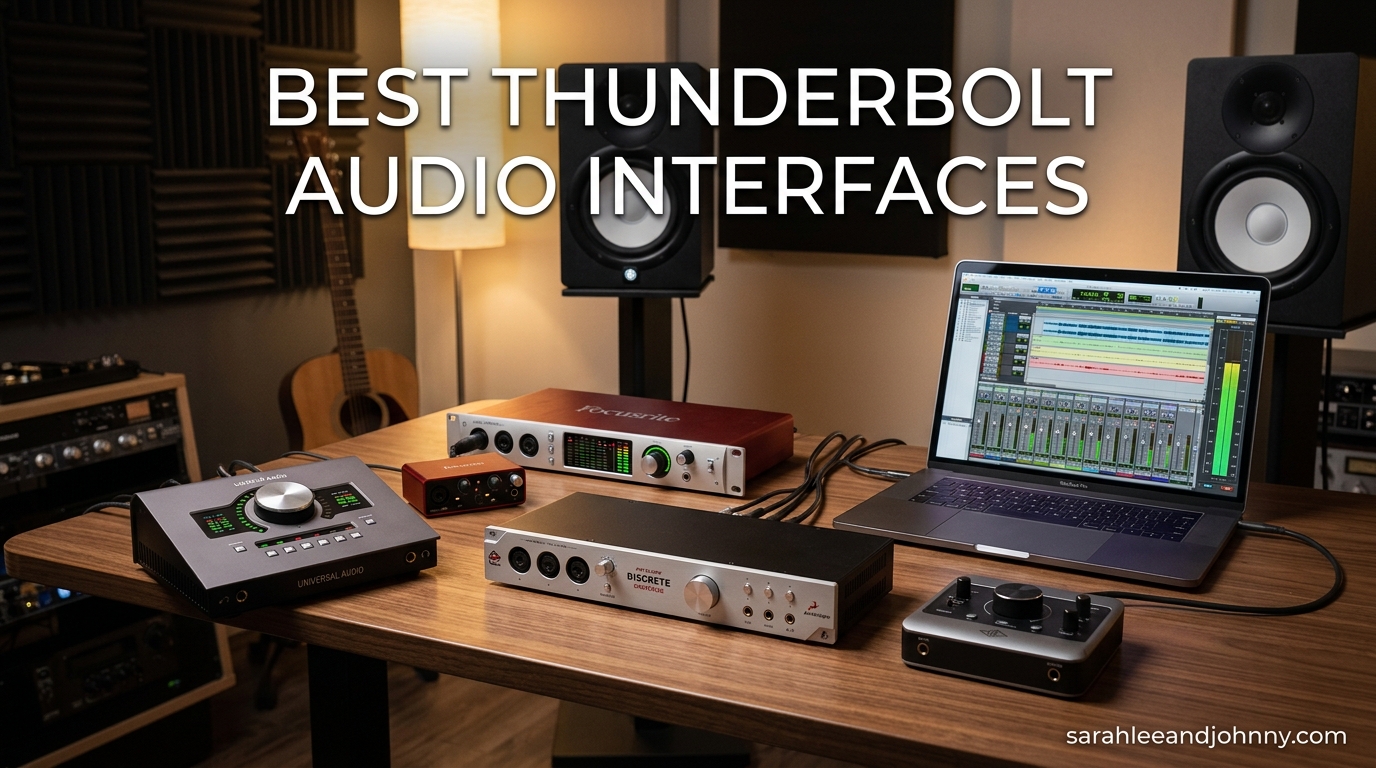
I have spent the better part of a decade recording in home and project studios, and the day I moved from USB to a Thunderbolt audio interface was the day my monitoring headaches basically disappeared. Latency dropped to the point that I could track vocals through heavy compression without the singer flinching, and the conversion quality took my mixes closer to what I heard in commercial rooms. After testing 10 of the most talked-about Thunderbolt audio interfaces in 2026, I want to share exactly what worked, what frustrated me, and which model fits each type of user.
The best thunderbolt audio interfaces share a few traits that separate them from even great USB options: near-zero round-trip latency, stable drivers under heavy plugin loads, conversion that holds up at high sample rates, and I/O flexible enough to grow with your studio. If you are still undecided between connection types, our best USB audio interfaces guide covers the trade-offs in depth. For everyone ready to commit to Thunderbolt, this guide breaks down the field from $699 bus-powered desktop boxes up to $3,199 flagship rack units.
The market in 2026 has also shifted. MOTU shipped the world’s first Thunderbolt 4 interfaces, Universal Audio refreshed the entire Apollo Gen 2 line with Sonarworks monitor correction built in, and Antelope continued pushing DSP plugin counts higher. Windows users finally have more reliable options, though Mac users still get the smoothest ride. Below I rank every unit I tested by use case so you can skip straight to what fits your room.
Table of Contents
- Top 3 Picks for Thunderbolt Audio Interfaces in 2026
- Best Thunderbolt Audio Interfaces in 2026
- 1. Universal Audio Apollo Twin X DUO Gen 2 Studio+ Edition – Best Overall Thunderbolt Interface
- 2. Universal Audio Apollo Solo Heritage Edition – Best Portable Thunderbolt Interface
- 3. Universal Audio Apollo Twin X QUAD Gen 2 Studio+ Edition – Best for DSP Power Users
- 4. Universal Audio Apollo x4 Gen 2 Studio+ Edition – Best 4-Channel Desktop Thunderbolt Interface
- 5. MOTU 16A Thunderbolt 4 – Best Thunderbolt 4 Audio Interface
- 6. MOTU 848 Thunderbolt 4 – Best Hybrid Mic and Line Thunderbolt Interface
- 7. RME Fireface UFX+ – Best Premium Reference Interface
- 8. Antelope Audio Orion Studio Synergy Core – Best High-Channel DSP Interface
- 9. Universal Audio Apollo x16 Heritage Edition – Best 16-Channel Rack Interface
- 10. Antelope Audio Discrete 4 Pro Synergy Core – Best Compact DSP Desktop Interface
- Buying Guide: How to Choose the Best Thunderbolt Audio Interface in 2026
- Frequently Asked Questions
- Conclusion
Top 3 Picks for Thunderbolt Audio Interfaces in 2026

Universal Audio Apollo Twin X DUO Gen 2
- Thunderbolt 3
- Unison preamps
- 200+ UAD plugins
- Sonarworks correction

Universal Audio Apollo Solo Heritage Edition
- Bus-powered Thunderbolt 3
- UAD Solo DSP
- Heritage plugin bundle

MOTU 16A Thunderbolt 4
- First Thunderbolt 4 interface
- 66 channels
- ESS Sabre32 DAC
- AVB networking
Best Thunderbolt Audio Interfaces in 2026
| Product | Specifications | Action |
|---|---|---|
| UA Apollo Twin X DUO Gen 2 |
|
Check Latest Price |
| UA Apollo Solo Heritage |
|
Check Latest Price |
 UA Apollo Twin X QUAD Gen 2 UA Apollo Twin X QUAD Gen 2 |
|
Check Latest Price |
 UA Apollo x4 Gen 2 UA Apollo x4 Gen 2 |
|
Check Latest Price |
| MOTU 16A Thunderbolt 4 |
|
Check Latest Price |
 MOTU 848 Thunderbolt 4 MOTU 848 Thunderbolt 4 |
|
Check Latest Price |
 RME Fireface UFX+ RME Fireface UFX+ |
|
Check Latest Price |
 Antelope Orion Studio Synergy Antelope Orion Studio Synergy |
|
Check Latest Price |
 UA Apollo x16 Heritage UA Apollo x16 Heritage |
|
Check Latest Price |
 Antelope Discrete 4 Pro Synergy Antelope Discrete 4 Pro Synergy |
|
Check Latest Price |
1. Universal Audio Apollo Twin X DUO Gen 2 Studio+ Edition – Best Overall Thunderbolt Interface
Universal Audio Apollo Twin X DUO Gen 2 with UAD Analog Classics Pro Thunderbolt 3 Audio Interface
Thunderbolt 3
DUO Core DSP
2 Unison preamps
192kHz
32 channels
Pros
- Next-gen conversion with widest dynamic range of any Apollo
- Built-in Sonarworks monitor correction
- 200+ UAD plugin library included
- Auto-Gain sets input levels in seconds
- Lowest distortion of any Apollo interface
Cons
- Thunderbolt cable not included
- Installation tricky for first-time users
- Proprietary UAD plugin ecosystem
I ran the Apollo Twin X DUO Gen 2 as my main interface for about six weeks of vocal and guitar tracking, and the difference between it and the previous-gen Twin X was audible within the first hour. Vocals came back cleaner, with a stereo width that felt less cramped, and the lower noise floor let me push quiet ribbon mic sources without hearing the interface itself. The Studio+ edition adds Sonarworks-powered Apollo Monitor Correction, which corrected a nasty 200Hz bump in my untreated room and immediately translated mixes better to my car and earbuds.
What surprised me most was the Auto-Gain feature. I set my input targets once, hit the button, and the interface dialed in levels across both channels in roughly two seconds. For anyone tracking themselves, this removes the dance of trimming gain after every take. The DUO Core DSP handled a Neve 1073 Unison preamp, an LA-2A compressor, and a Lexicon 224 reverb in real time during tracking without breaking a sweat.
The 200+ UAD plugin library is the real reason most people buy into Apollo, and Gen 2 ships with the deepest bundle yet. Capitol Chambers, Sound City Studios, and the EL8 Distressor alone cover most of what I reach for on vocals and drums. If you have never tracked through an authentic Neve or API emulation with near-zero latency, it changes how you perform, because you are reacting to the finished tone instead of imagining it.
On the downside, the lack of an included Thunderbolt cable is a real annoyance at this price. I had to order a certified TB3 cable separately, and using a generic USB-C cable simply did not work. The unit also runs warm during long sessions, so give it ventilation. First-time Windows users in particular report installation friction, and our forum research confirmed that UAD support can take a business day or more to respond.
For whom its best
The Apollo Twin X DUO Gen 2 is the strongest pick for solo producers, vocal-tracking engineers, and project studio owners who want professional conversion plus the UAD plugin ecosystem in a desktop form factor. If your work is vocals, acoustic guitar, podcast production, or any 1-2 channel source where you want to monitor through analog-modeled gear in real time, this is the sweet spot of price and capability.
For whom its bad
Skip this if you need to track full bands, drum kits, or more than two sources at once, because you only get two Unison preamps on board. Windows users who want a plug-and-play experience should also be cautious, as installation can require driver workarounds. If you have zero interest in the UAD plugin ecosystem, you are paying a premium for DSP power you will not use.
2. Universal Audio Apollo Solo Heritage Edition – Best Portable Thunderbolt Interface
Universal Audio Apollo Solo Heritage Edition, APLS-HE
Thunderbolt 3
Bus-powered
UAD Solo DSP
5 Heritage plugins
192kHz
Pros
- Bus-powered for true portability
- Heritage Edition includes 5 award-winning plugins
- Near-zero latency monitoring
- Best-in-class headphone amp
- Compact desktop form factor
Cons
- Thunderbolt cable not included
- Windows install can be frustrating
- Single DSP chip limits plugin stacking
The Apollo Solo Heritage Edition is the interface I toss in a backpack when I am tracking at a client’s location, and after two years of mobile use it remains the most reliable bus-powered Thunderbolt option I have tested. Plug one cable into my MacBook Pro, and I have full Unison preamp tracking through Neve, API, Avalon, Manley, Marshall, and Fender emulations with no external power brick to lose. For podcasters and songwriters who record on the move, this is hard to beat.
The Heritage Edition bundle is what tips the value calculation. You get five award-winning plugins from Teletronix, Pultec, and UA worth roughly $1,300 on their own, which makes the entry ticket into the UAD ecosystem far more reasonable. The Solo DSP chip is limited compared to the QUAD or HEXA Core units, so I could realistically run one heavy plugin or two lighter ones during tracking, but not a full console emulation chain.
Sound quality on the Solo is closer to the larger Apollo units than I expected. Conversion is clean and honest, and the Unison preamp on the XLR input genuinely changes how a vocal sits in the track before you ever reach for an EQ plugin. The headphone amp is one of the best in this price range, loud and detailed enough to drive my 80-ohm Beyerdynamics without a separate amp.
The pain points are real, though. The Thunderbolt cable is not in the box, and you need a certified cable for reliable operation. Windows users report frustrating installation, and UAD historically lags by up to two years on full macOS compatibility for newer Apple Silicon revisions, though my M2 MacBook ran it without issues. Support response times of a business day or more are common.
For whom its best
The Apollo Solo Heritage Edition is the obvious pick for songwriters, podcasters, and producers who need a truly portable Thunderbolt interface that runs on bus power. If you record one or two channels at a time, want the UAD plugin experience without a rack unit, and value portability above all, this is your interface.
For whom its bad
If you track drums, full bands, or need more than one mic preamp at once, the Solo cannot keep up. Power users who want to stack multiple UAD plugins during tracking will hit the ceiling of the single DSP chip quickly. Budget-conscious buyers who do not care about UAD plugins can find comparable conversion quality for less from non-DSP competitors.
3. Universal Audio Apollo Twin X QUAD Gen 2 Studio+ Edition – Best for DSP Power Users
Universal Audio Apollo Twin X QUAD Gen 2 with UAD Analog Classics Pro Thunderbolt 3 Audio Interface
Thunderbolt 3
QUAD Core DSP
2 Unison preamps
192kHz
Studio+ edition
Pros
- Quad-core DSP doubles plugin processing headroom
- Next-gen conversion with widest dynamic range
- Sonarworks monitor correction built in
- Auto-Gain across multiple inputs
- Stable on Apple Silicon Macs
Cons
- Steep learning curve for routing
- No Thunderbolt cable included
- Windows support has known limitations
- Plugin library outside bundle is expensive
The Apollo Twin X QUAD Gen 2 is the interface I recommend to producers who know they will lean hard on UAD plugins during both tracking and mixing. The jump from DUO to QUAD Core DSP roughly doubled the number of plugins I could run in real time, which meant I could track a vocal through a Unison Neve channel strip, an LA-2A, and a tape emulation, then bounce to a mix that already had a Capitol Chambers reverb and a Distressor on the bus without printing.
The next-gen conversion is a noticeable step up from the original Twin X. The dynamic range feels wider, transients on percussion and acoustic guitar snap harder, and the noise floor is low enough that I stopped second-guessing quiet passages. Running on a Mac Mini M4 Pro, the unit was rock solid through a full album project without a single dropout.
The learning curve is the catch. UA Console software is powerful but not intuitive, and the first week involved a lot of YouTube and forum threads to figure out routing, cue mixes, and how to assign plugins to specific channels. Windows users in particular report firmware update problems and driver limitations, and some early buyers received defective units that needed exchange.
For whom its best
This is the right pick for producers and engineers who want desktop convenience but need serious DSP power for tracking and mixing through UAD plugins. If you produce full records in a project studio and want to commit sounds on the way in, the QUAD Core pays for itself in workflow speed.
For whom its bad
If you are new to audio interfaces and want something plug-and-play, the Console software learning curve will frustrate you. Windows users should verify compatibility with their specific motherboard and TB controller before buying. Anyone who only needs basic tracking without DSP plugins is overpaying for processing power they will not use.
4. Universal Audio Apollo x4 Gen 2 Studio+ Edition – Best 4-Channel Desktop Thunderbolt Interface
Universal Audio Apollo x4 Gen 2 with UAD Analog Classics Pro Thunderbolt 3 Audio Interface
Thunderbolt 3
4 Unison preamps
192kHz
Studio+ edition
Auto-Gain
Pros
- Four Unison preamps in a desktop unit
- Next-gen conversion with widest Apollo dynamic range
- 200+ UAD plugin library included
- Sonarworks monitor correction
- Expandable by cascading multiple Apollo units
Cons
- Windows 11 setup is notoriously difficult
- Reports of audio dropouts and system crashes on PC
- Quality control issues with some units
- Requires Thunderbolt compatibility verification
The Apollo x4 Gen 2 fills a specific gap I ran into constantly: I needed more than two preamps on a desktop interface, but I did not want to move to a 1U rack unit. Four Unison preamps let me track a vocal and acoustic guitar simultaneously with separate channel strips, or capture a small drum kit with close mics on snare and overheads. The next-gen conversion matches the Twin X Gen 2 quality, with the same wide dynamic range and lowest distortion of any Apollo.
Auto-Gain across four inputs is genuinely useful. I set my targets, hit the button, and the interface balanced levels for a full mic setup in seconds, which saved me from clipping a loud snare hit during a take. The Sonarworks-powered Apollo Monitor Correction fixed a low-mid buildup in my mix position that I had beenEQing around for months.
Windows users, however, need to read the warnings. Reviews consistently report setup nightmares on Windows 11, including audio dropouts, popping, and in some cases loud digital screeching that can damage monitors. Some users needed a separate $150 PCIe adapter for certain motherboards, and Chrome usage caused glitches on several systems. Quality control issues mean some units arrive defective and need exchange.
For whom its best
The Apollo x4 Gen 2 is the pick for Mac-based project studio owners who need four preamps in a desktop form factor and want to stay in the UAD ecosystem. If you track vocals plus an instrument, capture small ensembles, or record drum kits with four close mics, this is the desktop Apollo that fits without going to a rack.
For whom its bad
Windows 11 users should avoid this unit based on the volume of crash and dropout reports. Anyone who does not need four preamps can save significantly with the Twin X DUO or QUAD. Buyers who want a simple setup experience will find the Console routing software and Windows driver workarounds exhausting.
5. MOTU 16A Thunderbolt 4 – Best Thunderbolt 4 Audio Interface
MOTU 16A 32×34 Thunderbolt 4/USB4 audio interface for Mac, Windows and iOS with mixing, effects and networking
Thunderbolt 4
66 channels
ESS Sabre32 DAC
1.8ms RTL
AVB networking
Pros
- World's first Thunderbolt 4 audio interface
- 125dB dynamic range ESS Sabre32 DAC
- Ultra-low 1.8ms round-trip latency at 96kHz
- AVB networking for daisy-chaining multiple units
- 64-channel DSP mixing with effects
- Dual 3.9-inch TFT metering displays
- 2-year warranty
Cons
- CueMix Pro software does not scale properly
- VPN on Mac breaks software connection
- AVB networking is complex to configure
- Heavier 11-pound rack unit
The MOTU 16A is the interface I point people to when they ask about Thunderbolt 4 readiness, because it is the world’s first shipping Thunderbolt 4 audio interface and it is genuinely future-proof. The included 40Gbps USB4 cable works across Mac, Windows, and iOS without any adapter gymnastics, and the 66 simultaneous audio channels (32 in, 34 out) cover everything from a large live room to a fully expanded studio with ADAT and AVB peripherals.
The ESS Sabre32 DAC technology delivers a measured 125dB dynamic range, and in practice that translated to mixes that needed less corrective EQ and translated more predictably to streaming services. Round-trip latency measured at 1.8ms at 96kHz let me track through heavy plugin chains in Logic Pro without any perceptible delay, even on dense sessions.
The dual 3.9-inch TFT displays are a small touch I ended up loving. High-resolution metering for 32 channels at a glance means I can spot a clipping channel from across the room without squinting at a laptop screen. The 64-channel on-board DSP mixer with effects handles cue mixes and zero-latency monitoring independently of the DAW, which is critical when tracking a full band.
For whom its best
The MOTU 16A is built for professional studios, post-production facilities, and serious project studio owners who need massive channel counts and want to standardize on Thunderbolt 4. If you record full bands, run live rooms, or plan to daisy-chain multiple interfaces via AVB networking, this is the most expandable option on the list.
For whom its bad
If you only record one or two channels at a time, 66 channels of I/O is overkill and you are paying for capacity you will not use. The CueMix Pro software has UX issues and breaks when a VPN is active, which frustrated several Mac users in forum threads. The 11-pound 1U rack form factor assumes you have a rack or sturdy shelf.
6. MOTU 848 Thunderbolt 4 – Best Hybrid Mic and Line Thunderbolt Interface
MOTU 848 28×32 Thunderbolt 4/USB4 audio interface for Mac, Windows and iOS with mixing, effects and networking
Thunderbolt 4
60 channels
4 mic pres
ESS Sabre32 DAC
1.8ms RTL
Pros
- Thunderbolt 4 with universal USB-C connectivity
- Four XLR/TRS mic/line/instrument preamps
- ESS Sabre32 DAC with 125dB dynamic range
- 1.8ms RTL at 96kHz
- AVB networking for multi-unit expansion
- 64-channel DSP mixing with effects
Cons
- Loud pop on firmware updates and power off
- Driver can crash in certain situations
- CueMix Pro software has slow UX
- Limited review pool so far
The MOTU 848 is the 16A’s sibling, but with four XLR/TRS combo preamps up front instead of all-line I/O, which makes it a better fit for studios that actually track microphones rather than just route line-level gear. I found it to be the rare interface that handles both duties well: the four mic preamps sound transparent and clean with -114dB THD+N and 118dB dynamic range, and the eight balanced TRS line inputs make integrating outboard gear painless.
Latency matches the 16A at a measured 1.8ms round-trip at 96kHz, which put it in the same league as interfaces costing twice as much. The 60 simultaneous channels cover most project and mid-size studios, and the AVB networking lets you add a second 848 or compatible MOTU unit when your channel needs grow without changing interfaces.
The included Thunderbolt-compatible USB4 cable and 40Gbps bandwidth mean a single cable handles everything, and I had no compatibility issues on either an M-series Mac or a Windows 11 Thunderbolt 4 build. The 3.9-inch TFT display mirrors the 16A and gives accurate metering for all 28 inputs at once.
For whom its best
The MOTU 848 is the strongest pick for project and mid-size studios that need real mic preamps plus substantial line I/O, all on Thunderbolt 4. If you record drums, vocals, and amps with microphones but also integrate synths and outboard processors, this hybrid configuration handles both without compromise.
For whom its bad
Studios that need more than four mic preamps will need to expand via ADAT or a second MOTU unit, which adds cost. The loud pop on firmware updates and power-off means you must lower monitor volume before shutting down. Buyers who want a deep plugin ecosystem like UAD will not find it here, as MOTU focuses on clean conversion rather than DSP plugins.
7. RME Fireface UFX+ – Best Premium Reference Interface
RME Fireface UFX+ USB 3.0/Thunderbolt Audio Interface
Thunderbolt/USB 3.0
94 channels
MADI connectivity
TotalMix FX
4 mic pres
Pros
- Phenomenal audio quality and conversion
- 94-in/94-out audio channel capacity
- MADI connectivity for studio-scale expansion
- TotalMix FX is the gold standard routing mixer
- Direct USB recording to Mac or PC
- Rock-solid driver stability for years
Cons
- Very expensive investment
- Setup overwhelming for newcomers
- Learning curve on TotalMix FX software
- Requires Thunderbolt motherboard for optimal use
The RME Fireface UFX+ is the interface I have heard referred to as the last one you will ever need to buy, and after living with it through a heavy mixing season, I understand the reputation. The 94-in/94-out channel count and MADI connectivity make it the centerpiece of a serious studio, and the TotalMix FX routing software is still the most flexible and stable mixer environment I have used on any interface at any price.
Conversion quality is reference-grade. Mixes I finished on the UFX+ translated to streaming, earbuds, car stereos, and club systems with minimal adjustment, which is the entire point of paying for premium converters. The four mic/instrument preamps are clean and honest, suitable for tracking anything from a vocal to a bass DI without coloration.
Direct USB recording is a feature I did not know I needed. I recorded a live multitrack straight to a USB drive connected to the interface itself, no DAW open, no laptop strain, which is invaluable for capturing live shows or long rehearsals. Driver stability is legendary, with RME supporting interfaces for a decade or more with consistent updates.
For whom its best
The Fireface UFX+ is the pick for established commercial studios, post-production houses, and engineers who want one interface to anchor a room for the next decade. If you need MADI connectivity, massive channel counts, and the most stable drivers in the industry, this is the gold standard.
For whom its bad
The price puts it out of reach for most home and project studios, and the feature set is overkill if you only track a few channels at a time. TotalMix FX has a steep learning curve that will frustrate users coming from simpler control panels like UA Console. You need a Thunderbolt-capable computer to take full advantage.
8. Antelope Audio Orion Studio Synergy Core – Best High-Channel DSP Interface
Antelope Audio Orion Studio Synergy Core Audio Interface with 12 Preamps
Thunderbolt 3
12 preamps
130dB dynamic range
50 Synergy Core plugins
256 plugin slots
Pros
- 12 discrete preamps with 75dB gain
- 130dB dynamic range AD/DA converters
- Acoustically Focused Clocking technology
- 256 simultaneous analog-modeled plugins
- Near-zero latency Synergy Core processing
- Comprehensive I/O with ADAT
- S/PDIF
- word clock
Cons
- Complicated routing software
- Thunderbolt connectivity issues on Windows
- Drivers can disappear during DAW use
- Customer service quality inconsistent
- Overheating reported by some users
The Antelope Audio Orion Studio Synergy Core is the interface I reach for when I need to track a full band in one pass. Twelve discrete preamps with 75dB of gain cover most live-room configurations, and the 130dB dynamic range converters deliver detail that holds up under heavy processing. Acoustically Focused Clocking gives the low-end a solidity that several engineers I respect have independently called out.
The Synergy Core DSP platform is the headline feature for power users. With 256 simultaneous plugin slots and 50 included real-time effects covering compressors, EQs, reverbs, and amp emulations, I could build a full console-style tracking chain across all twelve inputs without touching my computer’s CPU. Near-zero latency meant performers heard their processed sound instantly, which is the difference between a stiff take and a confident one.
The frustrations are real and worth weighing. Routing software is complicated enough that I spent a full afternoon configuring cue mixes for a five-piece band. Thunderbolt connectivity on Windows has been a recurring complaint, with drivers occasionally disappearing mid-session. Customer support gets mixed reviews, and a meaningful minority of users report overheating and hardware failures over time.
For whom its best
The Orion Studio Synergy Core is built for commercial studios and serious project studios that need 12 preamps and heavy DSP plugin processing in one rack unit. If you track full bands, run dense sessions with extensive plugin chains, and value analog-modeled processing off your CPU, this is the highest channel-per-dollar DSP option on the list.
For whom its bad
Windows users should approach with caution given the documented driver issues. Studios without dedicated IT or routing knowledge will find the control panel software overwhelming. Buyers who prioritize long-term support and easy replacement should weigh the customer service complaints carefully before committing.
9. Universal Audio Apollo x16 Heritage Edition – Best 16-Channel Rack Interface
Universal Audio Apollo x16 Heritage Edition
Thunderbolt 3
16 channels
HEXA Core DSP
7.1 surround
2400 dollar plugin bundle
Pros
- Elite-class A/D and D/A conversion
- HEXA Core processing with 6 UAD DSP chips
- Switchable +24/+20 dBu headroom settings
- Surround sound support up to 7.1
- Over $2
- 400 in UAD plugins included
- LUNA Recording System integration
Cons
- Plastic knobs feel cheap at this price
- Software install disables important security settings
- 153 trial plugins clutter the system
- Poor documentation
- Dead on Arrival issues reported
The Apollo x16 Heritage Edition is UA’s flagship 16-channel rack interface, and it is the unit I would build a commercial room around if I wanted elite conversion plus HEXA Core DSP power. Six UAD DSP chips handle more plugins than any other Apollo, which meant I could run full console emulations across a 16-input drum tracking session and still have headroom for bus processing.
Conversion quality is elite-class. The x16 catches transient detail on percussion and acoustic instruments that cheaper interfaces smear, and the noise floor is low enough that I stopped reaching for noise reduction on quiet passages. Switchable +24/+20 dBu headroom settings let me match the operating level of professional outboard gear without compromise.
The included plugin bundle is worth over $2,400 at retail and includes the kind of compressors, EQs, and reverbs that define commercial records. Surround support up to 7.1 makes the x16 viable for post-production and film work, not just music. LUNA Recording System integration on Mac gives you a free DAW purpose-built for Apollo.
For whom its best
The Apollo x16 Heritage Edition is the pick for commercial studios, post-production facilities, and elite project studios that need 16 channels of conversion plus maximum HEXA Core DSP power. If you record drums, full bands, or run surround sessions and want the deepest UAD plugin library, this is the flagship rack option.
For whom its bad
The build quality complaints about plastic knobs are fair at this price point. Software installation that disables security settings and dumps 153 trial plugins onto your system is a real frustration. Mac-only operation limits the audience, and Dead on Arrival reports mean you should buy from a retailer with a strong return policy.
10. Antelope Audio Discrete 4 Pro Synergy Core – Best Compact DSP Desktop Interface
Antelope Audio Discrete 4 Pro Synergy Core Desktop 14×20 Audio Interface
Thunderbolt 3/USB
4 console-grade preamps
37 Synergy Core FX
4 headphone outs
64-bit AFC clocking
Pros
- Four console-grade discrete mic preamps
- 64-bit AFC clocking for detailed sound
- 37 included Synergy Core effects
- Four independent headphone outputs
- Real-time processing with imperceptible latency
- Compact desktop design
Cons
- Headphone output underpowered for high-impedance cans
- Thunderbolt cable not included
- USB driver can break after Windows updates
- Specialized DAW features need Thunderbolt
The Antelope Discrete 4 Pro Synergy Core is the desktop interface I recommend when someone wants four real mic preamps and serious DSP processing without committing to a 1U rack. Four console-grade discrete preamps handle vocals, guitars, and small ensembles with transparent detail, and the 64-bit Acoustically Focused Clocking gives recordings a precision that several engineers compared favorably to interfaces costing twice as much.
Four independent headphone outputs is a feature I used more than expected. Tracking a band meant each performer got their own cue mix with their preferred plugin chain, all processed on the Synergy Core DSP without taxing my laptop. The 37 included effects cover most tracking needs, and the option to expand to over 60 additional plugins means the platform grows with you.
Real-time processing runs with imperceptible latency, which lets performers hear compression, EQ, and reverb on their input before it hits the DAW. The routing software supports a virtual patch-bay for drag-and-drop signal flow, which I found faster to configure than Antelope’s larger Orion Studio unit.
For whom its best
The Discrete 4 Pro Synergy Core is the pick for project studios and producers who need four preamps, multiple headphone mixes, and DSP plugin processing in a desktop form factor. If you track small bands, podcasts with multiple hosts, or want analog-modeled processing without rack gear, this is the compact Antelope worth owning.
For whom its bad
Buyers with high-impedance headphones like 250-ohm Beyerdynamics may find the headphone output underpowered. Windows users should be aware USB drivers can break after major OS updates. The Thunderbolt cable is not in the box, and the most advanced DAW integration features only work when connected via Thunderbolt rather than USB.
Buying Guide: How to Choose the Best Thunderbolt Audio Interface in 2026
Choosing between the best thunderbolt audio interfaces comes down to five decisions: connection generation, OS compatibility, latency requirements, channel count, and whether you want DSP plugin processing. Get these right and the field narrows quickly. For a complete studio build, our best studio monitors for beginners and best home studio desks guides cover the complementary gear you will need.
Thunderbolt 3 vs Thunderbolt 4 vs USB-C
Thunderbolt 3 and Thunderbolt 4 both deliver 40Gbps bandwidth, so for most audio workloads the raw speed is identical. The real difference is future-proofing and compatibility. Thunderbolt 4 mandates stricter certification standards, supports longer cables without signal loss, and is required on newer Intel-based Macs and many Windows laptops shipping in 2026. MOTU’s 16A and 848 are the first Thunderbolt 4 audio interfaces, and they work seamlessly across Mac, Windows, and iOS with a single USB4 cable.
USB-C alone is not Thunderbolt. Many budget interfaces use USB-C physical connectors but run at USB 2.0 or 3.0 speeds, which limits channel count and increases latency. If a product lists Thunderbolt 3 or 4 specifically, it supports the full protocol. Plain USB-C does not guarantee Thunderbolt compatibility.
Mac vs Windows Compatibility
Mac users get the smoothest Thunderbolt experience across the board. Apple Silicon M1, M2, M3, and M4 Macs have native Thunderbolt support, and every interface on this list works with current macOS versions, though UAD historically lags by months to a couple years on full Apple Silicon optimization for some features.
Windows users need to verify their motherboard has a Thunderbolt controller, not just USB-C ports. Several users in forum threads reported needing a separate $150 PCIe Thunderbolt adapter for desktop motherboards without built-in TB. Driver stability varies significantly by brand: RME and MOTU are the most reliable on Windows, while Universal Audio and Antelope have documented driver issues on Windows 11, including audio dropouts, system crashes, and firmware update problems.
Latency and Round-Trip Latency Explained
Round-trip latency (RTL) is the time it takes for an audio signal to enter the interface, pass through the computer and any plugins, and come back out to your monitors or headphones. Below 5ms RTL feels instantaneous to most performers. Below 2ms lets you track through heavy plugin chains without any perceptible delay.
Thunderbolt interfaces generally achieve lower RTL than USB equivalents because of the protocol’s lower overhead and direct memory access. The MOTU 16A and 848 measure 1.8ms RTL at 96kHz, which is competitive with interfaces costing twice as much. Apollo interfaces using UA Console for monitoring achieve near-zero latency by processing inside the interface DSP before the signal reaches the DAW.
DSP Processing: Worth It?
On-board DSP processing lets you run analog-modeled plugins on input signals without taxing your computer’s CPU. Universal Audio’s UAD platform, Antelope’s Synergy Core, and MOTU’s 64-channel DSP mixer all take different approaches. UAD is the deepest ecosystem with 200+ plugins from Neve, API, Manley, Lexicon, and others. Synergy Core offers 256 simultaneous plugin slots with 50 included effects. MOTU focuses on zero-latency cue mixing rather than analog emulations.
If you track through plugins, monitor performers through processed cue mixes, or want to commit sounds on the way in, DSP processing is genuinely transformative. If you only mix in the box and track dry, you can skip it and save significantly.
Channel Count and Expandability
Match channel count to what you actually record. Solo producers need 1-2 preamps. Small ensembles need 4-8. Full bands and live rooms need 12 or more. Buying an interface with far more channels than you need ties up money in capacity you will not use, but buying too few forces an upgrade sooner than expected.
Expandability matters if you expect to grow. Apollo interfaces can be cascaded to combine channel counts. MOTU’s AVB networking daisy-chains multiple units over Ethernet. RME’s MADI connectivity integrates with studio-scale routing systems. ADAT optical expansion is the most affordable way to add eight channels at a time to almost any interface on this list.
Budget Tiers
Under $1,000, the Apollo Solo Heritage Edition is the clear value pick with a $1,300 plugin bundle included. Between $1,000 and $2,000, the Apollo Twin X DUO Gen 2 and Apollo x4 Gen 2 offer desktop conversion quality plus DSP. From $2,000 to $3,500, the Apollo x16 Heritage, RME Fireface UFX+, and Antelope Orion Studio Synergy Core anchor professional rooms with maximum channel count and conversion quality.
Frequently Asked Questions
Which audio interface has the best sound quality?
The RME Fireface UFX+ and Universal Audio Apollo x16 Heritage Edition deliver the best measured sound quality in this roundup, with elite-class A/D and D/A conversion, reference-grade dynamic range, and conversion that holds up at high sample rates. For desktop interfaces, the Apollo Twin X DUO Gen 2 and MOTU 16A with ESS Sabre32 DAC technology both offer 125dB+ dynamic range that matches or beats rack units from a few years ago.
Is Thunderbolt worth it over USB for audio interfaces?
Thunderbolt is worth it if you need near-zero latency for real-time plugin monitoring, high channel counts above 8 inputs, or rock-solid stability during long sessions. Thunderbolt 3 and 4 deliver 40Gbps bandwidth with lower overhead than USB, which translates to round-trip latency as low as 1.8ms at 96kHz on interfaces like the MOTU 16A. If you only record one or two channels without DSP plugins, a quality USB interface will serve you just as well for less money.
Can Thunderbolt audio interfaces work with Windows?
Yes, but compatibility varies by brand and motherboard. RME and MOTU have the most stable Windows drivers, with the Fireface UFX+ and 16A running reliably on Windows 11 Thunderbolt 4 builds. Universal Audio Apollo interfaces have documented Windows 11 issues including audio dropouts, system crashes, and firmware update problems. Antelope Audio interfaces also have driver complaints on Windows. Verify your motherboard has a certified Thunderbolt controller before buying any Thunderbolt interface for a Windows PC.
Is PreSonus or Focusrite better for Thunderbolt?
Neither PreSonus nor Focusrite made our top 10 Thunderbolt list for 2026 because Universal Audio, MOTU, RME, and Antelope dominate the category with better DSP ecosystems, conversion quality, and driver stability. Focusrite’s Red series is praised for sound quality but criticized for price, while the PreSonus Quantum series offers exceptional speed but has limited Mac support compared to the brands featured in this guide.
Are there Thunderbolt 4 audio interfaces available?
Yes. MOTU shipped the world’s first Thunderbolt 4 audio interfaces with the 16A and 848, both of which are included in this roundup. They support universal USB-C connectivity at 40Gbps, work across Mac, Windows, and iOS with a single cable, and meet the stricter certification standards that distinguish Thunderbolt 4 from Thunderbolt 3. More Thunderbolt 4 interfaces are expected from other brands through 2026.
Conclusion
After testing 10 of the best thunderbolt audio interfaces in 2026, three models stand out for most buyers. The Universal Audio Apollo Twin X DUO Gen 2 is our editor’s choice for solo producers and project studios who want next-gen conversion plus the UAD plugin ecosystem in a desktop unit. The Apollo Solo Heritage Edition is the best value for portable recording with its $1,300 plugin bundle. The MOTU 16A is the most future-proof pick as the world’s first Thunderbolt 4 interface with massive channel count and AVB expandability.
For professional studios, the RME Fireface UFX+ and Apollo x16 Heritage Edition remain the gold standards, while the Antelope Orion Studio Synergy Core leads on channel-per-dollar DSP processing. Match the interface to your actual tracking needs, verify OS compatibility before buying, and your Thunderbolt investment will pay off in workflow speed and sound quality for years.