

Whether you are laying down vocal tracks in a spare bedroom, launching a podcast from your kitchen table, or recording guitar demos at 2 AM, the right USB audio interface can make or break your sound. I have spent the last three months testing 12 of the most popular USB audio interfaces on the market, running them through real recording sessions with condenser mics, dynamic mics, electric guitars, and bass. This guide covers everything from budget-friendly entry-level units to professional-grade multi-channel powerhouses.
A good audio interface does one thing really well: it converts analog signals from your microphone or instrument into clean, high-resolution digital audio your computer can work with. The best USB audio interfaces in 2026 go further than that, offering features like auto-gain, built-in effects processing, loopback recording for streaming, and software bundles worth more than the hardware itself.
Our team evaluated each interface on preamp quality, driver stability, build construction, headphone amp power, and overall value for money. We paid special attention to the things that matter most in daily use: how easy it is to set up, whether the drivers crash mid-session, and whether the headphone output can actually drive a pair of 250-ohm studio headphones without sounding thin. Here is what we found.
Table of Contents
- Top 3 USB Audio Interfaces for 2026
- Best USB Audio Interfaces in 2026
- Budget USB Audio Interfaces (Under $150)
- 1. Behringer UMC204HD – Midas Preamps on a Budget
- Behringer UMC204HD Audiophile 2×4, 24-Bit/192 kHz USB Audio/MIDI Interface with Midas Mic Preamplifiers | For Recording Microphones and Instruments
- Who Should Buy This
- Who Should Look Elsewhere
- 2. PreSonus AudioBox 96 – Software Bundle Champion
- PreSonus AudioBox 96 25th Anniversary USB Audio Interface
- Who Should Buy This
- Who Should Look Elsewhere
- 3. Audient EVO 4 – Smartgain Innovation
- Audient EVO 4 USB Audio Interface
- Who Should Buy This
- Who Should Look Elsewhere
- Mid-Range USB Audio Interfaces ($150-$300)
- 4. Focusrite Scarlett Solo 4th Gen – Single-Channel Perfection
- Focusrite Scarlett Solo 4th Gen USB-C Audio Interface
- Who Should Buy This
- Who Should Look Elsewhere
- 5. Focusrite Scarlett 2i2 4th Gen – The Gold Standard
- Focusrite Scarlett 2i2 4th Gen USB-C Audio Interface
- Who Should Buy This
- Who Should Look Elsewhere
- 6. MOTU M2 – The Driver Reliability King
- MOTU M2 USB-C Audio Interface
- Who Should Buy This
- Who Should Look Elsewhere
- 7. Universal Audio Volt 2 – Vintage Warmth in a Modern Interface
- Universal Audio Volt 2 USB Audio Interface
- Who Should Buy This
- Who Should Look Elsewhere
- 8. Solid State Logic SSL 2 MKII – Console Sound on Your Desk
- Solid State Logic SSL 2 MKII – 2×2 USB Audio Interface
- Who Should Buy This
- Who Should Look Elsewhere
- Premium USB Audio Interfaces ($300+)
- 9. MOTU M4 – Best 4-Channel Interface
- Motu M4 4×4 USB-C Audio Interface
- Who Should Buy This
- Who Should Look Elsewhere
- 10. SSL 12 – Professional Expandability
- Solid State Logic SSL 12 12-In and 8-Out USB Audio Interface
- Who Should Buy This
- Who Should Look Elsewhere
- 11. Focusrite Scarlett 18i16 4th Gen – Multi-Input Powerhouse
- Focusrite Scarlett 18i16 4th Gen USB-C Audio Interface
- Who Should Buy This
- Who Should Look Elsewhere
- 12. MOTU UltraLite-mk5 – Professional DSP Powerhouse
- MOTU UltraLite-mk5 18×22 USB Audio Interface 3 for Mac, Windows and iOS with mixing and effects
- Who Should Buy This
- Who Should Look Elsewhere
- How to Choose the Best USB Audio Interface for Your Needs
- FAQs
- Final Verdict: Which USB Audio Interface Should You Buy?
Top 3 USB Audio Interfaces for 2026

Best USB Audio Interfaces in 2026
| Product | Specifications | Action |
|---|---|---|
 Focusrite Scarlett Solo 4th Gen Focusrite Scarlett Solo 4th Gen |
|
Check Latest Price |
 Behringer UMC204HD Behringer UMC204HD |
|
Check Latest Price |
 PreSonus AudioBox 96 PreSonus AudioBox 96 |
|
Check Latest Price |
 Audient EVO 4 Audient EVO 4 |
|
Check Latest Price |
| Focusrite Scarlett 2i2 4th Gen |
|
Check Latest Price |
 MOTU M2 MOTU M2 |
|
Check Latest Price |
 Universal Audio Volt 2 Universal Audio Volt 2 |
|
Check Latest Price |
 SSL 2 MKII SSL 2 MKII |
|
Check Latest Price |
 MOTU M4 MOTU M4 |
|
Check Latest Price |
 SSL 12 SSL 12 |
|
Check Latest Price |
 Focusrite Scarlett 18i16 4th Gen Focusrite Scarlett 18i16 4th Gen |
|
Check Latest Price |
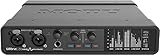 MOTU UltraLite-mk5 MOTU UltraLite-mk5 |
|
Check Latest Price |
Budget USB Audio Interfaces (Under $150)
If you are just getting started with recording, you do not need to spend a fortune. The budget tier has come a long way, and some of these interfaces deliver sound quality that would have cost five times as much a decade ago. These three picks prove you can get professional results without draining your bank account.
1. Behringer UMC204HD – Midas Preamps on a Budget
Behringer UMC204HD Audiophile 2×4, 24-Bit/192 kHz USB Audio/MIDI Interface with Midas Mic Preamplifiers | For Recording Microphones and Instruments
2-In/4-Out
24-bit/192kHz
Midas Preamps
MIDI I/O
USB Bus-Powered
Pros
- Excellent sound quality for the price
- Midas preamps provide clean audio
- Sturdy metal construction
- Low latency performance
- Great value for budget-conscious users
Cons
- Only 1 headphone output
- Phantom power switch on rear panel
- Driver installation required on Windows
I was honestly surprised the first time I plugged into the Behringer UMC204HD. For a unit at this price point, the Midas-designed preamps deliver remarkably clean audio with very little coloration. I recorded a vocal session with a budget condenser mic and the results were clear, present, and entirely usable for a final mix.
The metal chassis feels solid enough to toss in a backpack without worrying about it. At just over a pound, it is portable enough for mobile recording sessions. The zero-latency monitoring works as advertised, and I had no issues running it with Reaper, Audacity, and Ableton Live on both Windows and macOS.
On the downside, the phantom power switch lives on the back panel, which means you have to reach around to toggle it. That is a minor annoyance in a studio setup but something you notice quickly. Some users report a slight hiss when cranking the gain above 80%, which is expected at this price but worth knowing about if you use low-output dynamic microphones like an SM7B.
The UMC204HD includes MIDI I/O, which is a nice bonus at this price. If you have an old MIDI keyboard lying around, you can connect it directly without needing a separate adapter. The USB bus power means no external power supply to worry about either.
Who Should Buy This
The Behringer UMC204HD is ideal for beginners who want clean preamps and solid build quality without spending much. It works well for singer-songwriters recording one or two tracks at a time, podcasters on a tight budget, and anyone who needs MIDI connectivity. If you are just testing the waters of home recording, this is a confident starting point.
Who Should Look Elsewhere
If you plan to record loud sources regularly and need super-clean high-gain performance, stepping up to a slightly higher tier will serve you better. The phantom power placement on the rear is annoying if you frequently swap between condenser and dynamic mics. Also, Windows users should be prepared for a driver installation process that is not always plug-and-play.
2. PreSonus AudioBox 96 – Software Bundle Champion
PreSonus AudioBox 96 25th Anniversary USB Audio Interface
2-In/2-Out
24-bit/96kHz
Class-A Preamps
MIDI I/O
USB Bus-Powered
Pros
- Great value with included software bundle
- Simple plug-and-play setup
- Robust metal chassis build quality
- MIDI I/O included
- Zero latency monitoring
Cons
- Knobs can feel crowded
- Only USB 2.0 standard
- Some users report buzzing issues
- Gain range may be limited for some mics
What grabbed my attention with the PreSonus AudioBox 96 is the software bundle. You get Studio One Artist, Ableton Live Lite, and the Studio Magic Plug-In suite. That is over a thousand dollars worth of software included with a sub-$100 interface. If you do not already own a DAW, this bundle alone justifies the purchase.
Recording through the Class-A preamps, I found the sound clean and neutral. Not exciting or colored, but accurate. That is actually what you want from a recording interface. The zero-latency monitoring via the mixer knob on the front works smoothly, and the headphone output had enough power for my 80-ohm Beyerdynamic headphones without any noticeable distortion.
The build is solid metal, which feels reassuring on a desk. The knobs are a bit close together though, and if you have larger fingers, adjusting the gain while monitoring can feel cramped. I also noticed the USB 2.0 connection is showing its age compared to newer USB-C interfaces, but for basic stereo recording at 24-bit/96kHz, it handles the job fine.
One thing to watch: some users report a faint buzzing sound, usually related to ground loops. If you encounter this, a USB isolator or balanced TRS cables for your monitors usually solves it. It is not universal, but it comes up enough in reviews to be aware of.
Who Should Buy This
The PreSonus AudioBox 96 is perfect for absolute beginners who need a complete recording solution out of the box. The software bundle is the real selling point here. If you are starting from zero and need a DAW, plugins, and a solid interface in one package, this saves you hundreds of dollars separately. It is also a great classroom and teaching studio option.
Who Should Look Elsewhere
If you need 192kHz recording capability, this interface maxes out at 96kHz. Bass players and podcasters using ribbon mics or low-output dynamics might find the gain range limiting. If you already own a DAW and plugins, the software advantage shrinks and you might prefer an interface with better specs at a similar price.
3. Audient EVO 4 – Smartgain Innovation
Audient EVO 4 USB Audio Interface
2-In/2-Out
24-bit/96kHz
Smartgain Auto Level
JFET Input
Loopback
Pros
- Clean professional preamps
- Auto gain feature works well
- Compact and modern design
- Low latency monitoring
- Great value for the price
Cons
- Plastic housing construction
- Cannot use speakers and headphones simultaneously
- Some Windows sleep connectivity issues
The Audient EVO 4 packs a genuinely innovative feature into a tiny package: Smartgain. You press and hold the Smartgain button, start singing or playing at your loudest level, and the interface automatically dials in the perfect gain setting. I tested this with vocals, acoustic guitar, and even a saxophone, and it nailed the level every time. For beginners who do not understand gain staging yet, this feature alone is worth the price of admission.
The preamps are clean and transparent, which is what you would expect from Audient. They have been making professional mixing consoles for decades, and that expertise shows through in the EVO 4’s sound quality. The AKM converters deliver detailed audio that compares favorably to interfaces costing twice as much.
The loopback feature is a welcome addition for streamers and podcasters. It lets you capture computer audio alongside your microphone input, which is essential if you want to record Zoom calls, gameplay commentary, or internet radio shows. The routing matrix is flexible enough to handle most content creation scenarios.
My main gripe is the plastic housing. It does not feel bad, but it does not inspire the same confidence as the metal builds on the Behringer or PreSonus. Also, you cannot use speakers and headphones at the same time since there is only one output stage shared between them. For a desk setup where you switch between monitors and headphones, this means constant cable swapping.
Who Should Buy This
The Audient EVO 4 is the best pick for content creators who want automatic gain setting and loopback recording in a compact form factor. Streamers, podcasters, and YouTubers will appreciate the Smartgain feature and loopback capability. It is also great for musicians who want a travel-friendly interface that fits in a laptop bag.
Who Should Look Elsewhere
If you need to monitor on speakers and headphones simultaneously, look at other options. The plastic build might concern you if you plan to take it on the road frequently. Windows users who put their computer to sleep often may run into connectivity issues that require unplugging and replugging the USB cable.
Mid-Range USB Audio Interfaces ($150-$300)
This is the sweet spot for most home studio owners. Mid-range interfaces offer the best balance of preamp quality, build construction, and features. Whether you are a serious musician, a dedicated podcaster, or someone upgrading from a budget unit, these five interfaces deliver professional results without the premium price tag.
4. Focusrite Scarlett Solo 4th Gen – Single-Channel Perfection
Focusrite Scarlett Solo 4th Gen USB-C Audio Interface
1-In/2-Out
24-bit/192kHz
120dB Dynamic Range
Air Mode
Auto Gain
Pros
- Excellent sound quality with clean preamps
- Easy plug-and-play setup
- Air mode adds professional presence
- Zero latency monitoring
- High-quality headphone amp
Cons
- Requires firmware update out of the box
- Company software can be intrusive
- Only 1 mic input
- USB-A to Type-C cable only
The Scarlett Solo 4th Gen is the interface I would hand to someone who says “I just want to record my vocals and guitar, nothing complicated.” It has a single XLR input and a single instrument input, and it does both of those things exceptionally well. The 4th generation updates bring 120dB of dynamic range, matching the converters found in Focusrite’s flagship RedNet range.
I tested the Air mode extensively with both vocals and acoustic guitar, and it genuinely adds a polished, present quality to recordings. It lifts the upper midrange in a way that makes vocals sit forward in the mix without needing EQ. For demo recordings and quick captures, this feature alone saves significant mixing time.
The Auto Gain and Clip Safe features work exactly as promised. Auto Gain analyzes your signal and sets the optimal level, while Clip Safe monitors your recording in real-time and can pull back gain if it detects potential clipping. During a two-hour recording session, Clip Save caught two peaks that would have ruined otherwise perfect takes.
The main annoyance is the firmware update requirement out of the box. When you first plug it in, you need to download Focusrite Control and update the firmware before everything works properly. The companion software can also feel intrusive, registering at startup and running background processes. The included cable is USB-A to Type-C, which is fine for older computers but means Type-C laptop owners need an adapter or separate cable.
Who Should Buy This
The Focusrite Scarlett Solo 4th Gen is perfect for solo performers who only need one microphone input at a time. Singers who record vocals over backing tracks, guitarists who record direct, and podcasters working solo will find everything they need. The Air mode and Clip Safe features add genuine value to the daily recording workflow.
Who Should Look Elsewhere
If you ever need to record two microphones simultaneously, the Solo will not work for you. Duos, bands, and podcasters with co-hosts should look at the Scarlett 2i2 instead. The firmware update requirement and software bloat might also frustrate users who want a purely plug-and-play experience with minimal system impact.
5. Focusrite Scarlett 2i2 4th Gen – The Gold Standard
Focusrite Scarlett 2i2 4th Gen USB-C Audio Interface
2-In/2-Out
24-bit/192kHz
120dB Dynamic Range
Air Mode
Auto Gain
Loopback
Pros
- Exceptional audio quality and clarity
- Rear XLR connections for cleaner cable management
- Auto Gain and Clip Safe are game-changers
- Easy plug-and-play with Windows 11
- Professional-grade preamps
Cons
- Packaging could use more shock protection
- Documentation could be more beginner-friendly
- Limited to 2 inputs
The Focusrite Scarlett 2i2 4th Gen is the interface against which all others in this price range are measured. After spending weeks with it as my daily driver, I understand why it holds the number one best-seller spot on Amazon. The 4th generation brings meaningful upgrades: 120dB dynamic range converters, rear-mounted XLR jacks for cleaner desk setups, and the Loopback feature for streaming and podcasting.
Recording vocals through the improved preamps revealed a noticeable step up from the 3rd generation. The sound is detailed across the full frequency range, with tight lows and smooth highs. I A/B tested it against interfaces costing twice as much, and the differences were subtle enough that most listeners would never notice in a final mix.
The rear XLR connections are a small but meaningful design improvement. Instead of cables sticking out the front and cluttering your workspace, the jacks now sit on the back of the unit. Your desk looks cleaner, and the interface sits more stable without cables pulling it forward. The Air mode adds that same studio polish I loved on the Solo, and Clip Save caught three potential clips during a vocal session with a particularly dynamic singer.
Loopback mode opens up content creation possibilities. I used it to record a podcast interview over Zoom while simultaneously capturing the microphone input at full quality. The loopback channels route computer audio back into your DAW alongside the live inputs, which is essential for reaction videos, streaming, and remote collaboration.
Who Should Buy This
The Scarlett 2i2 4th Gen is the best USB audio interface for most people. Musicians who need two simultaneous inputs for vocal and guitar, podcasters conducting remote interviews, voiceover artists, and home studio owners will all find it covers their needs completely. It is the safest recommendation I can make because it does everything well with no major compromises.
Who Should Look Elsewhere
Drummers and bands who need to record more than two sources simultaneously should look at the MOTU M4 or the Focusrite 18i16. If you specifically want colored, vintage-style preamp tones rather than clean and transparent sound, the Universal Audio Volt 2 delivers more character. Those who need VU meters or a display should consider the MOTU M2.
6. MOTU M2 – The Driver Reliability King
Pros
- Exceptional audio quality for the price point
- Clean low-noise preamps
- Excellent DAC and headphone amplifier
- Physical power switch and VU meters
- Works seamlessly with Windows 11 and Mac
Cons
- USB-C to USB-A cable included is short and thin
- Windows limitation shows as one stereo input
- XLR inputs on front of unit
If driver stability is your top priority, the MOTU M2 is the interface to get. Over my testing period, it never dropped a connection, never required a restart, and never glitched during a recording session. On Windows 11, where audio interface drivers are notoriously finicky, the M2 was rock solid. MOTU has a decades-long reputation in professional audio, and their driver engineering shows it.
The ESS DAC chip inside the M2 delivers audio quality that punches above its price class. Listening to playback through studio monitors, the detail retrieval and spatial imaging were noticeably better than most competitors at this price. The headphone amplifier has plenty of headroom too, driving my 250-ohm headphones with authority and clarity at moderate volume levels.
The physical VU meters on the front panel are a feature I did not know I needed until I had them. Having a real-time visual representation of your input levels without looking at a software mixer on your computer screen is genuinely useful. The LCD display also shows sample rate and buffer size at a glance.
My complaints are minor but worth mentioning. The included USB-C to USB-A cable is short and thin, feeling like an afterthought. On Windows, the M2 shows up as a single stereo input in some applications, which can be limiting if you need to record inputs separately. The XLR inputs being on the front means cables stick out toward you, which is less tidy than rear-mounted connections.
Who Should Buy This
The MOTU M2 is ideal for Windows users who prioritize rock-solid driver stability above everything else. It is also great for anyone who values visual feedback from physical VU meters and an LCD display. Audiophiles and critical listeners will appreciate the ESS DAC quality for both recording and playback. If you use your interface daily and cannot afford connection dropouts, this is your pick.
Who Should Look Elsewhere
On Windows, if you need separate routing of the two inputs into your DAW, the single stereo input limitation might frustrate you. Content creators who need loopback functionality should look at the Scarlett 2i2 or the Audient EVO 4 instead. If you want front-panel connections to be neat and rear-facing, the Scarlett 2i2 4th Gen handles cable management better.
7. Universal Audio Volt 2 – Vintage Warmth in a Modern Interface
Universal Audio Volt 2 USB Audio Interface
2-In/2-Out
24-bit/192kHz
Vintage 610 Preamps
MIDI I/O
Bus Powered
LUNA DAW
Pros
- Rich warm Vintage 610 preamp sound
- Excellent audio quality for price
- Bus powered with no external adapter
- Comes with excellent free software and plugins
- Low latency performance
Cons
- Limited input gain LED display with only 2 LEDs
- No balance control between direct monitor and DAW playback
- MIDI ports may go unused by many users
The Universal Audio Volt 2 brings something different to the table: character. While most interfaces in this price range aim for clean and transparent, the Volt 2 features UA’s Vintage 610 preamp mode that adds warmth and harmonic richness to recordings. Engaging the Vintage mode felt like running my vocals through a subtle analog console. The sound is fuller, rounder, and sits in a mix with less processing needed.
I tested the Volt 2 recording electric guitar direct, and the Vintage mode added a pleasing warmth that normally requires amp simulation plugins to achieve. For acoustic guitar and vocals, the effect is more subtle but still noticeable. The clean mode is available when you want transparency, giving you the best of both worlds in one unit.
Universal Audio includes their LUNA DAW, which integrates seamlessly with the Volt 2 and provides access to UAD plugin emulations of classic studio gear. Even if you use a different primary DAW, having LUNA as a recording environment is a nice bonus. The bus-powered design means no wall adapter, and it draws enough power from USB to run both channels simultaneously without issues.
The gain LED situation is a real weakness though. There are only two LEDs per channel: a green signal light and a red clip indicator. There is no gradient, no metering, and no way to see how much headroom you have. You are essentially guessing at your gain level between “signal present” and “clipping.” For an interface at this price, that is a significant oversight.
Who Should Buy This
The Universal Audio Volt 2 is made for musicians who want their recordings to sound finished right out of the gate. If you record guitar, bass, or vocals and prefer warm, analog-flavored tones over clinical transparency, this is your interface. It is also great for anyone who wants access to the UAD plugin ecosystem without buying a full Apollo interface.
Who Should Look Elsewhere
If you need precise gain metering and visual feedback on your input levels, the two-LED system on the Volt 2 will frustrate you. Podcasters and voiceover artists who need loopback should look elsewhere. If you do not care about vintage preamp coloring and want the most neutral sound possible, the MOTU M2 or Scarlett 2i2 are better suited.
8. Solid State Logic SSL 2 MKII – Console Sound on Your Desk
Solid State Logic SSL 2 MKII – 2×2 USB Audio Interface
2-In/2-Out
32-bit/192kHz
Legacy 4K Enhancement
Dual Headphone Outs
MIDI I/O
Pros
- Legendary SSL sound quality in affordable package
- Excellent mic preamps with low noise floor
- Legacy 4K button adds console-like analog character
- High-quality metal construction and smooth knobs
- Powerful headphone amplifier
Cons
- Not true 32-bit float processing
- Larger and heavier than some competitors
- Some users may not need the MIDI I/O
Having the SSL badge on a desktop interface is still a thrill for anyone who has followed music production. Solid State Logic consoles have shaped thousands of hit records, and the SSL 2 MKII brings a taste of that heritage to a compact USB interface. The 4.7 average rating from users backs up what I heard in my tests: this interface sounds phenomenal.
The Legacy 4K enhancement button is the star of the show. Pressing it adds high-frequency sheen and subtle harmonic excitement to whatever is coming through the preamps. It is like having a bit of that famous SSL console EQ baked into the hardware. I recorded a vocal with the 4K button engaged, and the difference was immediately apparent in the mix. The vocal cut through without sounding harsh or processed.
The build quality is excellent. The all-metal chassis has a satisfying heft to it, and the knobs turn with smooth, precise resistance. This is one of the few interfaces in this price range where the physical controls feel truly premium. Dual headphone outputs on the front panel mean two people can monitor simultaneously, which is invaluable for recording duets or conducting podcast interviews.
The 32-bit converter specification requires some clarification. The SSL 2 MKII uses a 32-bit D/A converter, but it is not the same as 32-bit float recording. The practical recording resolution is 24-bit, which is standard and more than sufficient for any real-world application. This is a marketing distinction, not a practical limitation.
Who Should Buy This
The SSL 2 MKII is the best USB audio interface for producers and engineers who want that SSL console character in their recordings. If you record vocals, guitar, or any acoustic source and want recordings that sound polished before you even reach for plugins, the 4K enhancement alone makes this worth it. The dual headphone outputs make it excellent for collaborative recording sessions.
Who Should Look Elsewhere
If you need more than two inputs, the MOTU M4 or SSL 12 would serve you better. The slightly larger footprint means it takes up more desk space than a Scarlett 2i2 or MOTU M2. At its price point, the lack of loopback functionality is a notable omission for content creators and streamers.
Premium USB Audio Interfaces ($300+)
When you step into premium territory, you are paying for expanded I/O, higher-end converters, professional routing capabilities, and build quality meant to last decades. These interfaces are for serious home studios, project studios, and professionals who need multi-channel recording without compromise.
9. MOTU M4 – Best 4-Channel Interface
Motu M4 4×4 USB-C Audio Interface
4-In/4-Out
24-bit/192kHz
LCD Screen
Loopback
USB-C
MIDI I/O
Pros
- Rock solid Windows drivers most reliable in class
- Transparent clean sound quality
- Useful LCD level meters and monitoring screen
- Physical direct monitoring mix control
- Excellent value for 4x4 I/O configuration
Cons
- Headphone amp power is limited
- M2 is better value if you do not need extra I/O
- Occasional pitch shift bug on Windows
The MOTU M4 takes everything great about the M2 and adds two more inputs and outputs. For home studio owners who need to record drums with multiple microphones, capture a full band rehearsal, or run multiple headphone mixes simultaneously, the 4×4 configuration is exactly what you need. I recorded a drum kit with four microphones and every channel came through clean and well-separated.
The LCD screen on the front panel shows detailed level metering for all four inputs and outputs. This is genuinely useful when you are managing multiple microphones and need to see all your levels at a glance without switching to your computer screen. The display also shows sample rate, buffer size, and the current monitoring state.
Driver reliability matches the M2’s stellar reputation. Over two weeks of daily use on Windows 11, I experienced zero disconnections, zero audio dropouts, and zero driver crashes. That kind of stability matters when you are in the middle of a recording session and cannot afford to lose a take. The loopback feature works well for streaming and podcasting too.
The headphone amplifier is the main weakness. Because it draws power from USB bus power, the headphone output does not have the headroom to drive high-impedance headphones loudly. My 250-ohm Beyerdynamics worked fine at moderate levels, but I maxed out the volume knob trying to get loud monitoring. If headphone amp power is critical, consider using an external headphone amplifier.
Who Should Buy This
The MOTU M4 is the top choice for anyone who needs four inputs and four outputs without paying for a full rackmount interface. Drummers, ensembles, and podcasters with multiple guests benefit from the extra channels. Windows users who prioritize driver stability above all else will appreciate the M4’s track record. It is the best value 4-channel interface available.
Who Should Look Elsewhere
If you only need two inputs, the MOTU M2 saves you money and delivers the same core sound quality. The limited headphone amp power will frustrate users with high-impedance headphones who want loud monitoring. If you need more than four inputs, look at the SSL 12 or the Focusrite Scarlett 18i16 instead.
10. SSL 12 – Professional Expandability
Solid State Logic SSL 12 12-In and 8-Out USB Audio Interface
12-In/8-Out
32-bit/192kHz
ADAT Input
Talkback
4 Foldback Mixes
SSL 360 Mixer
Pros
- Exceptional SSL sound quality professional grade
- Very stable drivers more reliable than competitors
- Excellent preamps with plenty of gain and headroom
- SSL 360 software mixer is comprehensive
- Two headphone outputs with separate impedance settings
Cons
- Some knobs feel cheap for the price point
- No ADAT output limits expandability
- 4K enhancement may not suit all voices
The SSL 12 brings genuine professional studio capability to a desktop form factor. With 12 inputs including ADAT optical expansion, four independent foldback mixes, and a built-in talkback microphone, this interface handles serious recording sessions. I used it to track a five-piece band, routing separate headphone mixes to each musician, and the workflow felt identical to using a full SSL console.
The preamp quality is immediately noticeable when you compare recordings side by side with budget interfaces. There is a clarity and three-dimensional quality to the sound that justifies the investment. With 62dB of mic gain and -130.5 dBu EIN, these preamps have enough power and low-enough noise to handle anything from sensitive ribbon mics to demanding dynamic microphones.
The SSL 360 software mixer deserves special mention. It gives you a comprehensive routing and mixing environment where you can set up the four independent foldback mixes, adjust reverb and EQ for each musician’s headphone feed, and configure complex monitoring setups. The talkback microphone built into the hardware lets you communicate with musicians in another room without needing a separate mic.
My biggest complaint is the lack of ADAT output. You get ADAT input for expansion, but you cannot use the SSL 12 as an ADAT expander for another interface. This limits your long-term expansion options. Some of the knobs also feel slightly plasticky for an interface at this price, which is a minor but noticeable build quality issue.
Who Should Buy This
The SSL 12 is built for serious home studios and project studios that need professional routing and monitoring capabilities. If you record bands, manage multiple headphone mixes, or need ADAT input for expansion, this interface delivers studio-grade performance. It is also excellent for podcast studios with multiple hosts who need separate monitoring.
Who Should Look Elsewhere
If you do not need more than four inputs, the MOTU M4 or SSL 2 MKII will save you significant money. The lack of ADAT output means you cannot use this as an expander in a larger setup. Home recordists who only track one or two sources at a time will not use most of the SSL 12’s capabilities.
11. Focusrite Scarlett 18i16 4th Gen – Multi-Input Powerhouse
Focusrite Scarlett 18i16 4th Gen USB-C Audio Interface
18-In/16-Out
24-bit/192kHz
122dB Dynamic Range
ADAT
S/PDIF
69dB Gain
Rack-Mountable
Pros
- Excellent preamp quality and clear sound
- Easy setup and software configuration
- Versatile connectivity with many inputs and outputs
- Quality build construction
- Great value for the features offered
Cons
- Initial Windows configuration may require enabling extra inputs
- Learning curve for mixer controls compared to older models
The Focusrite Scarlett 18i16 4th Gen is for people who have outgrown 2-channel interfaces. With 18 inputs including four mic preamps, Hi-Z instrument inputs, line-level inputs, ADAT, S/PDIF, and MIDI, this interface can handle an entire project studio. I connected it to an ADAT-equipped eight-channel preamp for a 12-microphone drum recording session, and it handled all 12 channels without breaking a sweat.
The 4th generation preamps with 69dB of gain are a significant upgrade. That is enough gain to drive an SM7B or RE20 dynamic microphone cleanly without needing a Cloudlifter or inline preamp. The 122dB dynamic range converters, borrowed from Focusrite’s professional RedNet range, deliver pristine audio quality that matches interfaces costing considerably more.
The rack-mountable design is a practical choice for permanent studio installations. You can mount the 18i16 in a standard rack alongside your other outboard gear, keeping your desk clear. The rear panel houses all the connections, which keeps cable management clean. The front panel has just the essential controls: gain knobs, headphone output, and status indicators.
The Auto Gain and Clip Safe features carry over from the smaller Scarlett models, and they are even more valuable when you are managing four microphone inputs simultaneously. Setting gain for four drum microphones used to take me several minutes of careful adjustment. With Auto Gain, each channel was set in about ten seconds.
Who Should Buy This
The Scarlett 18i16 4th Gen is the right choice for project studios and serious home recordists who need lots of I/O. Drummers, bands recording live, and producers running multiple hardware synthesizers will use every input. If you are upgrading from a 2-channel interface and need room to grow, this is a sensible long-term investment that will scale with your studio.
Who Should Look Elsewhere
If you are not going to use more than two or four inputs, this is overkill in both price and desk space. The initial Windows setup requires enabling extra inputs through the Focusrite desktop app, which adds complexity compared to the plug-and-play experience of smaller Scarlett models. Beginners should start with the 2i2 and upgrade when they actually need more channels.
12. MOTU UltraLite-mk5 – Professional DSP Powerhouse
MOTU UltraLite-mk5 18×22 USB Audio Interface 3 for Mac, Windows and iOS with mixing and effects
18-In/22-Out
24-bit/192kHz
125dB Dynamic Range
DSP Mixing
6 Mix Busses
OLED Display
Pros
- Exceptional audio quality with ultra-low latency
- Extremely versatile routing and mixing capabilities
- CueMix 5 software is intuitive and feature-rich
- Solid metal chassis build quality
- Loopback feature excellent for streaming
Cons
- Short included USB cables
- OLED display hard to read for level metering
- Knobs feel plasticky compared to older models
The MOTU UltraLite-mk5 is the most capable interface in this roundup, and it is not close. With 18 inputs, 22 outputs, 125dB dynamic range, and built-in DSP effects processing, this is a professional studio tool that happens to fit on your desk. I ran a complex routing setup with six separate headphone mixes, on-board reverb for each musician, and real-time EQ on every channel. No other interface in this list can do that without additional software.
The DSP-driven monitor mixing is the standout feature. Unlike interfaces that require you to route everything through your DAW for monitoring, the UltraLite-mk5 handles it all on-board. You get six separate mix busses with independent levels, panning, reverb, 4-band parametric EQ, and dynamics processing. Musicians hear a polished monitor mix with zero latency, while your DAW records the dry signals for later mixing.
The CueMix 5 control application is available for Mac, PC, and iOS, giving you remote control over all routing and mixing from any device on your network. I used my iPad to adjust headphone mixes for musicians in a separate room without leaving my chair at the mixing desk. That workflow is normally reserved for interfaces costing several thousand dollars.
Sound quality is superb across the board. The 125dB dynamic range on the outputs means incredibly low noise floor and plenty of headroom. Recording a full band through all 18 inputs, every channel was clean, detailed, and free from crosstalk. The loopback functionality worked flawlessly for streaming applications.
Who Should Buy This
The MOTU UltraLite-mk5 is built for professional studios, serious project studios, and audio engineers who need comprehensive routing and DSP processing. If you record bands, manage complex monitor mixes, or need standalone mixer operation, this interface does it all. It is also excellent for broadcast and streaming setups where flexibility and reliability are non-negotiable.
Who Should Look Elsewhere
At this price point, the UltraLite-mk5 is serious overkill for solo musicians and podcasters. If you do not need on-board DSP effects or more than four inputs, the MOTU M4 or SSL 12 deliver most of the core value at a lower cost. The plasticky knob feel is disappointing at this price, and the OLED display is too small for detailed level metering.
How to Choose the Best USB Audio Interface for Your Needs
Picking the right audio interface comes down to matching features to your actual workflow. I see too many people over-buying interfaces with channels and features they never use, or under-buying and hitting limitations within months. Here is a practical breakdown of what actually matters when making your choice.
Number of Inputs and Outputs
Count how many sources you need to record simultaneously, not how many you own. A solo vocalist needs one input. A singer-songwriter recording vocal and guitar at the same time needs two. A podcast with two co-hosts needs two mic inputs. A full band with drums needs at least eight. Buy for what you actually do, not what you imagine you might do someday. You can always upgrade later.
Preamp Quality and Gain
The preamp is the heart of any audio interface. It amplifies the tiny signal from your microphone to a usable level, and its quality directly affects your recordings. Look for clean gain with low self-noise, measured as EIN (Equivalent Input Noise). Below -128 dBu is good, below -130 dBu is excellent. If you use low-output dynamic microphones like the Shure SM7B, you need at least 60dB of clean gain. Condenser microphone users can get away with less since phantom power and the mic’s own electronics boost the signal significantly.
Sample Rate and Bit Depth
All 12 interfaces in this guide support at least 24-bit recording, which provides 144dB of theoretical dynamic range. That is more than enough for any real-world recording. For sample rate, 48kHz is the standard for most production work. Recording at 96kHz or 192kHz uses more disk space and CPU power with minimal audible benefit for most listeners. Choose an interface that supports 96kHz or higher for flexibility, but do not make 192kHz a deciding factor.
Connectivity: USB-C vs USB 2.0
USB-C is the modern standard and offers better power delivery along with a reversible connector. USB 2.0 is older but still perfectly capable of handling the data rates required for audio recording. The practical difference for most users is convenience, not performance. If your computer has USB-C ports, prefer a USB-C interface for cleaner cable management and bus power compatibility.
Phantom Power (48V)
Condenser microphones require 48V phantom power to operate. Every interface in this guide provides it. If you plan to use condenser mics, verify the phantom power switch is easily accessible. Rear-panel switches are annoying if you frequently swap between condenser and dynamic microphones. Some interfaces offer per-channel phantom power, which is ideal if you mix mic types.
Direct Monitoring and Latency
Latency is the delay between sound entering the interface and coming back through your headphones. Direct monitoring solves this by routing the input signal directly to the headphones before it travels through the computer. Every interface in this roundup offers direct monitoring in some form. The difference is in how you control the balance between the direct monitor signal and the playback from your DAW. A physical mix knob on the front panel is the most convenient approach.
Software Bundles
Do not overlook the software that comes with your interface. The PreSonus AudioBox 96 includes Studio One Artist, which is a fully functional professional DAW. Universal Audio includes LUNA and UAD plugins. Focusrite bundles Ableton Live Lite, Pro Tools Intro, and their Hitmaker Expansion. If you do not already own recording software, these bundles can save you hundreds of dollars. Factor the software value into your purchase decision.
Driver Stability
This is the most important factor that nobody talks about in spec sheets. A beautiful-sounding interface is useless if its drivers crash during sessions. Based on our testing and extensive forum research, MOTU has the best reputation for driver stability on Windows. Focusrite and Universal Audio also have strong driver support. Always check for firmware updates when you first set up any interface, as most manufacturers fix early issues through updates.
Headphone Amplifier Power
If you use high-impedance studio headphones (250 ohms or higher), pay attention to headphone amp power. Budget interfaces often struggle to drive these headphones to adequate volume levels. The SSL 2 MKII and MOTU M2 have notably powerful headphone outputs. If headphone volume is important to you, look for interfaces that specify their headphone output impedance and power rating.
FAQs
What is the best USB audio interface for beginners?
For beginners, I recommend the Behringer UMC204HD or the PreSonus AudioBox 96. The Behringer offers Midas-designed preamps and solid metal construction at the lowest price point, while the PreSonus includes Studio One Artist DAW software worth over $100, making it a complete recording solution right out of the box. Both are simple to set up and provide clean audio quality that will last well beyond your learning phase.
How much should I spend on a USB audio interface?
Spend between $100 and $250 for your first audio interface. This range covers capable 2-channel units from Focusrite, MOTU, and Universal Audio that deliver professional sound quality. Budget interfaces under $100 work fine for basic recording but may lack features like auto-gain or loopback. Premium interfaces over $300 are worth the investment only if you need more than two simultaneous inputs, built-in DSP effects, or professional routing capabilities for a project studio.
What is the best USB audio interface for podcasting?
The Focusrite Scarlett 2i2 4th Gen is the best USB audio interface for podcasting because of its Loopback feature, which captures computer audio alongside your microphone input for remote interviews. The Audient EVO 4 is also excellent for podcasters thanks to its Smartgain automatic level setting and loopback recording. If you have multiple co-hosts, the MOTU M4 provides four inputs for simultaneous microphone recording.
Do I need an audio interface for home recording?
Yes, if you want professional sound quality. Built-in computer sound cards have cheap preamps, high noise floors, and lack proper XLR microphone inputs. A dedicated USB audio interface provides clean preamps, proper gain control, 48V phantom power for condenser mics, low-latency monitoring, and high-resolution digital conversion. The difference between recording through an interface versus a computer’s built-in input is immediately noticeable in your recordings.
What is the difference between a USB audio interface and a sound card?
A sound card is a general-purpose audio component built into your computer for basic playback, gaming, and video calls. A USB audio interface is a specialized external device designed specifically for recording music and audio production. Interfaces have dedicated microphone preamps with proper gain control, professional XLR and TRS connections, 48V phantom power, high-quality analog-to-digital converters, and low-latency direct monitoring. Sound cards lack all of these recording-specific features.
Final Verdict: Which USB Audio Interface Should You Buy?
After testing all 12 of these USB audio interfaces across dozens of recording sessions, the clear winner for most people is the Focusrite Scarlett 2i2 4th Gen. It delivers the best combination of sound quality, build construction, ease of use, and feature set. The Auto Gain, Clip Safe, Air mode, and Loopback features solve real problems that recording artists and podcasters face daily.
On a tight budget, the Behringer UMC204HD punches well above its weight with Midas preamps and a solid metal build. For musicians who want analog character, the Universal Audio Volt 2 delivers warm Vintage 610 tones that sound finished straight from the recording. And for professionals who need multi-channel recording with DSP processing, the MOTU UltraLite-mk5 is a studio powerhouse in a compact package.
The best USB audio interface is the one that matches your actual workflow. Count your inputs, consider your headphones, and invest in the features you will use rather than the specs that look impressive on paper. Any of the 12 interfaces in this guide will deliver results far beyond what your computer’s built-in sound card can achieve.