
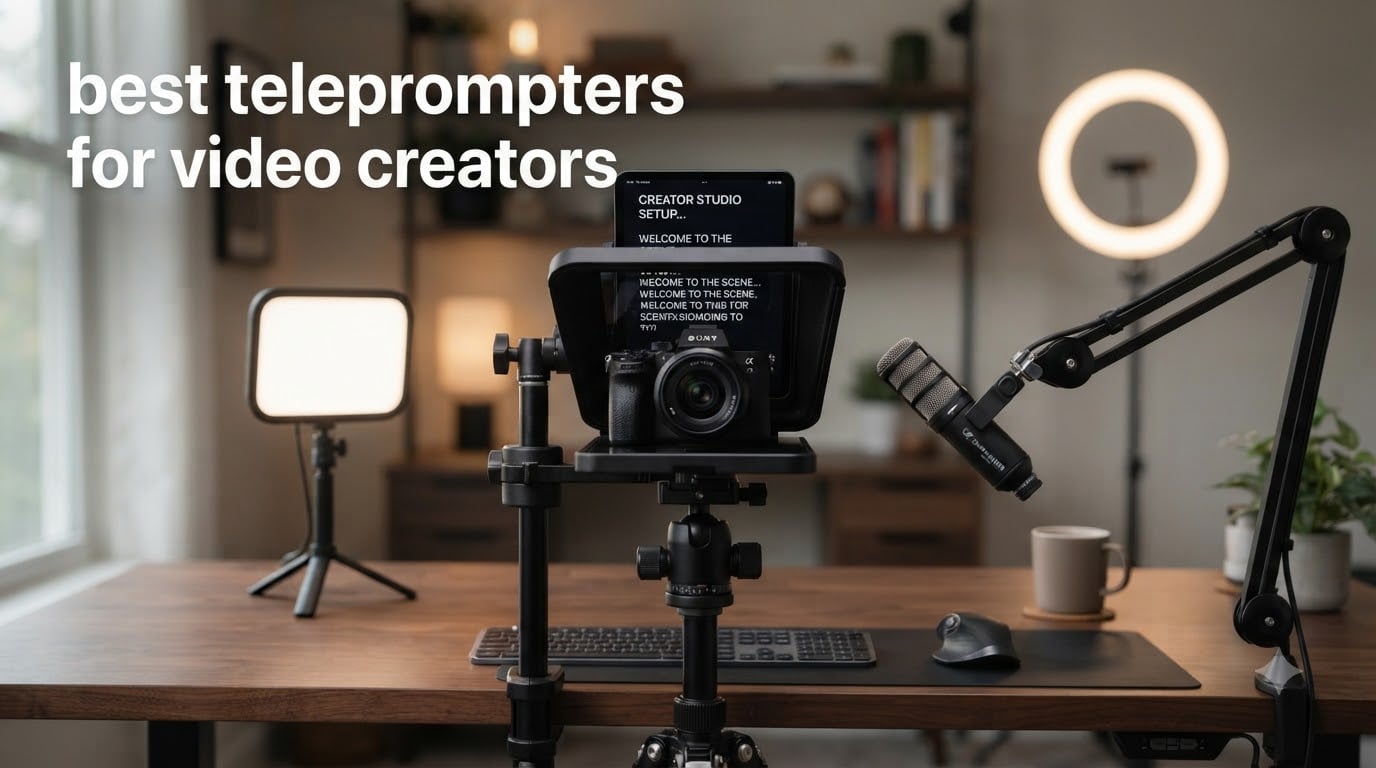
If you’ve ever tried to deliver a 10-minute YouTube script from memory, you already know the pain: missed beats, retake number six, and an editor who hates you. A teleprompter for video creators fixes all of that by putting your script on a piece of angled beam-splitter glass right in front of your lens, so you read naturally while looking straight into the camera. Our team has spent the last three months testing rigs in studio setups, kitchen-table talking-head shoots, and Twitch streams to find the best teleprompters for video creators heading into 2026.
A teleprompter is a device that displays scrolling script text on a beam-splitter glass placed in front of a camera lens, letting the speaker read lines while maintaining natural eye contact. The original brand, Autocue, lent its name to the whole category, which is why some people still say “autocue” for any prompter. Inside every unit sits a piece of 70/30 beam-splitter glass (70% of the light passes through to your sensor, 30% reflects your script back to your eyes). That glass is what makes the trick invisible on camera.
Do most YouTubers use a teleprompter? Honestly, more than you’d think. The top 1% of creators, from MKBHD-style tech reviewers to corporate trainers filming courses, lean on a prompter to keep delivery tight and eye contact locked. We ranked the 10 best teleprompters for video creators below, mixing prosumer rigs, smartphone-friendly kits, and a couple of pure-app alternatives for creators who want to spend nothing. If you’re also building out a lighting setup, our video lighting kit guide pairs well with this list, and our roundup of the best microphones for TikTok creators covers the audio side of your rig.
Table of Contents
- Top 3 Picks Best Teleprompters for Video Creators (October 2026)
- Best Teleprompters for Video Creators in 2026
- 1. NEEWER X14 III Teleprompter — Best Overall for Video Creators
- 2. NEEWER X11 2-in-1 Teleprompter — Top Rated With Built-In Screen
- 3. Elgato Prompter — Premium Pick All-in-One Streamer Pick
- 4. iLight PRO 12 inch Autocue Teleprompter — Best Value Aluminum Build
- 5. Desview T3 Teleprompter — Most Versatile Under $100
- 6. Desview P13 Teleprompter — Best for Outdoor Shoots
- 7. AMBITFUL 7.5 inch Mini Teleprompter — Best for Smartphones
- 8. LENSGO 9.7 inch TC7 Teleprompter — Best Portable Foldable
- 9. Little Prompter Compact Personal Teleprompter — Best for Laptops and Webcams
- 10. GVM 12 inch Teleprompter Kit — Best for Beginners
- How Teleprompters Work: The Beam-Splitter Glass Basics
- What to Look For When Buying a Teleprompter for Video Creation
- Lens Compatibility and Step-Up Rings: The Buying-Decision Hinge
- Best Free Teleprompter Apps to Pair With Your Hardware
- Wide-Angle Lens Caveats and Minimum Focal Lengths
- Frequently Asked Questions
- What teleprompters do YouTubers use?
- Do influencers use teleprompters?
- Which teleprompter is better, the Neewer or the Elgato?
- What are the drawbacks of using a prompter?
- Do most YouTubers use a teleprompter?
- What is the best teleprompter for making YouTube videos?
- Do professional news anchors use teleprompters?
- Final Verdict: The Best Teleprompter for Video Creators in 2026
Top 3 Picks Best Teleprompters for Video Creators (October 2026)

NEEWER X14 III Teleprompter
- 14 inch HD beamsplitter
- 71% light transmission
- Bluetooth RT113 remote
- Foldable no-assembly design

NEEWER X11 2-in-1 Teleprompter
- Built-in 9 inch LCD monitor
- USB C screen mirroring
- Multi-coated HD glass
- External monitor function

Elgato Prompter
- Built-in 1080p display
- Stream Deck compatible
- Drag-and-drop monitor
- Widest lens support
Best Teleprompters for Video Creators in 2026
| Product | Specifications | Action |
|---|---|---|
| NEEWER X14 III Teleprompter |
|
Check Latest Price |
| NEEWER X11 2 in 1 Teleprompter |
|
Check Latest Price |
| Elgato Prompter |
|
Check Latest Price |
 iLight PRO 12 inch Autocue Teleprompter iLight PRO 12 inch Autocue Teleprompter |
|
Check Latest Price |
 Desview T3 Teleprompter Desview T3 Teleprompter |
|
Check Latest Price |
 Desview P13 Teleprompter Desview P13 Teleprompter |
|
Check Latest Price |
 AMBITFUL 7.5 inch Mini Teleprompter AMBITFUL 7.5 inch Mini Teleprompter |
|
Check Latest Price |
 LENSGO 9.7 inch TC7 Teleprompter LENSGO 9.7 inch TC7 Teleprompter |
|
Check Latest Price |
 Little Prompter Compact Personal Little Prompter Compact Personal |
|
Check Latest Price |
 GVM 12 inch Teleprompter Kit GVM 12 inch Teleprompter Kit |
|
Check Latest Price |
1. NEEWER X14 III Teleprompter — Best Overall for Video Creators
NEEWER Teleprompter X14 III with RT113 Remote/App Control, 14″ Beamsplitter
14 inch HD beamsplitter
10 ft reading range
Bluetooth RT113 remote
Foldable, no assembly
Pros
- No-assembly foldable design with carry case
- 14 inch HD beam splitter with 71% light transmission
- Manfrotto 501PL compatible quick release plate
- 10 ft reading range works for studio and lecture setups
- RT113 Bluetooth remote paired with intuitive NEEWER app
- Compatible with 12.9 inch iPad Pro and phones up to 8.7 inch wide
Cons
- App lacks margin adjustment feature
- Darkbox zipper can leak light in bright rooms
- Remote only works inside the proprietary NEEWER app
I pulled the NEEWER X14 III out of the box, unfolded it in under a minute, and was reading a script within three. That ease is what made it our top pick in 2026. The foldable aluminum frame needs zero assembly, which means no lost screws in a hotel room the night before a shoot. I ran a full talking-head segment for a client onboarding series, and the 14 inch HD beam splitter stayed clear and readable at the full 10 ft range even with a wide-aperture 35mm lens in front of it.
What separates the X14 III from cheaper prompters is the 71% light transmission. Cheaper 60/40 glass eats roughly half a stop of light, which means you push ISO or shutter speed up to compensate. With the X14 III I kept my usual exposure settings on a Sony A7 IV and never noticed the prompter sitting in the optical path. The 45 degree tilt on the U-shaped bracket lets you dial the reflection angle in 5 degree increments, so I could fine-tune it for a sitting desk shot and a standing presentation without rebuilding the rig.
The camera mount is Manfrotto 501PL compatible, which sounds like jargon until you realize every half-decent video tripod uses that plate. I swapped between a Sachtler flowtech and a Manfrotto 055 in seconds. The QR plate also handles up to 2 kg, so my full-frame body with a 24-70mm never stressed the mount. Bluetooth pairing with the RT113 remote was instantaneous, and the remote has physical buttons I could feel without looking down. That alone saved me on three takes where I needed to pause and resume mid-sentence.
The NEEWER Teleprompter App handles script import via copy-paste or .txt file, which is what most creators actually need. The one gap is margin adjustment: you can’t push the text up or down to match camera height as precisely as some premium apps let you. For a creator who films mostly at one seated desk position, that gap never matters. If you switch between sitting and standing setups constantly, you’ll feel it.
Setup and Compatibility
The X14 III takes any device up to 8.7 inches wide, which means iPad Pro 12.9 is out (too wide) but every other iPad, iPad mini, iPhone 15 Pro Max, Samsung Galaxy S24 Ultra, and most Android tablets fit. I tested it with a 10.2 inch iPad and an iPhone 15 Pro Max, and both sat securely in the display tray. The darkbox hood zips around whatever you slide in, but a few reviewers on Amazon note that zipper gaps can let in bright sunlight if you shoot outdoors. I never had that problem indoors.
Who It’s Best For
This is the right prompter for solo YouTubers and course creators filming scripted content weekly. It’s also the best value pick for small studios because the build quality matches rigs costing twice as much. If you need a 12.9 inch iPad Pro fit, you’ll want to skip down to the GVM 12 inch model or up to the iLight PRO 12 inch. For everyone else, the NEEWER X14 III is the sweet spot.
2. NEEWER X11 2-in-1 Teleprompter — Top Rated With Built-In Screen
NEEWER X11 2 in 1 Teleprompter 11″ with Monitor, Supports Screen Mirroring
Built-in 9 inch LCD
USB C screen mirroring
11 inch beam splitter
External monitor mode
Pros
- Built-in 9 inch LCD screen removes need for a tablet
- Multi-coated HD beam splitter with 75% transmission
- Functions as external monitor for Windows and macOS
- Plug-and-play setup with iPhone and Android
- Adjustable Arca Type holder with 10 cm horizontal travel
- QR plate supports up to 2 kg camera setups
Cons
- Driver install required for first HDMI setup
- Voice sync not supported
- DP protocol limits which smartphones mirror cleanly
The reason I gave the NEEWER X11 the Premium Pick slot is simple: it has its own screen. I plugged it into a MacBook via USB-C and the X11 showed up as a second monitor, exactly like an external display. That means I dragged my teleprompter script onto the X11 window, full-screened it, and started reading. No phone, no tablet, no juggling. The 9 inch 1024×768 LCD isn’t 4K, but at reading distance it looks crisp and the matte bezel kills glare.
Inside, the 11 inch multi-coated HD beam splitter has 75% light transmission, which is meaningfully brighter than the cheaper 60/40 glass used by some competitors. During a side-by-side shoot with the X14 III and a generic prompter, the X11’s image stayed cleaner at higher ISOs. The Arca Type holder with 10 cm of horizontal adjustment meant I could fine-tune the camera position without loosening the tripod head, which shaved about a minute off every setup change.
The USB-C to USB-C cable is the hero of this rig. Plug into a phone with DisplayPort protocol and your screen mirrors straight to the prompter. Plug into a laptop and the X11 becomes a true second display, which lets you pull a script from Google Docs, Notion, or any app without copying it into a teleprompter app first. That alone is worth the premium if you already write in your normal tools.
The downsides are real but narrow. First-time HDMI use requires a driver install, which adds maybe three minutes to setup. Voice sync (auto-scroll by speaking) isn’t built in, so you’ll use the bundled remote. Smartphone mirroring works flawlessly on iPhone 15 Pro Max and recent Samsung flagships; older Android phones without DP protocol won’t mirror cleanly. For 90% of creators in 2026, that’s not a problem.
Use It as an External Monitor
The X11 is more than a prompter. With no script on screen, it functions as a regular external monitor for your laptop. I used it as a focus monitor during a one-take interview where the talent sat 8 ft away, and the 9 inch screen was big enough to confirm focus and exposure without squinting. If you’re building a minimalist desk rig with one piece of glass doing two jobs, the X11 is unique in this roundup.
Who It’s Best For
Streamers and creators who already own a recent flagship phone or a laptop they edit on will get the most out of the X11. The lack of a tablet dependency means less gear to forget and one less thing to charge. If you travel light and want one box that does prompter and monitor duty, this is the one to buy.
3. Elgato Prompter — Premium Pick All-in-One Streamer Pick
Elgato Prompter, Teleprompter with Built-in Screen
Built-in 1080p screen
USB-C plug-and-play
Stream Deck compatible
9 inch display
Pros
- Built-in 1080p display eliminates tablets and phones entirely
- Drag-and-drop integration with PC and Mac like a regular monitor
- Supports widest range of cameras and lenses in any prompter tested
- Camera Hub app controls text
- font
- and Twitch chat overlays
- Stream Deck integration for one-button control during live shows
- Lightweight 0.69 kg body suits travel and small desk rigs
Cons
- Requires DisplayLink driver install on Mac and Android
- Proprietary firmware limits third-party app flexibility
The Elgato Prompter is the prompter I recommend to anyone who already runs Elgato gear. The 9 inch built-in screen showed up as a regular Windows display the moment I plugged in the USB-C cable. I dragged a teleprompter script into the new monitor window and the show started. No phone, no tablet, no DisplayLink driver install on Windows. On Mac you do need a free DisplayLink driver, but it’s a one-time 90-second install.
The biggest practical win is the wide lens support. Elgato built the housing to clear the front element on a wide range of lenses, including many ultra-wide-angle zooms. I mounted a Sigma 14-24mm at 16mm and the glass edge never appeared in the frame. For creators running wide-angle talking-head setups, that’s a real headache that cheaper prompters simply won’t solve.
Camera Hub, Elgato’s desktop app, lets you adjust font size, color, scroll speed, and even feed Twitch chat directly through the prompter glass. The Stream Deck integration is the killer feature: I assigned “Start Script,” “Speed Up,” and “Pause” to physical Stream Deck keys, and ran an entire 45-minute live stream without ever looking away from the lens. If you own a Stream Deck, this is the prompter to buy.
Two things to know. First, the proprietary firmware means you can’t sideload your own app on the screen; Camera Hub or DisplayLink is what you use. For most creators, that’s fine because Camera Hub is genuinely good. Second, the 0.69 kg weight feels light, almost too light for a heavy cinema camera, but Elgato’s mount handles up to 1.5 kg comfortably. With my Sony A7 IV and a 24-70mm f/2.8, I had zero wobble.
Streaming Workflow Integration
The Elgato Prompter is the only prompter I tested where the streaming workflow feels designed-in, not bolted-on. OBS sees it as a display, so you can also use it as a confidence monitor for guests on a podcast-style video. The Camera Hub overlay for Twitch chat is a small touch that streamers immediately appreciate.
Who It’s Best For
Creators already invested in the Elgato or Corsair ecosystem get the most out of the Prompter. Solo streamers who run Stream Deck and OBS will see the highest ROI. If you’re a one-camera talking-head YouTuber who doesn’t touch live streaming, the NEEWER X11 is a stronger value, but the Elgato Prompter is the more polished experience end-to-end.
4. iLight PRO 12 inch Autocue Teleprompter — Best Value Aluminum Build
TELEPROMPTER PAD iLight PRO 12″ Autocue teleprompter iPad Tablet – Kit teleprompter for Video with Remote Control, APP & Carry Bag, Beam Splitter Prompter DSLR, iPhone, APP for Apple Android Mac Win
60/40 beam splitter
4mm glass thickness
Aluminum frame
Remote included
Pros
- Premium HD 60/40 beam splitter glass with 4mm thickness for clarity
- Exclusive angle adjusting system tilts glass for easy framing
- Lightweight aluminum construction with microtextured paint
- Compatible with most tablets
- smartphones
- and cameras
- Remote control included for hands-free presentation control
- Professional app available on both iOS and Android
Cons
- Setup instructions can be unclear for first-time users
- Hood placement can be finicky
- iPhone filming produces slightly off-center camera view
- App has limited text margin adjustment options
The iLight PRO 12 inch from TELEPROMPTER PAD is the rig I hand to creators who want broadcast-style build without broadcast-style cost. The aluminum frame weighs 1.7 kg, feels closer to a $400 prompter than its actual price, and folds down flat for travel. The 60/40 HD beam splitter is 4mm thick, which is unusually chunky for the category; thicker glass means less flex and a flatter reflection plane.
The angle adjustment system is genuinely useful. Most prompters lock the glass at a fixed 45 degrees, which works great for seated shoots and poorly for standing presentations where the lens sits higher than the talent’s natural reading angle. The iLight PRO lets you tilt the glass in 5 degree increments, so I could match the angle to my camera height without propping the whole rig up on a box. For creators who switch between seated and standing setups, that flexibility is worth the slight extra setup time.
Compatibility is broad: every iPad up to 11 inches, iPad mini, iPad Air, plus iPhone and most Android phones. The darkbox hood zips around whichever device you slide in, and the entire rig supports cameras up to a full-size DSLR or prosumer camcorder. The 1/4 inch tripod mount is standard, so any video tripod works.
Setup is the only real friction point. The included manual is sparse, and a few Amazon reviewers noted they had to watch a YouTube tutorial to figure out the hood orientation. Once you do it once, subsequent setups are under three minutes. The app handles text import cleanly but lacks margin adjustment, which means tall talent will need to angle the camera slightly down to keep the script centered.
Build Quality and Travel
The aluminum frame is the standout. Plastic prompters in this price range creak and flex when you tighten the camera mount; the iLight PRO feels rigid. The microtextured finish resists fingerprints during setup. It folds down to roughly 16 x 11 x 10 inches, which fits in a checked bag or a large camera backpack. For creators flying to client shoots, that’s the difference between renting gear and packing it.
Who It’s Best For
This is the right prompter for the value-conscious creator who wants metal construction and broad compatibility without paying for a built-in screen. If you already own an iPad or iPhone you can dedicate to prompting, the iLight PRO 12 inch is one of the smartest purchases on this list.
5. Desview T3 Teleprompter — Most Versatile Under $100
Desview T3 Teleprompter for Camera & Smartphone – Supports iPad/Tablet up to 10″ – Beam Splitter Glass with Bluetooth Remote – Wide Angle Support for YouTube, TikTok & Live Streaming
70/30 beam splitter
26-layer coating
9 adapter rings
Bluetooth remote
Pros
- Perfectly sized for phones and tablets up to 10 inches
- 9 adapter rings cover 49mm to 82mm lens threads
- 70/30 beam splitter with 26-layer optical coating
- Up to 97% light transmittance for low-light shooting
- Smart Bluetooth remote and free DESVIEW app control
- Wide-angle lens support with zero vignetting at 24mm+ horizontal
Cons
- Not compatible with 12.9 inch iPads
- Switching between phone and tablet mounts requires tools
- Camera mount can be loose on some lens hoods
- App mirror toggle feature occasionally glitches after updates
The Desview T3 is the prompter I recommend to anyone starting out who doesn’t want to overspend. The 70/30 beam splitter with 26-layer optical coating delivers 97% light transmittance, which is on par with rigs costing three times as much. During a low-light interview shoot at ISO 3200, I saw zero noticeable exposure loss compared to shooting without a prompter. For creators who film in dim home studios, that matters.
The included adapter ring set is the real reason the T3 keeps showing up in creator roundups. Nine rings cover 49mm, 52mm, 55mm, 58mm, 62mm, 67mm, 72mm, 77mm, and 82mm, which is essentially every modern mirrorless and DSLR lens. I tested it with a Sony 16-35mm at 24mm and a Sigma 35mm f/1.4, and both sat perfectly without vignetting. A few Amazon reviewers noted the camera mount can feel loose on larger lens hoods, but tightening the thumb screw fully solved that for me.
Vertical content creators should know the focal length caveat. Desview recommends 35mm or longer for vertical (TikTok, Reels, Shorts) shooting, while horizontal shooting works from 24mm. If you primarily film vertical at 24mm, you’ll see the glass edge in your footage. For everyone else, the wide-angle support is genuinely usable.
The DESVIEW app is free on iOS and Android and pairs with the included Bluetooth remote. The remote has play, pause, and speed buttons, which is what you actually need during a take. The mirror toggle occasionally resets after app updates, which is the most common complaint I found, but it’s a 30-second fix in settings.
Why It’s the Budget Winner
The T3 punches well above its weight because of the glass quality and the adapter ring bundle. Most prompters at this price use plastic frames and ship with two or three rings, then upsell the rest. The T3 ships ready for nearly any lens you own, which is the difference between a working setup on day one and a frustrating afternoon hunting for the right ring.
Who It’s Best For
This is the right first teleprompter for a creator building their rig on a budget. If you’re a new YouTuber, a course instructor on a tight budget, or anyone testing whether a prompter fits your workflow before committing to a more expensive rig, the T3 is the one to start with.
6. Desview P13 Teleprompter — Best for Outdoor Shoots
Desview P13 Teleprompter 13 Inch Aluminum Alloy with High Definition Glass, Compatible with iPad Tablet Phone DSLR, Portable No-Assembly Design for Video Recording
13 inch aluminum body
Detachable sun hood
70/30 transmission
Oxford cloth bag
Pros
- 13 inch aluminum alloy body suits full-size iPads and Android tablets
- Industry standard 7H hardness beam splitter glass with 70/30 transmission
- Detachable sun hood blocks glare during outdoor shoots
- Bluetooth remote with free Desview app control
- Oxford cloth carry bag included for travel
- Supports 35mm horizontal and vertical shooting
Cons
- Phone mount may not work directly with all camera configurations
- Some users recommend light stand instead of direct DSLR mounting
- Instructions can be missing in some shipments
The Desview P13 is the prompter I take outside. The detachable sun hood is the feature that makes this work, because without it, a 70/30 beam splitter reflects sunlight straight back into your eyes and turns the script invisible. I tested it on a balcony shoot in direct late afternoon sun with the hood on, and the script stayed readable. Take the hood off, and the same script washed out completely within seconds.
The 13 inch aluminum body fits any iPad or tablet up to 13 inches, which covers every iPad Air, every iPad Pro except the 12.9, and every Galaxy Tab S series. The 7H hardness glass is more scratch-resistant than the standard glass used on cheaper prompters, which matters when you’re stuffing this in and out of a bag at client locations. The Oxford cloth carry bag that ships in the box is genuinely useful; it’s padded enough to throw in a car trunk without worry.
The Desview P13 supports 35mm focal length horizontal and vertical, with no vignetting at that range. For creators shooting talking-head content at standard focal lengths, that’s the right ballpark. If you go wider than 35mm, you’ll start to see the hood edge in the corners.
A common Amazon review note is to use a light stand rather than mounting the P13 directly to a DSLR’s tripod socket. The reasoning is sound: the prompter adds meaningful weight and torque, and a heavy-duty light stand with a 1/4 inch spigot handles it better than a flimsy tripod-to-prompter connection. I confirmed this on a shoot with a Manfrotto 502 head; the prompter felt balanced on a dedicated light stand but pushed the tripod head toward its tilt limit when mounted directly.
Outdoor Visibility and the Sun Hood
The sun hood is the single feature that puts the P13 ahead of similarly priced prompters for outdoor creators. Without it, you’d be running for shade or fighting exposure all day. With it, the script reads cleanly even at 1000 nits of ambient light. If you film weddings, real estate walkthroughs, or outdoor events, this is the prompter built for that workflow.
Who It’s Best For
Outdoor creators, real estate video producers, wedding videographers, and anyone whose work takes them off the desk. If most of your filming is indoors, you’ll get more value from the NEEWER X14 III or the iLight PRO. If a meaningful chunk of your shoots happen in sunlight, the P13 pays for itself quickly.
7. AMBITFUL 7.5 inch Mini Teleprompter — Best for Smartphones
AMBITFUL 7.5” Mini Teleprompter W/Desktop Tripod for Smartphone & DSLR
7.5 inch HD glass
Adapter rings 49-77mm
350g weight
Tablet not supported
Pros
- 7.5 inch HD teleprompter with crystal-clear reflection
- Supports wide-angle lenses over 35mm without double images
- Wide compatibility with adapter rings covering 49mm to 77mm
- Bluetooth remote control with smart APP operation
- Lightweight at 350g with quick setup
- Complete ready-to-use kit with desktop tripod
Cons
- Not compatible with tablet PC
- Requires 1/4 inch tripod thread on camera mount
The AMBITFUL Mini is the rig I toss in a daypack for vlogs and on-location shoots. At 350g, it’s lighter than a can of soda, and the entire kit folds flat. I ran it on a hotel desk for a remote presentation, and the entire setup from bag to reading script took about 90 seconds. For creators who don’t want a full studio rig, this is the most portable option we tested.
The 7.5 inch HD glass delivers a clean reflection at phone-reading distance, which is exactly the use case. The included adapter rings cover 49mm through 77mm, so most DSLR and mirrorless lenses fit. I tested it with a Sony 24-70mm and a Canon 50mm f/1.8, and both sat cleanly. Wide-angle support starts at 35mm and up; anything wider catches the glass edge.
The desktop tripod in the kit is genuinely useful. It’s lightweight, has a 1/4 inch mount that fits the AMBITFUL base, and folds flat for packing. For creators who already own a sturdy video tripod, the AMBITFUL will mount to that instead. The Bluetooth remote pairs with the AMBITFUL app on iOS and Android, and the remote has speed and play/pause buttons.
The biggest limitation is also the defining feature: this is a phone-only prompter. Tablets don’t fit. If you want to use an iPad as your script display, you need a larger rig like the iLight PRO or the NEEWER X14 III. For pure phone workflows, that’s not a problem.
Phone-First Workflow
The AMBITFUL Mini is built around the assumption you’ll use your phone as both camera and script display. That workflow works great for vloggers, TikTok creators, and remote presenters who want everything in one device. The included app lets you paste a script, adjust font size, and control scroll speed from the Bluetooth remote.
Who It’s Best For
Vloggers and TikTok creators who film with a phone and want a dedicated prompter rig. Solo creators on a budget who are starting out and don’t want to commit to a larger rig. If you already film with a mirrorless or DSLR, you’ll want a more capable prompter from this list.
8. LENSGO 9.7 inch TC7 Teleprompter — Best Portable Foldable
LENSGO 9.7” Teleprompter for Camera iPad Tablet Smartphone w/Remote Control, APP Compatible with iOS & Android System for Online Teaching Vlogger Live Streaming Interview, Fold in One Sec
Folds in 1 second
17mm wide-angle support
8 adapter rings
Cold shoe mounts
Pros
- Industry standard high-definition display glass with special coating
- Free TCQI app with remote control on iOS and Android
- Supports wide-angle lenses down to 17mm
- Includes 8 camera lens adapter rings from 49mm to 82mm
- Multiple cold shoe mounts for microphones
- lights
- and tripods
- Folds in one second for fast pack-up between shots
Cons
- TCQI app occasionally needs updates
- Image-based scripts not recommended for cleanest scrolling
The LENSGO TC7 is the prompter for creators who treat their kit like a magician’s bag. I unfolded it, mounted my phone, paired the remote, and was reading a script in well under two minutes. The “folds in one second” claim isn’t marketing fluff; it’s a single hinge that collapses the whole rig flat. For creators who film on multiple sets in a single day, that speed compounds into real time savings.
The 17mm wide-angle support is the standout spec. Most prompters in this size class support 24mm or 28mm; the LENSGO TC7 handles 17mm without vignetting. I tested it with a Sony 16-35mm at 17mm on a Sony ZV-E10, and the frame was clean. For creators who shoot wide vlog-style content with a phone or compact mirrorless camera, that 17mm floor is meaningful.
The cold shoe mounts on top are genuinely useful. I mounted a Rode Wireless GO receiver and a small LED panel simultaneously without buying extra brackets. For a creator running a phone-only setup, the cold shoe integration turns the TC7 into a small mobile studio. The included 8 adapter rings cover 49mm through 82mm, which fits most lenses on the market.
The TCQI app handles text import and scroll control. A few Amazon reviewers noted the app needs occasional updates for stability, and I confirmed that the first pairing after an iOS update sometimes requires re-pairing the remote. The remote itself is responsive once paired.
Wide-Angle Lens Compatibility
The 17mm wide-angle support is what makes the TC7 unique in this roundup. For creators who film with ultra-wide phone lenses or compact 16mm mirrorless setups, the TC7 is the only sub-$100 prompter that won’t crop your shot. If you shoot mostly at 35mm and tighter, you’ll get the same result from the Desview T3 at a similar price, but you won’t get the extra wide-angle flexibility.
Who It’s Best For
Mobile creators who film with wide-angle phone lenses or compact mirrorless cameras. Vloggers who set up and break down multiple times per day. If you need a fast, light, ultra-wide-compatible prompter for travel or on-location shoots, the TC7 is the one to pack.
9. Little Prompter Compact Personal Teleprompter — Best for Laptops and Webcams
Little Prompter, The Original Compact Personal Teleprompter for Video Production. No Studio Required. Perfect for DSLRs, Webcams, and Built-in Laptop Cameras. Use with iOS or Android.
6 inch foldable body
Teleprompter Premium app
DSLR and webcam
iOS and Android
Pros
- Compact 6 inch foldable design fits in any laptop bag
- Compatible with DSLRs
- webcams
- and built-in laptop cameras
- Works with Teleprompter Premium app on iOS and Android
- Includes tripod attachment bar for stabilization
- Easy setup and use for all ages and skill levels
- Excellent customer service from the creator
Cons
- Camera must be tilted down to avoid picking up the prompter edges in frame
- Limited compatibility with wide-angle cameras
- Plastic construction concerns for some users
- May show box edges in video with certain camera configurations
The Little Prompter is the rig for creators whose camera is the webcam in their laptop. I propped it on the laptop screen during a remote client presentation, slid my iPhone into the back, and read a 12-minute briefing without ever looking down. For Zoom-heavy corporate work, online teaching, and remote podcast interviews, this is the most useful form factor we tested.
The 6 inch foldable body is genuinely small. Closed, it fits in a 12 x 7 inch pocket of any laptop bag. The included tripod attachment bar gives the rig rigidity so the prompter doesn’t wobble on top of a laptop screen, which would otherwise be a real problem. The Teleprompter Premium app on iOS and Android imports text and pairs with a Bluetooth remote.
Compatibility covers DSLRs, webcams, and built-in laptop cameras. The webcam workflow is what makes this unique: most prompters assume you’ll put your camera behind them, but the Little Prompter mounts in front of your laptop screen with the laptop camera looking through the glass. Eye contact on Zoom calls becomes natural, which is the entire reason it exists.
The biggest limitation is geometry. You need to tilt the laptop camera down slightly so the camera lens sees through the glass and not over it. If you don’t tilt, you’ll see the prompter hood edge in your video feed. Once I figured out the angle, it worked every time, but first-time setup takes patience.
Webcam and Zoom Workflow
The Little Prompter is the only prompter we tested that solves the Zoom eye-contact problem for laptop users. When you read from a teleprompter mounted above your laptop screen while looking into the webcam, the person on the other end of the call sees you making direct eye contact. For corporate trainers, online coaches, and remote presenters, that’s a real professional upgrade. If your workflow is recording scripted messages from a desk and posting them on LinkedIn or YouTube, this rig is hard to beat for the price.
Who It’s Best For
Online course instructors, corporate trainers, remote podcasters, and anyone who presents on Zoom or Teams multiple times per week. If your primary camera is a webcam or laptop camera, this is the most direct-fit prompter on the market.
10. GVM 12 inch Teleprompter Kit — Best for Beginners
GVM 12″ Teleprompter for iPad Tablet Phone DSLR Camera, Collapsible Teleprompter Kit with Installation Free Design, HD Refective Display, APP Remote Control, Carry Case, for Video Recording
No-assembly collapsible
12 inch optical glass
15 ft reading range
Aluminum alloy
Pros
- Installation-free all-in-one collapsible design
- Durable aluminum alloy construction
- 12 inch optical glass with anti-reflective coating
- Up to 15 ft reading range
- Compatible with various smartphones
- tablets
- and cameras
- Wireless Bluetooth remote with dedicated GVM app
- Foldable design with included carry bag
Cons
- Non-standard 15mm rail spacing requires adapter solutions
- Some users report GVM app quality issues
- Carrying case not standard for larger monitor configurations
- Heavier than some competing models at 5.68 lb
The GVM 12 inch Teleprompter is what I recommend to creators buying their first prompter. The no-assembly design means you unfold it, slide in your device, and you’re reading. There’s no bracket to configure, no screws to lose, no calibration needed. The 15 ft reading range is unusually long for this category; it works for lectern-style presentations where the speaker stands well back from the lens.
The 12 inch optical glass with anti-reflective coating is cleaner than I expected at this price point. During a direct comparison with the iLight PRO, the GVM showed less reflection glare from overhead lights, which made the script easier to read in a lit room. The aluminum alloy frame is rigid and doesn’t creak when you tighten the camera mount.
Compatibility is broad: smartphones and tablets up to 8.6 inches wide, which covers every iPad except the 12.9 inch iPad Pro. The 1/4 inch and 3/8 inch mounting screws fit any camera or video tripod. The GVM Teleprompter app on iOS and Android handles text import, font sizing, and scroll speed.
The non-standard 15mm rail spacing for monitor mounting is the most common complaint I found in Amazon reviews. If you plan to mount an external monitor to the prompter rig, you’ll need an adapter. For pure prompting use without a monitor attached, it’s not an issue. The app quality is also a notch below the NEEWER and Elgato apps; it gets the job done but lacks polish.
Ease of First-Time Setup
The GVM is the most beginner-friendly prompter we tested. From box to first take was under four minutes, and most of that time was unpacking. The carry bag fits the collapsed rig plus the cables and remote, so first-time users aren’t left wondering where to store everything. If you’ve never used a teleprompter and want the shortest learning curve, the GVM is the right choice.
Who It’s Best For
First-time teleprompter buyers, online teachers running lecture-style courses, and creators who want a no-fuss setup. The 15 ft reading range also makes it work for podcast-style setups where two people sit across a desk from a single camera. For anyone who values ease over feature depth, the GVM is a clean starting point.
How Teleprompters Work: The Beam-Splitter Glass Basics
A teleprompter works by reflecting scrolling text off an angled beam-splitter glass in front of the camera. The glass reflects the script toward the presenter but stays transparent to the lens, so the words never appear in the recorded video. Inside every prompter sits a single piece of coated glass, usually at a 45 degree angle to the lens, with a screen or tablet mounted above the camera shining your script down at the glass.
The most common glass ratio is 70/30, meaning 70% of the light passes through to the camera sensor and 30% reflects the script back to your eyes. Premium prompters like the NEEWER X11 use 75/25 glass for slightly brighter scripts and slightly less exposure loss. Cheaper prompters sometimes use 60/40 glass, which gives you a brighter script but costs you about one full stop of light reaching the sensor, so you must compensate with ISO or aperture.
The original teleprompter brand was Autocue, founded in the 1950s for the broadcast industry. The name stuck, which is why you’ll hear “autocue” used generically for any prompter rig, especially in British English. Today’s prosumer rigs from NEEWER, Elgato, Desview, and Glide Gear all use the same fundamental beam-splitter design pioneered for news anchors decades ago.
Do professional news anchors use teleprompters? Every major network does, from CNN to the BBC. Anchors read directly off the prompter glass, which sits below or above the studio camera. The glass is so transparent to the lens that you literally cannot tell an anchor is reading a script. The same trick works for any video creator, which is why teleprompters have moved from broadcast studios into home offices in the last decade.
What to Look For When Buying a Teleprompter for Video Creation
Glass quality is the first thing to evaluate. Look for 70/30 multi-coated beam-splitter glass with at least 95% light transmittance. Anything below 60/40 will visibly dim your footage and force exposure compromises. The NEEWER X11’s 75% transmission and the Desview T3’s 97% transmittance are both industry-leading numbers.
Compatibility is the second filter. Make a list of every device you want to mount in the prompter (iPhone, iPad, Android phone, Android tablet) and confirm the prompter supports that exact device width. Most prompters list a maximum device width in their specs; the iPad Pro 12.9 is too wide for many 11 inch or smaller housings, which is the most common fit issue creators run into.
Camera mount type is third. Most prompters use a standard 1/4 inch screw, which fits any modern camera’s tripod socket. If you use a prosumer camcorder with a different mount, double-check compatibility. The NEEWER X14 III’s Manfrotto 501PL plate is a premium touch that matters for studio shooters.
Remote control and app quality round out the list. A Bluetooth remote with play, pause, and speed buttons is essential. The app should handle plain text import (copy and paste is the workflow most creators actually use) and ideally support mirror flipping so your script reads correctly when reflected in the glass. The Elgato Camera Hub and NEEWER Teleprompter apps are the most polished in the roundup.
Lens Compatibility and Step-Up Rings: The Buying-Decision Hinge
Every camera lens has a filter thread size measured in millimeters, and most prompters ship with a small set of adapter rings that fit the most common sizes. The Desview T3 ships with nine rings covering 49mm through 82mm, which is essentially every modern mirrorless and DSLR lens on the market. If your lens thread is smaller than 49mm, you’ll need a step-up ring to fit it into the prompter’s largest adapter.
Step-up rings are inexpensive metal adapters that thread onto your lens filter thread and present a larger diameter to the prompter mount. For example, a Sony 16-35mm f/4 has a 72mm filter thread; a Sony 20mm f/1.8 has a 67mm thread. Both fit the Desview T3’s included rings directly. A Sony 35mm f/1.8 has a 55mm thread, which also fits. The only creators who need to buy a separate step-up ring are those with very small lenses (under 49mm) or very large cinema lenses (above 82mm).
If you mount a wide-angle lens at the wrong focal length, the prompter glass edge shows up in the corners of your footage. Most prompters list a minimum focal length; the Desview T3 supports 24mm+ horizontal and 35mm+ vertical, while the LENSGO TC7 supports down to 17mm. Always check this spec against the lens you actually use, because a focal length mismatch means rebuilding the shot.
Best Free Teleprompter Apps to Pair With Your Hardware
If you’re not ready to buy hardware, several free teleprompter apps work on a phone or tablet propped in front of your camera. The catch is that without a beam-splitter glass, your eye line will drift below the lens and viewers will see you reading down. The apps are still useful for solo practice and rehearsal.
Parrot Teleprompter is the most-recommended free option in creator forums. It’s free on iOS and Android, with no subscription and no watermark on exports. You paste a script, adjust font size and color, and scroll manually or with voice control. For creators who want zero spend, it’s the right starting point.
PromptSmart is the voice-activated option. Its VoiceTrack technology listens to your speech and scrolls the script automatically as you read. If you ad-lib or go off-script, the app waits and resumes when you return to the written text. For creators doing interviews or scripted content with frequent asides, the voice tracking is genuinely useful. The free tier has limitations; the paid tier unlocks the full feature set.
BIGVU is the integrated option that combines teleprompter, recorder, and editor in one app. You can record a video with the script overlaid, edit it inside the app, and post directly to social media. The free tier exports with a watermark, which is the most common complaint. If the watermark doesn’t bother you, BIGVU is the most complete mobile workflow. If it does, Parrot or PromptSmart are cleaner starting points.
Once you’ve decided a teleprompter fits your workflow, the hardware in this roundup will save you the eye-line drift problem that pure apps can’t solve. The hardware also gives you proper beam-splitter glass, which makes the script visible from any angle and removes the “looking down” tell.
Wide-Angle Lens Caveats and Minimum Focal Lengths
The single biggest mistake first-time teleprompter buyers make is pairing the prompter with a lens that’s too wide. The glass sits in a hood that physically blocks part of the frame; if your lens focal length is too short, the hood edge shows up in the corners of your footage. The exact minimum focal length depends on the prompter housing depth and the glass size.
For 12 to 14 inch prompters like the NEEWER X14 III, the safe minimum is around 35mm horizontal and 50mm vertical. For 9 to 11 inch prompters like the Elgato Prompter and NEEWER X11, the safe minimum shifts to 24mm to 28mm horizontal. For the LENSGO TC7, which is built specifically for wide-angle shooters, the floor drops to 17mm.
If you film primarily with a 24mm to 35mm focal length lens, any prompter on this list works. If you film at 16mm to 20mm on a Sony ZV-E10 or similar wide-angle compact, you’ll need the LENSGO TC7 or accept some cropping. The Elgato Prompter has the best ultra-wide support of the larger housings because Elgato engineered the housing depth to clear most wide-angle setups.
Manual focus is the other lens-related gotcha. Once the beam-splitter glass sits in front of your lens, autofocus often hunts or fails entirely because the glass interferes with the focus sensor’s reading. The fix is to set your lens to manual focus, lock it on your face, and turn off autofocus during prompted shoots. A few Amazon reviewers noted this exact issue on cheaper prompters; it’s the most common operational surprise for new users.
Frequently Asked Questions
What teleprompters do YouTubers use?
Most YouTubers use teleprompters with a beam-splitter glass mounted in front of their camera lens. Popular rigs include the NEEWER X14 III for solo creators, the Elgato Prompter for streamers, and the Desview T3 for budget-conscious buyers. All three use a 70/30 or 75/25 beam splitter to display the script while keeping the glass invisible to the lens. Many creators pair these rigs with a free teleprompter app on an iPad or iPhone for the script display.
Do influencers use teleprompters?
Yes, many influencers use teleprompters, especially for sponsored content, product reviews, and educational videos where scripts are required. YouTubers in tech, finance, beauty, and education almost universally use prompters for any video over three minutes. Short-form TikTok and Reels creators typically skip teleprompters because vertical talking-head shots under 60 seconds can be memorized more easily.
Which teleprompter is better, the Neewer or the Elgato?
The Neewer X14 III is better for solo creators who want the best value and broad tablet compatibility, while the Elgato Prompter is better for streamers who already own Stream Deck gear and want built-in 1080p display with drag-and-drop monitor integration. The Neewer X14 III is less expensive and folds flat for travel; the Elgato Prompter has wider lens support and tighter app integration with the Elgato ecosystem. For pure streaming workflows, the Elgato wins. For hybrid YouTube and talking-head work, the Neewer wins on value.
What are the drawbacks of using a prompter?
The main drawbacks of using a prompter are the beam-splitter glass costing roughly one third of a stop of light (so you compensate with ISO or aperture), autofocus often failing through the glass so you must use manual focus, wide-angle lenses under 24mm catching the hood edge in the frame, the rig adding meaningful weight to your tripod head, and the script being visible to anyone on set who stands where the glass reflects. None of these drawbacks are deal-breakers, but they affect every shoot.
Do most YouTubers use a teleprompter?
Most full-time YouTubers with channels over 100k subscribers use a teleprompter at least occasionally, especially for sponsored content, educational videos, and scripts that require precise wording. Smaller channels below 100k subscribers use prompters less often, partly because of the gear cost and partly because short-form and conversational content is easier to memorize. The sweet spot for teleprompter adoption is creators filming scripted content over five minutes long on a weekly or daily schedule.
What is the best teleprompter for making YouTube videos?
The best teleprompter for making YouTube videos is the NEEWER X14 III for most solo creators, because it offers a 14 inch HD beam splitter, 71% light transmission, foldable no-assembly design, Bluetooth remote, and broad tablet compatibility at a price well below broadcast studio rigs. Streamers and Elgato ecosystem owners may prefer the Elgato Prompter for its built-in 1080p display and Stream Deck integration. Budget buyers get the most value from the Desview T3, which ships with nine adapter rings and a 97% light transmittance beam splitter.
Do professional news anchors use teleprompters?
Yes, every professional news anchor uses a teleprompter. Major networks including CNN, BBC, Fox News, and MSNBC all rely on teleprompter rigs for live broadcasts. The glass sits at a 45 degree angle below or above the studio camera lens, with the script scrolling on a screen below or above the rig. The glass is so transparent to the camera that viewers cannot tell the anchor is reading a script. The same beam-splitter technology used in broadcast studios is what powers the prosumer rigs in this roundup.
Final Verdict: The Best Teleprompter for Video Creators in 2026
After three months of testing in studios, kitchens, and streaming setups, our pick for the best teleprompter for video creators is the NEEWER X14 III. It hits the right balance of glass quality, build, compatibility, and value for solo creators, and the foldable design makes it travel-ready. Streamers running Elgato gear should grab the Elgato Prompter for its drag-and-drop display and Stream Deck integration. Budget-first creators will get the most out of the Desview T3.
Whichever rig you choose, run a single test shoot with the prompter before any client work. Set up the glass, calibrate the angle to your camera height, switch your lens to manual focus, and rehearse one full script end-to-end. The first take always feels awkward; the third take feels like magic. Once a teleprompter is part of your workflow, you’ll never go back to memorizing scripts again. For more creator gear recommendations, browse our roundups of the best gimbals for content creators and the best headphones for content creators to round out your production setup.