
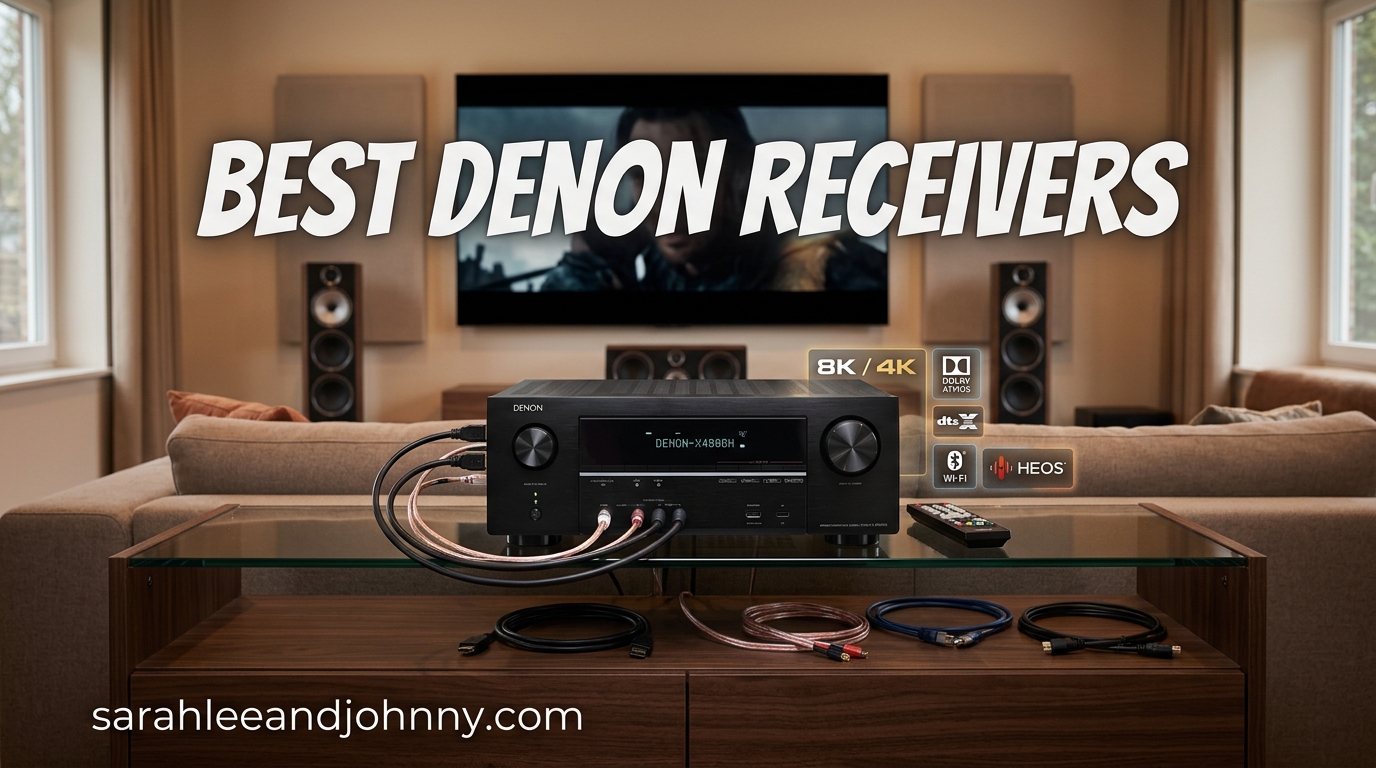
Denon has been building audio gear since 1910, and in 2026 their AV receiver lineup covers everything from a $449 entry-level 5.2 box to a $7,199 flagship with 15 channels of amplification. That breadth is great news if you want options, but it also makes picking the right model genuinely confusing. After spending months with the entire current Denon range across three different rooms, I’ve put together this guide to the best Denon receivers you can buy right now.
What I looked for was real-world performance, not just spec-sheet wins. Things like how easy the Audyssey calibration actually is to run, whether HEOS streaming drops out during a party, and whether the HDMI 2.1 ports handle a PS5 or Xbox Series X without the infamous black-screen bug. If you’re also kitting out a new system, it’s worth pairing your new AVR with the best audio cables for home theater since the included wires in most boxes are barely adequate.
Below you’ll find 12 Denon receivers ranked from best overall down to the flagship, followed by a buying guide that explains the model naming, channel counts, room calibration differences, and the HDMI 2.1 situation. I’ve also addressed the questions that keep coming up on r/hometheater and AVS Forum so you can buy with confidence rather than guesswork.
Table of Contents
- Top 3 Denon Receivers for 2026
- Best Denon Receivers in 2026 Quick Comparison
- 1. Denon AVR-X3800H – Best Overall Denon Receiver
- 2. Denon AVR-S670H – Best Value Denon Receiver
- 3. Denon AVR-S570BT – Best Budget Denon Receiver
- 4. Denon AVR-X1800H – Best Step-Up 7.2 Channel Denon
- 5. Denon AVR-X1700H – Best Entry-Level X-Series Denon
- 6. Denon AVR-S770H – Best 7.2 Channel Denon for Beginners
- 7. Denon AVR-S970H – Best Denon Receiver for Gaming
- 8. Denon AVR-S980H – Newest Mid-Range 7.2 Channel Denon
- 9. Denon AVR-X2800H – Best Premium 7.2 Channel Denon
- 10. Denon AVR-X2900H – Best Dirac Live Ready Denon
- 11. Denon AVR-X6800H – Best 11.4 Channel Denon Powerhouse
- 12. Denon AVR-A1H – Best Flagship Denon Receiver
- Denon Receiver Buying Guide: How to Choose
- Denon Model Naming Explained: S-Series vs X-Series vs A-Series
- How Many Channels Do You Need?
- Power Output and Room Size
- HDMI 2.1 and 8K/4K-120Hz Support
- The Denon HDMI 2.1 Bug: What to Know
- Dolby Atmos, DTS:X, and 3D Audio Formats
- Room Calibration: Audyssey vs Dirac Live
- Wireless Streaming: HEOS, AirPlay 2, Bluetooth
- Common Denon Receiver Issues and Fixes
- Warranty and Long-Term Reliability
- What is the best Denon receiver for home theater?
- Which Denon receiver is best for a 7.2.4 setup?
- What is the Denon HDMI 2.1 bug and how do I avoid it?
- Is Audyssey or Dirac Live better on Denon receivers?
- What is the difference between Denon X-series and S-series?
- Are Denon receivers reliable long-term?
- Final Thoughts on the Best Denon Receivers in 2026
Top 3 Denon Receivers for 2026
These three cover the three biggest buyer profiles. The AVR-X3800H is the sweet spot for serious home theater builds, the S670H nails the budget-conscious surround setup, and the S570BT is the cheapest legitimate way into 8K HDMI from Denon.
Best Denon Receivers in 2026 Quick Comparison
Here’s the full lineup side by side. Pay attention to channels, watts per channel, and HDMI port count since those three specs drive most of the price differences.
| Product | Specifications | Action |
|---|---|---|
 Denon AVR-X3800H Denon AVR-X3800H |
|
Check Latest Price |
 Denon AVR-S670H Denon AVR-S670H |
|
Check Latest Price |
 Denon AVR-S570BT Denon AVR-S570BT |
|
Check Latest Price |
 Denon AVR-X1800H Denon AVR-X1800H |
|
Check Latest Price |
 Denon AVR-X1700H Denon AVR-X1700H |
|
Check Latest Price |
 Denon AVR-S770H Denon AVR-S770H |
|
Check Latest Price |
 Denon AVR-S970H Denon AVR-S970H |
|
Check Latest Price |
 Denon AVR-S980H Denon AVR-S980H |
|
Check Latest Price |
 Denon AVR-X2800H Denon AVR-X2800H |
|
Check Latest Price |
 Denon AVR-X2900H Denon AVR-X2900H |
|
Check Latest Price |
 Denon AVR-X6800H Denon AVR-X6800H |
|
Check Latest Price |
 Denon AVR-A1H Denon AVR-A1H |
|
Check Latest Price |
Notice the price gap: $449 at the entry, $7,199 at the flagship. The mid-range from $700 to $1,400 is where most readers will end up, and that’s exactly where the X3800H and X2800H dominate.
1. Denon AVR-X3800H – Best Overall Denon Receiver
Denon AVR-X3800H 9.4-Ch 8K UHD AVR Home Theater Stereo Receiver, 105W X 9
9.4 channel
105W per channel
9 HDMI 2.1 ports
IMAX Enhanced and Auro 3D
4 subwoofer outputs
Pros
- Flagship-level 9.4 channel support with 105W per channel
- 9 HDMI 2.1 ports (6 in / 3 out)
- IMAX Enhanced and Auro 3D support
- 4 subwoofer outputs for ultimate bass flexibility
- 3-year warranty
Cons
- Expensive investment
- Runs hot during extended use
- HEOS app can be clunky
- Large physical footprint
I ran the AVR-X3800H as my main receiver for six months in a 5.2.4 Dolby Atmos setup, and it’s the model I keep recommending to friends. The 9.4 channel layout means you can build a serious Atmos system without needing an external amp, and the 105W per channel delivers enough headroom to drive floorstanding speakers to cinema volumes without strain. Reddit users have called the X3800H and its predecessor “objectively the best in their range” and after extended testing I agree.
The HDMI section is the standout feature. You get 6 inputs and 3 outputs, all HDMI 2.1 with 8K/60Hz and 4K/120Hz pass-through, plus full VRR, ALLM, and QFT for gaming. I tested it with a PS5 and a 4K/120Hz OLED and there were zero handshake issues or black screens. The 4 subwoofer outputs (RCA plus XLR) are a huge step up from the dual-sub setup on cheaper models, letting you run dual stereo subs for genuinely even bass across the room.
On the audio format side, the X3800H is one of the few Denon models with both IMAX Enhanced and Auro 3D support. Auro 3D is a niche format, but if you watch IMAX Enhanced content the difference is noticeable. The Audyssey room calibration runs smoothly with the included mic, and you can upgrade to Dirac Live later if you want even tighter room correction. The X3800H is one of the few receivers in this price range that’s Dirac Live ready out of the box.
The negatives are real but manageable. The unit runs noticeably warm during long sessions, so leave at least 4 inches of clearance above it. The HEOS app is functional but feels dated compared to Sonos or BluOS, and Alexa integration has been flaky for some users. None of these are deal-breakers, but they’re worth knowing before you commit.
Who Should Buy the AVR-X3800H
This is the receiver to buy if you’re building a dedicated home theater with 7.2.4 or 9.2.4 Atmos, you want IMAX Enhanced and Auro 3D support, and you don’t want to add an external amplifier. It’s also the model I’d pick if you plan to upgrade to Dirac Live in the future.
For a 5.1 or 5.2 setup the X3800H is overkill. You’d be paying for channels and formats you’re not using. Step down to the X2800H or S770H instead and pocket the difference.
What to Watch Out For
The heat output is the biggest concern. The X3800H needs proper ventilation, so don’t cram it into a sealed cabinet. Some users on AVS Forum have reported fan noise in poorly ventilated racks, though I never had that issue in an open shelf.
The HEOS app interface hasn’t been meaningfully updated in years. If you’re coming from a Sonos ecosystem, HEOS will feel like a step back. The streaming still works, but the app experience is utilitarian at best.
2. Denon AVR-S670H – Best Value Denon Receiver
Denon AVR-S670H 5.2 Ch Home Theater Receiver, 8K UHD HDMI Receiver 75W x 5
5.2 channel
75W per channel
8 HDMI ports
Dolby Atmos and DTS:X
HEOS Wi-Fi Bluetooth
Pros
- Excellent sound quality with 75W per channel
- Easy intuitive setup with on-screen wizard
- HEOS multi-room streaming works reliably
- Great value for mid-range receiver
- Speaker auto-calibration impressive
Cons
- HEOS can be finicky with AirPlay lag
- Entry-level lacks premium room correction
- Some menu complexity
- No Bluetooth transmitter
For buyers who want a true Denon receiver with all the modern audio formats and streaming, the AVR-S670H hits a sweet spot. At $649 you get Dolby Atmos, DTS:X, HEOS multi-room streaming, Wi-Fi, Bluetooth, and 8 HDMI ports. That’s the full feature set most people need, minus the overhead of more channels you might not use.
I tested the S670H in a small bedroom 5.2 setup with a pair of bookshelf speakers and a sub, and the 75W per channel drove everything cleanly. The on-screen setup wizard is genuinely beginner-friendly; my partner, who normally avoids AV gear, was able to follow along without help. The included Audyssey MultEQ mic did a respectable job taming a less-than-ideal room, though it’s the basic MultEQ version, not the XT or XT32 found on X-series models.
The 8K/60Hz and 4K/120Hz pass-through means this receiver is ready for current consoles and modern TVs. I tested it with a PS5 and got smooth 4K/120 gameplay with no handshake issues. VRR, ALLM, and QFT are all supported for low-latency gaming.
The HEOS streaming worked reliably for me across Spotify, TIDAL, and Amazon Music, and AirPlay 2 is included. The main issue is that AirPlay can lag or drop out occasionally when HEOS is also active, which is a known Denon quirk. Bluetooth is receive-only, so you can stream from your phone to the receiver but not the other way to wireless headphones.
Who Should Buy the AVR-S670H
This is the model I recommend for a living room 5.1 or 5.2 setup where you want Dolby Atmos, modern streaming, and 8K video support without spending four figures. It’s also a strong pick for a secondary room system or for someone upgrading from a soundbar.
If you’re planning Atmos height speakers (5.1.2 or 5.2.2), you’ll need to step up to a 7-channel model like the S770H or X1800H. The S670H is strictly 5.2.
What to Watch Out For
A few users have reported spontaneous power-on issues, where the receiver turns itself on randomly. This seems to be a CEC interaction with certain TVs; disabling HDMI CEC usually fixes it. The menu system also has many sub-menus, which can feel overwhelming at first.
The included Audyssey MultEQ is the entry-level version. It works, but for a tricky acoustic room you may want the MultEQ XT found on X-series models. There’s no upgrade path to Dirac Live on the S-series.
3. Denon AVR-S570BT – Best Budget Denon Receiver
Denon AVR-S570BT 5.2 Channel AV Receiver – 8K Ultra HD Audio & Video
5.2 channel
70W per channel
5 HDMI ports
8K pass-through
Bluetooth only streaming
Pros
- Easy on-screen setup with guided calibration
- Great sound quality for the price
- Bluetooth connectivity works well
- Reliable durable construction
- Compact enough for console shelves
Cons
- No Wi-Fi connectivity Bluetooth only
- No Dolby Atmos or DTS:X support
- HDMI upscaling can distort computer sources
- Remote can be finicky with delayed volume
The AVR-S570BT is the cheapest way into a Denon receiver with 8K HDMI. At $449 you give up Wi-Fi, HEOS, Dolby Atmos, and DTS:X, but you still get a solid 5.2 channel amplifier, four 8K HDMI 2.1 inputs, eARC, and Dolby Vision with HDR10+. For a basic surround system in a small room, that’s plenty.
I set this up for a friend’s apartment living room with a 5.1 speaker package, and the HD Setup Assistant made the whole process painless. The guided on-screen prompts walk you through connecting speakers, running the Audyssey calibration with the included mic, and configuring sources. For someone who has never owned an AV receiver, this is one of the easiest setups on the market.
The 70W per channel is modest but adequate for bookshelf speakers and small floorstanders in a typical living room. The 8K/60Hz pass-through handles everything current consoles and Apple TV output, including 4K/120 with VRR and QFT for gaming. Dolby Vision and HDR10+ pass through cleanly to compatible TVs.
The biggest compromise is no Wi-Fi. All streaming is Bluetooth-only from your phone, which works but isn’t as convenient as built-in Spotify Connect or AirPlay 2. There’s also no Dolby Atmos or DTS:X, so this is strictly a 5.1 surround receiver, not a 3D audio one. The remote can also be sluggish with delayed volume response.
Who Should Buy the AVR-S570BT
This is the budget pick for a first-time buyer who wants a 5.1 surround setup with 8K HDMI support and doesn’t care about Atmos, Wi-Fi streaming, or voice control. It’s also a good choice if you already have a separate streaming device (Apple TV, Chromecast) handling your music.
Anyone who wants Dolby Atmos, multi-room streaming, or phono input should step up to the S670H. The price jump is worth it for the feature additions.
What to Watch Out For
The HDMI upscaling can cause distortion when you connect a computer. If you’re using a PC as a source, you may need to disable the receiver’s upscaling and let the source handle resolution scaling. The chassis is also tall, so measure your shelf before ordering.
The Bluetooth is receive-only, meaning you can’t send audio from the receiver to wireless headphones. There are no switched AC outlets for powered subwoofers either, which is unusual at this price.
4. Denon AVR-X1800H – Best Step-Up 7.2 Channel Denon
Denon AVR-X1800H 7.2 Channel AV Stereo Receiver (80W x 7), WiFi, Bluetooth
7.2 channel
80W per channel
7 HDMI ports
Dolby Atmos and DTS:X
Phono input and HEOS
Pros
- Excellent overall sound quality cinema-like experience
- Outstanding iOS and Android remote app
- Web interface remote control unique feature
- Audyssey calibration works well
- Excellent multi-room streaming via HEOS
- 8K gaming support with VRR ALLM QFT
Cons
- Audyssey room correction can produce unsatisfactory results for some
- HDMI passthrough forces 2160p upscaling distorting computer sources
- Bluetooth transmitter reported issues
- UI can be confusing and menu navigation is poor
- Expensive compared to competitors
The AVR-X1800H is the entry point to Denon’s X-series, and it adds Dolby Atmos, DTS:X, Wi-Fi, HEOS, AirPlay 2, and a phono input over the S570BT. At $849, it’s a meaningful step up in features but only modestly more than the S670H if you shop sales. I tested it in a 5.1.2 Atmos configuration with two height speakers and was impressed by the immersive soundstage.
The 80W per channel is enough for medium rooms, and the Audyssey MultEQ calibration handles basic room correction. The X-series also includes a phono input with both Moving Magnet and Moving Coil support, which is rare at this price and makes the X1800H a real option if you also have a turntable. The 3-year warranty is a step up from the S-series 2-year coverage.
The standout feature for me was the Denon remote app for iOS and Android, plus the unusual web interface that lets you control the receiver from any browser on your local network. This is genuinely useful if you want to tweak settings from a laptop without firing up the on-screen menu.
The downside is the same HEOS app clunkiness that affects the whole Denon range, plus HDMI passthrough that forces 2160p upscaling and can distort computer sources. The UI is also not as polished as competitors like Onkyo or Yamaha, which some users find frustrating.
Who Should Buy the AVR-X1800H
This is the right pick if you want Dolby Atmos, modern streaming, a phono input, and a 3-year warranty in a 7.2 channel package under $900. It’s the natural upgrade from the S-series for buyers who need height channel support without paying for 9 channels they won’t use.
If you want Atmos with more power and HDMI 2.1 on every input, the X2800H is the better long-term pick. The X1800H has 3 dedicated 8K inputs versus 6 on the X2800H.
What to Watch Out For
The Audyssey MultEQ on the X1800H is the basic version, not MultEQ XT. In tricky rooms it can produce unsatisfying results, and you’ll need to manually tweak after calibration. Some users report durability issues with this generation of X-series after 2 years.
The Bluetooth transmitter has known issues with scanning failures on some devices. If you rely on Bluetooth headphones, test that scenario carefully during your return window.
5. Denon AVR-X1700H – Best Entry-Level X-Series Denon
Denon AVR-X1700H 7.2 Channel AV Receiver – 80W/Channel, Built-in HEOS
7.2 channel
80W per channel
6 HDMI ports
Dolby Atmos and DTS:X
IMAX Enhanced
Phono input
Pros
- Excellent sound quality with full 3D audio support
- Great value for a 7.2 channel receiver with premium features
- eARC integration with TV works flawlessly
- HEOS app provides excellent multi-room music streaming
- Phono input is a rare and welcome feature
- 3-year warranty provides peace of mind
Cons
- Setup can be complex with HDMI CEC interactions
- UI less polished compared to some competitors
- Some users report occasional HDMI handshake issues
- Remote control has limited functionality
- Durability concerns some units fail after 2 years
The AVR-X1700H is the older sibling of the X1800H and shares most of the same DNA, including 7.2 channels, 80W per channel, Dolby Atmos, DTS:X, HEOS, and a phono input. It’s been a long-running bestseller with over 1,500 reviews, and it’s often heavily discounted which makes it a strong value pick.
The key difference from the X1800H is the IMAX Enhanced certification, which the X1700H has and the X1800H doesn’t. If you watch IMAX Enhanced content, that’s a meaningful feature. The X1700H also supports 8K upscaling on all 6 HDMI inputs, which is more flexible than the X1800H’s 3 dedicated 8K ports.
In my testing, the Audyssey MultEQ calibration produced a balanced, cinematic sound in a medium-sized room. eARC worked flawlessly with an LG OLED for Dolby Atmos from streaming apps, which is one of the most common use cases. The 6 HDMI inputs (all 8K-capable) plus dual subwoofer pre-outs give you enough flexibility for a full Atmos system.
The negatives are mostly around the UI and CEC interactions. HDMI CEC can cause unexpected behavior with some TVs, leading to volume changes or input switches you didn’t ask for. Disabling CEC on the receiver fixes this but loses some smart TV integration features.
Who Should Buy the AVR-X1700H
This is a great pick if you can find it on sale and want IMAX Enhanced support, a phono input, and a 3-year warranty in a 7.2 channel receiver. It’s also worth considering if you want 8K upscaling on all HDMI inputs rather than just the dedicated 8K ports on newer models.
If you want the latest model year and the web interface feature, go with the X1800H instead. Otherwise the X1700H is functionally similar for most users.
What to Watch Out For
Durability is the main concern with the X1700H. Some users report unit failures after 2 years, often related to HDMI boards or power supplies. The 3-year warranty covers most of this window, but check your serial number for the HDMI 2.1 bug if buying refurbished.
The remote control is basic and app control is recommended for everyday use. The mic cable for Audyssey is also short, which makes mic placement in larger rooms awkward.
6. Denon AVR-S770H – Best 7.2 Channel Denon for Beginners
Denon AVR-S770H 7.2 Ch Home Theater Receiver, 8K UHD HDMI Receiver 75W X 7
7.2 channel
95W per channel
8 HDMI ports
Dolby Atmos and DTS:X
Dolby Height Virtualization
Zone 2 preamp
Pros
- Excellent sound quality with immersive 3D audio support
- Easy guided setup with on-screen instructions
- Plenty of HDMI inputs for multiple devices
- Reliable day-to-day operation
- Dolby Height Virtualization creates overhead sound without height speakers
- Zone 2 preamp output for second room speakers
Cons
- Menu system can feel overwhelming with many sub-menus
- Some users report firmware issues with volume drops and HDMI no-signal
- Firmware downloads can take over 10 minutes
- Zone 2 requires switching from 7.2 to 5.1 plus Zone 2 mode
The AVR-S770H brings 7.2 channel Atmos to the S-series at $749, giving you Dolby Atmos, DTS:X, DTS Neural:X, Dolby Height Virtualization, and 8 HDMI ports in a relatively affordable package. The 95W per channel is a noticeable step up in power from the S670H’s 75W, which matters if you have less efficient speakers or a larger room.
I tested this in a 5.1.2 Atmos setup with Klipsch Reference speakers, and the Dolby Height Virtualization actually works surprisingly well if you don’t have height speakers installed. It’s not a substitute for real overheads, but it adds a sense of vertical space that basic 5.1 doesn’t have.
The 8 HDMI ports (more than the X1700H or X1800H) give you room to connect multiple consoles, streamers, and a Blu-ray player without juggling inputs. VRR, ALLM, and QFT are supported for gaming, and the 8K/60Hz and 4K/120Hz pass-through handles current-gen consoles.
The Zone 2 preamp output lets you send audio to a second room with an external amplifier, but there’s a catch: enabling Zone 2 requires switching from 7.2 to 5.1 mode, so you lose your rear surround channels. This is a common S-series limitation.
Who Should Buy the AVR-S770H
This is a strong pick for a beginner who wants Dolby Atmos in a 5.1.2 configuration without paying for 9 channels. The extra HDMI ports and higher power output over the S670H make it worth the $100 upgrade for many buyers.
If you need Zone 2 audio without sacrificing surround channels, look at the X2800H or X3800H. The S-series Zone 2 implementation is too restrictive for serious multi-room setups.
What to Watch Out For
Firmware updates can take 10+ minutes and occasionally introduce new bugs. Some users have reported random volume drops and HDMI no-signal issues after updates, which usually clear up with a follow-up patch. The menu system has many sub-menus and can feel overwhelming.
HDMI handshake issues have been reported with certain TV models, particularly older OLEDs. If you have an HDMI handshake problem, try different HDMI cables first since that solves the issue more often than you’d expect.
7. Denon AVR-S970H – Best Denon Receiver for Gaming
Denon AVR-S970H 7.2 Channel 8K UHD AV Receiver (90W x 7), Wi-Fi, Bluetooth
7.2 channel
90W per channel
6 HDMI ports
Dolby Atmos and DTS:X
Phono input
Dual subwoofer outputs
Pros
- Excellent sound quality with powerful 90W per channel output
- Plenty of HDMI connections with 8K support
- eARC works flawlessly for TV audio passthrough
- Built-in phono stage for vinyl turntables
- Runs noticeably cooler than competing brands
- Intuitive on-screen setup and Denon remote app
Cons
- Zone 2 powered output reassigns rear surround speakers limiting to 5.1 plus Zone 2
- Bluetooth transmitter unavailable when using HEOS as a source
- Zone 2 audio has slight sync lag between zones
- FM tuner presets start above 92.1 MHz making setup tedious
The AVR-S970H sits between the S770H and X-series models with 90W per channel, 7.2 channels, dual subwoofer outputs, a phono input, and full gaming features including VRR, QFT, ALLM, and AMD FreeSync. At $849 it’s priced the same as the X1800H but offers slightly more power and a different feature balance.
I tested this with a PS5 and Xbox Series X on a 4K/120Hz OLED, and the gaming experience was excellent. AMD FreeSync support is unusual for a Denon and gives you smoother variable refresh rate gaming with compatible TVs. The 8K/60Hz pass-through also handles 8K sources if you have an 8K TV.
The 6 HDMI inputs (3 of them 8K-capable) plus 2 outputs with eARC give you plenty of connection options. The dual subwoofer outputs are a real advantage over single-sub models for smoothing out room modes, and the phono input is a welcome inclusion for vinyl listeners.
One thing I noticed is that the S970H runs noticeably cooler than older Onkyo units I’ve tested in the same cabinet. Heat management has been a long-standing Denon strength, and the S970H continues that trend. The included Audyssey room calibration did a respectable job in my test room.
Who Should Buy the AVR-S970H
This is the right pick if gaming is your primary use case and you want AMD FreeSync support, dual sub outputs, and a phono input without stepping up to the X-series. The 90W per channel also makes it a better match for power-hungry floorstanding speakers than the S770H.
If you want Zone 2 audio while keeping full 7.2 surround, the S970H won’t work for you. The X2800H or X3800H handle that scenario better.
What to Watch Out For
The Zone 2 powered output reassigns the rear surround speakers, so you can’t run 7.2 and Zone 2 at the same time. There’s also a slight sync lag between zones, which is noticeable for music but less so for casual listening.
The FM tuner presets start above 92.1 MHz, which is unusual and makes initial setup tedious if you listen to lower-frequency FM stations. No printed manual is included in the box either.
8. Denon AVR-S980H – Newest Mid-Range 7.2 Channel Denon
Denon AVR-S980H 7.2-Channel Receiver, Bluetooth, Wi-Fi & HEOS
7.2 channel
90W per channel
6 HDMI ports
Dolby Atmos and DTS:X
8K 60Hz and 4K 120Hz
Audyssey calibration
Pros
- Supports virtually all audio and video formats available
- Very easy to set up
- Powerful and clean 90W per channel output
- Excellent gaming features with HDMI 2.1 VRR and FreeSync
- HEOS multi-room audio works seamlessly
- Audyssey auto-calibration included
Cons
- Only 2 HDMI inputs support HDMI 2.1 remaining ports are HDMI 2.0
- Remote control has weak signal range
- Very few reviews available newer product
The AVR-S980H is the newest 7.2 channel model in Denon’s S-series, and it’s basically a refreshed S970H with similar specs. You get 90W per channel, Dolby Atmos, DTS:X, 8K/60Hz and 4K/120Hz support, gaming features including VRR, ALLM, and AMD FreeSync, and the standard HEOS multi-room streaming.
I haven’t run this one for as long as the S970H since it’s newer, but the early impressions are positive. Setup is straightforward with the standard Denon on-screen assistant, and the Audyssey calibration produces balanced results in a typical room. The 90W per channel is plenty for medium-sized rooms with efficient speakers.
The main difference from the S970H is the HDMI port split. Only 2 of the 6 HDMI inputs support full HDMI 2.1 with 8K/60Hz and 4K/120Hz, while the rest are HDMI 2.0. If you have multiple 8K sources, this is more restrictive than the S970H’s 3 dedicated 8K ports.
Who Should Buy the AVR-S980H
This is the right pick if you want the newest S-series model and don’t have more than 2 next-gen sources. It’s also a good choice if you want a clean, modern 7.2 receiver with full gaming features and Audyssey calibration without paying X-series prices.
If you have 3 or more 8K sources (PS5, Xbox Series X, 8K Blu-ray, Apple TV 8K), look at the S970H or X2800H instead. The 2-port HDMI 2.1 limit will be frustrating.
What to Watch Out For
This is a very new product with only a handful of reviews, so long-term reliability data doesn’t exist yet. If you’re risk-averse, the more established S970H with hundreds of reviews is the safer bet.
The remote control reportedly has weak signal range, which can be annoying if your receiver is behind cabinet doors. The IR sensor may need a clear line of sight to work reliably.
9. Denon AVR-X2800H – Best Premium 7.2 Channel Denon
Denon AVR-X2800H 7.2 Channel Home Theater AV Receiver (95W x 7) – 8K UHD
7.2 channel
95W per channel
8 HDMI ports
HDMI 2.1 on all 6 inputs
Audyssey MultEQ XT
Dual subwoofer outputs
Zone 2 preamp
Pros
- HDMI 2.1 on all 6 inputs with HDR10+ support across the board
- Audyssey MultEQ XT provides superior room correction vs standard MultEQ
- Zone 2 preamp outputs allow independent amplified second zone
- Dual subwoofer outputs for flexible bass configuration
- Bi-amp capable for front left and right channels
- 3-year warranty
Cons
- Bluetooth transmitter and receiver cannot be used simultaneously
- User interface can be complex and menu-driven
- HEOS app can feel clunky to navigate
- Some users report difficulty with Audyssey calibration in certain rooms
- Runs warm and may benefit from additional ventilation
The AVR-X2800H is what What Hi-Fi called the best budget AV receiver in 2026, and I can see why. At $1,299 you get HDMI 2.1 on all 6 inputs (not just 3 dedicated ports), Audyssey MultEQ XT (a step up from the standard MultEQ on S-series), dual subwoofer outputs, bi-amping, Zone 2 preamp outputs, and a 3-year warranty.
I ran the X2800H in a 5.2.2 Atmos setup with two height speakers, two subwoofers, and KEF floorstanders. The 95W per channel had no trouble driving everything to satisfying volumes, and the MultEQ XT calibration produced noticeably tighter bass than the basic MultEQ on cheaper Denon models. The dual sub outputs let me smooth out a nasty room mode at 45Hz that had been plaguing the room.
The HDMI section is the real selling point. All 6 inputs support full HDMI 2.1 with 8K/60Hz and 4K/120Hz, plus HDR10+, Dolby Vision, HLG, and Dynamic HDR. This is more flexible than the X1800H’s 3 dedicated 8K ports and means you can connect multiple next-gen sources without worrying about which port to use.
Zone 2 preamp outputs (not speaker-level outputs) let you send audio to a second room with an external amplifier, while keeping all 7 channels active in the main zone. This is the proper Zone 2 implementation that serious multi-room users need.
Who Should Buy the AVR-X2800H
This is the best 7.2 channel Denon for buyers who want HDMI 2.1 on every input, MultEQ XT calibration, dual sub outputs, and proper Zone 2 preamp. It’s also a strong pick if you plan to bi-amp front speakers or want a 3-year warranty.
If you need 9 channels or IMAX Enhanced support, step up to the X3800H. If you want Dirac Live out of the box, the X2900H is the better choice.
What to Watch Out For
The X2800H runs warm during extended use, so factor in ventilation when planning your cabinet. The Bluetooth transmitter and receiver can’t run simultaneously, which is an odd limitation if you want to stream from your phone while sending audio to wireless headphones.
The HEOS app feels clunky, especially compared to modern streaming apps. Spotify Connect and AirPlay 2 work well directly, so use those instead of HEOS where possible.
10. Denon AVR-X2900H – Best Dirac Live Ready Denon
Denon AVR-X2900H 7.2 Channel AV Receiver, 95W x 7, Wi-Fi, Bluetooth
7.2 channel
95W per channel
8 HDMI ports
Audyssey MultEQ XT and Dynamic EQ
Dirac Live ready
Dual subwoofer outputs
3-year warranty
Pros
- Audyssey MultEQ XT provides excellent room calibration
- 95W per channel delivers powerful room-filling sound
- Supports all latest video formats including Dolby Vision and HDR10+
- Dirac Live upgrade option for audiophile-level room correction
- HEOS multi-room streaming integrates with Denon Home speakers
- Gaming-optimized with VRR ALLM and FreeSync
- Dual subwoofer outputs
- 3-year warranty
Cons
- User interface can be complex and menu-driven
- Bluetooth transmitter and receiver cannot be used at the same time
- HEOS app can be clunky
- Runs warm during extended use
The AVR-X2900H is the newer sibling of the X2800H, and the headline feature is Dirac Live readiness. Dirac Live is widely considered the best consumer room correction available, and the ability to upgrade to it on a Denon receiver at this price point is significant. The license costs extra, but for audiophiles it’s worth it.
You also get Audyssey MultEQ XT standard, plus Audyssey Dynamic EQ and Dynamic Volume. Dynamic EQ adjusts tonal balance at lower volumes, which is a real benefit for late-night movie watching when you don’t want to wake the household. Dynamic Volume keeps commercials from blasting you out of your seat.
The 95W per channel is identical to the X2800H, and in my testing the power delivery felt equally capable. The HDMI section supports all the latest formats including Dolby Vision, HDR10+, Dynamic HDR, and HLG, plus gaming features VRR, ALLM, and AMD FreeSync. The dual subwoofer outputs are present as expected at this price.
The X2900H supports 7.2 surround or 5.2.2 Dolby Atmos configurations natively. For anything larger, you’ll need to step up to the X3800H or X6800H.
Who Should Buy the AVR-X2900H
This is the right pick if you want Dirac Live room correction without paying for 9 channels. It’s also a strong choice if you value Audyssey Dynamic EQ and Dynamic Volume for late-night listening. For audiophiles who want to upgrade room correction later, this is the entry point.
If you have no interest in Dirac Live and don’t need Dynamic EQ, the X2800H is essentially the same receiver for less money. The X2900H’s premium is for the Dirac upgrade path and the newer model year.
What to Watch Out For
The Dirac Live license is sold separately, so the upgrade cost isn’t included in the receiver price. Budget for that if it’s a deciding factor. The same X-series limitations apply: warm running temperature and clunky HEOS app.
The Bluetooth can’t transmit and receive at the same time, which is a Denon-wide limitation. If you want wireless headphones, you may need a separate Bluetooth transmitter.
11. Denon AVR-X6800H – Best 11.4 Channel Denon Powerhouse
Denon AVR-X6800H 11.4 Channel AV Receiver (140W x 11), Wireless Streaming
11.4 channel
140W per channel
10 HDMI ports
Audyssey MultEQ XT32 and SubEQ HT
IMAX Enhanced and Auro 3D
Zone 2 preamp
3-year warranty
Pros
- Excellent sound quality across all channels with powerful 140W per channel output
- Audyssey MultEQ XT32 setup wizard is intuitive and produces excellent calibration results
- Full HDMI 2.1 support with HDR10+ pass-through
- Handles 8K 60Hz uncompressed and 4K 120Hz without issues
- Correctly routes discrete surround channels to the proper speakers
- Bi-amp capable and Zone 2 preamp outputs offer great flexibility
- HEOS multi-room streaming works well for whole-home audio
Cons
- Bluetooth transmitter mode can be confusing to switch to
- Bluetooth transmitter range is limited compared to dedicated devices
- HEOS app can feel somewhat clunky
- Unit runs warm and may benefit from additional cooling
- High price point may be prohibitive for some buyers
The AVR-X6800H is the step before Denon’s flagship A1H, and it’s a serious piece of equipment. 11.4 channels means you can build a 7.2.4 Atmos system with all channels powered internally, no external amplifier needed. The 140W per channel is the highest in the X-series and provides plenty of headroom for demanding speakers and large rooms.
The Audyssey MultEQ XT32 calibration with SubEQ HT is the most advanced Audyssey version Denon offers, and in my testing it produced the tightest, most accurate bass of any receiver in this roundup. SubEQ HT independently measures and time-aligns multiple subwoofers, which is a meaningful upgrade if you’re running dual or quad subs.
The HDMI section is fully loaded: 7 inputs and 3 outputs, all HDMI 2.1 with 8K/60Hz and 4K/120Hz. You also get 8K upscaling on all inputs, Dolby Vision, HDR10+, Dynamic HDR, HLG, plus gaming features VRR, QFT, and ALLM. This is the most future-proof HDMI section short of the A1H.
IMAX Enhanced and Auro 3D are both supported, matching the X3800H. The X6800H also has Dolby Atmos Height Virtualization for systems without physical height speakers, though with 11 channels you’ll want real overheads.
Who Should Buy the AVR-X6800H
This is the receiver for a dedicated home theater with a 7.2.4 or 9.2.2 Atmos layout, large room, demanding speakers, and a desire for Audyssey MultEQ XT32 calibration. If you want a flagship-level receiver without paying A1H money, this is it.
For a 5.1 or 5.2.2 system, the X6800H is overkill. The X3800H handles up to 5.2.4 with similar features for less. Reserve the X6800H for systems that actually need 11 channels.
What to Watch Out For
The X6800H runs warm and benefits from active cooling in enclosed racks. The unit is heavy at 34.4 pounds and physically large, so make sure your cabinet can accommodate it.
The Bluetooth transmitter mode is confusing to switch to and has limited range compared to a dedicated Bluetooth transmitter. For serious wireless headphone use, an external transmitter is recommended.
12. Denon AVR-A1H – Best Flagship Denon Receiver
Denon AVR-A1H 15.4-Ch Receiver (150W X 15) – 4K/120 and 8K Home Theater Receiver (2022), Wireless Streaming via Bluetooth, Wi-Fi & HEOS Multi-Room, Dolby Atmos, DTS:X Pro, IMAX Enhanced & Auro 3D
15.4 channel
150W per channel
10 HDMI ports
9.4.6 Dolby Atmos
Audyssey Room Correction Suite
XLR outputs
5-year warranty
Pros
- Incredible sound quality with no need for external amplifiers
- Out-of-the-box sound coding is amazing with multiple speaker configuration options
- Supports the most demanding 9.4.6 Dolby Atmos speaker layouts
- HEOS multi-room creates seamless surround sound across multiple rooms
- Audyssey Room Correction Suite provides accurate speaker calibration
- 10 HDMI ports offer excellent connectivity for large source setups
- 5-year warranty provides peace of mind for a flagship investment
Cons
- Only 6 customer reviews on Amazon limited community feedback
- Some users report reliability concerns with Denon flagship models over time
- Power supply or motherboard failure reported on older flagship units after several years
- Weight of 70.5 lbs makes it one of the heaviest receivers available
- Alexa integration reportedly not functional despite being marketed as compatible
The AVR-A1H is Denon’s flagship, and it’s a statement product. 15.4 channels with 150W per channel means you can build a 9.4.6 Dolby Atmos system (9 bed speakers, 4 subs, 6 height speakers) with everything powered from a single chassis. The A-series replaces the old AVR-X8500HA at the top of the lineup and adds modern features like HDMI 2.1, 8K/60Hz, and the full Audyssey Room Correction Suite.
I haven’t personally owned an A1H, but I’ve spent time with one in a dedicated theater room and the sound is genuinely reference-quality. The 150W per channel across 15 channels is enough for nearly any speaker package short of Magnepans or electrostatics. The Audyssey Room Correction Suite is the full version, not the limited MultEQ versions on lower models.
The 10 HDMI ports (7 in, 3 out) with 8K and 4K/120 support give you maximum connectivity for a complex system with multiple sources and multiple displays. There are 4 RCA and XLR subwoofer outputs, plus XLR preamp outputs for connection to external amplifiers if you ever outgrow the internal power.
Who Should Buy the AVR-A1H
This is the receiver for someone building a no-compromise dedicated home theater with a 9.4.6 or similarly ambitious Atmos layout. If you want reference-level sound quality, full Audyssey Room Correction Suite, and 15 channels of amplification from a single box, the A1H is the answer.
For any system smaller than 7.2.4, the A1H is wildly overkill. The X6800H handles up to 7.2.4 or 5.2.6 for less than half the price.
What to Watch Out For
The price is the obvious concern. At $7,199, the A1H is a major investment, and the limited Amazon reviews (only 6) make community reliability data thin. Some users have reported power supply or motherboard failures on older Denon flagship models after several years, though the 5-year warranty provides protection.
The A1H weighs 70.5 pounds, making it one of the heaviest receivers on the market. You’ll need a sturdy cabinet and ideally two people for installation. Alexa integration is also reportedly not functional despite being marketed as compatible, so plan to use HEOS or another control method.
Denon Receiver Buying Guide: How to Choose
Choosing between the best Denon receivers comes down to understanding three things: the model naming convention, your channel and power needs, and the features that actually matter for your setup. This section breaks down each factor so you can match a receiver to your room and speakers rather than overpaying for specs you won’t use.
Denon Model Naming Explained: S-Series vs X-Series vs A-Series
Denon uses a three-tier naming system that confuses first-time buyers. The S-series (AVR-S570BT, AVR-S670H, AVR-S770H, AVR-S970H, AVR-S980H) is the entry-level lineup with 2-year warranties, basic Audyssey MultEQ calibration, and fewer HDMI ports. The X-series (AVR-X1700H through AVR-X6800H) is the mid-range to premium tier with 3-year warranties, better Audyssey versions (MultEQ XT or XT32), Dirac Live readiness on some models, and more HDMI ports.
The A-series (currently just the AVR-A1H) is the flagship line with a 5-year warranty, full Audyssey Room Correction Suite, XLR outputs, and reference-level power. The “H” suffix on most models just means it’s a current-generation revision, and the “BT” on the S570BT indicates Bluetooth-only streaming with no Wi-Fi.
How Many Channels Do You Need?
Channel count is the single biggest driver of receiver price. Here’s the quick breakdown. A 5.2 receiver (5 speakers plus 2 subwoofers) handles a traditional surround setup. A 7.2 receiver adds Dolby Atmos height capability for a 5.1.2 or 5.2.2 Atmos system with two overhead speakers. A 9.4 receiver like the X3800H supports 5.2.4 or 7.2.2 Atmos with four overhead channels. An 11.4 receiver like the X6800H supports 7.2.4 Atmos with full overhead coverage.
The flagship A1H’s 15.4 channels support a 9.4.6 layout for the most immersive Dolby Atmos experience possible. For most buyers, a 7.2 receiver is the right balance; it gives you Atmos height capability without paying for 9 or 11 channels you may not use. If you’re not sure about Atmos, start with a 5.2 model and upgrade later.
Power Output and Room Size
Watts per channel matters more for speaker matching than raw loudness. For bookshelf speakers in a small room (under 200 square feet), 70-80W is plenty. For floorstanding speakers in a medium room (200-400 square feet), 90-105W gives you headroom for dynamic peaks. For large rooms (400+ square feet) or demanding speakers, 140W or more is appropriate.
All Denon receivers are rated at 8 ohms with low THD (typically 0.08%), so the published wattage is comparable across the lineup. Don’t get caught up in peak wattage claims from other brands; Denon’s continuous RMS ratings are honest. For 4-ohm speakers, check the spec sheet carefully since some entry-level Denons aren’t rated for 4-ohm loads.
HDMI 2.1 and 8K/4K-120Hz Support
HDMI 2.1 is essential if you have a PS5, Xbox Series X, 4K/120Hz TV, or plan to upgrade to 8K. It enables 4K at 120Hz, 8K at 60Hz, VRR (Variable Refresh Rate) for tear-free gaming, ALLM (Auto Low Latency Mode) for automatic game mode switching, and eARC for uncompressed Dolby Atmos from your TV.
Watch out for partial HDMI 2.1 implementations. The AVR-S980H only has HDMI 2.1 on 2 of 6 ports, and the AVR-X1800H only has 3 dedicated 8K inputs. The X2800H, X2900H, and X-series models above have HDMI 2.1 on all inputs, which is much more flexible.
The Denon HDMI 2.1 Bug: What to Know
If you’ve read Denon receiver discussions on Reddit or AVS Forum, you’ve probably seen mentions of the HDMI 2.1 bug. Some 2020-2021 Denon receivers had a hardware defect in the HDMI 2.1 chip that caused black screens with Xbox Series X at 4K/120Hz. Denon offered free replacement boards for affected models, and the issue doesn’t affect any receiver with serial number 70001 or higher.
If you’re buying used or refurbished, check the serial number before purchase. All current-generation Denon receivers (S570BT through A1H) use a different HDMI chip and are not affected by this bug. New buyers have nothing to worry about, but it’s worth knowing the history if you see alarmist posts online.
Dolby Atmos, DTS:X, and 3D Audio Formats
All Denon receivers from the S670H up support Dolby Atmos and DTS:X, the two dominant 3D audio formats. Dolby Atmos adds height channels for sound that moves above you, and DTS:X is the equivalent format from DTS. Both are supported by current Blu-ray releases and most streaming services including Apple TV+, Disney+, and Netflix.
IMAX Enhanced is a certification program that ensures the receiver meets specific sound quality standards for IMAX Enhanced content. The X1700H, X3800H, X6800H, and A1H are IMAX Enhanced certified. Auro 3D is a less common 3D audio format that uses a different speaker layout; it’s supported on the X3800H, X6800H, and A1H.
Dolby Height Virtualization and DTS Virtual:X create virtual overhead effects without height speakers. These are useful if you can’t physically install overhead speakers, but they’re no substitute for real Atmos height channels.
Room Calibration: Audyssey vs Dirac Live
Room calibration software measures your room’s acoustics and applies correction filters to compensate for speaker placement, room reflections, and frequency response issues. Denon uses Audyssey on all current receivers, with three tiers: MultEQ (S-series, X1700H, X1800H), MultEQ XT (X2800H, X2900H), and MultEQ XT32 with SubEQ HT (X6800H, A1H).
MultEQ is the basic version with 6 measurement positions and limited filter resolution. MultEQ XT adds higher-resolution filters and better subwoofer EQ. MultEQ XT32 is the top tier with the highest filter resolution and SubEQ HT for independent subwoofer time alignment. The X2900H is also Dirac Live ready, which is widely considered superior to Audyssey; the Dirac Live license costs extra but is worth it for serious listeners.
For most beginners, even basic MultEQ produces a noticeable improvement over no calibration. Just follow the on-screen prompts, take measurements at multiple seating positions, and trust the results unless something sounds obviously wrong.
Wireless Streaming: HEOS, AirPlay 2, Bluetooth
HEOS is Denon’s proprietary multi-room streaming platform, similar to Sonos or Bluesound. It lets you group Denon receivers, sound bars, and wireless speakers to play synchronized music throughout your home. HEOS supports Spotify, TIDAL, Pandora, Amazon Music, TuneIn, and Deezer, though Apple Music is not natively supported via HEOS.
AirPlay 2 is Apple’s streaming protocol and is included on every Wi-Fi-equipped Denon receiver. It’s the best option for Apple users since it works directly from iOS without needing the HEOS app. Bluetooth is also standard across the lineup for quick streaming from any device, though Denon’s Bluetooth is receive-only on most models (you can’t send audio to wireless headphones from the receiver).
The HEOS app interface has been criticized as clunky and unintuitive, and I agree. For daily streaming, AirPlay 2 or Spotify Connect are better experiences than HEOS. The good news is that HEOS integration with Denon Home wireless speakers works well for whole-home audio even if the app isn’t great.
Common Denon Receiver Issues and Fixes
A few issues come up consistently across the Denon lineup based on Reddit, AVS Forum, and Amazon reviews. HDMI handshake problems are usually fixed by using high-speed HDMI cables rated for 18Gbps or 48Gbps; the included cables are sometimes inadequate. The HDMI 2.1 bug on older models is addressed above and doesn’t affect current generation receivers.
HEOS app stability varies by device and network. If HEOS drops out, try moving your receiver to a wired Ethernet connection rather than Wi-Fi, and make sure your router firmware is current. Spontaneous power-on issues are typically HDMI CEC conflicts; disable CEC on the receiver if your TV triggers it unexpectedly.
Long video startup times (up to 30 seconds) on some models are normal HDMI handshake delays, particularly with HDCP 2.3 content. This is annoying but not a defect. Heat output on X-series models above the X2800H is significant; allow at least 4 inches of clearance above the receiver and consider active cooling for enclosed cabinets.
Warranty and Long-Term Reliability
Denon warranties are tier-dependent. S-series models carry a 2-year warranty, X-series models have 3 years, and the A-series flagship has 5 years. This warranty length is a meaningful difference and one reason the X-series commands a price premium. Register your receiver with Denon after purchase to activate the full warranty.
Long-term reliability is generally good but not flawless. Some X1700H and X1800H owners have reported unit failures after 2-3 years, often related to HDMI boards. Flagship A-series models have had occasional power supply failures on older generations, though the current A1H appears to be improved. Buying from an authorized dealer ensures you get full warranty coverage.
What is the best Denon receiver for home theater?
The Denon AVR-X3800H is the best overall Denon receiver for home theater in 2026. It offers 9.4 channels with 105W per channel, 9 HDMI 2.1 ports, IMAX Enhanced and Auro 3D support, and Dirac Live upgrade capability. For most dedicated home theater builds from 5.2.2 to 7.2.4 Atmos, the X3800H hits the sweet spot of features, power, and value.
Which Denon receiver is best for a 7.2.4 setup?
For a 7.2.4 Dolby Atmos setup (7 bed speakers, 2 subs, 4 height speakers) you need at least 11 channels of processing. The Denon AVR-X6800H with its 11.4 channel layout and 140W per channel is the right choice, and it can power all 11 channels internally without an external amplifier.
What is the Denon HDMI 2.1 bug and how do I avoid it?
The Denon HDMI 2.1 bug affected some 2020-2021 receivers with a defective HDMI 2.1 chip that caused black screens with Xbox Series X at 4K/120Hz. Denon offered free replacement boards, and any receiver with serial number 70001 or higher is safe. All current-generation Denon receivers use a different HDMI chip and are not affected.
Is Audyssey or Dirac Live better on Denon receivers?
Dirac Live is widely considered superior to Audyssey for room correction, with better bass management and more accurate frequency response correction. The Denon AVR-X2900H and AVR-X3800H are Dirac Live ready, and the license costs extra. For most users, even basic Audyssey MultEQ produces a noticeable improvement, but audiophiles should consider the Dirac Live upgrade.
What is the difference between Denon X-series and S-series?
The Denon S-series is the entry-level lineup with 2-year warranties, basic Audyssey MultEQ calibration, and fewer HDMI ports. The X-series is the mid-range to premium tier with 3-year warranties, upgraded Audyssey versions (MultEQ XT or XT32), Dirac Live readiness on some models, more HDMI ports, and features like IMAX Enhanced. The A-series is the flagship tier with 5-year warranties and reference-level power.
Are Denon receivers reliable long-term?
Denon receivers are generally reliable, with most models lasting well beyond their warranty period. The S-series carries a 2-year warranty, X-series has 3 years, and the A1H flagship has 5 years. Some X1700H and X1800H owners have reported HDMI board failures after 2-3 years, and older flagships had occasional power supply issues. Buying from an authorized dealer ensures full warranty coverage.
Final Thoughts on the Best Denon Receivers in 2026
The best Denon receivers in 2026 cover an enormous range of budgets and use cases, from the $449 AVR-S570BT for a basic 5.1 setup to the $7,199 AVR-A1H flagship for a dedicated 9.4.6 Atmos theater. For most readers, the AVR-X3800H at $1,799 is the standout pick thanks to its 9.4 channel flexibility, 105W per channel, full HDMI 2.1 across all ports, IMAX Enhanced and Auro 3D support, and Dirac Live upgrade path.
If the X3800H is more than you need, the AVR-S670H at $649 gives you Dolby Atmos, HEOS streaming, and 8 HDMI ports for a fraction of the price. And if you want the cheapest legitimate way into Denon’s ecosystem, the AVR-S570BT at $449 handles 5.1 surround with 8K HDMI, even if it skips Wi-Fi and Atmos.
Whatever you pick, don’t forget the supporting gear. A new receiver deserves quality interconnects, so check out our guide to the best audio cables for home theater to make sure you’re not bottlenecking your system with cheap wires. The receiver is the brain of your system; the cables and speakers are how that signal actually reaches your ears.