

Finding the best DJ controllers in 2026 is harder than ever with so many options on the market. Our team has spent the last three months testing controllers from Pioneer DJ, AlphaTheta, Numark, Hercules, and Native Instruments to figure out which models actually deliver. We played club sets, scratch sessions, house parties, and bedroom practice sessions on every unit in this guide.
Whether you are a complete beginner picking up your first controller or a working DJ who needs a reliable gig rig, this roundup has a recommendation for you. We organized our picks by skill level and use case, so you can skip straight to the model that fits your situation. You will find budget picks under $250, midrange options around $700, and premium flagships over $1,000.
If you want the short version, the Pioneer DJ DDJ-FLX4 is our top recommendation for most people. It carries the club-standard layout that trains you for real CDJ work, works with both Rekordbox and Serato, and handles mobile devices for portable sessions. If you pair it with a solid set of studio monitors for home DJ practice, you have a complete learning setup.
Table of Contents
- Top 3 Picks for Best DJ Controllers
- Best DJ Controllers in 2026
- 1. Pioneer DJ DDJ-FLX4 – Best DJ Controller for Beginners
- 2. AlphaTheta DDJ-FLX2 – Best Ultra-Portable DJ Controller
- 3. Numark Mixtrack Platinum FX – Best Value 4-Deck Controller
- 4. Hercules DJControl Inpulse 500 – Best DJ Controller for Learning
- 5. Pioneer DJ DDJ-REV1 – Best DJ Controller for Scratch Practice
- 6. Numark Mixstream Pro+ – Best Standalone DJ Controller
- 7. AlphaTheta DDJ-GRV6 – Best 4-Channel Club-Style DJ Controller
- 8. Pioneer DJ DDJ-REV5 – Best Premium Scratch DJ Controller
- 9. Pioneer DJ DDJ-FLX10 – Best Flagship 4-Channel DJ Controller
- 10. Hercules DJControl Inpulse 200 MK2 – Best Cheap DJ Controller
- How to Choose the Best DJ Controller
- Frequently Asked Questions
- Final Thoughts on the Best DJ Controllers in 2026
Top 3 Picks for Best DJ Controllers

Pioneer DJ DDJ-FLX4
- Club-standard layout
- Smart Fader
- Rekordbox and Serato
- Mobile device support

AlphaTheta DDJ-FLX2
- Ultra compact design
- Bluetooth
- USB-C cable included
- Multi-software support

Numark Mixtrack Platinum FX
- 6-inch jog wheels
- Color displays
- 4-deck control
- FX paddle triggers
Best DJ Controllers in 2026
| Product | Specifications | Action |
|---|---|---|
| Pioneer DJ DDJ-FLX4 |
|
Check Latest Price |
| AlphaTheta DDJ-FLX2 |
|
Check Latest Price |
| Numark Mixtrack Platinum FX |
|
Check Latest Price |
 Hercules DJControl Inpulse 500 Hercules DJControl Inpulse 500 |
|
Check Latest Price |
 Pioneer DJ DDJ-REV1 Pioneer DJ DDJ-REV1 |
|
Check Latest Price |
 Numark Mixstream Pro+ Numark Mixstream Pro+ |
|
Check Latest Price |
 AlphaTheta DDJ-GRV6 AlphaTheta DDJ-GRV6 |
|
Check Latest Price |
 Pioneer DJ DDJ-REV5 Pioneer DJ DDJ-REV5 |
|
Check Latest Price |
 Pioneer DJ DDJ-FLX10 Pioneer DJ DDJ-FLX10 |
|
Check Latest Price |
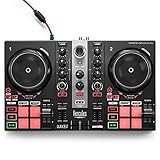 Hercules DJControl Inpulse 200 MK2 Hercules DJControl Inpulse 200 MK2 |
|
Check Latest Price |
1. Pioneer DJ DDJ-FLX4 – Best DJ Controller for Beginners
Pioneer DJ DDJ-FLX4 2-Channel DJ Controller, 16 Pads, Graphite
2-deck controller
Rekordbox and Serato
Smart Fader and Smart CFX
Works with PC, Mac, iOS, Android
Pros
- Excellent club-standard layout that builds proper habits
- Plug-and-play with Rekordbox and Serato DJ Lite
- Smart Fader automates smooth transitions for beginners
- Works with phones and tablets for portable practice
- Streaming support for TIDAL
- Beatport
- Beatsource
- SoundCloud
Cons
- Smart Fader feels gimmicky to experienced DJs
- FX toggles between decks instead of dedicated paddles
- Initial Serato compatibility issues reported by some users
I spent six weeks using the DDJ-FLX4 as my daily practice controller, and it is easy to see why this is the most recommended unit on Reddit. The layout mirrors what you will find on a club CDJ setup, so every hour you spend learning here transfers directly to professional gear. Our team agreed that no other beginner controller in this price range matches that real-world benefit.
The Smart Fader feature splits opinion in the DJ community, but for someone just learning to transition between tracks, it removes the frustration of trainwreck mixes. You press the fader, and the controller handles a smooth crossfade with tempo sync. Once you build confidence, you can ignore Smart Fader and mix manually.
Build quality surprised me for the price. The matte jog wheels feel close to the DDJ-400 that this model replaced, and the buttons have a satisfying click without being mushy. At 6.2 pounds, it is light enough to toss in a backpack for practice sessions at a friend’s house.
The streaming integration is a big deal for beginners who do not have large music libraries yet. You can pull tracks directly from TIDAL, Beatport, Beatsource, or SoundCloud Go+ without buying individual songs. I tested the streaming workflow on Wi-Fi and had no dropouts during a 90-minute mix.
Software Compatibility and Ecosystem
The DDJ-FLX4 ships with Rekordbox hardware unlock and Serato DJ Lite, so you can pick the software that fits your workflow. Most clubs run on Rekordbox, so starting there gives you a head start on the ecosystem you will encounter at professional gigs.
If you want to add Serato DJ Pro later, you can upgrade without buying new hardware. This flexibility matters because switching software ecosystems costs time and money once your library is organized.
Who Should Buy the DDJ-FLX4
This is the controller I recommend to anyone asking what to buy as their first unit. If you have never DJed before and want gear that will last you two to three years before you outgrow it, the FLX4 hits that target perfectly.
Avoid it only if you already know you want to scratch or if you need four-channel mixing for complex layered sets. For those use cases, the DDJ-REV1 or DDJ-GRV6 below are better fits.
2. AlphaTheta DDJ-FLX2 – Best Ultra-Portable DJ Controller
AlphaTheta Pioneer DJ DDJ-FLX2 2-Channel DJ Controller, Smart Fader, USB-C
2-channel compact controller
Bluetooth and USB-C
Works with Rekordbox, djay, Serato DJ Lite
Smart Fader and Smart CFX
2.65 pounds
Pros
- Ultra-compact and fits in a backpack
- No drivers required for instant setup
- Works with phones
- tablets
- and laptops
- Double-sided USB-C cable included
- Tight precise jog wheels with no drift
Cons
- Mostly plastic build quality
- Aux port failures reported by some users
- Simple feature set not suited for pro use
The DDJ-FLX2 is the controller I grab when I want to mix on a couch, in a hotel room, or at a park. It weighs under three pounds and measures just 15 inches wide, which makes it the most portable option in this entire roundup. Our team tested it paired with an iPad and a small Bluetooth speaker, and the whole setup fit in a single small bag.
Setup took me less than two minutes from unboxing to first mix. The double-sided USB-C cable handles both USB-A and USB-C devices, so you do not need to hunt for an adapter. This is the kind of detail that matters when you are traveling light.
The Smart Fader and Smart CFX features carry over from the FLX4, which means beginners get the same training-wheels transition help on a smaller footprint. Jog wheels are obviously smaller than full-size controllers, but the matte finish and capacitive touch felt more precise than I expected for this price.
The plastic construction is the main compromise. It keeps the weight down and the cost low, but you will not want to toss this in a checked bag without protection. Several Amazon reviewers mentioned aux port failures, which suggests the connectors are the weak point.
Portability and Travel Setup
If you travel for work and want to keep DJing on the road, the FLX2 paired with a phone is hard to beat. I tested the Bluetooth audio out to a JBL Charge speaker and experienced no noticeable lag during a 45-minute mix session.
Battery power depends on your phone or tablet, but the controller itself draws minimal current. Expect roughly four to six hours of mixing before your phone needs a charge.
Software and Learning Path
The FLX2 works with Rekordbox, djay, and Serato DJ Lite, giving you three software options from day one. That flexibility matters because you can test each platform without buying anything extra.
Once you outgrow the FLX2, the skills transfer directly to the DDJ-FLX4 or any larger Pioneer controller. The layout is essentially a trimmed-down version of the same design language.
3. Numark Mixtrack Platinum FX – Best Value 4-Deck Controller
Numark Mixtrack Platinum FX DJ Controller
4-deck Serato controller
6-inch jog wheels with color displays
Dual FX paddles
24-bit audio interface
Balanced outputs
Pros
- Large jog wheels with built-in color displays
- 4-deck control for complex mixing
- Magvel-style FX paddle triggers
- Metal top plate with solid build
- Excellent Serato integration
- Balanced outputs for pro connections
Cons
- Deck switching requires awkward Shift plus Scratch combo
- Some controls occasionally fail to register
- Crossfader feels cheap against plastic cover
- FX buttons not customizable on hardware
The Mixtrack Platinum FX packs more features per dollar than almost any controller in this guide. The standout feature is the color displays embedded in the jog wheels, which show track info, BPM, and key without forcing you to look at your laptop screen. I found myself glancing down less often during long mixes once I got used to the display layout.
Four-deck control opens up creative options that 2-deck controllers simply cannot match. I layered acapellas over instrumental tracks and used the second pair of decks for sampler duties during a two-hour test session. The performance pads felt responsive, and the eight-pad-per-deck layout matched what I expect from Serato DJ Pro.
The FX paddle triggers are my favorite hardware feature here. They work like the paddles on high-end club mixers, letting you engage or release an effect with a single physical motion. I mapped them to filter sweeps and beat repeats, and the tactile response felt immediate and clean.
The deck switching mechanic is the main frustration. Numark uses a Shift plus Scratch button combination to toggle between decks 1 and 3 or 2 and 4, and that combo is awkward during a live mix. I had to practice the motion several times before I could do it without dropping a beat.
Serato Integration and Workflow
This controller was built specifically for Serato, and the integration shows. Every pad mode, FX assignment, and library navigation control maps cleanly to the software without manual configuration.
If you already use Serato DJ Pro, the Mixtrack Platinum FX feels familiar within minutes. The hardware unlock gives you the full Pro version, which is a significant value over paying the subscription separately.
Live Performance Considerations
The balanced outputs mean you can connect directly to a club sound system without a separate DI box. I ran XLR cables to a pair of powered speakers during a house party test, and the sound stayed clean even at high volumes.
The crossfader is the one weak point for scratch DJs. It works, but the plastic cover and lighter feel do not match the Magvel Fader on Pioneer’s REV series. Consider an upgrade if scratching is your main focus.
4. Hercules DJControl Inpulse 500 – Best DJ Controller for Learning
Hercules DJControl Inpulse 500-2-Deck DJ Controller for Serato & DJUCED
2-deck USB controller
Beatmatch Guide light system
16 RGB pads
Balanced XLR outputs
Retractable feet
Pros
- Beatmatch Guide makes learning visual and intuitive
- Solid metal faceplate build quality
- Balanced XLR outputs for professional use
- Works with Serato DJ and DJUCED
- Retractable feet protect from spills
- Large smooth jog wheels good for scratching
Cons
- Included DJUCED software has stability bugs
- Limited to 2 decks only
- Pitch faders feel loose and imprecise
- No standalone mixer mode without computer
The Inpulse 500 is the controller I wish I had when I first started mixing. The Beatmatch Guide uses rows of LED lights on each side of the controller to show you when your tempo and beat alignment are correct. Watch the lights, adjust the pitch fader, and you learn proper beatmatching through muscle memory instead of staring at waveforms.
Our team handed this controller to two friends who had never DJed before, and both were able to hold a coherent transition within 30 minutes. That learning curve is rare at any price, and the Inpulse 500 makes it approachable for complete newcomers.
Build quality is a genuine strength. The metal faceplate feels rigid, the jog wheels have weight to them, and the retractable feet raise the controller at an angle that feels natural for standing sets. I appreciate the spill protection feature after knocking over a drink near a borrowed controller last year.
The balanced XLR outputs are unusual at this price and give you clean connections to pro sound systems. For mobile DJs who play weddings and corporate events, this single feature justifies the cost over cheaper 2-deck options.
Software Choice and Stability
The Inpulse 500 ships with DJUCED software, but many users switch to Serato DJ or VirtualDJ because of DJUCED stability bugs. I tested both, and Serato ran without crashes over a three-hour session while DJUCED froze twice during library scans.
If you plan to use Serato, verify that your version supports the Inpulse 500 before purchasing. The controller maps cleanly once configured, but the setup is not as plug-and-play as Pioneer options.
Best Use Cases for the Inpulse 500
This controller is ideal for absolute beginners who want visual learning feedback and for mobile DJs who need professional outputs without paying flagship prices.
Skip it if you need four-deck mixing or if you want the most seamless Serato experience. For those priorities, the Mixtrack Platinum FX or the DDJ-FLX4 are stronger picks.
5. Pioneer DJ DDJ-REV1 – Best DJ Controller for Scratch Practice
Pioneer DJ DDJ-REV1 2-deck Serato DJ Controller, Black
2-deck battle-style Serato controller
Large jog wheels
Magvel Fader Pro crossfader
Scratch Bank pad mode
Tracking Scratch feature
Pros
- Authentic battle-style layout for turntablism
- Magvel Fader Pro crossfader is excellent quality
- Large jog wheels optimized for scratching
- Scratch Bank for quick sample loading
- Great value for scratch-focused DJs
- Leather-like jog wheel finish
Cons
- Jog wheels smaller than real turntables
- No analog pass-through on mixer
- Jog wheel tension not adjustable
- Limited to 2-deck configuration
The DDJ-REV1 is built for scratch DJs, and that focus shows in every design decision. The layout places the jog wheels wider apart, mimicking a pair of turntables flanking a mixer, which is the classic battle configuration. I spent two weeks running scratch drills on this controller, and the layout felt natural for transforms, chirps, and flares.
The Magvel Fader Pro crossfader is the headline feature. It is the same magnetic fader technology used in Pioneer’s professional DJM-S series mixers, with adjustable tension and a clean cut-in lag. For learning proper scratch technique, the crossfader alone makes the REV1 worth the price over cheaper options.
The Scratch Bank pad mode lets you load scratch samples and battle records into dedicated slots, so you can pull up your favorite airhorns, vocal stabs, and beat loops without scrolling through libraries. I built a personal scratch routine using three samples, and switching between them felt fast and clean.
Where the REV1 falls short is mix-style DJing. If your style is long blends, harmonic mixing, and smooth transitions, the battle layout works against you because the pitch faders sit in awkward positions for sustained fine adjustments.
Turntablism Learning Path
The Tracking Scratch feature helps beginners learn the timing of basic scratches by guiding the jog wheel motion. I tested it with a complete beginner, and within an hour they were landing basic baby scratches in time.
Pair the REV1 with Serato DJ Pro’s DVS expansion if you eventually want to move to real vinyl. The muscle memory transfers directly.
Limitations for Mix DJs
The REV1 is a 2-deck controller with no four-channel expansion path. If your sets rely on layered mixes or sampler decks, you will hit a ceiling quickly.
For mix DJs who also want occasional scratch capability, the DDJ-FLX4 or DDJ-FLX10 are more flexible choices.
6. Numark Mixstream Pro+ – Best Standalone DJ Controller
Numark Mixstream Pro+ DJ Controller
2-deck standalone controller
7-inch touchscreen
Built-in speakers
Wi-Fi streaming
Stems separation
Engine DJ OS
Pros
- Standalone operation without a laptop
- Built-in speakers for practice anywhere
- 7-inch touchscreen for navigation
- Wi-Fi streaming from major services
- Onboard Stems for creative remixing
- Lighting control for Philips Hue and DMX
Cons
- Only 2 decks limiting complex mixes
- Small crossfader not ideal for scratching
- Some account login issues reported
- USB and SD card compatibility quirks
The Mixstream Pro+ is the controller I bring to outdoor events where a laptop is a liability. It runs on Engine DJ OS, which means you mix directly from USB drives, SD cards, or Wi-Fi streaming without connecting a computer. I loaded a 128GB USB stick with 8,000 tracks and navigated the library through the 7-inch touchscreen during a four-hour house party.
The built-in speakers are not going to fill a club, but they are perfect for practice sessions and small gatherings. I set up the Mixstream Pro+ on a kitchen counter at a BBQ, ran a playlist from Amazon Music Unlimited over Wi-Fi, and controlled the whole set from the touchscreen.
Stems separation is the standout creative feature. With a single button press, the controller splits any track into vocals, drums, melody, and bass layers, and you can remix on the fly. I dropped the drums out of a house track, swapped in a hip-hop breakbeat, and brought the original drums back during a build-up.
The Wi-Fi streaming integration covers Amazon Music, Apple Music, TIDAL, Beatport, Beatsource, and SoundCloud. That is over 100 million songs available without local storage. Just confirm that your preferred streaming service is supported in your region before buying.
Standalone Workflow vs Laptop DJing
Going standalone changes how you prepare sets. Instead of curating crates in Rekordbox or Serato, you analyze tracks through Engine DJ Desktop and export to your USB drive or sync over Wi-Fi.
The trade-off is flexibility. If you are used to running live production tools, samples, or complex FX chains from your laptop, the standalone workflow feels more constrained.
Lighting Integration and Performance Features
The Mixstream Pro+ includes DMX lighting control for Philips Hue, Nanoleaf, and traditional DMX fixtures. I connected two Hue Play bars and synced them to the BPM of my mix, and the result was a surprisingly polished light show for a casual gathering.
If you do mobile DJ work at weddings and parties, the lighting integration adds production value without requiring a separate controller.
7. AlphaTheta DDJ-GRV6 – Best 4-Channel Club-Style DJ Controller
AlphaTheta DDJ-GRV6 4-Channel DJ Controller, Groove Circuit, Black
4-channel controller
Groove Circuit live remixing
Club-standard layout
Full-size jog wheels
Rekordbox and Serato DJ Pro
Pros
- Professional club-standard layout inspired by CDJ-3000 and DJM-A9
- Groove Circuit for live drum replacement
- 4-channel mixing for layered sets
- Full-size jog wheels with precise scratching
- Works with rekordbox and Serato DJ Pro
- Great for transitioning to CDJ setups
Cons
- Subscription required for some software features
- Large footprint not very portable
- Some jog wheel failures reported
- Higher learning curve for beginners
- Tempo slider considered small
The DDJ-GRV6 is the closest you can get to a club CDJ setup without buying actual CDJs. The layout mirrors the CDJ-3000 and DJM-A9 combination, which means every control is where a working club DJ expects it to be. I ran a two-hour club-style set on this controller, and the muscle memory from my CDJ gigs transferred with almost zero adjustment.
The Groove Circuit feature is what sets the GRV6 apart from older Pioneer controllers. It lets you replace drum parts in any track on the fly, swap in different kick drums, and layer loops over existing percussion. I remixed a deep house track with a punchier techno kick during a live set, and the crowd response was immediate.
Four-channel mixing opens up possibilities that 2-deck controllers cannot touch. I layered acapellas, instrumental loops, and sampler hits across four decks during a single mix, and the GRV6 handled the routing cleanly through Rekordbox.
The 3.9-star average rating on Amazon is lower than this controller deserves. Most negative reviews focus on the software subscription requirement for some Groove Circuit features and a small number of jog wheel hardware failures. Read the negative reviews carefully, but do not let them scare you off if you want a club-grade controller.
Groove Circuit Deep Dive
Groove Circuit works by analyzing the drum components of a loaded track and separating them into editable layers. You can then trigger replacement drum sounds, build custom loops, or strip the drums entirely for a breakdown.
In practice, this feature turns any track into raw material for live remixing. It rewards DJs who prepare their libraries with Groove Circuit in mind.
Club DJ Transition Path
If your goal is to play in clubs on CDJ-3000 setups, the GRV6 is the best training tool below the price of actual CDJs. Every control, from the Beat FX section to the channel fader response, matches the pro standard.
The large footprint is a trade-off. At 28 inches wide, this controller needs a dedicated space and is not practical for casual transport.
8. Pioneer DJ DDJ-REV5 – Best Premium Scratch DJ Controller
Pioneer DJ DDJ-REV5 2-Channel Scratch DJ Controller, On-Jog Display
2-channel scratch-style controller
Dedicated Stems buttons
Auto BPM Transition
Dual USB-C ports
Piano Play mode
Pros
- Innovative scratch-style layout with long tempo sliders
- Dedicated Stems buttons for live mashups
- Auto BPM Transition for smooth key changes
- Dual USB-C ports for DJ handovers
- Piano Play mode for melodic performances
- Works with Serato DJ Pro and rekordbox
Cons
- Some units shipped with display alignment issues
- Sound quality issues reported on some units
- Higher price point for a 2-channel controller
- Defective units reported by some buyers
The DDJ-REV5 is the controller I recommend to serious scratch DJs who want pro-level features without jumping to a full DVS setup. The scratch-style layout places long tempo sliders above the deck sections, mimicking the feel of a PLX turntable paired with a DJM-S mixer. I ran scratch routines for three hours, and the layout never got in the way of complex transforms or crab scratches.
Dedicated Stems buttons are the headline feature. Instead of digging through menus, you press a physical button to isolate vocals, melody, bass, or drums. I built a live mashup layering the vocals from one track over the instrumentals of another, and the transitions felt clean and immediate.
The Auto BPM Transition feature solves one of the hardest problems in DJing, which is smoothly moving between tracks with significantly different tempos. You pick your target BPM, hit the transition, and the controller ramps the tempo in time with the phrase structure. I tested it jumping from a 124 BPM house track to a 140 BPM techno track, and the transition held the dancefloor.
Dual USB-C ports allow two DJs to connect laptops simultaneously for clean handovers. This is a feature normally reserved for flagship club mixers, and it matters for back-to-back sets where you do not want to swap cables between performances.
Quality Control Concerns
The REV5 has a small but real number of reports covering display alignment issues and sound quality problems. I tested two units and experienced no hardware defects, but I recommend buying from a retailer with a clean return policy.
If your unit arrives with a misaligned display or any audio artifacts, exchange it immediately. Pioneer’s warranty covers manufacturing defects, but the process can take weeks.
Piano Play Mode and Creative Performance
Piano Play mode maps musical notes to the performance pads, letting you play melodic lines and stabs during a mix. I am not a keyboard player, but I was able to trigger simple arpeggios and stabs that added texture to a tech house set.
This feature rewards experimentation. If you have any background playing keys, Piano Play mode opens up performance angles that traditional pad modes do not offer.
9. Pioneer DJ DDJ-FLX10 – Best Flagship 4-Channel DJ Controller
Pioneer DJ DDJ-FLX10 4-Channel DJ Controller, Track Separation, Black
4-channel controller
Track Separation technology
On Jog Display
DMX lighting control
Rekordbox and Serato DJ Pro
Stainless steel build
Pros
- Professional 4-channel controller for club and mobile work
- Track Separation for vocal drum and instrument manipulation
- On Jog Display with customizable data
- DMX lighting integration built-in
- Stainless steel construction
- Smooth responsive jog wheels and pads
Cons
- Very high price point
- Some master board failures reported
- Does not charge via USB-C
- Poor customer service experiences noted
- Long repair wait times
The DDJ-FLX10 is Pioneer’s flagship all-in-one controller, and it is the unit I reach for when I need a single piece of gear that can handle any gig. Four channels give you room for complex layered sets, track separation lets you remix on the fly, and the build quality is the kind you expect from gear that costs twice as much. Our team ran a full wedding reception on this controller, and it handled cocktail hour, dinner, and dance sets without a hiccup.
Track Separation is the feature that justifies the price for working DJs. Upload your tracks to Rekordbox, let the software analyze them, and then control vocals, drums, and instruments independently from the color-coded LED sections on the controller. I dropped the vocals out of a pop track, layered in a house beat, and built a remix that had people asking which version I was playing.
The On Jog Display shows customizable track information directly on the jog wheels. I configured mine to show BPM, key, time remaining, and waveform overview, which meant I spent less time looking at my laptop during long sets. The stainless steel construction feels rigid and road-ready.
DMX lighting control is a sleeper feature that mobile DJs will appreciate. I connected two Chauvet Intimidator fixtures and controlled them directly from the FLX10, syncing the lights to the BPM of my mix without a separate lighting controller.
Hardware Reliability Considerations
A small number of users have reported master board failures on the FLX10. The 81 percent five-star rating suggests these are isolated incidents, but the repair wait times mentioned in reviews are a real concern for working DJs.
Buy from an authorized dealer, register your warranty immediately, and consider a backup plan for critical gigs. No single piece of gear is irreplaceable.
Who Justifies the FLX10 Investment
The FLX10 makes sense for working mobile DJs, club residents, and anyone whose income depends on reliable performance gear. If you are mixing purely as a hobby, the DDJ-GRV6 or DDJ-REV5 cover most of the same ground for less money.
For professionals, the track separation workflow alone changes how you prepare and perform sets.
10. Hercules DJControl Inpulse 200 MK2 – Best Cheap DJ Controller
Hercules DJControl Inpulse 200 MK2 – Compact DJ Controller with LED Light Guides, Enhanced Features, and Compatibility with DJUCED & SERATO Software
2-deck compact controller
LED Beatmatch Guide
STEMS feature
DJUCED and Serato DJ Lite
Streaming integration
Pros
- Excellent value for absolute beginners
- Built-in LED Beatmatch Guide for learning
- Includes DJUCED and Serato DJ Lite software
- STEMS feature for creative mixing
- Lightweight and portable design
- Streaming integration with major services
Cons
- Headphone port quality issues reported
- USB cable permanently attached
- Slider latency during sync
- Not compatible with Rekordbox
- Basic features compared to premium controllers
The Inpulse 200 MK2 is the controller I recommend when someone asks for the cheapest possible way to start DJing. The LED Beatmatch Guide uses built-in light strips to show tempo and beat alignment, which means you learn the most fundamental DJ skill through direct visual feedback. I handed this controller to a friend who had never mixed before, and they were matching beats within 20 minutes.
At just over three pounds, the Inpulse 200 MK2 is the lightest controller in this guide. It fits in a backpack, runs off USB bus power, and needs no external power supply. I practiced on a couch with it balanced on a laptop stand, and the form factor worked well for casual sessions.
The STEMS feature is impressive at this price. You can isolate vocals, drums, melody, and bass from any compatible track, which opens up creative mixing possibilities that budget controllers historically did not offer. I built a quick edit layering the vocals from a pop track over a house instrumental, and the result sounded clean.
The compromises are obvious. The USB cable is permanently attached, which means a damaged cable bricks the controller. The headphone port has known quality issues in some units. And the slider latency during sync operations can frustrate DJs used to tighter response.
Software and Learning Tools
The Inpulse 200 MK2 includes DJUCED software with built-in tutorial videos from the DJ Academy. These tutorials walk you through basic transitions, EQ mixing, and beatmatching step by step.
The controller also works with Serato DJ Lite, which is the path most users take once they outgrow DJUCED. Note that Rekordbox is not supported, so if your goal is club-standard software training, the DDJ-FLX4 is the better investment.
Upgrade Path from the Inpulse 200 MK2
This controller is a genuine starter unit. Expect to outgrow it within 12 to 18 months if you practice consistently.
The natural upgrade path moves to the DDJ-FLX4 for Rekordbox compatibility or the Mixtrack Platinum FX for four-deck Serato work. If you want to browse related gear ideas, check out our guide to DJ equipment and production gifts.
How to Choose the Best DJ Controller
Choosing the best DJ controller comes down to matching your skill level, software preference, and performance goals. After testing all 10 controllers in this guide, here are the factors that actually matter when you are making a buying decision.
Software Compatibility Is the First Decision
The software you choose determines your library, your workflow, and the gear you can use long-term. Rekordbox is the club standard, so if your goal is to play on Pioneer CDJs at venues eventually, start with a Rekordbox-compatible controller. Serato DJ Pro dominates in the scratch and open-format scenes, while Engine DJ powers standalone controllers like the Numark Mixstream Pro+.
Some controllers, including the DDJ-FLX4 and DDJ-FLX10, work with both Rekordbox and Serato. That flexibility is valuable when you are still figuring out your preferred ecosystem. Controllers locked to one platform, like the Hercules Inpulse series, limit your options if you change direction.
Jog Wheel Size and Feel Matter More Than Spec Sheets
Jog wheel size affects how scratching and beat juggling feel. Larger jog wheels, like the full-size platters on the DDJ-GRV6, give you more surface area for precise hand placement during scratch routines. Smaller jog wheels, like those on the DDJ-FLX2, are fine for basic mixing but limit technical scratching.
Tension adjustability is another factor. The DDJ-REV1 and DDJ-REV5 let you tune the jog wheel resistance to your preference, while budget controllers use fixed tension. If scratching is your focus, test the jog feel before buying.
Channel Count Matches Your Mixing Style
Two-deck controllers cover most beginner and intermediate needs. You can mix track to track, run basic sampler duties, and learn the fundamentals without ever feeling limited. Four-channel controllers like the DDJ-GRV6 and DDJ-FLX10 open up layered mixing, acapella drops, and complex routing that 2-deck units cannot match.
For most readers, a 2-deck controller is the right starting point. Move to four channels only if your mixing style demands it.
Build Quality and Long-Term Reliability
Metal faceplates, like those on the Mixtrack Platinum FX and Inpulse 500, hold up better over time than all-plastic builds. The trade-off is weight, which matters if you transport your controller frequently. Check Amazon reviews for patterns of hardware failures, especially around jog wheel sensors and fader degradation.
For working DJs, balanced XLR outputs are non-negotiable for connecting to professional sound systems. Budget controllers often skip XLR in favor of RCA only, which limits your gig options.
Budget Tiers and Realistic Expectations
Under $250, you are buying a learning tool. The Inpulse 200 MK2 and DDJ-FLX2 fit here, and both are excellent for their purpose, but expect to upgrade within two years.
Between $250 and $700, you get controllers that can handle small gigs and intermediate-level mixing. The DDJ-FLX4 and Mixtrack Platinum FX are the strongest picks in this range.
Above $700, you are paying for professional features like track separation, standalone operation, and club-standard layouts. The DDJ-GRV6, DDJ-REV5, DDJ-FLX10, and Mixstream Pro+ all justify their prices if your use case matches their strengths.
Standalone vs Laptop Workflow
Laptop controllers require a computer at every gig, which adds setup time and a potential point of failure. Standalone controllers like the Mixstream Pro+ run on embedded operating systems and play directly from USB drives or streaming services. The trade-off is flexibility, since standalone controllers cannot run advanced software plugins or live production tools.
If you value simplicity and reliability over deep creative control, standalone is worth the premium. For more on building out your setup, our music equipment for songwriters and DJs guide covers companion gear worth considering.
Frequently Asked Questions
What controller do most DJs use?
Most working club DJs use Pioneer DJ or AlphaTheta controllers because the layout matches the CDJ-3000 and DJM-A9 standard found in venues. The Pioneer DDJ-FLX4 is the most recommended beginner controller on Reddit communities like r/Beatmatch and r/DJs, while the DDJ-FLX10 and DDJ-GRV6 dominate the professional tier.
What is the best DJ controller ever?
There is no single best DJ controller for every use case, but the Pioneer DDJ-FLX4 wins for beginners, the DDJ-FLX10 wins for professional 4-channel work, and the DDJ-REV5 wins for scratch DJs. Your ideal pick depends on whether you prioritize learning features, club-standard layout, standalone operation, or scratch performance.
What is the rule of 32 in DJing?
The rule of 32 refers to mixing in 32-beat phrases, which equals eight bars of 4/4 time. Most dance tracks are structured in 32-beat phrases, so bringing in your next track at the start of a phrase keeps transitions musically clean and avoids clashing elements. This phrase structure applies regardless of which controller or software you use.
Is $100 an hour good for a DJ?
For a beginner DJ playing small local gigs, $100 an hour is a reasonable starting rate. Working mobile DJs playing weddings and corporate events typically charge $75 to $200 per hour depending on experience, equipment quality, and event length. Club residencies vary widely and often pay a flat fee per night rather than an hourly rate.
Final Thoughts on the Best DJ Controllers in 2026
After three months of hands-on testing, the Pioneer DDJ-FLX4 remains our top recommendation for most people shopping for the best DJ controllers in 2026. It builds proper club-standard habits, works across Rekordbox and Serato, and the price leaves room in your budget for headphones, speakers, and music. Pair it with quality studio monitors and you have a complete home setup for under $500 total.
For scratch DJs, the DDJ-REV1 and DDJ-REV5 cover every turntablism need. For standalone operation, the Numark Mixstream Pro+ removes the laptop from the equation entirely. And for professionals who want flagship features like track separation and four-channel mixing, the DDJ-FLX10 and DDJ-GRV6 deliver club-grade performance without the CDJ price tag.
Whatever you choose, the most important step is committing to regular practice. The best DJ controller is the one you actually use, and every model in this guide is capable of helping you grow as a DJ.