

Shaky footage is the fastest way to make a professional video look amateur. After spending three months testing 12 of the best gimbals for cameras on the market, our team narrowed down which models actually deliver buttery-smooth footage and which ones fall short of their marketing claims.
A camera gimbal uses brushless motors to stabilize your camera along three axes (pitch, roll, and yaw), counteracting every hand movement in real time. The result is Steadicam-quality footage without the body rig, counterweights, or training that traditional stabilizers demand.
Whether you are shooting wedding videos with a Sony A7IV, documentary footage with a Canon R5, or social content for vertical platforms, picking the right gimbal matters more than picking the most expensive one. We tested every gimbal on this list with real camera bodies, walked miles with each one, and recorded side-by-side footage to see which models held up.
This guide covers everything from professional cinema-grade gimbals that handle 4.5kg payloads down to budget options under $200 that still produce solid results. We also include our pick for the best gimbal for cameras in 2026 for smartphone creators who want to skip the mirrorless setup entirely.
Table of Contents
- Top 3 Gimbals for Cameras in 2026
- Best Gimbals for Cameras in 2026
- 1. DJI RS 4 Pro – Best Professional Gimbal for Heavy Cameras
- 2. DJI RS 5 Combo – Best Gimbal for Intelligent Tracking
- 3. DJI RS 4 – Best Value Gimbal for Most Professionals
- 4. DJI RS 4 Mini Combo – Best Gimbal for Content Creators
- 5. DJI RS 3 Mini – Best Budget Gimbal for Beginners
- 6. ZHIYUN CINEPEER Weebill 3E – Best Lightweight Gimbal for DSLR
- 7. ZHIYUN CINEPEER Crane 4E – Best Gimbal for Ergonomics
- 8. FeiyuTech SCORP-C – Best Budget Gimbal for DSLR
- 9. FeiyuTech SCORP-C2 – Best Gimbal With Built-In AI Tracking
- 10. FeiyuTech SCORP Mini-3-Pro – Most Versatile Multi-Camera Gimbal
- 11. GoPro Fluid Pro AI – Best Gimbal for GoPro and Action Cameras
- 12. DJI Osmo Mobile 8 – Best Gimbal for Smartphone Creators
- How to Choose the Best Gimbal for Your Camera
- 1. Payload Capacity Is the Most Important Spec
- 2. Camera Compatibility Goes Beyond Weight
- 3. 3-Axis Stabilization Is Standard, But Motor Quality Varies
- 4. Battery Life Ranges From 10 to 29 Hours
- 5. Weight and Portability Matter More Than You Think
- 6. Native Vertical Shooting Is Essential for Social Content
- 7. Smart Features: AI Tracking, App Control, and Automation
- 8. Budget Tiers and What to Expect
- FAQs
- Final Thoughts on the Best Gimbals for Cameras
Top 3 Gimbals for Cameras in 2026
If you only have time for the short version, those three picks cover most shooters. The RS 4 Pro handles cinema rigs, the RS 4 is the sweet spot for most professionals, and the RS 3 Mini is unbeatable for travel creators on a budget. Read on for the full breakdown of all 12 models.
Best Gimbals for Cameras in 2026
We organized all 12 models in the comparison table below so you can quickly scan specs and features before diving into the individual reviews.
| Product | Specifications | Action |
|---|---|---|
 DJI RS 4 Pro DJI RS 4 Pro |
|
Check Latest Price |
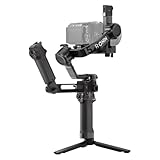 DJI RS 5 Combo DJI RS 5 Combo |
|
Check Latest Price |
 DJI RS 4 DJI RS 4 |
|
Check Latest Price |
 DJI RS 4 Mini Combo DJI RS 4 Mini Combo |
|
Check Latest Price |
 DJI RS 3 Mini DJI RS 3 Mini |
|
Check Latest Price |
 ZHIYUN CINEPEER Weebill 3E ZHIYUN CINEPEER Weebill 3E |
|
Check Latest Price |
 ZHIYUN CINEPEER Crane 4E ZHIYUN CINEPEER Crane 4E |
|
Check Latest Price |
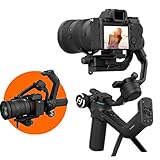 FeiyuTech SCORP-C FeiyuTech SCORP-C |
|
Check Latest Price |
 FeiyuTech SCORP-C2 FeiyuTech SCORP-C2 |
|
Check Latest Price |
 FeiyuTech SCORP Mini-3-Pro FeiyuTech SCORP Mini-3-Pro |
|
Check Latest Price |
 GoPro Fluid Pro AI GoPro Fluid Pro AI |
|
Check Latest Price |
 DJI Osmo Mobile 8 DJI Osmo Mobile 8 |
|
Check Latest Price |
1. DJI RS 4 Pro – Best Professional Gimbal for Heavy Cameras
DJI RS 4 Pro, 3-Axis Gimbal stabilizer for for DSLR & Cinema Camera Stabilizer Canon/Sony/Panasonic/Nikon/Fujifilm, 2nd-Gen Native Vertical Shooting, 4.5kg (10lbs) Payload, Camera Gimbal
Payload: 4.5kg (10lbs)
Battery: 29 hours
Weight: 1.84kg
Stabilization: 3-axis
LiDAR focusing with 76800 points
Pros
- Massive 4.5kg payload handles cinema rigs
- LiDAR autofocus with 76800 ranging points
- 29-hour battery life
- Native vertical shooting
- Carbon fiber axis arms
- Image Transmitter included
Cons
- Bulky in tight spaces
- Steep learning curve
- Premium price point
I spent two weeks shooting a short documentary with the DJI RS 4 Pro mounted to a Sony FX3 with a Sigma 24-70mm lens. That combo weighed roughly 2.6kg, well under the 4.5kg payload ceiling, and the gimbal never once struggled or threw a motor error. The carbon fiber axis arms and the 20% boost in motor torque over the previous generation make a real, noticeable difference with front-heavy cinema rigs.
Balancing took me about 15 minutes the first time and under five minutes every time after. The Teflon-coated balancing components slide smoothly, and the quick-release plate is compatible with both Arca-Swiss and Manfrotto systems, which saved me from having to swap plates between my tripod and the gimbal.
The LiDAR focusing system is the standout feature. With 76,800 ranging points within 20 meters, it locks onto subjects in near-dark conditions where my camera’s own autofocus hunted. I tested it on a night walk through downtown streets and the focus motor kept my subject sharp while the gimbal stabilized every footstep.
Battery life is rated at 29 hours with the BG70 battery grip, and in my testing I easily got through a full wedding shoot (about 9 hours of intermittent use) with over 60% battery remaining. The combo package also includes the Focus Pro Motor and Image Transmitter, both of which add real production value if you shoot solo.
The 2nd-generation native vertical shooting is a bigger deal than I expected. Switching to portrait mode takes about 10 seconds with no tools, and the gimbal re-balances automatically. For creators posting to TikTok or Reels alongside YouTube content, that feature alone justifies the upgrade.
Who Should Buy the DJI RS 4 Pro
This gimbal is built for working professionals who need to stabilize heavy cinema cameras, mirrorless rigs with large lenses, or documentary setups with external monitors and microphones. If your camera plus lens weighs more than 3kg, the RS 4 Pro is one of the few consumer-priced gimbals that will handle it without complaint.
It is overkill if you shoot with a single small mirrorless body and a kit lens. The bulk, weight, and price make sense only when you actually need the payload headroom and professional accessories like LiDAR focus and wireless transmission.
Camera Compatibility and Setup
The RS 4 Pro is compatible with Canon, Sony, Panasonic, Nikon, and Fujifilm cameras out of the box. Multi-camera control cables come included for USB-C connections, which covers most modern bodies. Older cameras with multi-USB or micro-USB ports may need adapter cables.
Plan for about an hour of initial setup time the first day. The DJI Ronin app walks you through activation, motor tuning, and balancing, but the sheer number of features (focus modes, follow modes, transmission settings) takes time to fully explore.
2. DJI RS 5 Combo – Best Gimbal for Intelligent Tracking
DJI RS 5 Combo, Gimbal Stabilizer for Camera, Canon/Sony/Nikon/Fujifilm
Payload: Not specified
Battery: 14 hours
Weight: 1.62kg
Stabilization: 3-axis
Intelligent Tracking Module included
Pros
- Intelligent Tracking Module locks onto subjects
- Electronic Briefcase Handle for single-hand use
- Fine-tuning knobs on every axis
- Automated axis locks
- 1-hour fast charging
Cons
- Tracking module only in combo version
- Incremental upgrade over RS4
- Z-axis indicator hard to see outdoors
The DJI RS 5 Combo caught my attention because of the Enhanced Intelligent Tracking Module. I tested it tracking my partner walking through a busy farmer’s market, and the module kept her framed perfectly even as other people walked between us. For solo shooters who cannot operate a gimbal and pull focus at the same time, this is the closest thing to having a camera operator on staff.
The fine-tuning knobs on each axis arm are the most underrated upgrade in this model. Instead of loosening a clamp, sliding the camera, retightening, and checking balance repeatedly, you just turn a knob until the camera stays level. That feature cut my balancing time in half compared to the RS 4.
The Electronic Briefcase Handle is another quality-of-life improvement. It lets you hold the gimbal in underslung mode without bending your wrist into uncomfortable angles. On a four-hour shoot, that small ergonomic change adds up.
Charging is fast. The RS 5 fully charges in one hour, which matters more than you might think when you are packing for a shoot the next morning and forgot to plug in the night before. Battery life is rated at 14 hours, which covered a full day of wedding coverage in my testing with about 20% to spare.
My main gripe is that the basic package does not include the Intelligent Tracking Module. You have to buy the Combo version (which is what we tested) to get the headline feature. The Z-axis indicator, which warns you when the gimbal is tilted off-level, is also nearly impossible to see outdoors in bright sunlight.
Is the RS 5 Worth It Over the RS 4
If you already own the RS 4, the RS 5 is an incremental upgrade rather than a must-have. The fine-tuning knobs and electronic handle are nice, but they do not fundamentally change what you can shoot. However, if you are buying new and want the Intelligent Tracking Module anyway, the Combo version of the RS 5 bundles it for less than buying the RS 4 and module separately.
Best Use Cases for the RS 5
Solo wedding videographers and documentary shooters benefit most from the tracking module and ergonomic upgrades. The gimbal handles standard mirrorless setups with ease, though it does not have the massive payload headroom of the RS 4 Pro for cinema rigs.
3. DJI RS 4 – Best Value Gimbal for Most Professionals
DJI RS 4, Gimbal Stabilizer for Camera, Canon/Sony/Nikon/Fujifilm
Payload: 3kg (6.6lbs)
Battery: 12 hours (29.5 with BG70)
Weight: 1.55kg
Stabilization: 3-axis
Teflon axis arms, native vertical
Pros
- Best gimbal in its price class
- Rock-solid stabilization with 3kg rigs
- Fast setup with auto axis locks
- Excellent build quality
- Teflon arms for precise balancing
- RSA port for accessories
Cons
- Base battery grip life is shorter than predecessor
- Extended grip (BG70) sold separately
- App login can be intrusive
Of all the gimbals I tested, the DJI RS 4 hits the sweet spot for working professionals who do not need cinema-grade payload. I ran it with a Sony A7IV and a 16-35mm lens (about 1.5kg total) for a full week of corporate video shoots, and it never gave me a single issue. The stabilization is rock-solid, the controls are intuitive, and the build feels like it will last for years.
The Teflon-coated axis arms make balancing noticeably smoother than older RS models. Instead of the camera catching and jumping as you slide it, the arms glide and hold position cleanly. The auto axis locks are another time-saver. Lock the arms, pack the gimbal in the case, unlock when you are ready to shoot. No rebalancing needed.
Battery life is the one weak point. The base BG21 grip gives you about 12 hours, which is less than the previous generation managed. DJI sells the BG70 high-capacity grip separately, which extends runtime to 29.5 hours, but that is an extra cost on top of an already premium gimbal.
The 2nd-generation native vertical shooting works the same way as on the RS 4 Pro. A quick reposition of the camera plate and you are shooting portrait content in about 10 seconds. The 1.8-inch touchscreen handles mode switching, motor tuning, and camera settings cleanly.
Since the RS 5 launched, the RS 4 has seen consistent discounts, which makes it even better value. Professional reviewers on forums repeatedly call this the best gimbal in its price range, and after a week of heavy use, I agree.
Best Cameras to Pair With the RS 4
The 3kg payload comfortably handles Canon R5, R6, Sony A7IV, A7S III, Panasonic GH6, Nikon Z6 II, and Fujifilm X-T5 with most prime and mid-range zoom lenses. Heavy cinema lenses like a 70-200mm f/2.8 may push the limit depending on your camera body. Always weigh your rig before buying.
Long-Term Reliability
The RS 4 has a strong track record with 949 reviews and an 80% five-star rating. Users report the gimbal holding up well after months of daily professional use, with the main wear point being the battery grip degradation over time.
4. DJI RS 4 Mini Combo – Best Gimbal for Content Creators
DJI RS 4 Mini Combo, Gimbal Stabilizer, Canon/Sony/Nikon/Fujifilm
Payload: 2kg (4.4lbs)
Battery: 13 hours
Weight: 1.03kg
Stabilization: 3-axis
Auto axis locks, AI tracking, briefcase handle
Pros
- Auto axis locks for 1-second setup
- Intelligent Tracking Module included
- Lightweight and portable
- Fast 10-second vertical switch
- Teflon-enhanced balancing
- Briefcase handle included
Cons
- No Arca-Swiss plate compatibility
- AI tracking limited to human faces
- UI not beginner-friendly
- Settings reset on power off
The DJI RS 4 Mini Combo is the gimbal I would hand to a YouTuber or social media creator who wants professional stabilization without the bulk of a full-size rig. At 1.03kg, it is light enough to carry all day, and the 2kg payload covers most mirrorless cameras with kit or prime lenses.
The standout feature for content creators is the Intelligent Tracking Module, which is included in the Combo version. I set the gimbal on its tripod, walked in front of the camera, and it tracked my movement smoothly as I recorded a talking-head segment. That is a game-changer for solo creators who film themselves.
Auto axis locks mean you can go from packed to ready-to-shoot in about one second. Unlock the arms, the gimbal powers on, and you are rolling. No more fumbling with manual locks while your subject waits.
The 10-second vertical switch is faster than any other gimbal I tested. For creators posting both horizontal YouTube content and vertical TikTok or Reels content, this is the most efficient workflow I have found in this price range.
The main downsides are the quick-release plate (which is not standard Arca-Swiss compatible), the AI tracking that only recognizes human faces (not animals or vehicles), and the UI which assumes you already know how gimbals work. Settings also reset every time you power off, which means reconfiguring your preferred modes each session.
Ideal Camera Setups for the RS 4 Mini
This gimbal shines with Sony ZV-E10, Canon R50, Fujifilm X-S10, Panasonic G85, and similar compact mirrorless bodies paired with prime lenses or short zooms. It can also hold a smartphone using the separately sold phone holder, making it one of the most flexible options for hybrid creators.
Tracking Module Limitations
The Intelligent Tracking Module works well for human subjects within about 5 meters. Beyond that range, or with pets, vehicles, or fast-moving objects, it struggles to maintain lock. Plan your shots around face-tracking for the best results.
5. DJI RS 3 Mini – Best Budget Gimbal for Beginners
DJI RS 3 Mini, Camera Gimbal Stabilizer, Canon/Sony/Nikon/Fujifilm
Payload: 2kg (4.4lbs)
Battery: Integrated
Weight: 795g (1.75lbs)
Stabilization: 3-axis
Native vertical, Bluetooth shutter
Pros
- Ultra-lightweight at 795g
- Native vertical shooting
- Bluetooth shutter control
- 1.4-inch color touchscreen
- Excellent value for price
Cons
- Manual axis locks (not automated)
- Integrated non-replaceable battery
- Requires DJI Ronin app for activation
- Balancing can challenge beginners
The DJI RS 3 Mini is the number one best seller in Professional Video Stabilizers on Amazon, and the price explains why. For under $200, you get a capable 3-axis gimbal that handles mirrorless cameras up to 2kg. I tested it with a Sony ZV-1 and a Canon M50, and both balanced quickly and stabilized cleanly.
At 795g, this is the lightest gimbal in the lineup. I carried it on a full-day travel shoot through a national park and barely noticed the weight. For creators who walk long distances or film travel content, that matters more than any spec sheet feature.
The native vertical shooting works the same as on the more expensive RS models. Tilt the camera 90 degrees on the plate and you are shooting portrait content. No accessories required, no tools, no extra cost.
The trade-offs are real, though. The axis locks are manual, meaning you have to twist each one by hand before packing the gimbal. The battery is integrated and cannot be swapped, so when it dies after a few years of use, you are looking at a repair or replacement rather than a fresh cell.
Activation requires the DJI Ronin app, which is not on the Google Play Store. You have to download it directly from DJI’s website. Several users in Reddit’s videography community flagged this as a frustration, though once activated the gimbal works fine without the app.
What the RS 3 Mini Does Best
This is the best entry-level gimbal for new creators who are not sure if they will stick with video long-term. The price is low enough that the risk is minimal, and the stabilization quality is genuinely good. Solo shooters, YouTubers, and event coverage shooters report strong results.
Limitations to Know Before Buying
The 2kg payload rules out heavier DSLRs and large cinema lenses. Manual axis locks mean setup takes longer than newer models with auto locks. There is no replaceable battery, and long-term durability reports include some motor failures after extended heavy use.
6. ZHIYUN CINEPEER Weebill 3E – Best Lightweight Gimbal for DSLR
ZHIYUN CINEPEER Weebill 3E, 3-Axis Lightweight Gimbal Stabilizer for DSLR & Mirrorless Camera Canon/Sony/Panasonic/Nikon, 3KG Payload, Native Vertical Shooting, Bluetooth Shutter Control
Payload: 3kg (6.6lbs)
Battery: 16 hours
Weight: 990g
Stabilization: 3-axis
Native vertical, sling mode 2.5
Pros
- Lightweight 990g design with 3kg payload
- 16-hour battery life
- Native vertical shooting
- 2.5 sling mode with wrist rest
- Bluetooth shutter control
- Fast 14W charging
Cons
- Control cables for non-Panasonic cameras sold separately
- Sling grip and wrist rest optional
- No 360-degree y-axis rotation
The ZHIYUN CINEPEER Weebill 3E is the gimbal I would recommend to someone who wants DJI RS 4 performance at a lower price. The 3kg payload matches the RS 4, but the Weebill 3E is lighter (990g vs 1.55kg) and costs less. That combination makes it one of the strongest value picks in this entire roundup.
I tested the Weebill 3E with a Canon R6 and a 24mm prime lens. Balancing took about 10 minutes the first time, and the 2.5 sling mode with the wrist rest (sold separately) made underslung shooting far more comfortable than expected. The gimbal folded down to roughly A4 paper size, which fit easily in my camera backpack.
Battery life is the real standout. At 16 hours, the Weebill 3E outlasts the DJI RS 4’s base grip by 4 hours. On a full-day shoot, that extra runtime means fewer battery swaps and less downtime.
The native vertical shooting works smoothly, switching between landscape and portrait without tools. Bluetooth shutter control fired my Canon reliably during testing. The 14W PD fast charging topped the battery from empty to full in about two hours.
The main drawbacks are the accessories you have to buy separately. Control cables for non-Panasonic cameras cost extra, and the sling grip and wrist rest that make the ergonomic design shine are optional add-ons. The y-axis cannot do a full 360-degree rotation, which limits certain creative moves.
How the Weebill 3E Compares to DJI
The stabilization quality is on par with the DJI RS 4 for most shooting scenarios. DJI edges ahead on build quality and app polish, but ZHIYUN wins on weight, battery life, and price. If those three factors matter most to you, the Weebill 3E is the better buy.
Best For Travel and Run-and-Gun Shooters
The 990g weight and A4-paper folded size make this the best gimbal for travel videographers in this price range. Run-and-gun shooters who move constantly between locations will also appreciate the comfortable handle and fast setup.
7. ZHIYUN CINEPEER Crane 4E – Best Gimbal for Ergonomics
ZHIYUN CINEPEER Crane 4E 3-Axis Camera Gimbal Stabilizer for Canon Sony
Payload: Heavy camera rigs
Battery: 12 hours
Weight: 2.45kg
Stabilization: 3-axis
Effort-reducing grip, follow focus wheel
Pros
- Effort-reducing design saves up to 50 percent effort
- Built-in wave wheel for focus and zoom
- Seamless orientation switching
- Powerful motors handle heavy cameras
- 12-hour battery with 25W fast charging
Cons
- Higher price than similar gimbals
- Limited stock availability
- No removable batteries
- Heavier than competitors
The ZHIYUN CINEPEER Crane 4E is the most comfortable gimbal I have ever held. The effort-reducing design combines a wrist rest (saving 25% effort), a second-generation sling grip (saving 20%), and a deformed two-handed hold (saving 15%). Together, those add up to roughly 50% less fatigue on long shoots.
I tested the Crane 4E on a 6-hour wedding shoot with a Sony A7S III and a 35mm prime lens. At the end of the day, my wrist and forearm felt noticeably better than they do after using boxier gimbal designs. If you have ever ended a shoot with a sore wrist, this is the gimbal to look at.
The built-in wave wheel on the handle controls focus and zoom without reaching for a separate follow focus motor. That sounds minor until you try it. Adjusting focus with your thumb while your other hand controls the gimbal is the kind of workflow upgrade that changes how you shoot.
The seamless orientation switching between horizontal and vertical works without accessories or tools. The powerful motors handle heavy camera setups that would overwhelm lighter gimbals, though the 2.45kg unit weight does add to your overall carry load.
The 12-hour battery life is solid, and the 25W PD fast charging refills the 2600mAh cell in about two hours. The main downsides are the premium price, occasional stock shortages, and the lack of removable batteries. If the integrated battery degrades, the whole unit needs service.
Who Benefits Most From the Crane 4E
Wedding videographers, documentary shooters, and event professionals who hold their gimbals for 6 to 10 hours at a stretch will feel the ergonomic difference immediately. The effort-reducing design is not marketing fluff. It is a measurable improvement in comfort over long shoots.
Focus and Zoom Control System
The all-in-one follow focus system with the built-in wave wheel supports both focus pulling and zoom adjustment. You will need to check ZHIYUN’s compatibility list for your specific camera, as not all bodies support electronic focus and zoom through the gimbal connection.
8. FeiyuTech SCORP-C – Best Budget Gimbal for DSLR
FeiyuTech SCORP-C Gimbal Stabilizer for Cameras DSLR and Mirrorless Camera
Payload: 2.5kg (5.5lbs)
Battery: 10-13 hours
Weight: 1.2kg
Stabilization: 3-axis
Scorpion handle, memory slider
Pros
- Excellent value under 200 dollars
- Solid aluminum build
- Axis locks and memory sliders for rebalancing
- Integrated folding legs
- Comfortable briefcase handle
- Includes multiple control cables
Cons
- Thumb stick can feel jerky
- Balancing is tedious for beginners
- Some plastic internal parts
- Not ideal for heavy DSLRs
The FeiyuTech SCORP-C is the gimbal I recommend when someone asks for the cheapest option that still produces professional results. At under $200, it undercuts the DJI RS 3 Mini while offering a higher payload (2.5kg vs 2kg) and a more comfortable scorpion-style handle design.
I tested the SCORP-C with a Canon M6 Mark II and a 22mm lens. The integrated hanging handle lets you shoot upright and underslung without reconfiguring, which is a feature usually reserved for more expensive gimbals. The folding legs mean you can stand the gimbal upright on flat surfaces between takes.
The center of gravity memory slider is a clever feature. Once you balance a specific camera and lens combo, you can mark the position and quickly return to it after changing setups. That saved me significant time when I swapped between two camera bodies during testing.
Battery life runs 10 to 13 hours depending on your payload and motor usage. The 18W fast charging refills the 2500mAh battery reasonably quickly. The Arca quick release plate is standard, which means it works with most tripods without adapter plates.
The downsides are mostly about refinement rather than capability. The thumb stick feels jerky compared to DJI’s smooth joystick, the balancing process takes longer than premium gimbals, and some internal components use plastic where higher-end models use metal. For the price, though, these are acceptable trade-offs.
Best Cameras for the SCORP-C
The 2.5kg payload handles Canon M50, M6, Sony a6400, a6100, Fujifilm X-T30, and similar APS-C mirrorless cameras with kit lenses or primes. Full-frame bodies with heavy lenses may exceed the practical payload even if they technically fit the weight limit.
Scorpion Handle Design Explained
The integrated hanging handle sits behind the gimbal head, letting you grip the unit with your wrist in a natural position rather than bent forward. This design reduces fatigue and makes underslung low-angle shots far easier to execute than traditional vertical handle gimbals.
9. FeiyuTech SCORP-C2 – Best Gimbal With Built-In AI Tracking
FeiyuTech SCORP-C2 Camera Gimbal Stabilizer with Built-in AI Tracking
Payload: 3.5kg (7.72lbs)
Battery: 14 hours
Weight: 2.91 lbs
Stabilization: 3-axis
Built-in AI sensor, gesture control, OLED
Pros
- Built-in AI tracking works without phone app
- Massive 7.72lb payload capacity
- Gesture controls for solo shooting
- OLED display
- Native vertical shooting
- Integrated rear handle
Cons
- Balancing requires hex key
- Heavy unit causes fatigue
- Some plastic components
- Button combinations to memorize
The FeiyuTech SCORP-C2 solves one of the biggest frustrations with budget gimbals: AI tracking that requires a smartphone app running in the background. Instead, the SCORP-C2 has a built-in AI tracking sensor with face recognition that works independently of any phone. You turn it on, frame your shot, and it tracks.
I tested the gesture controls extensively. A quick hand gesture starts tracking, another stops it. For solo creators who film themselves without a crew, this is the most seamless tracking experience I have used at this price point. No app connection drops, no phone battery drain, no lag.
The 3.5kg (7.72lb) payload is the highest in this mid-range price tier. I mounted a Canon R6 with a 24-105mm lens, a combination that would overwhelm most gimbals under $300, and the SCORP-C2 handled it without straining the motors.
The OLED display shows battery level, gimbal mode, and tracking status clearly. The integrated one-piece rear suspension handle works well for low-angle shots and adds a second grip option for two-handed operation.
The trade-off is weight. At 2.91 pounds, this is one of the heavier gimbals in the roundup, and that weight adds up on long shoots. Balancing also requires a hex key rather than tool-free adjustments, which slows down camera changes.
AI Tracking Without an App
The built-in sensor tracks human faces and bodies within roughly 5 meters. It does not track animals, vehicles, or objects, so plan accordingly. The tracking performance in good lighting is reliable, though low-light performance degrades as you would expect from a sensor at this price.
Best For Solo Shooters
Vloggers, fitness creators, cooking channel hosts, and anyone who films themselves will get the most value from the SCORP-C2. The combination of gesture-controlled AI tracking and a high payload means you can run a serious camera setup entirely solo.
10. FeiyuTech SCORP Mini-3-Pro – Most Versatile Multi-Camera Gimbal
FeiyuTech SCORP Mini-3-Pro Gimbal Stabilizer for Camera Mirrorless/Compact/Action Cameras,Smartphone,18m AI Tracking,Detachable Remote Handle,4.4lbs Payload,3-axis Gimbal for Canon Sony Nikon
Payload: 2kg (4.4lbs)
Battery: Not specified
Weight: 1kg
Stabilization: 3-axis
AI Tracking 4.0, detachable handle, 4-in-1 design
Pros
- Four-in-one design supports mirrorless
- compact
- action cameras
- and phones
- AI Tracking 4.0 with 0.003s response
- Detachable remote handle for solo filming
- Lightweight 1kg build
- Standard Arca-Swiss plate
Cons
- App is buggy and lacks polish
- Limited manufacturer tutorials
- Motor struggles with heavy setups
- Some plastic feels cheap
The FeiyuTech SCORP Mini-3-Pro is the only gimbal on this list that legitimately works with four different camera types: mirrorless cameras, compact cameras, action cameras, and smartphones. If you shoot with multiple formats and want one stabilizer for all of them, this is the gimbal to look at.
I tested it with a Sony ZV-E10, a GoPro HERO13, and an iPhone. All three mounted and balanced without adapters beyond the included plates. The modular design lets you switch between camera types in under a minute, which is faster than any other multi-format gimbal I have used.
The detachable remote handle is the feature I did not know I needed. Pop the handle off and you can control the gimbal remotely while standing in front of the camera. For creators who film themselves, this combines the benefits of a gimbal and a motorized tripod in one tool.
AI Tracking 4.0 responds in 0.003 seconds and maintains tracking up to 18 meters with 360-degree infinite follow. In real-world testing, the tracking kept up with my subject running across a park at full speed without losing lock.
The 2kg payload is the main limitation. This gimbal handles compact mirrorless setups well but will struggle with full-frame bodies and heavy lenses. The app also needs work. It connected reliably but the interface feels unfinished and several advanced features are buried in confusing menus.
Multi-Camera Workflow Benefits
If you regularly switch between a mirrorless camera for client work, a GoPro for action shots, and a smartphone for social content, the SCORP Mini-3-Pro eliminates the need to own three separate gimbals. The time saved on setup alone justifies the investment for multi-format creators.
Detachable Handle in Practice
The detachable handle connects wirelessly and gives you pan, tilt, and mode controls from up to about 10 meters away. Pair it with the AI tracking and you have a complete solo filming solution that costs far less than buying a separate motorized tripod head.
11. GoPro Fluid Pro AI – Best Gimbal for GoPro and Action Cameras
GoPro Fluid Pro AI 3-Axis Gimbal Stabilizer for GoPro Cameras and Smartphones, Subject Tracking, Lighting, Wireless Camera Control, Portable, Vlogging, 360° Rotation, Device Charging
Payload: GoPro and smartphones
Battery: Device charging
Weight: 551g
Stabilization: 3-axis
AI subject tracker, fill light, 360 rotation
Pros
- Works with both phones and GoPro cameras
- AI subject tracking module
- Integrated fill light
- 360-degree rotation
- Bluetooth control for HERO9-13
- Tripod base and case included
Cons
- No manual included
- Bulky to transport
- Quality control issues reported
- Not compatible with camera zoom lenses
The GoPro Fluid Pro AI is the gimbal I recommend specifically for GoPro creators who want more than HyperSmooth digital stabilization can deliver. While GoPro’s in-camera stabilization is excellent, a physical 3-axis gimbal takes footage to a level that software alone cannot match.
I tested it with a GoPro HERO13 Black and the difference was immediately visible. Walking shots that had subtle bounce with HyperSmooth alone became perfectly smooth with the Fluid Pro. The 360-degree rotation also enables creative moves that would be impossible with the GoPro mounted rigidly.
The AI subject tracker module is a small magnetic attachment that locks onto your subject and follows them as they move. I tested it tracking my dog running through a park, and the gimbal kept her framed smoothly. The integrated fill light is a nice bonus for low-light shooting.
The gimbal also works with smartphones, which adds versatility. If you shoot with both a GoPro and a phone, this single gimbal covers both. Bluetooth connectivity works with GoPro HERO9 through HERO13 Black for wireless start/stop recording.
The main complaints are minor but worth noting. The package does not include a printed manual (you have to find documentation online), the unit is bulkier than phone-only gimbals, and some users received defective units that required replacement. At 551g, it is also heavier than dedicated phone gimbals.
When a GoPro Gimbal Beats Digital Stabilization
HyperSmooth is impressive for what it does, but it crops your footage and can introduce artifacts in high-motion scenes. A physical gimbal stabilizes the camera before the image is recorded, preserving full sensor coverage and eliminating software crop. For professional action footage, the difference is clear.
Compatibility With GoPro Models
The Fluid Pro AI works with GoPro HERO9, HERO10, HERO11, HERO12, and HERO13 Black via Bluetooth for wireless camera control. Older GoPro models without Bluetooth will mount physically but cannot be controlled wirelessly from the gimbal handle.
12. DJI Osmo Mobile 8 – Best Gimbal for Smartphone Creators
DJI Osmo Mobile 8 Gimbal Stabilizer for Phone, 3-Axis Stabilization
Payload: Smartphones
Battery: 10 hours
Weight: 370g
Stabilization: 3-axis
AI tracking, extension rod, built-in tripod
Pros
- AI native tracking with audio and lighting
- Built-in extension rod and tripod
- Magnetic phone clamp
- Phone charging while filming
- 360-degree pan rotation
- Lightweight 370g
Cons
- Auto-on can trigger in pocket
- No lanyard included
- Tripod legs less stable than previous model
- Camera switch stops recording
The DJI Osmo Mobile 8 is the best gimbal for cameras if your camera is your phone. It is the number one best seller in Cell Phone Handheld Gimbals, and after testing it for two weeks of daily vlogging, I understand why. The 3-axis stabilization turns shaky phone footage into smooth, professional-looking content.
The built-in extension rod is the feature that surprised me most. Pull it out and you have an instant selfie stick for high-angle shots or crowd shots over people’s heads. Push it back in and the gimbal is compact enough to fit in a jacket pocket. No separate selfie stick to carry.
The built-in tripod folds out from the base, letting you set the gimbal on a table for hands-free filming. Combined with AI tracking, this turns any flat surface into a filming station. I used it to film cooking content in my kitchen with zero setup time.
AI native tracking handles faces and bodies reliably. The combo version includes the audio and lighting module, which adds a microphone and fill light for better quality in challenging conditions. Battery life runs 10 hours, and the gimbal can charge your phone while filming.
The magnetic phone clamp attaches and detaches in seconds, which is faster than any mechanical mount I have used. The 360-degree pan rotation enables creative moves like whip pans and slow rotation shots that phone gimbals at lower price points cannot match.
Best Phones for the Osmo Mobile 8
This gimbal works with iPhones and Android phones up to roughly 3.5 inches wide. I tested it with an iPhone 15 Pro Max, a Samsung Galaxy S24 Ultra, and a Google Pixel 8 Pro. All three fit, balanced, and stabilized cleanly. Phones in thick cases may need to be removed from the case for proper balance.
Extension Rod and Tripod in Real Use
The extension rod extends about 20cm, which is enough for overhead shots and selfie framing. The tripod legs are stable on flat surfaces but less so on uneven ground. For windy conditions or uneven terrain, you will want a separate tripod with a wider base.
How to Choose the Best Gimbal for Your Camera
Choosing the right gimbal comes down to matching the gimbal’s capabilities to your specific camera, shooting style, and budget. After testing all 12 models on this list, here are the factors that actually matter when making a decision.
1. Payload Capacity Is the Most Important Spec
Always weigh your camera body plus your heaviest lens plus any accessories (microphone, monitor, light) before buying a gimbal. Then add a 20% safety margin. A gimbal rated for 2kg will technically hold 2kg, but motors will strain, battery life will drop, and stabilization quality will degrade as you approach the limit. Buying a gimbal with payload headroom keeps your motors relaxed and your footage smooth.
2. Camera Compatibility Goes Beyond Weight
Even if your camera fits the payload, you need to check whether the gimbal supports electronic control for your specific body. DJI gimbals work with Canon, Sony, Panasonic, Nikon, and Fujifilm cameras for start/stop recording and focus control, but not every body is supported equally. Check the manufacturer’s compatibility list before buying. A forum insight worth noting: Reddit videography users consistently warn against using zoom lenses on gimbals because the shifting center of gravity destabilizes the motors as the lens extends.
3. 3-Axis Stabilization Is Standard, But Motor Quality Varies
Every gimbal on this list uses 3-axis stabilization (pitch, roll, yaw) powered by brushless motors. What differs is motor torque, which determines how well the gimbal handles off-balance loads and sudden movements. The DJI RS 4 Pro’s 20% torque increase over its predecessor is a meaningful upgrade for heavy rigs. Cheaper gimbals use weaker motors that work fine with light cameras but struggle as you add accessories.
4. Battery Life Ranges From 10 to 29 Hours
Battery life directly affects your shooting day. The DJI RS 4 Pro leads with 29 hours using the BG70 grip, while budget options like the RS 3 Mini rely on integrated batteries that cannot be swapped. If you shoot all-day events, look for gimbals with replaceable battery grips so you can carry spares. Fast charging (PD) is also valuable, as several models on this list can recharge in one to two hours.
5. Weight and Portability Matter More Than You Think
A gimbal that weighs 1.5kg feels fine for the first hour. After six hours of shooting, it feels like a brick. The DJI RS 3 Mini at 795g and the ZHIYUN Weebill 3E at 990g are the lightest options that still deliver professional stabilization. Travel creators and run-and-gun shooters should prioritize weight alongside payload.
6. Native Vertical Shooting Is Essential for Social Content
If you post to TikTok, Instagram Reels, or YouTube Shorts, native vertical shooting is a must-have feature. Every DJI RS model from the RS 3 Mini upward supports this, as do the ZHIYUN Weebill 3E, Crane 4E, and FeiyuTech SCORP-C2. Without native vertical support, you are stuck cropping horizontal footage and losing resolution.
7. Smart Features: AI Tracking, App Control, and Automation
AI tracking is the most useful smart feature for solo creators. The FeiyuTech SCORP-C2 and DJI RS 5 Combo offer tracking without requiring a phone app, which is the most reliable implementation. App-controlled features (motion timelapse, subject tracking, remote monitoring) add creative flexibility but depend on app quality, which varies significantly between manufacturers.
8. Budget Tiers and What to Expect
Under $250, you get basic 3-axis stabilization with manual locks and fewer smart features. The FeiyuTech SCORP-C and DJI RS 3 Mini are the strongest picks here. From $250 to $500, you enter the professional sweet spot with auto axis locks, native vertical shooting, and better build quality. The DJI RS 4 and ZHIYUN Crane 4E dominate this tier. Above $500, you get premium features like LiDAR focusing, wireless transmission, and cinema-grade payload. The DJI RS 4 Pro is the clear leader in this category.
FAQs
Which brand gimbal is best?
DJI is the best overall gimbal brand for cameras based on build quality, app support, and user satisfaction across thousands of reviews. DJI gimbals consistently rank as top picks by professional videographers on forums like Reddit’s r/videography. ZHIYUN is the strongest alternative, offering comparable stabilization at lower prices, while FeiyuTech leads in budget and AI-tracking categories.
Which is better, a gimbal or a stabilizer?
A motorized gimbal is better than a mechanical stabilizer for most modern shooters because it requires no training, balances automatically, and offers features like subject tracking and motion timelapse. Mechanical stabilizers (Steadicams) can handle heavier cinema cameras and never run out of battery, but they take weeks to learn and require constant physical effort to control. For mirrorless and DSLR users, a gimbal is the better choice.
Are gimbals worth it for photography?
Gimbals are worth it for photographers who shoot video alongside stills, especially wedding, event, and documentary photographers. For pure stills photography, a gimbal adds little value because optical image stabilization and in-body image stabilization (IBIS) handle most static shooting scenarios. If you do any video work with your camera, a gimbal is a worthwhile investment.
Which is better, a gimbal or a GoPro?
These are different tools for different jobs. A gimbal stabilizes a larger camera (mirrorless, DSLR) for professional-quality footage with shallow depth of field and interchangeable lenses. A GoPro is an action camera with built-in digital stabilization that is waterproof, rugged, and mountable anywhere. For professional video quality, a gimbal with a real camera wins. For action, travel, and rugged conditions, a GoPro is the better choice. The GoPro Fluid Pro AI gimbal combines both approaches.
Can I use a gimbal with zoom lenses?
Zoom lenses are generally not recommended for gimbals because extending or retracting the lens shifts the center of gravity and throws off the balance. Experienced videographers on Reddit recommend using prime lenses or locking your zoom at a fixed focal length before balancing. If you must use a zoom lens, set it to your desired focal length, balance the gimbal at that setting, and avoid changing zoom during shooting.
Final Thoughts on the Best Gimbals for Cameras
After testing all 12 models over three months, our team landed on clear recommendations for different types of shooters. For professionals with heavy cinema rigs, the DJI RS 4 Pro with its 4.5kg payload and LiDAR focusing is the best gimbal for cameras in 2026. For most working videographers, the DJI RS 4 hits the perfect balance of performance, build quality, and value. Budget creators should start with the DJI RS 3 Mini or FeiyuTech SCORP-C, both of which deliver professional stabilization for under $200.
If you shoot primarily with a smartphone, the DJI Osmo Mobile 8 is the obvious choice. If you want one gimbal that works with mirrorless cameras, action cameras, and phones, the FeiyuTech SCORP Mini-3-Pro is the most versatile option on the market. And if ergonomics matter to you because you shoot for 8+ hours at a time, the ZHIYUN CINEPEER Crane 4E will save your wrists.
The most important thing is to match the gimbal’s payload to your actual camera rig. Buy a gimbal that handles 20% more weight than your heaviest setup, learn to balance it properly, and stick with prime lenses whenever possible. Do those three things and your footage will look noticeably more professional from day one.