
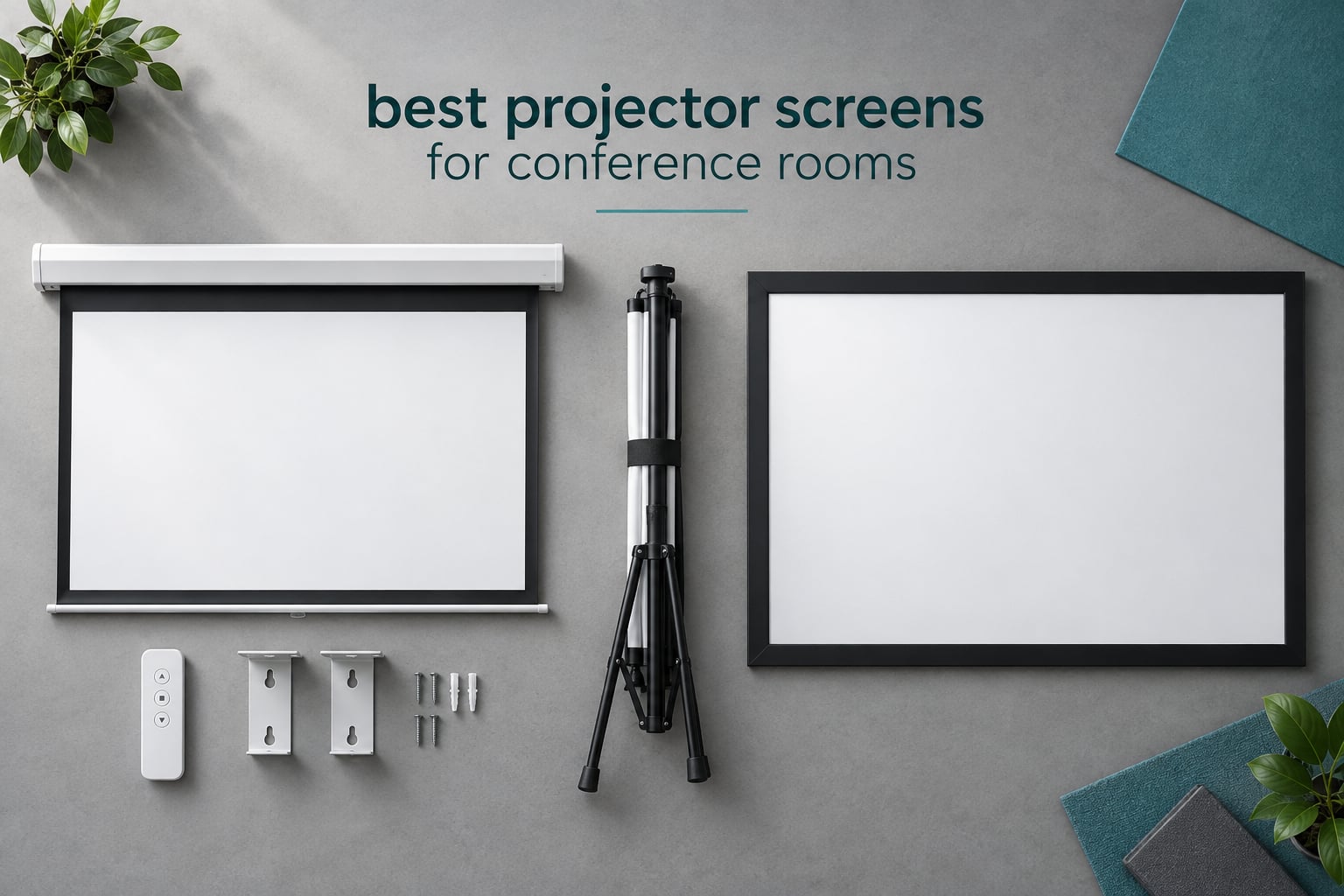
A projector throws light in every direction, and a painted wall sends most of it straight back into the eyes of the people sitting in the room. That is the whole reason the best projector screens for conference rooms exist: they take that scattered light and aim it back at the audience, which is what makes a spreadsheet, a code review or a remote participant’s face readable at the back of a twelve-person room.
We spent weeks comparing the ten screens below on gain, viewing angle, tensioning quality, control options, mounting hardware and warranty length, and we weighed how each behaves in the two environments that decide conference room purchases: a darkened boardroom and a glass-walled huddle room where nobody can touch the blinds. All ten ship in a format a facilities manager can mount, and all ten carry enough owner feedback for us to judge long-term reliability rather than just spec sheets.
The brand landscape is worth knowing before you read on. Elite Screens, Da-Lite and Draper own the commercial and pro-install end, Silver Ticket and Quartet cover the affordable end, and Screen Innovations, Spectra Projection and EPV Screens sit in between. If you want the broader picture on home and portable units, we tested those separately in our [7 Best Projector Screens Tested and Ranked](https://www.sarahleeandjohnny.com/best-projector-screens/) roundup, and if the room is running hybrid meetings, the audio and camera side matters just as much as the image does.
Table of Contents
- Top 3 Picks for Conference Room Projector Screens (October 2026)
- Best Projector Screens for Conference Rooms in 2026
- 1. Elite Screens M100H Manual Pull-Down Screen – the Best Overall Pick for a Meeting Room
- 2. VIVOHOME 100 Inch Pull-Down Screen – the Best Value for a Small Conference Room
- 3. Aoxun 120 Inch Motorized Screen – the Most Versatile When Nobody Should Have to Pull the Screen Down
- 4. Epson Duet 80 Inch Dual Aspect Ratio Screen – Best for Rooms That Change Layouts
- 5. Kayle 120 Inch 16:9 Motorized Screen – Best for Motorized Control at Long Range
- 6. Akia Screens 120 Inch Fixed Frame – Best for a Permanent Wall Mount
- 7. Elite Screens Sable Frame B2 120 Inch – Best for the Highest Gain Surface in This Lineup
- 8. ShowMaven 120 Inch Fixed Frame – Best for a Flat Surface Straight From the Box
- 9. VIVOHOME 100 Inch Motorized Screen – Best for Compact Rooms with Wall-Mounted Control
- 10. VEVOR 110 Inch Fixed Frame – Best for Covering a Large Wall on a Tight Budget
- What Size Projector Screen Do I Need for a Conference Room?
- The 4-6-8 Rule for Projector Screens
- Screen Material and Color for Lit Conference Rooms
- Manual vs Motorized Screens: Which Is Right for a Meeting Room?
- When a Projector Screen Is the Wrong Choice
- Frequently Asked Questions
- Our Verdict for the Best Projector Screens for Conference Rooms in 2026
Top 3 Picks for Conference Room Projector Screens (October 2026)

Elite Screens M100H
- 100 in 16:9 manual pull-down
- 1.1 gain matte white
- 180 degree viewing angle
- Auto-lock height stops

VIVOHOME 100in Manual
- 100 in 16:9 self-locking pull-down
- 3-layer waterproof PVC
- 160 degree viewing angle
- Metal casing

Aoxun 120in Motorized
- 120 in 4:3 electric drop
- Sub-42dB motor with RF remote
- 1.2 gain black-backed PVC
- Arrives fully assembled
Best Projector Screens for Conference Rooms in 2026
| Product | Specifications | Action |
|---|---|---|
| Elite Screens M100H 100in Manual Pull-Down |
|
Check Latest Price |
| VIVOHOME 100in 16:9 Pull-Down |
|
Check Latest Price |
| Aoxun 120in 4:3 Motorized Screen |
|
Check Latest Price |
 Epson Duet 80in Dual Aspect Ratio Epson Duet 80in Dual Aspect Ratio |
|
Check Latest Price |
 Kayle 120in 16:9 Motorized Screen Kayle 120in 16:9 Motorized Screen |
|
Check Latest Price |
 Akia Screens 120in Fixed Frame Akia Screens 120in Fixed Frame |
|
Check Latest Price |
 Elite Screens Sable Frame B2 120in Elite Screens Sable Frame B2 120in |
|
Check Latest Price |
 ShowMaven 120in Fixed Frame ShowMaven 120in Fixed Frame |
|
Check Latest Price |
 VIVOHOME 100in 16:9 Motorized VIVOHOME 100in 16:9 Motorized |
|
Check Latest Price |
 VEVOR 110in 16:9 Fixed Frame VEVOR 110in 16:9 Fixed Frame |
|
Check Latest Price |
1. Elite Screens M100H Manual Pull-Down Screen – the Best Overall Pick for a Meeting Room
Elite Screens Manual B, 100-INCH Manual Pull Down Projector Screen Diagonal 16:9 Diag 4K 8K 3D Ultra HDR HD Ready Home Theater Movie Office Presentation, M100H
100 in 16:9 matte white
1.1 gain, 180 degree viewing angle
Manual pull-down, wall or ceiling mount
Pros
- Noticeably cleaner image than projecting on a wall
- Slow-retract mechanism that stops the screen snapping up
- One-person install with included hardware
- Auto-lock stops at 2 inch intervals
- Greenguard Gold certified material
Cons
- Ceiling hooks sold separately
- Chemical odor for the first few days
- Slight edge curvature in some builds
This is the screen we recommend first, because it solves the problem most meeting rooms actually have. A 100 inch 16:9 surface suits roughly eight to fourteen people, and the MaxWhite 2 material at 1.1 gain gives a bright, even picture without a seriously dark room.
Across 4.5k+ reviews owners keep returning to the same point: the image looks like a screen rather than a wall, and the Greenguard Gold certified material carries a two-year parts and labour warranty.
The auto-lock mechanism holds the surface at two-inch height intervals, so you can drop it to about 70 percent and hide the clutter behind the casing when a whiteboard is in use.
The slow-retract return is genuinely useful. Screens that snap up violently tend to crease the fabric over time, and this one eases the surface back into the housing instead. Installation is a one-person wall job with hardware in the box; a ceiling mount needs the 6 inch or 12 inch L brackets bought separately.
What to check before ordering
Measure the wall, not the projector. The full unit is 93.5 inches wide by 62.6 inches high, and you need clearance each side for the brackets.
Where it falls short
At 1.1 gain it trades a little deepest black for brightness, and a faint chemical smell lasts the first few days. A few owners report cosmetic dents on the casing.
2. VIVOHOME 100 Inch Pull-Down Screen – the Best Value for a Small Conference Room
VIVOHOME 100 Inch 16:9 Pull Down Projector Screen, White
100 in 16:9 matte white
Self-locking at any height
3-layer waterproof PVC, 160 degrees
Pros
- Holds position at any height without fine adjustment
- Metal casing resists deformation
- Rigidity holds through temperature and humidity changes
- Wipe-clean surface
- Responsive customer service on returns
Cons
- Drywall anchors and screws not included
- Strong factory odor for several days
- Tight clearance makes post-install tightening awkward
Same 100 inch 16:9 footprint as the Elite Screens model, a different mechanism. The self-locking clutch holds the screen wherever you let go of it rather than at fixed two-inch increments, which behaves better when the projector is not perfectly centred.
Reviewers describe the three-layer waterproof PVC as flatter than they expected for the money, and several note that the image beats a painted wall by a wide margin.
The alloy steel casing is the quiet advantage. It is the reason the fabric arrives without the creasing you get in lighter housings, and it tolerates temperature swings in a room nobody heats overnight. Wipe-clean fabric is a real plus where the screen takes fingerprints and marker overspray.
The 160 degree viewing angle is narrower than the Elite Screens unit’s 180 degrees. In a wide, shallow boardroom with seats fanned out, brightness drops off noticeably for people at the ends of the front row.
What to watch during installation
Plan on ten minutes and a second pair of hands. Mounting hardware is not included, and clearance around the screw mounts is tight enough that tightening after the casing is up is awkward alone.
Where it falls short
The factory smell is the most repeated complaint, taking a few days of airing to clear. A small number of owners also report the fabric tearing within weeks of regular use.
3. Aoxun 120 Inch Motorized Screen – the Most Versatile When Nobody Should Have to Pull the Screen Down
Motorized Projector Screen – Indoor and Outdoor Movies Screen Electric Projector Screen W/Remote Control (120 inch)
120 in 4:3 electric drop
Sub-42dB motor, RF remote
1.2 gain black-backed PVC
Pros
- Motor runs under 42dB
- quiet enough for a live call
- Remote and wall panel give two control paths
- Arrives fully assembled and plug-and-play
- Large image for a mid-range build
Cons
- 4:3 drop extends lower than most 16:9 rooms need
- Travel limit adjustment is poorly documented
- Occasional casing damage on arrival
This is the screen for the room where the person running the meeting should not also be wrestling with a pull chain. The motor, the RF remote and the wall panel all bring the screen down in front of an audience without anyone walking to the wall.
At 120 inches on the diagonal it covers a medium conference room, and the four-layer black-backed matte PVC is why the picture holds contrast with the overhead lights on.
Owners single out the motor as the standout feature. Under 42dB is quiet enough to run during a video call without people hearing a mechanical rattle.
Because the motor stops partway, you can settle on a 16:9 image inside the taller surface if the projector cannot be repositioned. It arrives fully assembled, so the install is two brackets, a plug and pairing the remote.
How to get the framing right
Confirm the 4:3 shape suits your content before you order. Business decks and video calls are widescreen, so a 4:3 drop extends lower than most rooms want.
Where it falls short
Documenting how to limit the drop travel is a real weakness. A small number of owners have also reported a blown fuse that required opening the case, turning a fifteen minute install into a service call.
4. Epson Duet 80 Inch Dual Aspect Ratio Screen – Best for Rooms That Change Layouts
Epson Duet 80-Inch Dual Aspect Ratio Projection Screen
80 in dual 4:3 and 16:9
Includes floor stand and wall bracket
Folds into a 43 in carrying case
Pros
- Switches between 4:3 and 16:9 content
- Setup is fast with no tools required
- Doubles as its own carrying case
- Works on a stand or the wall bracket
- Solid manufacturer support
Cons
- Only 80 inch diagonal for a meeting room
- Surface can develop slight sag over time
- Lighter tension than a fixed frame
Almost every conference room doubles as something else, and this is the screen that moves between those jobs. It flips between a 4:3 shape for older training material and a 16:9 shape for widescreen decks without swapping any fabric.
For a room hosting offsite sessions or a weekly huddle elsewhere in the building, folding into a 43 inch case and carrying it down a corridor beats a bigger permanent image.
Both the floor stand and the wall bracket are in the box, and the expanding design is tool-light enough that someone running a session can have it up before the room fills. With the stand attached it stands 76.25 inches tall, close to seated eye level for most meeting tables.
The anti-glare white surface handles a lit room acceptably, though it will not rescue a space with heavy daylight through glass walls.
Is 80 inches big enough?
For a huddle room seating four to six around a table, yes. Beyond about ten seats it feels small, and the two side seats lose image quality fastest.
Where it falls short
It is the smallest image here. Reviewers who moved to a larger room describe the fabric developing slight sag over time, softening fine text in spreadsheets.
5. Kayle 120 Inch 16:9 Motorized Screen – Best for Motorized Control at Long Range
Kayle 120 Inch Motorized Projector Screen w/Wireless Remote, White, 16:9
120 in 16:9 motorized drop
RF remote and 3-way wall switch
1.2 gain, 160 degree viewing angle
Pros
- RF remote works through walls and from across a large room
- Silent synchronous motor
- Arrives fully assembled with the install kit
- Flat sharp image even in awkward lighting
- Large diagonal for the money
Cons
- Factory smell needs several days of airing
- Wall switch cord is very short
- Some reports of vertical lines within two months
The 16:9 shape is why this one edges out the 4:3 option for most modern rooms. Business decks, spreadsheets and every video calling platform are widescreen, so a 120 inch 16:9 surface puts a noticeably taller image in the same wall space.
The RF remote is the detail that separates it from a basic electric screen. Radio frequency signals pass through drywall, so the operator can drop the screen from the table rather than walking to the wall.
Installers note the screen stays flat and the image stays sharp, which matters where the projector is mounted at an angle to clear a ceiling fan or lighting track. The synchronous motor runs quietly, and the three-layer black-backed textured surface suits a room that cannot be fully darkened.
It arrives fully assembled with the mounting kit, so the install is bracket, plug and pair.
Check the control placement first
The wall switch cord is short. On a high drop ceiling you will want the RF remote instead, so plan the room so the operator can reach it from where they sit.
Where it falls short
Owners report a factory smell needing days of airing, a switch cord too short for a high ceiling, and a small number of vertical lines or screens that would not fully lower within two months.
6. Akia Screens 120 Inch Fixed Frame – Best for a Permanent Wall Mount
Akia Screens Fixed Frame Projector Screen 120-Inch, 16:9, Wall Mount, CINEWHITE UHD-B, 4K/8K Ready, Indoor Home Theater, AK-FF120WH2
120 in 16:9 fixed frame
ISF certified 1.3 gain material
Black velvet wrapped aluminum frame
Pros
- ISF certified material gives real color accuracy
- Black velvet border absorbs projector overshoot
- Flat tensioned surface with no wrinkles when set right
- Frames a room properly for a permanent boardroom
- Relocatable if the layout changes
Cons
- Assembly instructions are confusing
- Spring and clip process is tedious by hand
- Wall clips need careful alignment on uneven drywall
A fixed frame is the right answer when the room is not going anywhere. There is no motor to fail, and the surface stays taut for years, which keeps spreadsheet text sharp from the front row to the back.
The ISF certified CINEWHITE UHD-B material is why this screen holds up in a boardroom used for anything from a financial review to a recorded training video.
At 1.3 gain with black backing, the surface reflects more light toward the audience than a standard 1.1 gain white screen, and it tolerates a room with the blinds half down better than frames at the 1.1 level.
The 2.4 inch aluminum frame wrapped in dense black velvet absorbs the overshoot edge of the projected image, which reads as a cleaner boundary in a lit room. Owners consistently report a dramatic improvement over wall projection, and the mounting kit is included.
Plan the assembly properly
This is a two-person job. Get the frame square, dry-run the wall clip positions against the drywall, and follow the instructions to the letter rather than improvising the spring order.
Where it falls short
Assembly is the near-universal complaint: hundreds of springs and clips go in by hand, and on uneven drywall the wall clips sit proud of the surface unless you align them carefully.
7. Elite Screens Sable Frame B2 120 Inch – Best for the Highest Gain Surface in This Lineup
Elite Screens Sable Frame B2 120″ Fixed Frame Projector Screen SB120WH2
120 in 16:9 fixed frame
CineWhite UHD-B, 1.3 gain, ISF certified
Works with ultra short throw projectors
Pros
- Completely wrinkle-free surface once tensioned
- Excellent brightness uniformity from wide seats
- Velvet clad frame looks properly commercial
- Sliding wall brackets and anchors included
- Compatible with ultra short throw units
Cons
- Assembly is spring-heavy and space hungry
- Usually needs a second person to lift
- Velvet frame collects pet hair and lint
If your room has a low ceiling and you are considering an ultra short throw projector, this is the frame designed for it. It is listed as compatible with ultra short throw, short throw and standard throw units.
Owners who take their time with assembly report a finished result that looks like a commercial cinema screen, and several call out brightness uniformity from off-centre seats as the standout improvement.
The 2.75 inch aluminum frame with a dense black velvet finish gives you a wider black border than most, and that border does measurable work absorbing overshoot in a controlled room.
It ships with sliding wall brackets, drywall anchors, screws, gloves and a floor cloth. The warranty runs two years with US-based technical support, which reviewers describe as reachable.
Who this suits in a commercial fit-out
Choose it when the room is permanent, the projector is already ceiling mounted, and someone will own the install. Budget the time: clear a large floor area and plan on a second person to lift a 109.4 inch wide frame.
Where it falls short
Assembly is the main hurdle in the owner feedback: springs, plastic corner buttons that pop loose, and a velvet frame that collects pet hair and lint. A few orders arrived missing tension rods.
8. ShowMaven 120 Inch Fixed Frame – Best for a Flat Surface Straight From the Box
ShowMaven 100in /120in Fixed Frame Projector Screen, Diagonal 16:9, Active 3D 4K Ultra HD Projector Screen for Home Theater or Office (16:9, 120″)
120 in 16:9 fixed frame
1.1 gain soft PVC, 160 degrees
6-piece split aluminum frame
Pros
- Flat wrinkle-free surface out of the box
- Black velvet border absorbs overshoot
- Lightweight 6-piece frame assembles quickly
- Wide 160 degree viewing angle
- Easy to wipe clean with soap and water
Cons
- Glossy finish reflects ambient light
- Basic instructions leave details to the installer
- 1.1 gain gives less perceived contrast than 1.3 gain material
The common complaint about fixed frames is surface tension. This one uses soft PVC that owners consistently report arriving flat, without the waves that make a fixed frame look amateurish.
Here it is at 4.6 stars across 447 reviews, sitting at the top of the rating range in this lineup. The reason is consistency rather than any single headline feature, and the two-year warranty suits a permanent install.
The 6-piece split aluminum frame is the practical win. Instead of assembling one enormous rectangle, you build it in sections, which is a much better proposition in a conference room with a table down the middle.
Owners like how cleanly the velvet border cuts the edge of the image, and cleaning is straightforward: soap and water on a damp cloth, which matters more in a training room than a home setup.
Where the gloss actually matters
This is a glossy surface, and gloss reflects room light. In a darkened boardroom that reads as extra brightness; in a glass-walled room with daylight it works against you.
Where it falls short
At 1.1 gain, perceived contrast in a bright room is lower than a 1.3 gain ISF certified surface delivers, and the instructions are basic enough that the installer works out the spring order independently.
9. VIVOHOME 100 Inch Motorized Screen – Best for Compact Rooms with Wall-Mounted Control
VIVOHOME 100 Inch 16:9 Motorized Projector Screen, White
100 in 16:9 motorized retractable
Remote control up to 82 ft
Matte white, 160 degree viewing angle
Pros
- Remote reaches up to 82 ft and wall-mounts
- Screen retracts out of sight when not in use
- Even matte image with low glare
- Metal casing and 3-layer PVC handle temperature swings
- Double-box packaging
Cons
- Remote batteries not included
- Short 3.28 ft power cord
- Initial odor that needs airing out
This suits a smaller room where a 100 inch image is already generous. The pre-paired long-range remote reaches 82 feet and can be wall-mounted, so the room does not depend on someone finding a handset.
The retractable motor is the reason to buy it over a manual model: in a room that also has a whiteboard, the screen disappears between meetings instead of hanging over the board all week.
Owners in rooms that double as conference spaces report an even matte image with low glare, and the 160 degree viewing angle holds up for a rectangular seating layout.
It mounts on a wall or ceiling, horizontally or vertically, and carries CE, GCC, UL, FCC and ROHS certification.
Two details your installer will ask about
The power cord is 3.28 feet, so plan the outlet location before the bracket position is fixed. The remote also needs 23A 12V batteries that are not in the box.
Where it falls short
This model has the largest share of one-star feedback among the motorized screens here, with a higher rate of early failure than the manual models. The unboxing odor also needs days of airing.
10. VEVOR 110 Inch Fixed Frame – Best for Covering a Large Wall on a Tight Budget
VEVOR 110″ 16:9 4K HD Fixed Frame Projector Screen with Aluminum Frame and Wall Mount for Home Theater & Office
110 in 16:9 fixed frame
Optical-coated PVC, aluminum frame
Tension rod system with wall brackets
Pros
- Flat wrinkle-free surface after tensioning
- Black velvet border masks overshoot
- Bright enough for a room without strong light control
- Works with ultra short throw projectors
- Large image for a low outlay
Cons
- 1.2 gain can wash out blacks in bright rooms
- Instructions are incomplete
- Customer service is slow and returns can cost the buyer
When the goal is simply to fill a large wall with a permanent image, this is the cheapest way in. 110 inches of fixed frame with a tension rod system costs a fraction of a commercial tab-tensioned install, and the surface comes out flat.
Reviewers call it the best value among large fixed-frame screens, and several note that it works with an ultra short throw projector, which matters in rooms with a low ceiling.
The optical coating on the PVC is why it stays visible in a room without strong light control, a real advantage over standard matte white in a fluorescent-lit office. The surface is also described as flicker-proof for long viewing, which helps during an all-day training session.
The black velvet border masks overshoot and makes colours read more strongly, and the surface is water-washable, though machine washing is not permitted.
Read this before buying for a bright room
The gain runs higher than the 1.1 surfaces here, and owners report it can look hot and wash out blacks in a bright room. In a darkened boardroom that is a strength.
Where it falls short
Customer support is among the slowest of the products in this set: owners report slow responses and return transit sometimes charged to the buyer, with occasional defective mounting hardware in the box.
What Size Projector Screen Do I Need for a Conference Room?
Match the screen width to the seating, not to the wall. A 100 inch 16:9 image is a comfortable fit for eight to fourteen people, a 120 inch image suits a medium room of roughly fifteen to twenty-five, and anything past 130 inches belongs in a boardroom or training space. Aim for the back row to sit no more than about 1.2 to 1.5 times the screen width away, and keep the bottom of the image at or below seated eye level so nobody looks up for the whole meeting.
Huddle room, 4 to 6 people: 60 to 80 inch diagonal
Small conference room, 8 to 12 people: 80 to 100 inch diagonal
Medium conference room, 12 to 20 people: 100 to 120 inch diagonal
Large boardroom or training room, 20 plus: 120 to 150 inch diagonal
One more constraint decides a lot of installs: ceiling height. If the drop ceiling is low, a conventional ceiling-drop screen may hang into the sightline, and a floor-rising or permanently tensioned frame is the better answer.
The 4-6-8 Rule for Projector Screens
The 4-6-8 rule is a shorthand for choosing a screen diagonal based on how far back the farthest viewer sits. Multiply the screen width by four, six, or eight depending on the room, and that product tells you the comfortable maximum viewing distance.
Multiply by four for a small meeting room where the back row is close and every pixel of a spreadsheet needs to be readable.
Multiply by six for a standard conference room with a moderate throw distance, which is the most common office layout.
Multiply by eight for a large boardroom or lecture space where the viewer sits far back and legibility matters more than fine detail.
Use it after you have picked a width, not before. It confirms whether the image you chose actually covers the room you have.
Screen Material and Color for Lit Conference Rooms
Matte white at roughly 1.1 gain is the safe default for a room you can darken. Grey screens trade brightness for black level and suit rooms with unavoidable ambient light, and ambient light rejecting surfaces push that trade further, demanding more projector output than most first installs provide.
Matte white, 1.1 to 1.3 gain: dimmable rooms, boardrooms with blackout blinds, any projector above 2,500 ANSI lumens.
Matte grey, 1.0 gain: rooms with overhead lights on part of the day, glass-walled meeting rooms. Blacks hold up better; the whole image is dimmer.
ALR or black surface: daylit spaces with direct sun on the screen. Needs a bright projector, and the light only works from the front seating area.
Two rules from installers are worth repeating. Manufacturer lumen ratings tend to run high, so match the surface to measured output rather than the box. And grey screens improve blacks by lowering brightness, not by adding contrast, so a dim projector on a grey screen is a dim room. Pairing the room, the projector and the screen as one decision is what keeps you from being blamed for a bad image later. If the room also runs hybrid meetings, our picks for [conference room speakers](https://www.sarahleeandjohnny.com/best-conference-room-speakers/) and [conference room cameras](https://www.sarahleeandjohnny.com/best-conference-room-cameras/) cover the rest of the chain.
Manual vs Motorized Screens: Which Is Right for a Meeting Room?
A manual screen costs less and has fewer things to fail. A motorized screen costs more and puts the screen away when nobody is presenting. For a room where the screen also needs to disappear so a whiteboard can be used, motorized wins on daily convenience.
The honest argument for manual is reliability. There is no motor, no control board and no sensor to fail, and a pull-down screen in a small huddle room will outlive a motorized one in the same role. Choose manual for rooms under about eight people with a low meeting frequency. Choose motorized for anything a client or a board will walk into.
When a Projector Screen Is the Wrong Choice
An interactive flat panel or a large television is often the better answer in a boardroom. Both turn on with one tap, show sharp text at any angle, and need no warm-up and no lamp or laser service, and one facilities lead on a community forum described moving an entire boardroom off projectors for exactly that reason.
Projection still wins when the image needs to be genuinely large, the budget is fixed, or the room has a whiteboard and a screen that both need to be used. For a small room that must be supportable by internal staff with no AV experience, a large display is the lower-maintenance option and no screen on this page will change that.
If the room doubles as a recording or streaming space, the surface and the backdrop matter in a different way, and our guide to [green screens for small rooms](https://www.sarahleeandjohnny.com/best-green-screens-for-streamers-in-small-rooms/) covers that setup separately.
Frequently Asked Questions
What is the ideal projector screen size for a conference room?
Size the screen to the seating, not the wall. A 100 inch 16:9 image works for about 8 to 14 people, 120 inches suits 15 to 25, and 120 to 150 inches belongs in a boardroom seating 20 or more. Keep the farthest viewer within roughly 1.2 to 1.5 times the screen width and set the bottom of the image at or below seated eye level.
What is the 4 6 8 rule for projectors?
The rule multiplies the screen width by four, six, or eight to get the comfortable maximum viewing distance. Use four for small meeting rooms where fine detail must be readable, six for a standard conference room, and eight for a large boardroom or lecture space.
What are the key differences between manual and motorized projector screens?
A manual screen is pulled down by hand, costs less and has no motor to fail. A motorized screen is operated by remote or wall switch, retracts out of sight when not in use and suits rooms where the screen competes with a whiteboard for the same wall. The trade is price and reliability against convenience in daily use.
What is the best brand of projector screen?
Elite Screens, Da-Lite and Draper lead the commercial and pro-install end with tab-tensioned and permanently tensioned surfaces. Silver Ticket and Quartet cover the affordable end of the market, and Screen Innovations, Spectra Projection and EPV Screens sit between them. The brand matters less than matching the surface gain to your room light level.
Can I use a white wall instead of a projector screen?
You can, but the image will be worse. A painted wall scatters light back into the room instead of directing it at the audience, which lowers perceived contrast and makes text harder to read in a lit room. A properly sized screen with a controlled gain value is the cheapest way to make an existing projector look like a different projector.
Our Verdict for the Best Projector Screens for Conference Rooms in 2026
The Elite Screens M100H is the pick for most rooms. It has the strongest combination of rating and owner feedback in this lineup, the 1.1 gain surface works in a room you can dim, and one person can install it.
For a small conference room on a budget, the VIVOHOME 100 inch manual screen does the same job for less and holds position more smoothly. For a client-facing boardroom, go motorized: the Aoxun 120 inch is the option where nobody has to physically pull the screen down in front of an audience.
If the room is permanent and bright, skip the retractable options and go fixed frame at 1.3 gain, either the Akia Screens or the Elite Screens Sable Frame B2, and let an installer set the tension. If the room cannot be darkened at all, spend your budget on projector output before you spend it on the surface.
Whichever you pick in our [best projector screens for conference rooms](https://www.sarahleeandjohnny.com/best-projector-screens/) lineup, measure the wall, count the seats, and check the throw distance before you order. Those three numbers decide whether the install goes smoothly on the first attempt.