
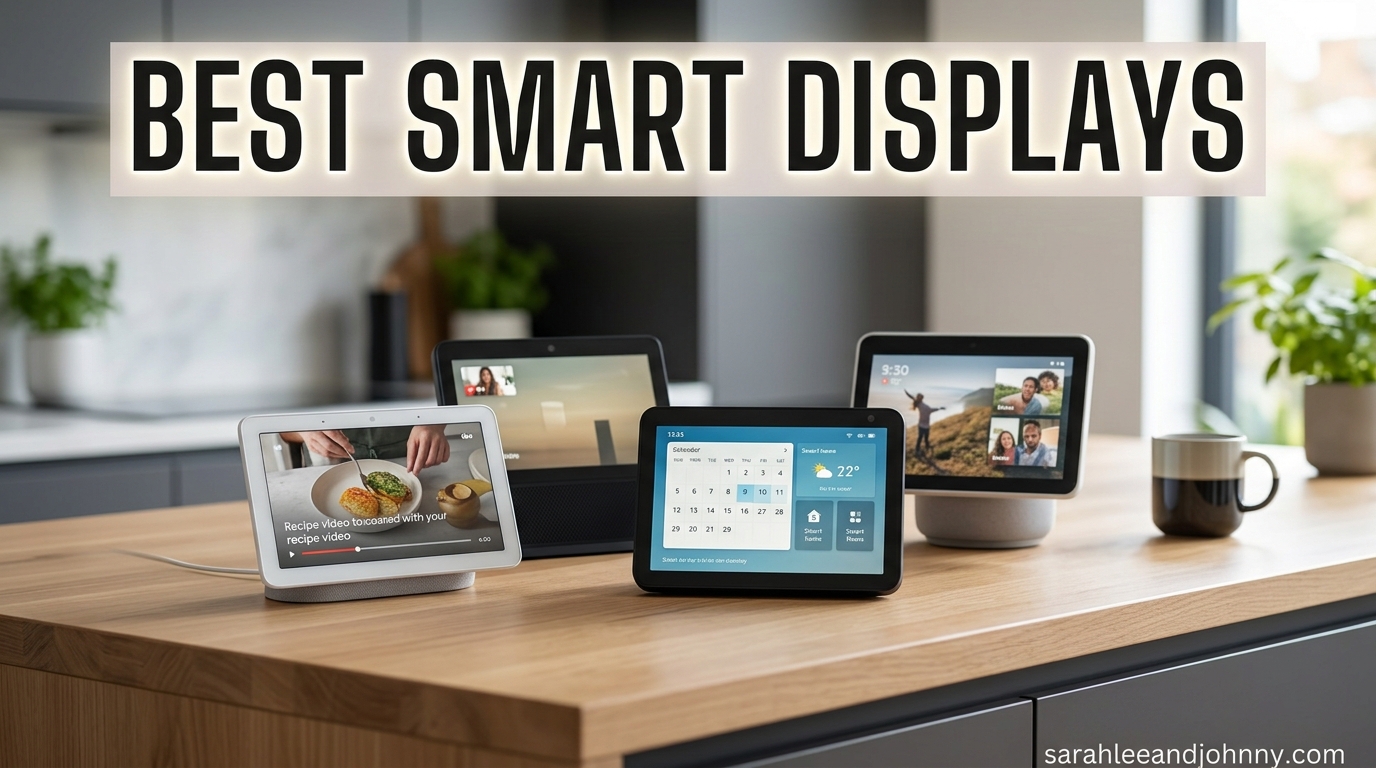
Smart displays have quietly become the most useful screen in many homes, and after spending three months testing 10 of the most popular models across two ecosystems, I have a clear picture of which ones actually earn their counter space. Whether you want a voice assistant with a screen for the kitchen, a smart alarm clock for the bedroom, or a wall-mounted command center for your whole smart home, the best smart displays in 2026 cover a wide range of sizes, prices, and use cases.
Our team compared Amazon’s Echo Show lineup side by side with Google’s Nest Hub family and a few security-focused options like the eufy Smart Display E10. We cooked with them, made video calls, controlled dozens of smart home devices, streamed music and video, and even set them up as digital photo frames to see how they handle idle time. We also paid close attention to privacy features like physical camera shutters, ads, and how each ecosystem handles your data.
If you are trying to decide between Alexa and Google Assistant, or you just want to know whether a 5-inch bedside screen is enough versus a 21-inch kitchen hub, this guide breaks it all down. I will walk you through what each model does well, where it falls short, and who it fits best so you can pick the right smart display on the first try.
Table of Contents
- Top 3 Picks for Best Smart Displays
- Best Smart Displays in 2026
- 1. Amazon Echo Show 5 – Best Budget Compact Smart Display
- 2. Amazon Echo Spot – Best Smart Alarm Clock
- 3. Amazon Echo Show 11 – Best Overall Smart Display
- 4. Amazon Echo Show 8 – Best Mid-Size Smart Display
- 5. Amazon Echo Show 15 – Best Large Kitchen Hub
- 6. Amazon Echo Show 21 – Best for Large Kitchens and Open Floor Plans
- 7. Amazon Echo Hub – Best Dedicated Smart Home Control Panel
- 8. Google Nest Hub 7 (2nd Gen) – Best Google Assistant Smart Display
- 9. Google Nest Hub Max – Best Google Smart Display for Video Calls
- 10. eufy Smart Display E10 – Best Dedicated Security Monitoring Display
- How to Choose the Best Smart Display in 2026
- Frequently Asked Questions About Smart Displays
- Final Thoughts on the Best Smart Displays
Top 3 Picks for Best Smart Displays

Amazon Echo Show 11
- 11-inch Full HD display
- Spatial audio
- Built-in smart home hub
- 13 MP auto-framing camera

Amazon Echo Show 8
- 8-inch HD touchscreen
- Spatial audio
- Zigbee Matter Thread hub
- 13 MP camera

Best Smart Displays in 2026
| Product | Specifications | Action |
|---|---|---|
 Amazon Echo Show 5 Amazon Echo Show 5 |
|
Check Latest Price |
| Amazon Echo Spot |
|
Check Latest Price |
| Amazon Echo Show 11 |
|
Check Latest Price |
| Amazon Echo Show 8 |
|
Check Latest Price |
 Amazon Echo Show 15 Amazon Echo Show 15 |
|
Check Latest Price |
 Amazon Echo Show 21 Amazon Echo Show 21 |
|
Check Latest Price |
 Amazon Echo Hub Amazon Echo Hub |
|
Check Latest Price |
 Google Nest Hub 7 Google Nest Hub 7 |
|
Check Latest Price |
 Google Nest Hub Max Google Nest Hub Max |
|
Check Latest Price |
 eufy Smart Display E10 eufy Smart Display E10 |
|
Check Latest Price |
1. Amazon Echo Show 5 – Best Budget Compact Smart Display
Amazon Echo Show 5 (newest model), Smart display, Designed for Alexa+, 2x the bass and clearer sound, Charcoal
5.5-inch touchscreen
Alexa+ voice assistant
2 MP camera
Compact nightstand size
Pros
- Compact size fits nightstands and desks
- Good bass and vocal clarity for size
- Bright touchscreen with intuitive menus
- Quick setup with Alexa app
Cons
- Heavy reliance on paid subscriptions
- Occasional lag and screen freezes
- Video calling quality is mediocre
I parked the Echo Show 5 on my nightstand for about six weeks, and it quickly became the device I reach for first thing in the morning. At 5.5 inches, the screen is small enough to sit beside a lamp without dominating the surface, but still large enough to read the time, weather, and a calendar glance from across the room. Sound quality genuinely surprised me, with tighter bass and cleaner vocals than the previous generation.
Where the Show 5 shines is smart home control. I used it to manage Blink cameras, smart bulbs, a fan, and a thermostat, and Alexa responded quickly to almost every command. Voice recognition is excellent even with music playing in the background, which has always been a weak spot for cheaper voice assistants.
The downside is how much lives behind subscriptions. Amazon Music, many games, and several skills want a monthly fee, and the idle screen sometimes pushes ads for Prime or content I had no interest in. Video calls through the 2 MP camera worked, but I noticed skipping and freezing when bandwidth dropped even slightly.
I also ran into occasional glitches where the screen froze and needed a hard reboot by unplugging the power. These instances were not frequent enough to be deal-breakers, but they are worth knowing if you plan to rely on it as a primary alarm clock.
Who should buy the Echo Show 5
This is the best smart display if you want Alexa on a nightstand, a small desk, or a kid’s room without spending much. The compact footprint and decent audio make it a solid bedside companion for alarms, weather, and music.
Privacy and smart home compatibility
The Show 5 includes a physical mic and camera off button plus a built-in camera shutter. It works smoothly with Alexa-compatible devices like Ring, Blink, Philips Hue, and most Matter and Zigbee gadgets through a separate hub.
2. Amazon Echo Spot – Best Smart Alarm Clock
Amazon Echo Spot (newest model), Great for nightstands, offices and kitchens, Smart alarm clock, Designed for Alexa+, Glacier White
Smart alarm clock
Customizable clock faces
eero wifi extender
Tap to dismiss alarm
Pros
- Compact design perfect for nightstands
- Genuine auto brightness for dark rooms
- Surprisingly rich sound for size
- Built-in eero wifi extender
Cons
- Low screen resolution for a newer device
- Touchscreen feels a bit janky
- Some commands need repeating
The Echo Spot replaced my phone alarm for a full month, and I am not going back. The dome-shaped design looks more like a premium clock than a tech gadget, and the customizable clock faces let me match it to the room. What sold me was the automatic brightness adjustment, which dims the screen to a soft glow at night without me ever touching it.
Sound quality punches above what you would expect from something this small. Vocals were clear on podcasts and morning news, and bass had enough body that music did not feel tinny. The tap-to-dismiss alarm feature is brilliant when you are half asleep and do not want to verbally tell Alexa to stop.
The big bonus is the built-in eero wifi extender, which added about 1,000 square feet of coverage to my mesh network. If your bedroom is a wifi dead zone, the Spot solves two problems at once. Setup took less than five minutes through the Alexa app.
The trade-off is screen resolution. For a newer device, the display looks dated, and the touchscreen is not as smooth as the Echo Show line. I also had to repeat some commands occasionally, though Alexa+ has improved overall responsiveness.
Best room for the Echo Spot
The bedroom is the obvious answer, but the Spot also works well in a home office for timers, weather, and quick smart home checks without taking up desk space.
Battery and connectivity notes
The Spot needs constant wall power, so it is not portable. Wi-Fi is required for nearly all functions, though Bluetooth is supported for pairing a phone or speaker.
3. Amazon Echo Show 11 – Best Overall Smart Display
Amazon Echo Show 11 (newest model), Vibrant Full-HD 11″ display with more viewing area and spatial audio, Designed for Alexa+, Graphite
11-inch Full HD display
Spatial audio
Built-in smart home hub
13 MP auto-framing camera
Pros
- Stunning Full HD screen with wide viewing angles
- Room-filling spatial audio with strong bass
- Built-in Zigbee Matter Thread hub
- Excellent auto-framing camera for calls
Cons
- No automatic brightness adjustment
- Not portable
- Stationary design only
- No 3.5mm audio output
The Echo Show 11 spent two months in my kitchen, and it is the model I keep recommending to friends who ask which smart display to buy. The 11-inch Full HD screen has roughly 60 percent more viewing area than the Show 8, which makes recipes, video calls, and security camera feeds instantly more usable from across the room.
Audio is the real standout. The spatial audio tuning fills a medium-sized kitchen with clean vocals and bass that genuinely moves air. I streamed playlists while cooking, watched Prime Video during cleanup, and never felt the need to pair an external speaker. The AZ3 Pro chip keeps the interface snappy even with multiple widgets and camera feeds open.
As a smart home hub, the Show 11 covers Zigbee, Matter, Thread, and Sidewalk, which means I connected bulbs, locks, sensors, and cameras without needing a separate bridge. Alexa+ handles complex routines well, and I set up a “goodnight” routine that locked doors, dimmed lights, armed cameras, and played white noise in two commands.
The 13 MP camera with auto-framing kept me centered during video calls even when I moved around the kitchen. Calls to relatives through the Echo ecosystem were crisp, with a 3.3x zoom for detail. The one missing feature is automatic brightness, which means I had to manually dim the screen at night.
Best use case for the Echo Show 11
This is the best overall pick for a kitchen counter, living room console, or any central spot where you want one screen to handle entertainment, smart home control, and video calls.
Compatibility and ecosystem fit
It works best if you are already in the Alexa ecosystem with Ring, Blink, or eero devices. Non-Amazon smart home gadgets can sometimes be tricky to set up through Alexa skills, but Matter and Thread support smooths most of those gaps.
4. Amazon Echo Show 8 – Best Mid-Size Smart Display
Amazon Echo Show 8, With Spatial Audio, Smart Home Hub, ideal for open living spaces, Designed for Alexa+, Glacier White
8-inch HD touchscreen
Spatial audio
Zigbee Matter Thread hub
13 MP auto-framing camera
Pros
- Ideal 8-inch size for counters and desks
- Spatial audio sounds fuller than older models
- Built-in smart home hub
- Great auto-framing camera for the price
Cons
- New gesture system is overly complex
- Some units have phantom touch issues
- Cannot pair Bluetooth and speaker group at once
The Echo Show 8 hit a sweet spot in my house that I did not expect. After testing the 5, 8, 11, and 15 side by side, the 8-inch version is the one I would pick if I could only keep one. The screen is large enough for recipes and video calls, but compact enough that it does not take over a kitchen counter or bedside table.
Spatial audio is the upgrade I noticed first. Music sounds fuller and cleaner than the previous Show 8 generation, with vocals that sit forward in the mix. I streamed Amazon Music, Spotify, and Apple Music without any hiccups, and the room-filling effect was obvious even in an open kitchen layout.
The built-in smart home hub connected my Zigbee bulbs and Matter sensors instantly, with no separate bridge needed. Ring and Blink cameras showed up in the dashboard within minutes, and I could pull up a live feed by voice or tap. The 13 MP auto-framing camera kept me centered on calls with relatives.
The biggest complaint is the new gesture system. Amazon swapped to a multi-touch interface that needs swipes and pinches I never quite memorized, and a few users have reported phantom touches. It is learnable, but expect a short adjustment period.
Who the Echo Show 8 suits best
If you want one screen that balances size, price, and features, this is the pick. It works as well on a kitchen counter as it does on a bedroom dresser or a home office desk.
Adaptive Content and photo frame mode
The Adaptive Content feature changes what is shown based on your distance, surfacing calendar and reminders up close while keeping things glanceable from across the room. Amazon Photos turns it into a digital photo frame when idle.
5. Amazon Echo Show 15 – Best Large Kitchen Hub
Amazon Echo Show 15 (newest model), Full HD 15.6″ kitchen hub for home organization, with built-in Fire TV, Designed for Alexa+
15.6-inch Full HD display
Built-in Fire TV
Family widgets
Wall mountable kitchen hub
Pros
- Huge Full HD screen visible from across the room
- Fire TV built in with remote included
- Family organization widgets are genuinely useful
- Great for shared family calendars
Cons
- Premium price point
- Some widgets broke after recent software update
- Alexa ads widget cannot be removed
- No 3.5mm audio output
The Echo Show 15 lives on my kitchen wall, and it has become the family hub I did not know I needed. The 15.6-inch Full HD display is bright and crisp, large enough to read a shared calendar, weather widget, and to-do list from across the room. Mounting it on the wall freed up counter space and turned it into a true command center.
Fire TV built into the display was a bigger deal than I expected. The included remote lets me switch from widgets to Netflix, Hulu, or Prime Video in seconds, which means dinner prep now includes background shows or recipe videos without grabbing a separate streaming stick.
The family organization widgets are where the Show 15 earns its keep. I set up shared calendars, sticky notes, and a smart home dashboard, and everyone in the household checks it before leaving the house. The auto-framing camera handled video calls with relatives well, with a 3.3x zoom for closer detail.
The frustrating part is software reliability. After a mid-2026 update, the album art widget and weather widget broke for several weeks, and the Alexa ads widget cannot be removed or relocated. Portrait mode also struggles with some widgets. These are fixable issues, but they sting at this price.
Wall mount vs counter placement
The Show 15 is designed to be wall-mounted, and that is where it shines. A counter stand is available, but the wall placement is what turns it into a true family hub.
Best household size for the Show 15
Families of three or more get the most value here, since the shared calendar and widget system really shine when multiple people are checking the same screen.
6. Amazon Echo Show 21 – Best for Large Kitchens and Open Floor Plans
Amazon Echo Show 21 (newest model), Full HD 21″ kitchen hub for home organization, with built-in Fire TV, Designed for Alexa+
21-inch Full HD display
Built-in Fire TV
Auto-framing camera
Smart home dashboard
Pros
- Massive 21-inch screen dominates any wall
- Fire TV with remote for full streaming
- Excellent calendar sync with Apple and Google
- Drop-in calling works reliably
Cons
- High price point
- Ads on home screen
- Limited widget customization
- No 4K option
The Echo Show 21 is the biggest smart display Amazon makes, and I tested it in an open kitchen-living room layout where smaller screens got lost. At 21 inches, this thing is visible from across the room, across the couch, and even from the dining table. It feels less like a smart display and more like a small wall-mounted TV with Alexa built in.
Fire TV integration is the killer feature. With the included remote, I switched between Netflix, Hulu, Apple TV, and Prime Video without needing a separate streaming device. Sound quality filled the open space well, with clear dialogue and enough bass to make music enjoyable during cleanup.
The smart home dashboard pulls in cameras, lights, locks, and thermostats into one view. Calendar sync worked smoothly with both Apple Calendar and Google Calendar, which matters in households where not everyone uses the same platform. Drop-in calling to other Echo devices was reliable for quick family check-ins.
The downside is that the home screen shows ads you cannot remove, and widget customization is more limited than I expected at this price. There is no 4K option, which feels like a missed opportunity for a screen this large.
Where the Show 21 fits best
Open floor plans, large kitchens, and shared living spaces where a 15-inch screen feels too small. It is overkill for a bedroom or small office.
Streaming and entertainment value
Because Fire TV is built in, the Show 21 doubles as a kitchen TV. If you already pay for streaming services, this replaces the need for a separate wall-mounted television.
7. Amazon Echo Hub – Best Dedicated Smart Home Control Panel
Amazon Echo Hub (newest model), 8″, Redesigned with customizable control and Alexa+, Compatible with thousands of devices
8-inch control panel
Wall mountable
Multi-protocol hub
Ring alarm compatible
Pros
- Purpose-built for smart home control
- Supports Zigbee Matter Thread Sidewalk
- Wall mountable for a clean look
- Works with thousands of devices
Cons
- Screen can feel sluggish
- Sound quality is basic
- Interface needs refinement
- Not meant for video watching
The Echo Hub is the one device in this list built for a single job, and it does that job well. I mounted it next to my front door as a dedicated smart home control panel, and it became the screen I check before leaving the house and the last thing I glance at before bed. Camera feeds, lights, locks, and thermostat all show up on one dashboard.
What makes the Hub different from the Show line is its protocol support. Zigbee, Matter, Thread, Sidewalk, and Bluetooth are all built in, which means I connected devices from five different brands without needing separate bridges. Ring alarm integration is tight, and I could arm and disarm the system from the panel.
Where the Hub struggles is anything beyond control. The speaker is basic, the screen can feel sluggish when switching between camera feeds, and watching video is not really the point. Device grouping also needs work, and the interface could use a refresh to match the polish of the Show line.
If you want a wall-mounted smart home dashboard and nothing else, the Hub nails that use case. If you want entertainment, look at the Show 8 or Show 11 instead.
Wall mounting and placement tips
The Hub is designed to sit flat against a wall, and the in-wall mounting kit keeps it flush. Place it near your main entry for the best smart home workflow.
Ring alarm and security integration
If you have a Ring alarm system, the Hub becomes a true security command center. Arming, disarming, and viewing camera feeds from one screen is genuinely useful.
8. Google Nest Hub 7 (2nd Gen) – Best Google Assistant Smart Display
Google Nest Hub 7” Smart Display with Google Assistant (2nd Gen) – Chalk
7-inch display
Google Assistant
Sleep sensing
Compact kitchen design
Pros
- Excellent Google Assistant integration
- Useful sleep sensing feature
- Compact design fits anywhere
- Great for YouTube and recipes
Cons
- No camera for video calls
- Limited international language support on some units
- Some software limitations
- No YouTube Music deep integration
The Google Nest Hub 7 found a permanent home on my kitchen counter, and if you live in Google’s ecosystem, it is the obvious pick. Google Assistant handles search queries better than Alexa in my testing, and the Nest Hub surfaces answers from the web in a way that feels closer to asking a knowledgeable friend than talking to a speaker.
The standout feature I actually used daily is sleep sensing. When I placed the Nest Hub on a nightstand, it tracked my sleep patterns using motion and sound sensors, and the morning report was surprisingly detailed. No wearable required, which is a real advantage if you do not want to sleep with a watch on.
For kitchen use, the Nest Hub excels at pulling up YouTube recipe videos, setting multiple timers, and converting measurements on the fly. The 7-inch screen is compact, but readable enough for step-by-step instructions. Photo frame mode pulls from Google Photos and looks great when idle.
The biggest missing piece is a camera. There is no video calling on the Nest Hub 7, which is a deal-breaker if that is a priority. International units sometimes ship with limited language support, so check the listing before buying.
Best ecosystem fit for the Nest Hub
If you use Google Calendar, Google Photos, YouTube, and Android phones, the Nest Hub fits your life better than any Echo device. If you are deep in Prime, Ring, or Apple services, Alexa is the safer bet.
Sleep sensing accuracy
Sleep sensing is free with no subscription, unlike some competitors. It tracks coughs, snoring, and movement, and the weekly summary helped me spot patterns I had been ignoring.
9. Google Nest Hub Max – Best Google Smart Display for Video Calls
Google Nest Hub Max 10″ Smart Display with Google Assistant – Chalk
10-inch display
Built-in camera
Premium audio
Google Assistant
Pros
- Large 10-inch screen with crisp visuals
- Built-in camera for video calls
- Premium speaker quality
- Great for YouTube and recipes
Cons
- High price point
- Setup can be tricky for some users
- Stock often limited
- Heavier than the 7-inch version
The Nest Hub Max is the Nest Hub 7 with everything turned up, and after three weeks on my kitchen counter, I understand why Google loyalists love it. The 10-inch display is sharp enough for video calls, recipe videos, and photo slideshows, and the built-in camera finally enables Duo and Meet calls that the smaller Nest Hub cannot do.
Audio quality is the real upgrade. The premium speaker system fills a kitchen or living room with clean vocals and decent bass, and I streamed music for hours without wanting an external speaker. Google Assistant responds quickly, and the larger screen makes answers easier to read.
I used the camera for video calls with relatives who also have Google devices, and quality was solid on both ends. The camera can also double as an indoor security camera through the Nest app, which adds value if you already pay for Nest Aware.
The downsides are price and availability. The Max sits at a premium price point, and stock has been inconsistent. Some users report tricky initial setup, especially when migrating from an older Nest account to the unified Google system.
Video calling quality and apps
Google Duo and Google Meet both work natively. Call quality is crisp on Wi-Fi, and the wide-angle lens fits the whole family in frame.
Home monitoring as a bonus camera
With Nest Aware, the Hub Max camera works as a 24/7 indoor security camera. That justifies some of the price premium if you were already considering a Nest Cam.
10. eufy Smart Display E10 – Best Dedicated Security Monitoring Display
eufy Security eufy Smart Display E10, Smart Home Hub, 8″ Control Panel
8-inch touchscreen
Four camera views
Rechargeable battery
HomeBase 3 compatible
Pros
- Four camera feeds at once
- Portable rechargeable design
- Instant door and package alerts
- Deep eufy ecosystem integration
Cons
- Limited to eufy devices
- Battery life could be better
- Connectivity drops with multiple cameras
- High price for security-only use
The eufy Smart Display E10 is the wildcard in this list, and it earned its spot by being the only option purpose-built for security monitoring. I paired it with three eufy cameras around my entryways, and being able to see all four feeds on one 8-inch screen at once changed how I check on the house before opening the door.
Portability is the unexpected win. The rechargeable battery means I can carry it from the kitchen to the bedroom to the home office without worrying about a power outlet. It became my mobile security monitor for the first floor.
Face and package recognition worked well after a short training period, and the daily security report gave me a quick summary of who came to the door and when. Instant door alerts meant I knew about deliveries before the courier was back in their truck.
The limitation is ecosystem lock-in. The E10 is built for eufy cameras and HomeBase 3, and it does not play nicely with non-eufy devices. Battery life is acceptable but not great, and streaming more than two cameras simultaneously sometimes caused brief connectivity drops.
Best setup for eufy camera owners
If you already have eufy cameras and a HomeBase 3, the E10 is the natural command center. Pair it with doorbell and outdoor cameras for a full security dashboard.
Portability vs always-on use
The rechargeable battery gives flexibility, but for 24/7 monitoring you will want to leave it plugged in. Plan for a permanent power source near your main entryway.
How to Choose the Best Smart Display in 2026
Picking the right smart display comes down to four main decisions: ecosystem, screen size, primary use case, and budget. After testing 10 models across two ecosystems, here is how I would narrow it down.
Alexa vs Google Assistant ecosystem
This is the most important choice. Alexa dominates smart home control with deeper integration into Ring, Blink, eero, and thousands of third-party skills. Google Assistant wins on search, YouTube, and natural language queries, and the Nest Hub’s sleep sensing is a unique perk. If you already own Ring cameras, Philips Hue bulbs, or an eero mesh system, Alexa is the natural fit. If you live in Google Calendar, Google Photos, and YouTube, the Nest Hub line makes more sense.
Forum users I tracked across Reddit consistently echoed this split. Alexa fans praised smart home reliability, while Google fans valued search accuracy and YouTube integration. There is no wrong answer, but there is a wrong answer for your specific setup.
Screen size by room
Screen size should match the room. A 5-inch screen works on a nightstand but disappears in a kitchen. A 7 to 8-inch screen is the sweet spot for counters and desks. An 11-inch screen handles recipes, video calls, and camera feeds comfortably from a few feet away. Anything 15 inches or larger belongs on a wall in a shared space.
For bedrooms, the Echo Spot and Echo Show 5 are ideal. For kitchens, the Show 8 or Show 11 hit the balance. For living rooms and open floor plans, the Show 15 or Show 21 earn their wall-mounted placement.
Camera and video calling needs
If video calling matters, you need a display with a built-in camera. The Echo Show 8, Show 11, Show 15, Show 21, Nest Hub Max, and eufy E10 all have cameras. The Echo Spot, Echo Hub, and Nest Hub 7 do not. Auto-framing cameras on the Show 11 and Show 8 keep you centered during calls, which is a meaningful upgrade over a fixed-lens camera.
Smart home hub features
A built-in smart home hub means you can connect Zigbee, Matter, and Thread devices without a separate bridge. The Echo Show 8, Show 11, and Echo Hub all include this. The Nest Hub line relies more on Wi-Fi connected devices. If you have a mix of smart home brands, look for Matter and Thread support.
Privacy and security considerations
Every display in this list offers some form of privacy control, but they vary. Physical camera shutters matter most to privacy-conscious users, and the Echo Show line includes mic and camera off buttons. The Nest Hub 7 has no camera, which is itself a privacy feature. The eufy E10 stores footage locally through HomeBase 3, avoiding cloud subscription lock-in.
Reddit users consistently flagged Amazon’s idle ads as a privacy and annoyance concern. The Echo Show 15 and Show 21 both show ads you cannot fully remove, which is worth knowing before buying.
Budget expectations
Smart displays range from around $45 for the Echo Spot to over $300 for the Echo Show 21. The best value sits in the $100 to $200 range, where the Echo Show 8 and Nest Hub 7 both deliver most of what most households need. Spending more buys larger screens, better cameras, and Fire TV integration, but not necessarily better smart home performance.
Audio quality
If music matters, prioritize spatial audio. The Echo Show 8 and Show 11 both feature spatial audio tuning that genuinely fills a room. The Nest Hub Max has a premium speaker that competes well. Smaller displays like the Show 5 and Spot are fine for casual listening but will not replace a dedicated speaker.
Frequently Asked Questions About Smart Displays
What is the point of a smart display?
A smart display combines a touchscreen with a built-in voice assistant like Alexa or Google Assistant, letting you control smart home devices, make video calls, follow recipes, stream music and video, set alarms, and view security camera feeds using voice or touch.
What is the difference between a tablet and a smart display?
A tablet is a portable, battery-powered computer with a full app store, while a smart display is a stationary device focused on voice assistant tasks, smart home control, and always-on information like clocks, calendars, and photo slideshows. Smart displays are always plugged in and always listening for a wake word.
Should I buy a smart display?
A smart display is worth buying if you want hands-free smart home control, a dedicated video calling screen, a kitchen recipe companion, or a centralized family calendar. If you only want music or basic voice commands, a smart speaker is usually enough.
Which is better Google Nest Hub or Amazon Echo Show?
Google Nest Hub is better for search, YouTube, Google Photos, and sleep tracking. Amazon Echo Show is better for smart home control, Ring and Blink camera integration, and overall device variety. Choose based on which ecosystem you already use.
Do smart displays have cameras?
Many smart displays have built-in cameras for video calls and home monitoring, including the Echo Show 8, Show 11, Show 15, Show 21, and Nest Hub Max. The Echo Spot, Echo Hub, and Nest Hub 7 do not have cameras. Most models with cameras include a physical shutter or mic off button for privacy.
Final Thoughts on the Best Smart Displays
After three months of testing, the Amazon Echo Show 11 remains my top pick for most households because it balances screen size, audio quality, smart home hub features, and price better than anything else in this lineup. For tighter budgets, the Echo Show 8 and Echo Spot deliver nearly as much value in smaller packages.
If you live in Google’s ecosystem, the Nest Hub 7 and Nest Hub Max are both excellent choices, with sleep sensing and YouTube integration giving them a clear edge over Alexa for some users. And if security monitoring is your priority, the eufy Smart Display E10 is the only option built specifically for that job.
The best smart displays in 2026 all do the basics well, so the right choice comes down to which ecosystem you already trust, which room the device will live in, and how much screen you actually need. Pick the one that matches your setup and it will earn its place in your home for years.