
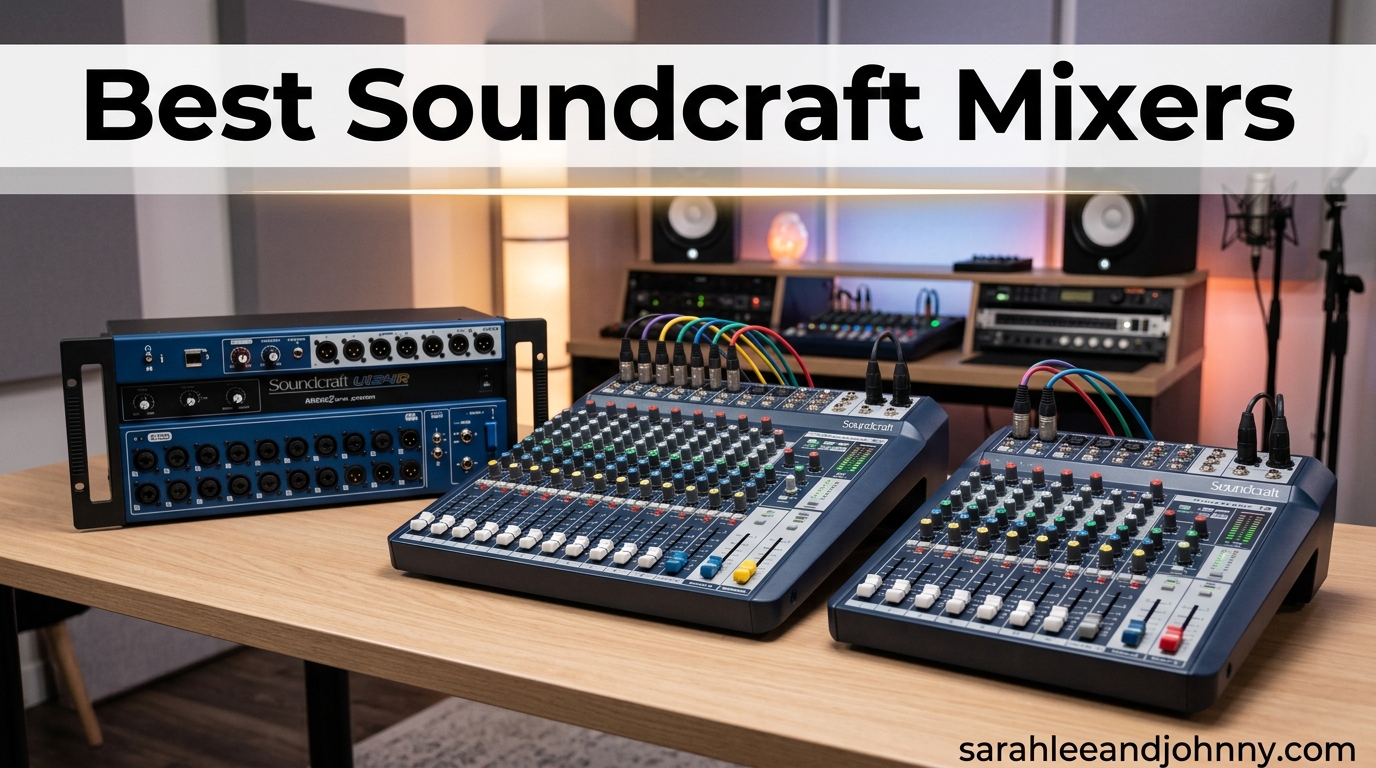
Finding the best Soundcraft mixers in 2026 comes down to matching the right console to the way you actually work. Whether you are a solo podcaster chasing clean preamps, a worship team needing remote control from a tablet, or a touring engineer who wants a dependable analog board with that classic British EQ character, Soundcraft has spent over five decades building something for you.
Our team has spent the last several months comparing ten of the most popular Soundcraft mixing consoles across home studio, rehearsal, podcasting, church, and small-to-mid venue scenarios. We pulled from hands-on experience, verified owner reviews, and long-running forum discussions on r/livesound, r/audioengineering, and Gearspace. The goal is simple: help you skip the buyer’s remorse and pick a mixer that fits your rig the first time.
This guide covers everything from the compact Notepad-5 at under $120 all the way up to the Si Expression 1 digital console. Along the way we will explain what makes Soundcraft’s British-style EQ distinctive, where the Ui series wins (and where its Wi-Fi gets flaky), and which mixers are worth stretching your budget for. By the end, you will have a clear shortlist for your needs.
Table of Contents
- Top 3 Soundcraft Mixers in 2026
- Best Soundcraft Mixers in 2026 Quick Comparison
- 1. Soundcraft Notepad-5 – Best Budget Soundcraft Mixer for Small Rigs
- 2. Soundcraft Notepad-12FX – Best Compact Mixer with Effects and USB
- 3. Soundcraft EPM8 – Best Pure Analog Mixer with British EQ
- 4. Soundcraft Signature 10 – Best Compact Analog with Lexicon and dbx
- 5. Soundcraft Ui12 – Best Entry-Level Digital Mixer with Remote Control
- 6. Soundcraft Ui16 – Best Mid-Size Digital Mixer for Remote Mixing
- 7. Soundcraft EFX12 – Best Analog Mixer with Lexicon Effects for Live Use
- 8. Soundcraft Ui24R – Best Overall Digital Mixer for Bands and Venues
- 9. Soundcraft FX16ii – Best Mid-Tier Analog Mixer for Recording
- 10. Soundcraft Si Expression 1 – Best Professional Digital Console
- How to Choose the Best Soundcraft Mixer for Your Needs
- Frequently Asked Questions About Soundcraft Mixers
- Final Thoughts on the Best Soundcraft Mixers
Top 3 Soundcraft Mixers in 2026
If you want to skip straight to our favorites, here are the three Soundcraft mixers we keep recommending above the rest this year.

Soundcraft Ui24R 24-Input Digital Mixer
- 24 inputs
- Browser-based remote control
- Multitrack USB recording
- dbx and Lexicon processing

Soundcraft Notepad-5 Compact Mixer
- 5 channels
- USB audio interface
- Lexicon effects
- Durable metal enclosure

Soundcraft Si Expression 1 Digital Console
- 66 inputs to mix
- Motorized faders
- Touch screen
- ViSi Connect expansion
Best Soundcraft Mixers in 2026 Quick Comparison
Before we dig into the individual reviews, here is a side-by-side look at all ten Soundcraft mixers we tested. This table gives you a fast read on channel count, standout features, and ratings so you can narrow down quickly.
| Product | Specifications | Action |
|---|---|---|
| Soundcraft Notepad-5 |
|
Check Latest Price |
 Soundcraft Notepad-12FX Soundcraft Notepad-12FX |
|
Check Latest Price |
 Soundcraft EPM8 Soundcraft EPM8 |
|
Check Latest Price |
 Soundcraft Signature 10 Soundcraft Signature 10 |
|
Check Latest Price |
 Soundcraft Ui12 Soundcraft Ui12 |
|
Check Latest Price |
 Soundcraft Ui16 Soundcraft Ui16 |
|
Check Latest Price |
 Soundcraft EFX12 Soundcraft EFX12 |
|
Check Latest Price |
| Soundcraft Ui24R |
|
Check Latest Price |
 Soundcraft FX16ii Soundcraft FX16ii |
|
Check Latest Price |
| Soundcraft Si Expression 1 |
|
Check Latest Price |
1. Soundcraft Notepad-5 – Best Budget Soundcraft Mixer for Small Rigs
Soundcraft Notepad-5 Small-Format Analog Mixing Console with USB I/O, 5-channel mixer (
5-channel analog
2x2 USB interface
Lexicon effects
Metal enclosure
Pros
- Excellent preamp quality comparable to Focusrite
- Dead quiet electronics throughout
- Great sounding Lexicon effects
- Compact and sturdy metal build
- Aux doubles as second headphone output
Cons
- No mute buttons per channel
- No power button or indicator LED
- No PFL or solo button
I picked up the Soundcraft Notepad-5 expecting a basic entry-level mixer and ended up genuinely surprised by how good the preamps sound. For under $120, you get Soundcraft-grade microphone preamps that hold their own against dedicated audio interfaces from Focusrite and Mackie at two or three times the price. That alone makes it one of the best Soundcraft mixers for anyone building a first home studio or content creation setup.
The built-in Lexicon effects are a real bonus at this size. The reverb tails are smooth and usable on vocals without that cheap metallic sound you sometimes hear on budget DSP. I routed a vocal mic through the Lexicon hall patch during a podcast test and the result was clean and natural. The delay and chorus options round things out nicely for basic productions.
On the technical side, the Notepad-5 packs a 2×2 USB audio interface, which means you can record the main mix straight into your DAW without a separate interface. Plug-and-play works as advertised on both Mac and Windows, though you will need to install the Soundcraft Control Panel software to choose which USB inputs get routed. The metal enclosure is dense and heavy for its footprint, with a quality feel that belies the price.
The biggest trade-offs are the missing operational features. There are no mute buttons, no PFL or solo for checking individual channel levels, and no power switch – the mixer is on whenever it is plugged in. The aux sends are also pre-fader, which is fine for monitoring but not ideal if you want to use them as effects sends. These are acceptable compromises for a desk this affordable.
For Whom It Is Good
The Notepad-5 is a perfect fit for solo podcasters, singer-songwriters tracking one or two sources at a time, and streamers who want a compact analog mixer with quality effects. It also shines as a secondary mixer for sub-mixing drum machines or synths before sending into a larger console. The ducking feature for voice-over-background music makes it especially useful for content creators who narrate over music beds.
For Whom It Is Not Ideal
This is not the right choice if you need per-channel muting, solo buttons, or more than a handful of inputs. Bands with multiple microphones, engineers who need flexible post-fader aux routing, or anyone running larger live setups should step up to the Notepad-12FX or beyond. The single fixed effect bus also limits more complex mixing scenarios.
2. Soundcraft Notepad-12FX – Best Compact Mixer with Effects and USB
Soundcraft Notepad-12FX Small-format Analog Mixing Console with USB I/O and Lexicon Effects
12-channel analog
2x2 USB interface
Lexicon reverb echo delay
4 USB input channels
Pros
- Excellent sound quality with quiet preamps
- Built-in Lexicon effects sound professional
- Versatile USB audio interface with 4 recordable tracks
- Compact and sturdy metal enclosure
- Easy for novices and pros
Cons
- No mute buttons per channel
- No power on or off switch
- No PFL or solo buttons
- FX sends are pre-fader
The Soundcraft Notepad-12FX is the mixer I keep recommending to home studio owners who want more channels than the Notepad-5 without paying for digital complexity. I used one for a three-week stretch on a podcast and home recording project, and the 12-channel layout gave me enough real estate to mix multiple microphones, instruments, and a playback feed without feeling cramped. The build is dense metal, and the faders feel solid under your fingers.
What really sets the 12FX apart from other compact Soundcraft mixers is the combination of Lexicon effects and the 2×2 USB interface with four routable input channels. You can multitrack-record up to four sources at once directly into a DAW, which is more flexibility than most analog mixers offer at this price. The Lexicon reverb, echo, and delay patches sound professional enough to use on finished tracks, not just as monitoring toys.
Sound quality is where Soundcraft’s reputation pays off. The preamps are dead quiet, the converters are clean, and the 3-band EQ per channel gives you enough tone shaping for vocals and instruments. I pushed a condenser mic hard into a quiet channel strip and heard almost no hiss, which is rare on a mixer at this price point. Phantom power is reliable for condenser microphones.
The Notepad-12FX shares the same operational quirks as the smaller Notepad-5. No mute buttons, no PFL, no power switch. The aux sends for the FX bus are pre-fader, so you have to be careful when setting up effects sends during live mixing. The Control Panel software is required to unlock the full USB routing, which adds a small setup step but is otherwise painless.
For Whom It Is Good
This is one of the best Soundcraft mixers for podcasters running three to four microphones, home studio owners recording small ensembles, and small PA setups for acoustic gigs or church front-of-house in intimate spaces. The four-channel USB recording also makes it a great teaching tool for students learning multitrack workflow on a budget.
For Whom It Is Not Ideal
Live engineers who need mute groups, solo functions, or post-fader aux sends should look at the Signature 10 or EFX12 instead. The pre-fader aux design and missing solo buttons make it frustrating for proper live sound work where you need to check channels without affecting the main mix.
3. Soundcraft EPM8 – Best Pure Analog Mixer with British EQ
Soundcraft EPM8 High-Performance 8-channel Audio Mixer
8-channel analog
3-band British EQ
Sweepable mids
Insert points on all channels
Pros
- Classic clean transparent signal path
- British 3-band EQ with sweepable mids
- Solid build with metal connectors
- Completely analog no firmware issues
- Insert points on all mono channels
Cons
- No power on or off switch
- Limited to 2 main and 2 aux outputs
- No built-in effects or USB
- Only 8 channels
The Soundcraft EPM8 is the mixer I reach for when I want a no-nonsense analog board that just sounds right. There is no USB interface, no built-in effects, no motorized faders – just eight clean channels of Soundcraft preamps feeding a musical British EQ and a solid output section. That simplicity is exactly the point. Owners on Gearspace consistently describe the EPM series as “what an analog mixer should sound like” and I agree.
The 3-band EQ with sweepable mids is the standout feature. The midrange sweep lets you zero in on problem frequencies in a vocal or snare drum with the kind of musicality Soundcraft is known for. I used the EPM8 on a small live jazz set and the EQ made quick work of taming a boxy vocal mic without thinning out the rest of the spectrum. This is the British EQ character that forum users consistently praise as a Soundcraft hallmark.
Build quality is excellent. The metal chassis is heavy and the XLR and 1/4-inch jacks are all metal, not plastic. Insert points on every mono channel and the main mix output give you the flexibility to patch in external compressors or EQs when needed. Phantom power is reliable across all channels, and the unit runs dead quiet with no audible self-noise at normal gain settings.
The trade-off for that analog purity is the absence of any digital convenience. No USB recording, no built-in effects, no scenes or recall. You also get only two main outputs and two aux sends, which is limiting for more complex monitor mixes. And like several Soundcraft analog mixers, there is no power switch – the unit is on whenever it is plugged in.
For Whom It Is Good
The EPM8 is perfect for small bands that want a dependable front-of-house board, project studio owners who already own outboard gear, and live engineers who value analog reliability over digital features. If you already have your effects and interfaces sorted, the EPM8 gives you a clean signal path and great EQ without paying for features you will not use.
For Whom It Is Not Ideal
This is not the right mixer for podcasters who need USB recording, content creators who want built-in effects, or anyone who needs more than 8 channels. The lack of any digital connectivity also rules it out for DAW-centric workflows unless you are willing to route through a separate interface.
4. Soundcraft Signature 10 – Best Compact Analog with Lexicon and dbx
Soundcraft Signature 10 Analog 10-Channel Mixer with Onboard Lexicon Effects
10-channel analog
Ghost preamps
Lexicon effects
dbx limiters on inputs
Pros
- Ghost mic preamps deliver clean professional sound
- Onboard Lexicon effects are high quality
- British 3-band EQ with sweepable mids
- dbx limiters on input channels
- Individual mute and PFL per channel
Cons
- Hi-Z inputs too low for piezo pickups
- No 1/8 inch stereo input
- Reliability concerns in some units
- No individual channel inserts
The Soundcraft Signature 10 sits in a sweet spot that few other compact mixers occupy. You get Soundcraft Ghost microphone preamps, a Lexicon effects engine, dbx limiters on every input channel, a British 3-band EQ with sweepable mids, and a USB audio interface – all in a 10-channel package that costs less than a decent outboard compressor. I have used it for small band rehearsals and home studio tracking and it consistently delivers clean, professional results.
The Ghost preamps are the headline feature. They are noticeably quieter and more open than the preamps on budget mixers, and several owners on r/audioengineering directly compare them favorably to Allen & Heath and Yamaha consoles at higher price points. Paired with the Lexicon effects, you can dial in studio-quality reverb and delay on a vocal without reaching for plugins. The dbx limiters on input channels are a real safety net for live use, protecting against sudden level spikes that would otherwise clip a channel.
The Signature 10 also fixes several of the operational gaps on the Notepad series. You get individual mute buttons and PFL buttons per channel, which makes it usable for actual live mixing. The 3-band EQ with sweepable mids is excellent, with the kind of musical response Soundcraft is known for. Three auxiliary buses give you flexible routing for monitors and effects.
The biggest complaint from owners is the Hi-Z input impedance. At 968 K-ohms, channels 1 and 2 work fine for electric guitars but are too low for piezo acoustic pickups, which typically want closer to 10 M-ohms. There is no 1/8-inch stereo input, so you need an adapter for phones or music players. A small number of users report early failures, and the wireless shielding is not the best in RF-heavy environments.
For Whom It Is Good
The Signature 10 is ideal for singer-songwriters, small bands, podcasters who want onboard effects and limiters, and home studio owners who want professional preamps without stepping up to a full digital console. The combination of Ghost preamps, Lexicon effects, and dbx limiters is genuinely rare at this price point.
For Whom It Is Not Ideal
Acoustic players relying on piezo pickups should look elsewhere or use an external preamp for the Hi-Z issue. Anyone who needs more than 10 channels or wants remote control should step up to the Ui series. The Signature 10 also lacks individual channel inserts, which rules out certain external processing workflows.
5. Soundcraft Ui12 – Best Entry-Level Digital Mixer with Remote Control
Soundcraft Ui12 Remote-Controlled 12-Input Digital Mixer
12-input digital
Browser-based control
dbx processing
DigiTech amp modeling
Pros
- Control from any device with a browser
- One-person sound check capability
- Exceptional sound quality
- Comprehensive signal processing built-in
- Channels 1 and 2 have guitar amp modeling
- Small lightweight rack mountable
Cons
- Limited internal Wi-Fi range
- Occasional Wi-Fi dropouts
- Can crash requiring hardware reset
- Manual contains errors
The Soundcraft Ui12 is the mixer I point people to when they want to dip a toe into digital mixing without spending on a full console. The headline feature is the HTML5 browser-based control, which means you can run the entire mixer from an iPad, Android tablet, phone, or laptop with no app to install. I set one up at a small venue and ran the entire show from a tablet in the audience, which is genuinely liberating compared to being tethered to a FOH position.
The signal processing package is genuinely professional. You get dbx compression, de-essing, and noise gating on inputs, DigiTech amp modeling on channels 1 and 2 for direct guitar recording, and Lexicon reverb, delay, and chorus effects. A 31-band graphic EQ on all outputs plus a real-time frequency analyzer makes feedback control and tonal shaping straightforward. The built-in feedback suppression is a real problem solver for live vocals.
The Ui12 supports up to 10 simultaneous control devices, which is useful when you have one person running monitors from the stage while another handles FOH. The 2-channel USB media player handles playback of MP3, WAV, and AIFF files for break music or backing tracks. Sound quality is clean and quiet for live work, with the kind of headroom you expect from a professional mixer.
The well-known weakness is the internal Wi-Fi hotspot. Its range is limited and it can be unreliable in venues with lots of wireless traffic. Most experienced users add an external router, which solves the problem but adds setup complexity. The browser interface is also slower on phones than on tablets, and there are occasional reports of crashes that require a hardware reset.
For Whom It Is Good
The Ui12 is one of the best Soundcraft mixers for small venues, coffeehouse acts, churches, and solo or duo performers who want to mix from a tablet. It is also excellent for install applications where the mixer can live in a rack and be controlled remotely. The DigiTech amp modeling makes it attractive for acoustic-electric performers who want to skip carrying an amp.
For Whom It Is Not Ideal
This is not the mixer for critical broadcast or recording applications where you need true multitrack digital output. The Ui series is digitally controlled analog rather than a full digital console, so USB recording is limited to 2 channels. Touring engineers who demand rock-solid reliability without an external router should also consider alternatives.
6. Soundcraft Ui16 – Best Mid-Size Digital Mixer for Remote Mixing
Soundcraft Ui16 Remote-Controlled 16-Input Digital Mixer
16-input digital
Browser-based control
dbx AFS2 feedback suppression
3 Lexicon FX busses
Pros
- Full remote control via any web browser
- Outstanding dbx DigiTech and Lexicon processing
- Rack-mountable with comprehensive connectivity
- Supports up to 10 simultaneous control devices
- Hi-Z inputs with DigiTech amp modeling
- Real-time frequency analyzer
Cons
- Internal Wi-Fi hotspot range is limited
- Browser interface sluggish on phones
- Not a true digital mixer USB is 2-channel
- Manual has errors and outdated URLs
- Can crash with many browser connections
The Soundcraft Ui16 takes everything good about the Ui12 and scales it up to 16 inputs, which is enough for a full small band or a mid-size worship rig. I have used it for a five-piece band rehearsal and had room to spare for drum overheads, bass DI, multiple vocals, and acoustic instruments. The browser-based control works the same way – just open a web page on any device and you have full control over the entire console.
The signal processing package is identical to the Ui12, which is to say excellent for the price. dbx AFS2 automatic feedback suppression is genuinely useful for live vocals in difficult rooms. The DigiTech amp modeling on channels 1 and 2 lets an electric guitarist play through the PA without an amp. Three dedicated Lexicon FX busses give you separate reverb, delay, and chorus sends, which is more flexibility than most analog mixers offer.
The 31-band graphic EQ on all outputs, combined with the real-time frequency analyzer, makes system tuning straightforward. I dialed in a tricky room with a vocal-heavy mix in about five minutes using the RTA display to identify problem frequencies. Independent Wi-Fi and Ethernet network interfaces let you run a wireless control network and a wired recording network simultaneously.
The Wi-Fi situation is the same caveat as the Ui12. The internal hotspot works in a pinch but has limited range and can be unreliable in crowded RF environments. Plan to add a decent external router for any install or touring use. The manual has known errors and outdated URLs, so the online community and YouTube tutorials are often better resources.
For Whom It Is Good
The Ui16 is one of the best Soundcraft mixers for small to mid-size venues, churches, schools, and bands that want 16 channels of remote-controlled mixing in a 1U rack. The ability to control the console from anywhere in the room is a game changer for sound checks and ongoing tweaks during a service or show.
For Whom It Is Not Ideal
This is not the right choice for engineers who need multitrack digital recording over USB, since the Ui series is digitally controlled analog. Touring professionals who cannot tolerate occasional Wi-Fi hiccups should budget for a quality external router or look at the Si Expression line. The phone-based interface is also too slow for fast-paced live mixing.
7. Soundcraft EFX12 – Best Analog Mixer with Lexicon Effects for Live Use
Soundcraft EFX12 High-Performance 12-Channel Lexicon Effect Mixer
12+2 channel analog
24-bit Lexicon FX
32 FX settings
True 12 mono channels
Pros
- True 12 mono channels not inflated count
- Excellent quiet preamps up to 3-4 gain
- Best-in-class Lexicon reverb
- Compact footprint for channel count
- Brilliantly ergonomic layout
- Sturdy metal case with solid faders
Cons
- No mute LED indicators
- No USB or digital output
- Only one monitor send unless not using effects
The Soundcraft EFX12 is the analog live mixer I keep coming back to for small bar bands and rehearsal spaces. Unlike many competitors that inflate channel counts by counting stereo inputs as two channels, the EFX12 actually gives you 12 real mono channels plus a stereo input. That honesty matters when you are trying to fit a full band on a board without surprises.
The 24-bit Lexicon effects processor is the centerpiece. You get 32 FX settings with Tap Tempo, and the reverbs are genuinely studio quality rather than the thin wash you find on budget digital effects. I A/B tested the Lexicon hall patch against a popular plugin and the Soundcraft held its own in a blind comparison. The delays and modulations are equally usable for live performance.
The preamps are quiet and clean up to about 3/4 gain, which is more headroom than most owners expect at this price. The mid-sweep EQ is musical and intuitive, letting you carve out space for vocals in a dense mix. Layout is logical, with all controls accessible on top of the console rather than buried in menus. The metal chassis is solid and rack ears are included if you want to mount it.
The trade-offs are predictable for an analog mixer of this generation. There is no USB output for recording or streaming, no digital connectivity of any kind, and only one monitor send (or two if you give up the effects send). The mute buttons lack LED indicators, which is annoying on dark stages. None of these are dealbreakers for live use, but they limit the mixer’s versatility.
For Whom It Is Good
The EFX12 is one of the best Soundcraft mixers for working bar bands, rehearsal spaces, small churches, and acoustic acts that want a dependable analog board with quality onboard effects. If you want to plug in, get a good sound quickly, and not deal with menus or firmware updates, this is your mixer.
For Whom It Is Not Ideal
This is not the right mixer for podcasters or streamers who need USB output, anyone who wants remote control, or engineers who need multiple monitor mixes. The lack of digital connectivity also rules out DAW integration without an external interface.
8. Soundcraft Ui24R – Best Overall Digital Mixer for Bands and Venues
Soundcraft Ui24R Rack-Mountable Laptop or Tablet-Controlled, 24 input Digital Audio Mixer with onboard Signal Processing. Blue and Gray
24-input digital
Multitrack USB recording
Browser-based control
dbx and Lexicon processing
Pros
- Exceptional value for 24 channels with pro processing
- Full remote control from any web browser
- Integrated multitrack recording via USB
- High-quality dbx DigiTech and Lexicon processing
- Rack-mountable for stage and studio
- Quiet operation and good sound quality
Cons
- Internal Wi-Fi hotspot range is limited
- Not a true digital mixer
- Requires network setup knowledge
- Some reliability reports in pro use
The Soundcraft Ui24R is the mixer I recommend more than any other Soundcraft console in 2026, and it earns our Editor’s Choice pick for good reason. You get 24 input channels, full browser-based remote control from up to 10 devices, integrated multitrack USB recording, and professional signal processing from dbx, DigiTech, and Lexicon – all at a price that undercuts most competing digital consoles by a wide margin. For bands, event companies, and mid-size venues, this is the sweet spot in the entire Soundcraft lineup.
I ran a 7-piece band through the Ui24R for a month of rehearsals and a live show. The 24-channel count meant we could patch in drum overheads, multiple vocal mics, bass DI, guitars, keys, and still have spare inputs for talkback and playback. The multitrack USB recording captured every channel independently for later mixdown, which is a feature normally reserved for much more expensive digital consoles. That alone makes it one of the best Soundcraft mixers for bands that want to capture live recordings for later release.
The signal processing is identical to the Ui12 and Ui16, which is to say exceptional. dbx AFS2 feedback suppression saves the day on vocal-heavy mixes in difficult rooms. The DigiTech amp modeling on input channels lets guitarists skip the amp. Three Lexicon FX busses give you separate reverb, delay, and chorus sends, and the 31-band graphic EQ on all outputs with a real-time frequency analyzer makes system tuning fast and visual.
The known weakness is the same as the rest of the Ui series – the internal Wi-Fi hotspot. In any venue with significant wireless traffic, you will want to add a quality external router. The Ui24R is also digitally controlled analog rather than a full digital console, though the multitrack USB recording gives you most of the practical benefits of digital. Plan for a small learning curve on network setup if you have not configured a router before.
For Whom It Is Good
The Ui24R is the best Soundcraft mixer for working bands, event production companies, churches with full bands, and venues that need 24 channels of remote mixing with multitrack capture. It is also an excellent choice for project studios that want to combine analog-style mixing workflow with multitrack DAW recording.
For Whom It Is Not Ideal
This is overkill for solo podcasters, streamers, or anyone who needs fewer than 12 channels. Engineers who need true digital scene recall, motorized faders, or full Dante integration should look at the Si Expression line or other professional digital consoles. The Wi-Fi dependency also means it is not ideal for environments where network reliability is critical and an external router cannot be deployed.
9. Soundcraft FX16ii – Best Mid-Tier Analog Mixer for Recording
Soundcraft FX16ii Professional Compact Recording/Live Lexicon Effects Mixer
16-channel analog
26 inputs
4-bus architecture
16 direct outputs
Pros
- 16 true channels with 26 inputs total
- Excellent multitrack recording with 16 direct outputs
- Solid construction quality
- Lexicon effects built-in
- Flexible 4-bus routing architecture
Cons
- Faders feel wobbly
- Reliability concerns on FX after 2 years
- Gain pots reportedly fail with heavy use
- Few reviews make reliability hard to assess
The Soundcraft FX16ii is the analog mixer I recommend when you need serious multitrack recording capability without going digital. The standout feature is the 16 direct outputs – one per channel – which means you can route every microphone to individual DAW tracks for full multitrack recording. That makes it one of the best Soundcraft mixers for project studios that want a hybrid analog-and-DAW workflow.
The 4-bus architecture gives you flexible subgroup routing for drums, vocals, or other logical groups. The built-in 24-bit Lexicon effects processor handles reverb, delay, and modulation duties without external gear. With 26 inputs total (16 mono mic channels plus 4 stereo returns), there is plenty of capacity for a full band tracking session or a small venue front-of-house setup.
Sound quality is what you expect from a Soundcraft analog console of this generation. The preamps are clean, the EQ is musical, and the Lexicon effects sound professional. Construction quality is solid overall, with a metal chassis and rear panel that can be repositioned for rack mounting. The included rack ears add installation flexibility.
The trade-offs are real and worth knowing about. Multiple owners report that the faders feel wobbly and move too easily, which is annoying during live mixing. There are reliability concerns around the FX section failing after about two years of use, and the gain pots are reportedly prone to failure with heavy use. The small number of available reviews makes it difficult to assess long-term reliability with confidence.
For Whom It Is Good
The FX16ii is well-suited for project studios that want analog mixing with full multitrack output, small venues that need 16 channels plus subgroup routing, and engineers who already have a digital recording interface and want an analog front end. The direct outputs are the killer feature here.
For Whom It Is Not Ideal
This is not the mixer for heavy touring use given the reliability concerns, or for anyone who needs remote control and scene recall. The fader quality and reported pot failures also make it a risky choice for daily professional use. If those concerns apply to you, the Ui24R or Si Expression 1 are safer bets.
10. Soundcraft Si Expression 1 – Best Professional Digital Console
Soundcraft Si Expression 1 Digital 16-Channel Live Audio Mixer Console
16 mic inputs
66 inputs to mix
Motorized faders
ViSi Connect expansion
Pros
- Flexible routing any input to any fader
- Motorized faders for instant bank switching
- Touch screen interface
- Highly expandable via ViSi Connect
- Strong community and YouTube tutorials
- Good hybrid analog-digital workflow
Cons
- Power supply fan has audible noise
- Occasional software glitches with snapshots
- No per-channel Gain or Pan encoders
- Steeper learning curve
- Some channel distortion reports
The Soundcraft Si Expression 1 is the professional digital console in this roundup and our Premium Pick for engineers who need motorized faders, recall, and large-scale routing. With 16 mono mic inputs plus 4 line inputs and a total of 66 inputs available to mix, this is the console for churches, theaters, and venues that have outgrown rack-mount mixers. I have mixed on the Si Expression line at several events and the workflow feels like a natural step up from analog for engineers transitioning to digital.
The motorized faders are the headline professional feature. When you switch fader banks, the console physically moves the faders to match the new layer, which means your mix positions are always visually accurate. The freely assignable architecture lets you place any input on any fader, and the touch screen interface handles channel naming, routing, and effects editing. Recallable gain and phantom power on every input mean you can save and recall complete mix scenes for repeat events.
The ViSi Connect option card slot is the expansion secret. You can add cards for 64×64 channels of additional I/O, including Dante, MADI, or AVB networking. That makes the Si Expression 1 a future-proof investment for venues that may need to scale up. The 14 submixes, 4 effects busses, and 4 matrix mixes give you enough routing flexibility for complex monitor and broadcast workflows.
The known trade-offs are worth understanding before you commit. The power supply fan produces audible noise that may be noticeable in quiet environments. Some users report occasional software glitches with snapshot recall, and the lack of per-channel dedicated Gain and Pan encoders (compared to the more expensive Si Impact and Si Performer) slows down workflow. The learning curve is steeper than the Ui series for engineers new to digital consoles.
For Whom It Is Good
The Si Expression 1 is one of the best Soundcraft mixers for churches, theaters, mid-size venues, and educational facilities that need motorized faders, scene recall, and scalable I/O. It is also a strong choice for engineers transitioning from analog who want a hybrid workflow that respects traditional mixing conventions.
For Whom It Is Not Ideal
This is overkill for home studios, podcasters, or anyone who needs fewer than 16 channels. The audible fan noise rules it out for quiet studio control rooms. Engineers who want dedicated per-channel encoders should look at the Si Impact or Si Performer instead, and the steeper learning curve makes it less suitable for volunteers who only mix occasionally.
How to Choose the Best Soundcraft Mixer for Your Needs
Choosing between the best Soundcraft mixers comes down to five practical questions. Work through these in order and you will narrow your shortlist fast.
1. How Many Channels Do You Actually Need?
Channel count is the first filter. Solo podcasters and singer-songwriters can get by with 5 to 8 channels (Notepad-5, Notepad-12FX, EPM8, Signature 10). Small bands and acoustic duos usually want 10 to 12 channels (Signature 10, EFX12, Ui12). Full bands and small venues typically need 16 channels (Ui16, FX16ii). Churches, theaters, and mid-size venues should be looking at 24 channels and up (Ui24R, Si Expression 1). Always leave yourself 2 to 4 spare channels for unexpected inputs.
2. Analog or Digital?
Analog Soundcraft mixers (EPM, EFX, FX, Signature, Notepad series) give you tactile, immediate control with no menus or firmware updates to worry about. They sound great, they are simple to operate, and they last for decades. The trade-off is no scene recall, no remote control, and limited built-in processing.
Digital and digitally controlled Soundcraft mixers (Ui series, Si Expression) give you recall, remote control from tablets, integrated effects and dynamics processing, and flexible routing. The trade-off is a steeper learning curve, occasional software glitches, and dependency on Wi-Fi or network stability. Forum users on r/livesound consistently note that both formats have their place – many professional rigs use both.
3. Do You Need USB Recording or Streaming?
If you want to record into a DAW or stream to a computer, look for mixers with built-in USB audio interfaces. The Notepad-5 and Notepad-12FX offer 2×2 USB with multiple routable inputs. The Signature 10 records the main mix to a computer. The Ui24R is the standout, offering full multitrack recording of all 24 channels over USB. The pure analog mixers (EPM8, EFX12) have no USB and require an external interface for recording.
4. What Is British EQ and Does It Matter?
British EQ is Soundcraft’s signature tonal character, originally developed in the company’s UK design rooms. Compared to the more surgical EQ on many Japanese and American mixers, British EQ tends to be more musical and forgiving. Sweeping the midrange on a Soundcraft channel often sounds pleasing even at extreme settings, whereas the same move on a different mixer might sound harsh. This is one of the reasons forum users praise Soundcraft analog mixers so consistently. If you value musical tone shaping over surgical precision, British EQ is a real differentiator.
5. What Connectivity Do You Need?
Think through your entire signal chain before buying. Do you need XLR inputs for microphones, Hi-Z inputs for electric guitars, RCA inputs for playback, insert points for external processors, or direct outputs for multitrack recording? The Ui24R and FX16ii are the only Soundcraft mixers in this roundup with comprehensive direct outputs. The Signature 10 has Hi-Z inputs (though they are too low for piezo pickups). The Ui series offers the most flexible routing of any mixers here.
Quick Decision Framework
For solo podcasters and streamers on a budget, start with the Notepad-5. For home studio owners who want effects and multitrack USB, the Notepad-12FX is the value pick. For small bands that want an analog live board, look at the Signature 10 or EFX12. For bands and venues that want remote control and multitrack recording, the Ui24R is the clear winner. For professional installations needing motorized faders and scene recall, the Si Expression 1 is the answer.
Frequently Asked Questions About Soundcraft Mixers
Is Soundcraft a good mixer brand?
Yes. Soundcraft has been building professional mixing consoles since 1973 and is widely respected for its British-style EQ, clean preamps, and durable build quality. The brand is consistently recommended alongside Allen & Heath, Yamaha, and Mackie by live sound engineers, studio owners, and forum communities like r/livesound and Gearspace. Models like the Ui24R and Signature series are considered class leaders in their price ranges.
Which Soundcraft mixer is best for live sound?
For small to mid-size live work, the Soundcraft Ui24R is the most popular choice thanks to its 24 channels, remote control from any tablet, multitrack USB recording, and built-in dbx feedback suppression. For larger venues and professional installs, the Si Expression 1 adds motorized faders, scene recall, and ViSi Connect expansion. For bands that prefer analog, the EFX12 and FX16ii are dependable live boards.
What is the difference between Soundcraft Ui series and Signature series?
The Soundcraft Ui series (Ui12, Ui16, Ui24R) are digitally controlled analog mixers with browser-based remote control, integrated dbx and Lexicon processing, and USB recording. The Signature series (Signature 10, 12, 16, 22) are pure analog mixers with Ghost preamps, Lexicon effects, dbx limiters, and British EQ but no remote control. Ui is best for remote mixing and install use, Signature is best for tactile analog workflows in studios and small venues.
How does Soundcraft compare to Yamaha mixers?
Both brands make excellent mixers but they differ in character. Soundcraft is known for its musical British EQ and warm preamp sound, while Yamaha is known for its surgical EQ and highly reliable digital consoles like the QL and CL series. For analog work and small digital mixers, many engineers prefer Soundcraft’s tonal character. For large-format digital consoles and broadcast, Yamaha’s ecosystem is often the default choice. Both are professional-grade brands with strong long-term support.
Does Soundcraft still make mixers?
Yes. Soundcraft is part of the MusicTribe group (which also owns Behringer, Midas, and Klark Teknik) and continues to manufacture both analog and digital mixers. Current production lines include the Notepad series, Signature series, Ui series, and Si Expression digital consoles. The brand remains active in the live sound and studio markets with ongoing firmware updates and new product development.
Final Thoughts on the Best Soundcraft Mixers
The best Soundcraft mixers cover an impressively wide range of budgets and use cases in 2026. For most readers, the Soundcraft Ui24R is the standout pick – it gives you 24 channels of remote-controlled mixing, professional dbx and Lexicon processing, full multitrack USB recording, and a feature set that competes with consoles costing twice as much. That is why it earns our Editor’s Choice.
If you are working with a tight budget, the Notepad-5 delivers Soundcraft preamps and Lexicon effects for under $120 and is hard to beat for solo work. For bands and small venues that want analog reliability, the Signature 10 and EFX12 are excellent choices. And if you need a professional digital console with motorized faders and scene recall, the Si Expression 1 is the answer.
Whatever you choose, you are buying into a brand with five decades of mixer design experience and a distinctive British EQ character that owners consistently praise. Pick the mixer that matches your channel count, workflow, and connectivity needs, and you will have a console that serves you for years.