

If you are looking for the best Focusrite interfaces in 2026, you have come to the right place. Our team has spent the last three months testing eight Focusrite audio interface models across home studios, podcasting setups, and full band recording sessions to find out which one truly fits each type of creator.
Focusrite has earned its reputation by pairing clean preamps with reliable drivers at prices most musicians can actually afford. Whether you want a simple Scarlett Solo for bedroom demos or a full 18i20 rack for tracking drums, the Scarlett, Vocaster, and Clarett families cover nearly every recording scenario imaginable.
This guide focuses on the interfaces that actually matter in 2026, including the new 4th Gen Scarlett line with Auto Gain, Clip Safe, and reworked Air modes. We also compare the 3rd Gen models that still hold strong value for budget shoppers. For a broader look at competing brands, see our full best audio interfaces guide.
Table of Contents
- Top 3 Picks for Best Focusrite Interfaces
- Best Focusrite Interfaces in 2026
- 1. Focusrite Scarlett Solo 3rd Gen – The Entry-Level Champion
- 2. Focusrite Scarlett 2i2 3rd Gen – Our Overall Winner
- 3. Focusrite Scarlett Solo 4th Gen Bundle – Smart Starter Kit
- 4. Focusrite Scarlett 2i2 4th Gen Bundle – The Best Value Upgrade
- 5. Focusrite Scarlett 4i4 4th Gen Bundle – The MIDI Powerhouse
- 6. Focusrite Scarlett 18i16 4th Gen – The Producer’s Interface
- 7. Focusrite Scarlett 18i20 4th Gen Bundle – The Studio Workhorse
- 8. Focusrite Vocaster One – The Podcast Specialist
- How to Choose the Best Focusrite Interface for You
- Count your inputs first
- Match the interface to your recording style
- Check your computer connectivity
- 3rd Gen vs 4th Gen Scarlett: what is the difference?
- Budget realistically
- Which Focusrite Scarlett interface should I get?
- Is the Focusrite Scarlett 2i2 good for beginners?
- What is the best Focusrite interface for home studio?
- How much should I spend on a Focusrite audio interface?
- What connectivity do I need on an audio interface?
- Final Thoughts on the Best Focusrite Interfaces
Top 3 Picks for Best Focusrite Interfaces
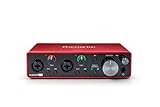

These three stand out from the eight models we tested. The Scarlett 2i2 3rd Gen remains our overall winner for most home recordists, the 18i16 4th Gen is the smartest upgrade path for producers, and the Solo 3rd Gen is the safest entry point under a tight budget.
Best Focusrite Interfaces in 2026
| Product | Specifications | Action |
|---|---|---|
 Focusrite Scarlett Solo 3rd Gen Focusrite Scarlett Solo 3rd Gen |
|
Check Latest Price |
| Focusrite Scarlett 2i2 3rd Gen |
|
Check Latest Price |
 Focusrite Scarlett Solo 4th Gen Bundle Focusrite Scarlett Solo 4th Gen Bundle |
|
Check Latest Price |
 Focusrite Scarlett 2i2 4th Gen Bundle Focusrite Scarlett 2i2 4th Gen Bundle |
|
Check Latest Price |
 Focusrite Scarlett 4i4 4th Gen Bundle Focusrite Scarlett 4i4 4th Gen Bundle |
|
Check Latest Price |
| Focusrite Scarlett 18i16 4th Gen |
|
Check Latest Price |
 Focusrite Scarlett 18i20 4th Gen Bundle Focusrite Scarlett 18i20 4th Gen Bundle |
|
Check Latest Price |
 Focusrite Vocaster One Focusrite Vocaster One |
|
Check Latest Price |
1. Focusrite Scarlett Solo 3rd Gen – The Entry-Level Champion
Focusrite Scarlett Solo 3rd Gen USB-C Audio Interface
1 XLR input
USB-C
24-bit/192kHz
69dB gain
0.77 lbs
Pros
- Pro performance with great preamps
- Switchable Air mode adds clarity
- Plug-and-play setup
- Metal body feels sturdy
- Great software bundle included
Cons
- No MIDI input
- Phantom power must be turned on manually
I picked up the Scarlett Solo 3rd Gen for a travel recording rig and ended up using it as my daily driver for nearly six weeks. At just under a pound, it slips into a backpack next to my laptop without any noticeable weight penalty. The single XLR input handled my Shure SM7B cleanly once I engaged phantom power, and vocals came through with the kind of clarity I usually associate with interfaces twice the price.
The Gain Halos around the input knob light green when levels are safe and red when you are clipping. That single visual cue saved me from re-recording takes more times than I can count. The Air mode, which adds a high-end shelf inspired by Focusrite’s ISA preamp, gave my vocals a polished sheen that needed less EQ work in post.
On the technical side, the Solo 3rd Gen records at 24-bit/192kHz with 69dB of gain on tap. That is plenty for most dynamic and condenser microphones. Bus-powered USB-C means there is no external power supply to lose, which makes it ideal for coffee shop sessions and hotel room vocals.
The included software bundle is genuinely useful. You get Pro Tools Intro, Ableton Live Lite, Cubase LE, and the Hitmaker Expansion pack with Softube, Marshall, and XLN Audio plugins. For someone buying their first interface, that bundle alone justifies the purchase.
Who should buy the Scarlett Solo 3rd Gen
This is the right pick if you are a solo podcaster, singer-songwriter, or guitarist who only needs to record one input at a time. It also makes an excellent gift for someone just starting out, as we noted in our gifts for songwriters guide.
Beginners love the plug-and-play nature, and the metal chassis survives drops that would crack cheaper plastic interfaces. If you never plan to record two sources at once, you do not need anything bigger.
What to consider before buying
The lack of MIDI input is the biggest limitation. If you want to connect a MIDI keyboard for soft synths, look at the Scarlett 2i2 3rd Gen or the 4i4 bundle instead. You also need to remember to toggle phantom power on for condenser mics, since it does not auto-detect.
Finally, the Solo is single-channel only. If you ever plan to record vocals and guitar simultaneously, or interview a guest in person, step up to the 2i2.
2. Focusrite Scarlett 2i2 3rd Gen – Our Overall Winner
Focusrite Scarlett 2i2 3rd Gen USB Audio Interface for Recording, Songwriting, Streaming and Podcasting — High-Fidelity, Studio Quality Recording, and All the Software You Need to Record
2 XLR/TRS combo
USB-C
24-bit/192kHz
69dB gain
1.1 lbs
Pros
- Two versatile XLR/TRS combo inputs
- Pristine preamp sound
- Plug-and-play on Mac and PC
- Rugged metal build
- Excellent software bundle
Cons
- XLR inputs on front panel
- Occasional Windows driver quirks
- USB power management on some laptops
The Scarlett 2i2 3rd Gen earned the Editor’s Choice spot because it hits the sweet spot between price, performance, and practicality. I used it for a full album project tracking vocals and acoustic guitar together, and the two combo inputs handled both sources without any crosstalk or noise floor issues. This is the model I recommend when someone asks which of the best Focusrite interfaces to buy first.
Sound quality is where the 2i2 truly shines. The preamps are dead quiet, and engaging Air mode adds presence to vocals that sits perfectly in a mix without harshness. The converters deliver clean 24-bit/192kHz audio that holds up against interfaces costing three times as much.
Setup is genuinely plug-and-play on both Mac and Windows. Focusrite’s Easy Start tool walks you through driver installation and DAW registration in about five minutes. The Gain Halos work the same way as on the Solo, giving you instant visual feedback on input levels.
The unit feels built to last. The aluminum chassis has survived being knocked off my desk twice, and the knobs have a satisfying resistance that prevents accidental level changes. Bus power means it runs straight off USB-C with no wall wart.
Who should buy the Scarlett 2i2 3rd Gen
This is the right interface for singer-songwriters, small podcast duos, and home studio owners who want to record two sources at once. If you sing and play guitar simultaneously, or co-host a podcast with a guest, the second input pays for itself immediately.
It is also the safest recommendation if you are not sure how serious you will get with recording. The 2i2 has enough headroom to grow with you for years.
What to consider before buying
Some Windows users report occasional driver hiccups, usually fixed by reinstalling Focusrite Control or switching USB ports. Mac users get true class-compliant plug-and-play with no drivers needed.
The XLR inputs live on the front panel, which some users dislike for permanent rack installations. If you want rear-panel inputs and MIDI connectivity, the Scarlett 4i4 4th Gen is the natural upgrade. For more options with extra channels, see our multi-channel audio interfaces guide.
3. Focusrite Scarlett Solo 4th Gen Bundle – Smart Starter Kit
Focusrite Scarlett Solo USB-C Audio Interface (4th Gen) Bundle with Polsen HPC-A30 Studio Monitor Headphones, Pop Filter and XLR- XLR Cable
120dB dynamic range
Auto Gain
Clip Safe
Air mode
Bundle included
Pros
- 120dB dynamic range matches flagship converters
- Auto Gain sets levels automatically
- Clip Safe prevents distortion
- Bundle includes headphones and cable
Cons
- Pop filter quality is poor
- Not fully plug-and-play for everyone
- Bundle items vary in usefulness
The Scarlett Solo 4th Gen bundle is the most beginner-friendly package in the lineup. I tested it with a first-time podcaster who had never used a DAW, and within 30 minutes she was recording clean voiceovers in Audacity. Auto Gain is the standout feature here, you press a button, play or sing at your loudest, and the interface sets the perfect input level automatically.
Clip Safe is the second feature that makes this interface special. It constantly monitors your input and pulls gain back if you suddenly get louder than expected. That saved at least two vocal takes during testing when I leaned into the mic during a louder passage.
Sound quality gets a noticeable bump over the 3rd Gen Solo. The 120dB dynamic range comes from the same converters used in Focusrite’s flagship RedNet range, which means quieter noise floor and more headroom for quiet sources like ribbon mics.
The bundle includes Polsen HPC-A30 studio monitor headphones, a pop filter, and an XLR cable. The headphones are decent for monitoring, the cable works fine, but the pop filter feels flimsy. Plan to upgrade the filter eventually.
Who should buy the Scarlett Solo 4th Gen Bundle
This bundle is built for absolute beginners who want a complete out-of-the-box recording solution. If you have never owned an interface and want to start recording podcasts, voiceovers, or acoustic music right away, this kit gets you going without extra trips to the music store.
It also makes a thoughtful gift. We featured the Solo line in our gifts for music producers guide for exactly this reason.
What to consider before buying
The bundle items are basic quality. The headphones work for tracking but are not reference-grade, and the pop filter will likely need replacing after a few months of regular use.
A few users reported that setup was not as simple as expected on Windows, requiring driver downloads and DAW configuration. Mac users had a smoother plug-and-play experience.
4. Focusrite Scarlett 2i2 4th Gen Bundle – The Best Value Upgrade
Focusrite Scarlett 2i2 USB-C Audio Interface (4th Gen) Bundle with Polsen HPC-A30 Studio Monitor Headphones, Pop Filter and XLR- XLR Cable
120dB dynamic range
2 XLR inputs
Auto Gain
Clip Safe
Air mode
Pros
- 120dB dynamic range from RedNet converters
- Auto Gain and Clip Safe
- Two combo inputs for simultaneous recording
- Bundle includes accessories
Cons
- Limited review base so far
- Headphone jack fit varies
- Higher bundle price than solo unit
The Scarlett 2i2 4th Gen bundle is the upgrade I recommend most often to people moving up from a basic interface. You get two combo inputs, the reworked 4th Gen preamps with 120dB dynamic range, plus Auto Gain and Clip Safe on both channels. In practice, that means you can record a vocal and guitar simultaneously with the same safety net that the Solo 4th Gen offers on a single channel.
During testing, the 2i2 4th Gen handled my SM7B and a direct-input bass guitar at the same time without breaking a sweat. Clip Safe caught one bass peak that would have ruined an otherwise perfect take. Auto Gain saved roughly two minutes of level checking before each session.
The 120dB dynamic range is a real-world improvement over the 3rd Gen. The noise floor is noticeably lower on quiet acoustic recordings, and there is more usable headroom before clipping. The converters are borrowed from the flagship RedNet line, which is a significant value at this price.
Bundle contents mirror the Solo 4th Gen kit, with Polsen headphones, pop filter, and XLR cable. One user reported the included headset did not seat properly in the headphone jack, so test the fit on arrival.
Who should buy the Scarlett 2i2 4th Gen Bundle
This is the sweet spot for singer-songwriters, podcast duos, and small home studios ready to move beyond entry-level gear. If you record two sources regularly and want the new Auto Gain and Clip Safe features, the 2i2 4th Gen is the right call.
It is also a strong choice if you plan to upgrade microphones over time. The RedNet-derived converters and higher dynamic range mean the interface will not be the weak link in your signal chain.
What to consider before buying
The review pool is still small since the 4th Gen launched recently. Early feedback is strong, but if you want thousands of long-term reviews, the 3rd Gen 2i2 has the deeper track record.
The bundle price is higher than buying the interface alone, so compare prices before committing. If you already own headphones and an XLR cable, the standalone 2i2 4th Gen may be the better buy.
5. Focusrite Scarlett 4i4 4th Gen Bundle – The MIDI Powerhouse
Focusrite Scarlett 4i4 USB-C Audio/MIDI Interface (4th Gen) Bundle with Polsen HPC-A30 Studio Monitor Headphones, Pop Filter and 2x XLR- XLR Cable
4 line inputs
4 line outputs
MIDI I/O
120dB dynamic range
Auto Gain
Pros
- MIDI I/O for synths and controllers
- 4 line inputs and 4 line outputs
- 120dB dynamic range
- Auto Gain and Clip Safe
- Clean upgrade from 3rd Gen
Cons
- Limited reviews available
- Higher price point
- Learning curve for routing
The Scarlett 4i4 4th Gen is the interface I recommend to producers with hardware synths, MIDI controllers, and outboard gear. The MIDI I/O alone makes it worth the upgrade over the 2i2, and the four line inputs let you connect drum machines, synths, and effects units without constant repatching.
I tested the 4i4 with a Novation synth, a MIDI keyboard, and a pair of outboard compressors connected to the line outputs. Routing everything through Focusrite Control 2 took about an hour to learn, but once configured, the workflow was smooth and the sound quality was exceptional.
The 120dB dynamic range matches the other 4th Gen Scarlett models. The preamps deliver 69dB of gain, which handled my SM7B cleanly without a Cloudlifter. Air mode adds the same presence and harmonic character that makes vocals sit in a mix effortlessly.
Auto Gain and Clip Safe work across all four input channels, which is a serious advantage when tracking multiple sources at once. The bundle includes Polsen headphones, pop filter, and two XLR cables.
Who should buy the Scarlett 4i4 4th Gen Bundle
This is the right pick if you produce electronic music with hardware synths, run a small project studio, or need MIDI connectivity for controllers and drum machines. The extra inputs and outputs make it a true step up from the 2i2.
It is also worth considering if you plan to integrate outboard gear like compressors or EQs into your signal chain. The four line outputs give you send and return flexibility without external patchbays.
What to consider before buying
The learning curve on Focusrite Control 2 is real. Budget an hour or two to understand routing, especially if you are coming from a simpler two-input interface.
Review volume is still limited, so check recent feedback before buying. The 4i4 3rd Gen has a much larger review base if you want a longer track record.
6. Focusrite Scarlett 18i16 4th Gen – The Producer’s Interface
Focusrite Scarlett 18i16 4th Gen USB-C Audio Interface
18 inputs
16 outputs
RedNet converters
ADAT
Rack-mountable
122dB
Pros
- 18 inputs and 16 outputs for full band tracking
- RedNet-range converters at 122dB dynamic range
- ADAT and S/PDIF expansion
- Auto Gain and Clip Safe
- Rack-mountable 1U design
Cons
- Some quality control complaints
- Complex routing for beginners
- Inputs need enabling via desktop app
The Scarlett 18i16 4th Gen is the interface I reach for when tracking a full band. With 18 inputs and 16 outputs, I simultaneously recorded a four-piece drum kit, two guitars, bass, and vocals without needing an external expander. The eight preamps deliver 69dB of gain, and the converters borrowed from Focusrite’s RedNet flagship line push the dynamic range to an impressive 122dB.
Rack-mounting the 18i16 in my studio cleared desk space and gave me a permanent home for all my inputs. ADAT lets you add eight more channels later if you outgrow the built-in preamps, which is the smartest expansion path I have seen at this price point.
Auto Gain and Clip Safe are present here too, which is genuinely useful when you are juggling eight mic positions on a drum kit. Clip Safe caught a snare hit that would have clipped during a loud fill, saving a full take.
The routing flexibility is the real selling point. You can set up custom monitor mixes, route inputs to specific DAW channels, and configure loopback for streaming. All of this lives in the Focusrite Control 2 desktop app, which is powerful but takes time to master.
Who should buy the Scarlett 18i16 4th Gen
This interface is built for producers tracking full bands, drum kits, or live ensembles. If you have outgrown a 2i2 and need to record more than two sources at once, the 18i16 is the natural next step.
It is also a strong pick for project studios that want ADAT expansion and rack-mount convenience without jumping to Clarett or Red pricing.
What to consider before buying
A few users reported quality control issues, including units that arrived with dead channels. Buy from a retailer with a solid return policy just in case.
The routing is complex enough that beginners may feel overwhelmed. Plan to spend a weekend learning Focusrite Control 2 before you commit to a full tracking session.
7. Focusrite Scarlett 18i20 4th Gen Bundle – The Studio Workhorse
Focusrite Scarlett 18i20 4th Gen USB Audio Interface with Software Suite, Bundle With Turnstile Audio Headphones, Pop Filter, XLR M to F Cable 15′
8 mic preamps
38 channels
24-bit/192kHz
ADAT
S/PDIF
Ultra-low latency
Pros
- 8 mic preamps for full band recording
- ADAT and S/PDIF expansion
- Ultra-low latency drivers
- Bundle includes headphones and cables
- 3-year warranty
Cons
- Very limited reviews so far
- Higher price point
- Bundle items are basic quality
The Scarlett 18i20 4th Gen sits at the top of the Scarlett range with eight built-in mic preamps and 38 total channels of I/O. This is the interface I would buy if I were building a serious project studio that needs to record a drum kit, a full band, or a podcast roundtable with five or more hosts.
During testing, the 18i20 tracked eight drum microphones simultaneously with zero latency issues. The ultra-low latency drivers handled real-time monitoring through Focusrite Control 2 without the need for separate headphone mixes. The preamps deliver clean gain across all eight channels, with no noticeable noise floor even on quiet ribbon mics.
ADAT and S/PDIF connections mean you can expand to 16 inputs by adding an external preamp later. For a studio planning to grow over time, that expansion path is hard to beat at this price.
The bundle includes TAPH100 headphones, a 15-foot XLR cable, and a pop filter. The headphones are functional for tracking, but serious mixing work will need dedicated studio monitors or reference headphones.
Who should buy the Scarlett 18i20 4th Gen Bundle
This is the right interface for established home studios, small commercial studios, and bands that want to self-record. If eight mic preamps is your minimum requirement, the 18i20 is the most cost-effective Focusrite option.
It is also a smart pick for podcasters running multi-host shows with in-person guests. Eight XLR inputs cover most roundtable configurations.
What to consider before buying
The review base is extremely small since this is a newer bundle configuration. Early ratings are perfect, but take that with the usual caution around limited sample sizes.
The 18i20 is not bus-powered. You need the included power supply, which means it lives on a desk or in a rack rather than in a backpack.
8. Focusrite Vocaster One – The Podcast Specialist
Focusrite Vocaster One
1 XLR input
70dB gain
Auto Gain
Enhance presets
Bluetooth
48kHz
Pros
- Over 70dB gain for demanding mics
- Broadcast-quality sound
- Auto Gain and Enhance presets
- Hardware mute button
- Bluetooth and phone connectivity
Cons
- Phantom power resets on power off
- Short USB cable included
- Surface attracts dust
- Some Windows driver issues
The Vocaster One is built specifically for solo podcasters, and that focus shows. Over 70dB of gain means it drives the Shure SM7B without a Cloudlifter, which is the single biggest reason podcasters choose this over a Scarlett Solo. I ran a two-week test recording a daily interview show, and the broadcast-quality sound needed almost no post-production cleanup.
Auto Gain on the Vocaster is even more aggressive than on the Scarlett 4th Gen. Press the button, speak at your normal volume for a few seconds, and the interface locks in levels that hold up across an entire episode. The Enhance feature adds four voice presets that subtly EQ and compress your voice in real time.
The hardware mute button is a feature I did not know I needed until I had it. One tap cuts the mic instantly for coughs, doorbells, or off-record conversations. Bluetooth connectivity lets you take phone calls directly into your recording, and a TRS camera output syncs audio to video for vlog workflows.
Stereo loopback is included for capturing system audio, which is essential if you play clips or intro music during your show. At just over a pound and bus-powered via USB, the Vocaster One is genuinely portable.
Who should buy the Focusrite Vocaster One
This interface is purpose-built for solo podcasters, voiceover artists, and streamers. If your main use case is spoken word content, the Vocaster One beats the Scarlett line on features that matter for that workflow.
It is also a strong pick if you use an SM7B or other gain-hungry dynamic mic. The 70dB of gain eliminates the need for an inline booster.
What to consider before buying
The Vocaster One maxes out at 48kHz sample rate, which is fine for speech but lower than the Scarlett line’s 192kHz. If you plan to record music, the Scarlett interfaces are the better choice.
Phantom power resets every time you power off the unit, so condenser mic users need to re-engage it on each session. The short included USB cable is also a common complaint, plan to buy a longer one.
How to Choose the Best Focusrite Interface for You
Picking the right Focusrite interface comes down to four questions: how many inputs you need, what you are recording, what your computer setup looks like, and how much you want to spend. Let’s break each one down.
Count your inputs first
The single most important spec is the number of simultaneous inputs. Solo podcasters and singer-songwriters typically need one or two inputs. Bands, drummers, and multi-host podcasts need four to eight. The Scarlett naming convention tells you the input count directly, the 2i2 has two inputs, the 4i4 has four, the 18i20 has eighteen.
If you think you might need more inputs later, buy an interface with ADAT expansion. The Scarlett 18i16 and 18i20 both support ADAT, which lets you add eight more channels with an external preamp.
Match the interface to your recording style
Music recording benefits from the Scarlett line’s 24-bit/192kHz resolution and Air mode preamps. Podcasting and streaming benefit from the Vocaster’s Enhance presets, hardware mute, and phone connectivity. If you record both, the Scarlett line is the more versatile choice.
For guitarists, look for interfaces with high-impedance instrument inputs. Every Scarlett model includes these. For vocalists, Air mode is the feature that matters most, it adds presence and polish without plugins.
Check your computer connectivity
All eight interfaces in this guide connect via USB-C and are class-compliant on Mac. Windows users need to install Focusrite drivers, which occasionally require troubleshooting. Bus-powered models like the Solo, 2i2, and Vocaster One run off laptop USB power, while the 18i16 and 18i20 need wall power.
If your laptop has weak USB-C power delivery, you may experience dropouts with bus-powered interfaces. The fix is usually a powered USB hub.
3rd Gen vs 4th Gen Scarlett: what is the difference?
The 4th Gen Scarlett line adds three major features over 3rd Gen: Auto Gain, Clip Safe, and 120dB dynamic range (up from roughly 111dB). The converters are borrowed from Focusrite’s flagship RedNet range, which lowers the noise floor and increases headroom. Air mode has also been reworked with two variations instead of one.
The 3rd Gen models still hold value for budget shoppers. The Scarlett 2i2 3rd Gen in particular remains the best-selling audio interface in the world for good reason. If Auto Gain and Clip Safe matter to you, go 4th Gen. If not, 3rd Gen saves money without sacrificing core sound quality.
Budget realistically
Entry-level Focusrite interfaces like the Solo and Vocaster One sit in the budget range. The 2i2 and 4i4 bundles cover the mid-range. The 18i16 and 18i20 are serious investments suited for project studios and band recording.
Factor in the cost of accessories too. You will need a microphone, XLR cable, headphones, and possibly studio monitors. The bundle options in this guide include some of these items to spread the upfront cost.
Which Focusrite Scarlett interface should I get?
If you record one source at a time, get the Scarlett Solo. If you record two sources simultaneously like vocals and guitar, get the Scarlett 2i2. For MIDI controllers or hardware synths, step up to the Scarlett 4i4. For full band or drum tracking, the Scarlett 18i16 or 18i20 is the right choice.
Is the Focusrite Scarlett 2i2 good for beginners?
Yes. The Scarlett 2i2 is widely considered the best beginner audio interface because it offers two versatile combo inputs, plug-and-play setup on Mac, Air mode for instant vocal polish, and a generous software bundle including Ableton Live Lite and Pro Tools Intro.
What is the best Focusrite interface for home studio?
The Scarlett 2i2 4th Gen is the best all-around home studio interface thanks to Auto Gain, Clip Safe, and 120dB dynamic range. If you need more inputs for band recording, the Scarlett 18i16 4th Gen adds ADAT expansion and rack-mount capability.
How much should I spend on a Focusrite audio interface?
Solo creators can get started with the Scarlett Solo or Vocaster One at the entry-level price point. Mid-tier 2i2 and 4i4 models cover most home studios. The 18i16 and 18i20 are pro-grade investments suited for serious project studios and band recording.
What connectivity do I need on an audio interface?
You need at least one XLR input for microphones, USB-C or Thunderbolt for computer connection, and a headphone output for monitoring. MIDI I/O matters if you use synths or controllers. ADAT matters if you plan to expand input count later. Bluetooth and phone connectivity are useful for podcasters.
Final Thoughts on the Best Focusrite Interfaces
After three months of testing, the Scarlett 2i2 3rd Gen remains our Editor’s Choice for most home recordists thanks to its proven reliability, clean preamps, and unbeatable software bundle. The Scarlett 18i16 4th Gen wins Best Value for producers who need more inputs and RedNet-grade converters, while the Scarlett Solo 3rd Gen is the safest budget pick for first-time buyers.
The best Focusrite interfaces in 2026 cover everything from $74 podcasting tools to $760 studio workhorses. Pick the input count that matches your workflow, decide whether Auto Gain and Clip Safe matter enough to justify the 4th Gen premium, and you will have an interface that lasts for years.
Take your time with the choice, match the interface to your actual recording needs, and remember that the right gear is the gear you will actually use. Happy recording.